
HIPAA compliance work from home means protecting patient data even when your office is your house. This guide gives you clear rules, real risks, and practical steps to stay compliant without overcomplicating things.
Key Takeaways You Should Know First
- HIPAA rules do not change just because you work from home.
- Most remote HIPAA violations come from simple mistakes, not hacking.
- Unsecured Wi‑Fi and personal devices are the top risk factors.
- Family members or roommates can create accidental PHI exposure.
- Physical privacy matters as much as digital security at home.
- Clear daily habits reduce more risk than complex tools.
- A simple checklist can prevent most remote HIPAA violations.
Understanding HIPAA Compliance When Working From Home
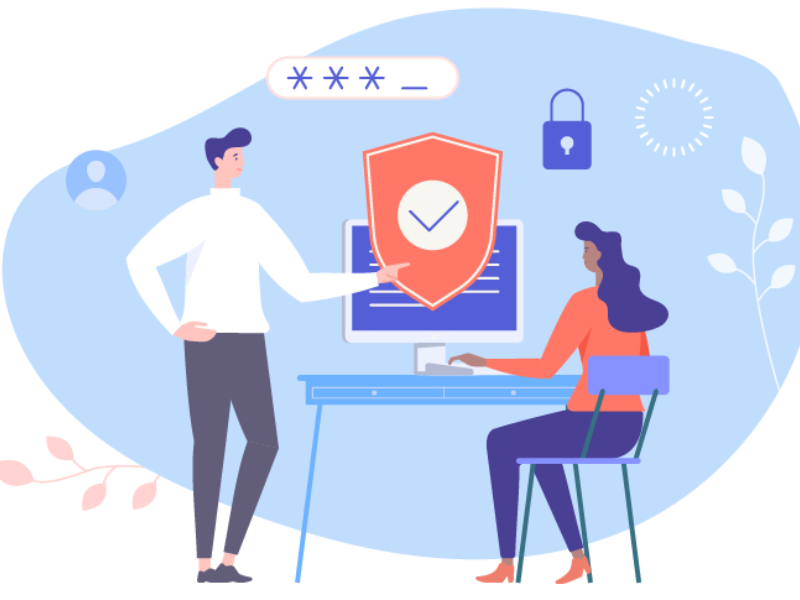
HIPAA compliance when working from home means protecting PHI (Protected Health Information) outside a controlled office environment.
The core goal stays the same. Prevent unauthorized access, use, or disclosure of patient data.
Who must comply:
- Healthcare providers and clinics
- Billing, coding, and admin staff
- Telehealth professionals
- Business associates handling PHI
What changes at home:
- Less physical control over space
- More reliance on personal internet and devices
- Higher risk of accidental exposure
In-office vs home office (quick comparison):
| Area | In Office | Work From Home |
|---|---|---|
| Network | Managed and secured | Often personal Wi‑Fi |
| Physical access | Controlled | Shared with others |
| Device use | Standardized | Mixed or personal |
| Oversight | Direct | Limited |
HHS (the U.S. Department of Health and Human Services) makes clear that HIPAA applies regardless of work location.
What HIPAA Requires for Remote Work
HIPAA’s Security Rule is built on three safeguard groups. All apply when working from home.
Administrative Safeguards
Administrative Safeguards cover policies, people, and processes. In practice, this means following your organization’s written remote-work policies, completing regular HIPAA training, and ensuring that access to systems is role-based — not shared. If you no longer need access to patient billing records, that access must be removed. Working remotely doesn’t change that obligation.
What this means at home:
- You follow written remote-work policies.
- You complete regular HIPAA training.
- Access to systems is role-based, not shared.
Real example:
If you no longer need access to patient billing data, your access must be removed. Working from home does not change that rule.
Technical Safeguards
Technical Safeguards protect electronic PHI (ePHI) through technology. Core requirements for remote workers include unique login credentials for each user, data encryption (which scrambles information so it can’t be read if intercepted), VPNs (secure tunnels for internet traffic) where required, and multi-factor authentication (MFA) for system access. Logging into an electronic health record system over public Wi-Fi without a VPN, for example, does not meet HIPAA’s standard of “reasonable and appropriate” protection.
Core requirements for remote work:
- Secure login credentials for each user
- Encryption (scrambling data so it cannot be read if intercepted)
- VPNs (secure tunnels for internet connections) when required
- Multi-factor authentication (MFA) for system access
Real example:
Logging into an EHR over public Wi‑Fi without a VPN is not reasonable or appropriate.
Physical Safeguards
Physical Safeguards address the environment where PHI is accessed — including your home office. This means maintaining a private workspace when possible, positioning screens away from others, keeping physical records in locked storage, and never leaving devices unattended. A laptop left open on a kitchen table while family members move through the room is a real compliance risk.
At home, this includes:
- A private workspace when possible
- Screen privacy away from others
- Locked storage for paper records
- Devices not left unattended
Real example:
A laptop left open at the kitchen table while family members are nearby is a compliance risk.
Required vs Addressable Safeguards
A note on “addressable” vs. “required” safeguards: HIPAA uses these two terms carefully. Required safeguards must always be implemented. Addressable safeguards must be implemented if they’re reasonable and appropriate for your situation. A solo telehealth provider, for instance, may not need enterprise-grade tools — but still must use encrypted devices and secure networks.
- Required: Must be implemented.
- Addressable: Must be implemented if reasonable and appropriate.
“Reasonable and appropriate” depends on risk, size, and resources.
Example:
A solo telehealth provider may not need enterprise tools but still must use encrypted devices and secure networks.
Common HIPAA Risks and Violations When Working From Home

Most remote violations are preventable.
1. Unsecured Home Wi‑Fi
Why this violates HIPAA:
Unencrypted or default router settings allow unauthorized access to ePHI.
2. Using Personal Devices Without Approval
Why this violates HIPAA:
Unmanaged devices may lack encryption, updates, or monitoring.
3. Family or Roommate Exposure
Why this violates HIPAA:
Any unauthorized person seeing or hearing PHI is a disclosure.
4. Paper PHI at Home
Why this violates HIPAA:
Printed records can be lost, viewed, or discarded improperly.
5. Phishing Emails
Why this violates HIPAA:
Stolen credentials can lead to system-wide data exposure.
6. Lost or Stolen Devices
Why this violates HIPAA:
Unencrypted devices expose PHI even without system access.
Human error causes most remote HIPAA incidents, not advanced cyberattacks.
How to Set Up a HIPAA-Compliant Home Office
A compliant setup is about control, not perfection.
Step 1: Choose the Right Space
- Use a room with a door if possible.
- Avoid shared areas like kitchens or living rooms.
Step 2: Control Visual and Audio Privacy
- Position screens away from others.
- Use privacy screens if needed.
- Wear headphones during calls.
Step 3: Secure Paper PHI
- Store documents in locked drawers.
- Avoid printing unless required.
- Never leave papers unattended.
Step 4: Apply a Clean Desk Policy
- Clear PHI at the end of each workday.
- Lock devices when stepping away.
Correct setup:
Private room, locked storage, screen facing a wall.
Incorrect setup:
Laptop on couch, papers on coffee table, shared printer.
Securing Devices and Technology for Remote HIPAA Compliance
Employer-Issued vs Personal Devices
| Area | Employer Device | Personal Device |
|---|---|---|
| Security controls | Preconfigured | Often inconsistent |
| Updates | Managed | User-dependent |
| Monitoring | Enabled | Limited |
Personal devices should only be used if approved and secured.
BYOD (Bring Your Own Device)
Allowed only when:
- Device encryption is enabled
- Strong passwords are used
- Automatic locking is active
- IT can enforce security settings
Core Device Protections Explained Simply
- Encryption: Makes data unreadable without authorization.
- Antivirus: Detects and blocks malicious software.
- Firewall: Filters incoming and outgoing traffic.
- MFA: Requires a second proof of identity beyond a password.
Small case example:
An unpatched home laptop led to malware installation and credential theft. The breach started with a missed update.
Protecting PHI When Accessing Systems Remotely
Use a VPN When Required
A VPN encrypts your internet connection, protecting PHI in transit.
Encryption in Transit vs At Rest
- In transit: Data moving across networks.
- At rest: Data stored on devices or servers.
Both matter for remote work.
Communication Tools
Allowed:
- Approved EHR messaging
- Encrypted email platforms
- Secure telehealth apps
Not allowed:
- Personal email
- Standard SMS texting
- Consumer messaging apps
Logging and Monitoring
Access logs help detect unusual activity and limit damage early.
Best Practices for Handling PHI While Working From Home
Do
- Lock your screen every time you step away.
- Verify recipient details before sending information.
- Speak quietly during calls.
- Log out at the end of each session.
Don’t
- Share devices with others.
- Store PHI on desktops or USB drives.
- Discuss patient details in shared spaces.
- Assume small disclosures do not matter.
Common scenario:
A video call overheard by a roommate still counts as a disclosure.
Training, Policies, and Accountability for Remote Workers
- Annual HIPAA training is still required.
- Remote workers must follow the same policies as in-office staff.
- Incidents must be reported immediately, even if unsure.
- Accountability applies regardless of work location.
Simple HIPAA Work From Home Compliance Checklist
Workspace
- ☐ Private or controlled area
- ☐ Screen not visible to others
- ☐ Locked storage for paper PHI
Devices
- ☐ Encryption enabled
- ☐ Automatic locking active
- ☐ Antivirus and updates current
Network
- ☐ Secure Wi‑Fi password
- ☐ VPN used when required
Access
- ☐ Unique user credentials
- ☐ MFA enabled
Daily Habits
- ☐ Clean desk at end of day
- ☐ Log out of systems
- ☐ Shred or secure documents
Consequences of HIPAA Non-Compliance in Remote Work
- Civil fines and legal penalties
- Mandatory breach notifications
- Job termination or discipline
- Loss of patient trust
- Long-term reputational damage
Small mistakes can have large consequences.
Final Thoughts
HIPAA-compliant remote work is achievable with the right habits and setup. Focus on privacy, secure technology, and daily discipline.
Save the checklist. Share it with your team. Review your home setup today and fix the small gaps before they become real problems.
FAQ – HIPAA Compliance Work From Home

What is HIPAA compliance when working from home?
HIPAA compliance while working from home ensures the protection and confidentiality of patient health information (PHI) in remote work settings. This includes secure handling, electronic transmission, and safeguarding against unauthorized access to PHI.
What are common HIPAA violations for remote workers?
Common HIPAA violations include using unsecured Wi-Fi networks, improper handling of paper or digital PHI, device theft, not encrypting data, storing PHI on personal devices, and falling victim to phishing scams.
How can I secure my work-from-home environment for HIPAA compliance?
- Set up a private, secure workspace with physical barriers.
- Use VPNs, encrypted devices, and HIPAA-compliant tools to access patient records.
- Keep passwords strong and enable multi-factor authentication (MFA).
- Prevent unauthorized access by locking screens and filing documents securely.
Can remote workers use personal devices for accessing PHI?
Yes, but only if personal devices have HIPAA-compliant configurations such as encryption, updated antivirus software, password protection, and secure network access. Employers should also implement strict BYOD policies.
What tools are necessary for remote HIPAA compliance?
HIPAA compliance tools include virtual private networks (VPNs), encrypted email services, secure messaging apps, strong firewalls, and data loss prevention (DLP) systems for safeguarding your communications and data storage.
How can remote employees avoid sending PHI via non-compliant tools?
Use HIPAA-compliant platforms like secure email services, encrypted messaging apps, or authorized electronic health record (EHR) systems. Avoid using public email providers or cloud storage that lack encryption and access controls.
What are the penalties for HIPAA non-compliance while working remotely?
Non-compliance penalties can include fines ranging from $100 to $50,000 per violation based on severity and intent. Repeated violations can lead to legal action, reputation damage, and possible criminal charges.
Is HIPAA compliance training required for remote workers?
Yes, all employees who handle PHI, including remote workers, must undergo annual compliance training to understand HIPAA requirements, report breaches, and follow best practices for PHI security.
Read more:
CX Leaders Challenges 2026: Proving Value in an AI Era
Customer Retention Services: Reduce Churn and Grow Revenue


 English
  Russian
  Chinese