
SaaS support gets harder as ticket volume grows faster than your team can scale. If you’re exploring SaaS customer support outsourcing, this guide shows what it is, when it makes sense, how it works, what risks to watch, how pricing usually works, and which providers are worth shortlisting. The goal is simple: help you choose a partner that improves customer experience without losing product quality, speed, or brand voice.
Key Takeaways
- SaaS customer support outsourcing means hiring a specialized external team to handle part or all of your support operation.
- It works best when your team needs faster support scaling, better coverage, or lower operating strain.
- SaaS support is different from generic service because it affects onboarding, adoption, renewals, and customer churn.
- The most common outsourced scope includes Tier 1 tickets, after-hours coverage, overflow queues, billing questions, and chat or email support.
- A hybrid model often works best because it keeps complex issues in-house while outsourcing repetitive or after-hours work.
- Strong onboarding, product training, and clear SLAs matter more than vendor size.
- Key benefits include better FRT, broader channel coverage, more predictable staffing, and improved cost-efficiency.
- Common risks include weak product knowledge, inconsistent tone, poor escalation quality, and security gaps.
- Pricing usually depends on model, hours, ticket complexity, languages, and whether the team is shared or dedicated.
- You should compare vendors using the same scope, same ticket mix, and same SLA expectations.
- Success should be measured with both operational metrics and customer metrics, including FRT, CSAT, QA, reopen rate, and retention signals.
- The right provider is not always the biggest or cheapest. It is the one that fits your workflow, product complexity, and governance needs.
What Is SaaS Customer Support Outsourcing?

Simple definition of SaaS customer support outsourcing
SaaS customer support outsourcing is when a software company hires an external provider to run some or all customer support tasks. That can mean full support operations, weekend coverage, overflow handling during busy periods, or support for specific channels like chat or email.
The outsourced team usually works inside your support stack and follows your processes. In good setups, they act as a white-label extension of your brand, so the customer experience feels consistent.
This is not the same as hiring a few freelancers or general virtual assistants. A true SaaS support partner brings trained agents, team leads, QA, staffing management, reporting, and escalation workflows.
Common scope options include:
- Full support coverage.
- After-hours or weekend coverage.
- Overflow support during launches or peak periods.
- Channel-specific support such as live chat.
- Ticket-type ownership such as billing, onboarding help, or Tier 1 troubleshooting.
Example:
A growing B2B SaaS company keeps product escalations in-house, but uses an outsourced team for weekend chat and email. Customers still get fast replies, while internal specialists focus on urgent product issues and strategic accounts.
How SaaS support differs from general customer service
SaaS support is tied to a subscription business model. That changes everything.
In retail or one-time service businesses, support is often transactional. A customer has a question, gets an answer, and the relationship may end there. In SaaS, support is part of an ongoing relationship. The customer pays every month or every year. If the experience is poor, they can cancel.
That means support affects more than issue resolution. It influences:
- Onboarding and implementation.
- Product adoption.
- Time to value.
- Renewals.
- Expansion opportunities.
- Churn risk.
SaaS support also needs stronger product understanding. Agents often deal with workflows, integrations, configuration issues, usage confusion, billing logic, permissions, or bug reports. Fast replies matter, but context matters more. A quick but wrong answer can damage trust faster than a slower accurate one.
SaaS support also has to work closely with other teams:
- Product, for release changes and known issues.
- Engineering, for bug escalation.
- Customer Success, for account health and onboarding.
- Billing or RevOps (revenue operations), for subscription and payment issues.
| Area | General Customer Service | SaaS Support |
|---|---|---|
| Relationship type | Often transactional | Ongoing subscription relationship |
| Main goal | Solve a customer issue | Solve issues and support retention |
| Product knowledge needed | Usually moderate | Often high |
| Business impact | Satisfaction | Satisfaction, adoption, renewals, churn |
| Team coordination | Limited | Often cross-functional |
This is why outsourced customer service for SaaS requires more than basic contact center experience. The provider needs to understand recurring revenue, customer lifecycle risk, and product-led support.
Common support functions providers handle
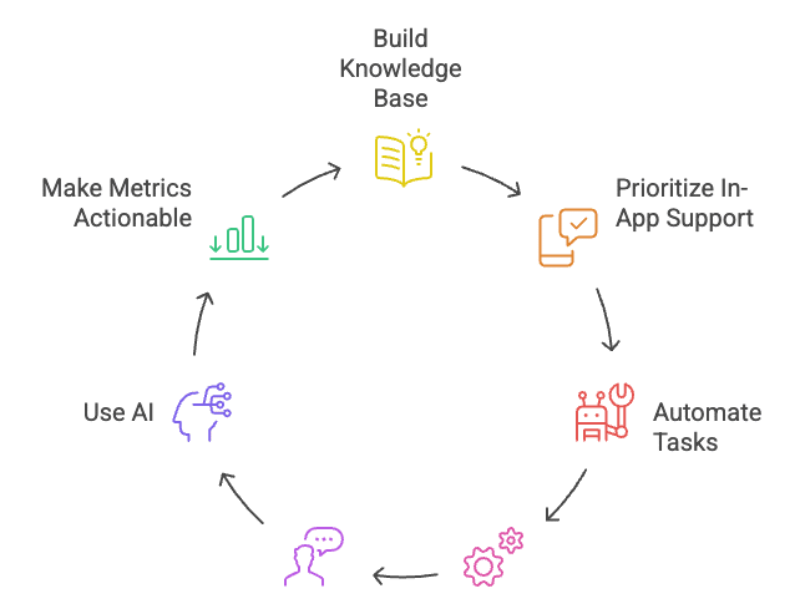
Most third-party SaaS support services handle a mix of front-line and operational support work. Scope depends on the vendor and your model.
Common functions include:
- Tier 1 support: Password resets, login help, basic troubleshooting, navigation questions.
- Billing and account support: Subscription changes, invoices, payment failures, seat changes, cancellations.
- Live chat and email support: Front-line responses in Zendesk, Intercom, or similar help desk workflows.
- Overflow support: Extra coverage during product launches, Monday spikes, or seasonal peaks.
- After-hours support: Nights, weekends, and holiday coverage.
- Knowledge base management: Updating help articles, macros, canned replies, and internal SOPs (standard operating procedures).
- Onboarding support: Setup help, first-use guidance, implementation coordination, and FAQ handling.
- Escalation intake: Collecting technical details, reproducing issues, and routing cases to internal product or engineering teams.
When Should a SaaS Company Outsource Customer Support?
Signs your in-house team is struggling to scale
Most teams do not outsource because they want to. They outsource because the current setup stops working.
Watch for these warning signs:
- Ticket volume keeps rising faster than headcount. Your team can no longer keep up without working longer hours.
- First response times are slipping. A queue that once moved in one hour now takes half a day.
- Backlog grows after every launch. New features bring more questions, but staffing stays flat.
- Support quality feels inconsistent. Different agents give different answers to the same issue.
- Founders or engineers are answering repetitive tickets. High-value staff are stuck on password resets and basic troubleshooting.
- Monday queues are always overloaded. Weekend demand stacks up and creates a weekly fire drill.
- After-hours work causes burnout. Internal staff cover nights or weekends too often.
- Global customers wait too long. Time-zone gaps make support feel unavailable outside your home market.
- Hiring is too slow. By the time you recruit and train new reps, the queue problem is worse.
- Customer complaints mention support speed or quality. This is the point where the issue becomes customer-facing.
A simple example: your median FRT doubles after each product release, and your backlog never fully resets. That is not a temporary spike. That is a scaling issue.
If you see three or more of these signs at once, your support model is likely under strain.
Business situations where outsourcing makes sense
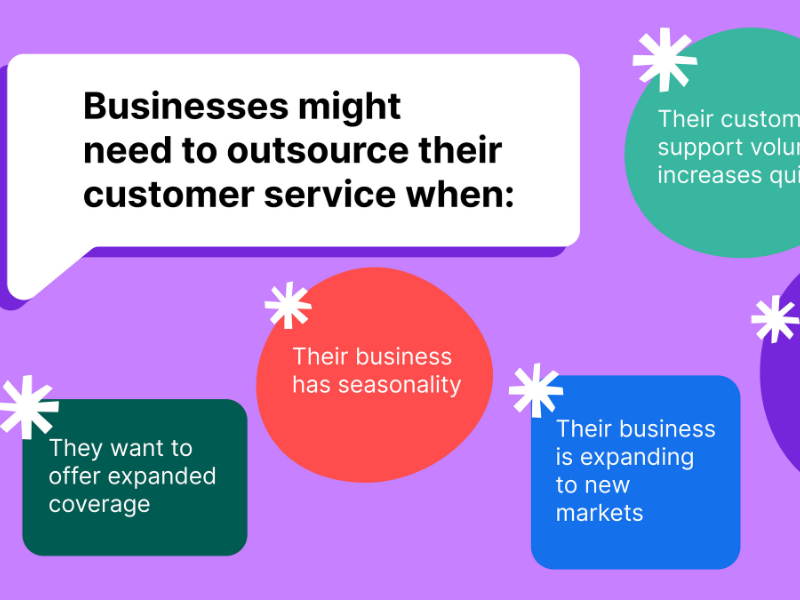
Outsourcing is especially useful in a few common SaaS scenarios:
- Early-stage startups that need real support coverage before building a full internal team.
- Growth-stage SaaS companies expanding into new time zones and needing 24/7 global coverage.
- B2B SaaS teams with implementation and support complexity that need structured front-line coverage.
- Launch periods when ticket volume spikes around new features or pricing changes.
- Lean operations teams trying to improve service without adding full internal overhead.
- Companies with uneven demand that need flexible staffing instead of fixed payroll.
- Teams struggling with weekend or holiday support and trying to avoid internal burnout.
- Businesses entering multilingual markets that need broader language coverage.
This is why many buyers search for the best SaaS customer support outsourcing companies for startups or for outsourcing technical support for B2B SaaS companies. The trigger is rarely one issue. It is usually a mix of growth, coverage, and cost pressure.
Common goals behind SaaS support outsourcing
Most SaaS leaders outsource for a small set of practical reasons.
They want to reduce cost, scale faster, add coverage, protect customer experience, and free up internal teams. The strongest programs also use outsourcing to support retention.
Common goals include:
- Lower operating cost → Reduced hiring pressure, less management overhead, and better OpEx control.
- Faster support scaling → Quicker ramp during launches, expansions, and ticket spikes.
- Better coverage → Nights, weekends, holidays, and time-zone flexibility.
- Improved response times → Healthier queues and better FRT.
- More internal focus → Engineers, founders, and CSMs (customer success managers) spend less time in reactive support.
- Lower avoidable churn → Better service quality helps reduce cancellations caused by poor support experience.
- Stronger support continuity → Less disruption when volume changes quickly.
The key point is this: outsourcing does not automatically fix support. It can improve outcomes when onboarding, governance, and vendor fit are strong. Without that, it often creates a new layer of problems.
How SaaS Customer Support Outsourcing Works in Practice
Common operating models
There is no single support model that fits every SaaS business. The right one depends on your ticket mix, hours, product complexity, and budget.
| Model | What it means | Best for | Main tradeoff |
|---|---|---|---|
| Full outsourcing | External provider handles most support operations | Small teams or companies building support fast | Less direct control |
| Overflow support | Vendor handles excess volume during peaks | Launches, seasonal spikes, uneven demand | Less consistency if volume is unpredictable |
| After-hours support | Vendor covers nights, weekends, holidays | Global SaaS or lean internal teams | Requires strong handoff rules |
| Dedicated team | Agents work mainly or only on your account | Higher complexity, brand consistency, B2B workflows | Higher cost |
| Shared team | Agents support multiple clients | Lower volume, simpler support needs | Less product depth and less consistency |
| Hybrid | In-house and outsourced teams split responsibilities | Most scaling SaaS teams | Needs strong governance |
How these models usually fit:
- Startups: Shared or light dedicated support for chat, email, and after-hours coverage often makes the most sense.
- Scaling SaaS companies: A hybrid model is often the safest. External teams handle Tier 1, overflow, and after-hours. Internal teams handle escalations and strategic accounts.
- Enterprise or regulated SaaS: Dedicated or hybrid setups usually work better because they support tighter QA, stronger security controls, and deeper product familiarity.
Tradeoffs matter:
- Dedicated teams cost more, but they usually deliver stronger product familiarity and more stable brand voice.
- Shared teams are cheaper, but they often need tighter scripting and can struggle with nuance.
- Hybrid setups balance cost, availability, and technical depth, but only if ownership is clear.
A practical example:
A B2B SaaS company may keep integrations, bugs, and enterprise account issues in-house. It may outsource password resets, billing questions, and weekend email queues. That is often more efficient than choosing fully in-house or fully outsourced support.
Onboarding and training process
A support outsourcing program usually succeeds or fails in onboarding.
A typical rollout looks like this:
- Product discovery
The vendor learns your product, customer types, workflows, common ticket drivers, and support expectations. - Access and tools setup
Agents get access to Zendesk, Intercom, CRM, help center, internal SOPs, and test environments with role-based permissions. - SOP and macro review
The team studies troubleshooting flows, saved replies, escalation rules, and account handling standards. - Brand voice training
Agents learn tone, writing style, empathy standards, and how to represent your brand consistently. - Ticket shadowing
New agents review real conversations, observe experienced reps, and practice with historical tickets. - Certification or QA approval
Many strong providers require a knowledge check, reply review, or mock ticket handling before go-live. - Soft launch
The outsourced team starts with limited ticket types, lower volume, or one channel before taking on more responsibility.
Weak onboarding creates robotic support. Agents rely on scripts. They miss context. They escalate poor-quality tickets. Customers notice fast.
What good onboarding should include:
- Real product demos.
- Access to a sandbox (test environment).
- Troubleshooting trees for common issues.
- Release notes and recent product changes.
- Known edge cases.
- Escalation rules by severity.
- Real customer ticket samples.
In practice, vendors perform much better when they get actual product access and real support conversations, not just slide decks and policy docs.
Tools and systems involved
Most managed support teams for SaaS work inside your existing tool stack.
Common systems include:
- Zendesk or Intercom: Main help desk platform for tickets, chat, routing, and macros.
- CRM: Customer history, account tier, renewal status, and lifecycle context.
- Knowledge base platform: Public help center plus internal documentation.
- QA dashboards: Scorecards, audits, coaching notes, and calibration tracking.
- Automation layer: Ticket routing, suggested replies, chatbot triage, tagging, and workflow rules.
- Incident tools: Status page and internal alerting for outages or product incidents.
- Reporting dashboards: Views for FRT, backlog, resolution trends, and CSAT.
The flashy tool set matters less than good documentation and the right access. A team with clean SOPs and strong workflows often outperforms a team with expensive software and weak process.
When AI is used, the best setups follow a HITL (human-in-the-loop) model. Automation handles simple routing and repetitive tasks. Humans review higher-risk issues and take over complex conversations.
Escalation, SLAs, and governance
Good outsourced support needs governance. Without it, quality usually drops after the first 60 to 90 days.
Strong governance includes:
- Clear ownership: One internal owner and one vendor-side owner.
- Defined SLAs: Response time, backlog limits, coverage expectations, and quality targets.
- Escalation paths: Rules for what Tier 1 handles and what gets routed to internal teams.
- QA cadence: Regular review of conversations, coaching, and scoring.
- Performance reporting: Weekly and monthly dashboards with trend analysis.
- Calibration sessions: Shared review sessions to align on quality standards.
A simple split often looks like this:
- Tier 1 handled by vendor: Login issues, billing basics, setup questions, known workflows.
- Internal escalation: Bugs, integrations, enterprise account risk, compliance-sensitive cases.
Example SLA targets may include:
- First response within 15 minutes for chat.
- First response within 4 hours for standard email.
- Backlog below an agreed threshold.
- QA score above a target benchmark.
- CSAT above a defined level for handled tickets.
Weekly review meetings should cover:
- SLA performance.
- Escalation quality.
- Repeat issue trends.
- Documentation gaps.
- Coaching actions.
- Release-related training needs.
Poor governance is one of the top reasons outsourced quality declines. Not because the vendor stopped trying. Because no one kept the system aligned.
Key Benefits of Outsourced SaaS Customer Support
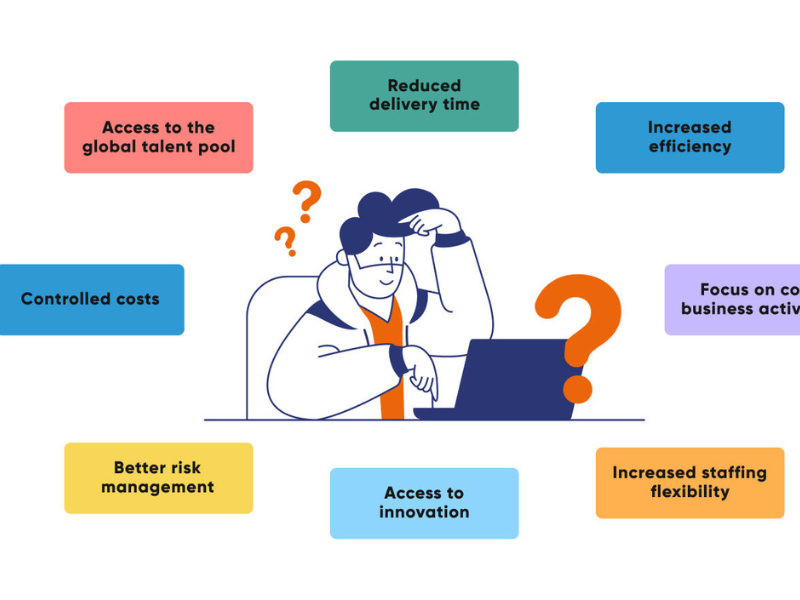
Lower cost than building a full in-house team
Building a full in-house support team costs more than salary.
You also pay for:
- Recruiting.
- Training time.
- Management overhead.
- Benefits and payroll burden.
- Tools and licenses.
- Coverage planning.
- Attrition risk and replacement hiring.
This is why outsourced customer service for SaaS is often more cost-efficient, especially when you need 24/7 support or your volume changes month to month.
The strongest financial case usually appears when:
- Demand is uneven.
- Growth is uncertain.
- You need weekend or holiday coverage.
- You want faster service without hiring several shifts internally.
Outsourcing also converts some fixed staffing cost into a more flexible operating expense. That gives teams more room to scale carefully instead of overhiring early.
That said, cheaper is not always better. A low-cost shared model may create poor resolution quality, more escalations, and weaker customer experience. The right comparison is not vendor price alone. It is total value for the support outcome you need.
Faster scaling and more flexible coverage
Support demand rarely grows in a straight line.
You get spikes from:
- Product launches.
- New pricing.
- Incidents.
- Seasonal traffic.
- New market expansion.
- Customer growth in new regions.
Outsourcing helps because vendors already have recruiting pipelines, staffing systems, and shift coverage in place. That usually means faster ramp time than hiring and training internally from scratch.
It also gives you more flexibility. You can add after-hours support, weekend coverage, or overflow staffing without building a second internal shift.
Example:
A SaaS company launching into EMEA (Europe, Middle East, and Africa) adds after-hours chat and email support through an outsourced team. Customers get faster responses in their local business hours, while the company avoids building a new overnight operation immediately.
This kind of time-zone flexibility is one of the clearest benefits of SaaS customer service outsourcing.
Better response times and broader channel coverage
If staffing is aligned well, outsourcing can improve queue health fast.
That often leads to:
- Better FRT.
- Lower backlog.
- More stable response quality during peaks.
- Better coverage across channels.
Most providers can support several channels, including:
- Email.
- Live chat.
- Phone.
- Help center support workflows.
- Sometimes social or messaging channels.
This matters because customers do not all contact you the same way. Some prefer chat for urgent issues. Others use email for billing or troubleshooting. B2B accounts may still expect phone access for serious issues.
Broader channel coverage also supports omnichannel continuity. A customer should not have to repeat the same issue every time they switch from chat to email.
One caution: speed alone does not equal quality. Faster replies only help if the answers are accurate, useful, and consistent.
More focus for your internal team
When front-line support is handled well, internal teams get time back.
That usually means:
- Engineers stop answering repetitive troubleshooting tickets.
- Product teams protect roadmap time.
- CSMs focus on onboarding and strategic accounts.
- Founders get out of the support queue.
- Operations leaders spend less time on emergency staffing.
This is one of the most underestimated benefits of outsourcing. It is not just a support decision. It is a focus decision.
If your highest-value people are buried in routine tickets, growth slows. A good outsourcing setup creates breathing room without leaving customers unsupported.
Support that can help retention and churn reduction
Support quality affects retention more than many teams admit.
When customers get fast, accurate help, they feel more confident using your product. That matters during onboarding, setup, renewals, and moments of friction.
Better support can help reduce avoidable churn by improving:
- Resolution speed.
- Onboarding help.
- Issue follow-through.
- Customer confidence.
- Service consistency.
Support alone does not solve churn. Product fit, pricing, onboarding design, and account management all matter too. But poor support can absolutely create churn that did not need to happen.
Mature support teams also help surface retention risk. They see patterns such as:
- Repeated integration failures.
- Users stuck during onboarding.
- Recurring billing confusion.
- Frustrated customers contacting support several times for the same issue.
Those signals can be shared with Customer Success or product teams before the account becomes a cancellation risk.
This is why outsourced support is shifting from pure cost play to growth support. In many SaaS businesses, support now protects ARR (annual recurring revenue), not just ticket queues.
Risks and Challenges to Watch For

Product knowledge gaps
This is the biggest risk in SaaS support outsourcing.
If agents only memorize scripts, support quality breaks fast. SaaS customers often ask questions that sit between documentation, workflow, and real product behavior. Script-only support cannot handle that well.
Common failure points include:
- Wrong troubleshooting steps.
- Poor issue classification.
- Weak bug reports.
- Low-quality escalations.
- Customers losing trust in the team.
The impact is bigger in B2B SaaS, where the product may affect daily operations for entire teams.
How to reduce this risk:
- Test vendors with real ticket samples.
- Ask how they train agents on new releases.
- Review sample replies for accuracy and tone.
- Confirm whether agents use a sandbox environment.
- Check how they handle integrations, permissions, and workflow questions.
Generic BPO scale is not enough. Technical fit matters more than headcount.
Brand voice and customer experience mismatch
A provider can meet coverage needs and still feel wrong to customers.
Brand mismatch usually looks like this:
- Robotic tone.
- Generic replies.
- Weak empathy in tense conversations.
- Inconsistent language across channels.
- Replies that sound like another company.
This is especially risky in SaaS, where support is part of the product experience.
To prevent mismatch, give the vendor:
- A style guide.
- Approved templates and macros.
- Good and bad reply examples.
- Voice rules for different issue types.
- QA review loops.
- Regular calibration sessions.
White-label support only works when the brand is documented clearly. If your internal style is vague, the outsourced team will guess. Guessing creates inconsistency.
Security and compliance concerns
Support teams often see sensitive customer data.
That means vendor security cannot be treated as a side issue. It must be validated before selection.
Key review points include:
- Access controls: Who can access what, and why.
- Role-based permissions: Agents should only see the systems and data they need.
- Device policy: Company-managed devices are safer than unmanaged personal devices.
- Session monitoring and logging: You need auditability.
- Data handling policy: How customer data is viewed, stored, and shared.
- Incident response: What happens if there is a security event.
- Compliance readiness: GDPR, HIPAA, PCI DSS, or other relevant frameworks.
For regulated SaaS companies, ask direct questions:
- Who can access customer data?
- Are sessions monitored?
- What devices do agents use?
- How are credentials managed?
- What is the breach response process?
- How is business continuity handled during outages or staffing disruption?
Security and compliance are non-negotiable. If a vendor is vague here, move on.
Reduced direct oversight
Outsourcing naturally reduces day-to-day visibility.
You are not sitting next to the team. You cannot hear every conversation. That makes drift easier.
The fix is operational discipline:
- Assign an owner on both sides.
- Review dashboards weekly.
- Run QA audits.
- Keep a live escalation channel.
- Hold regular performance reviews.
Less direct oversight is manageable. Lack of governance is not.
Overreliance on automation
AI and automation are useful, but they are not a full support strategy.
Use automation for:
- Password resets.
- FAQ routing.
- Ticket tagging.
- Simple troubleshooting paths.
- Suggested replies.
Avoid full automation for:
- Billing disputes.
- Emotionally tense conversations.
- Cancellation risk moments.
- Complex technical troubleshooting.
- High-value B2B account issues.
The market is moving toward agentic AI and stronger copilots, but human fallback still matters. The best providers use AI to speed up work, not replace judgment where empathy or nuance is required.
In-House vs Outsourced vs Hybrid Support for SaaS
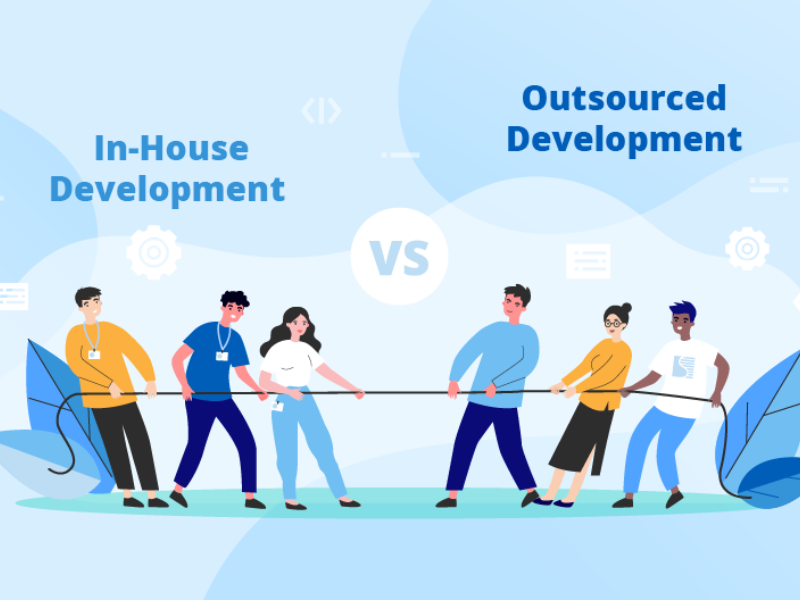
In-house support
In-house support works best when product complexity is high, engineering collaboration is constant, or regulation is strict. It gives you tighter control and deeper product alignment.
The downside is cost. Hiring is slower, 24/7 coverage is harder, and scaling across regions takes time. For many SaaS companies, full in-house support becomes expensive before it becomes efficient.
Outsourced support
Outsourced support is often a strong fit for Tier 1 work, after-hours coverage, overflow queues, and fast growth stages. It can improve availability and flexibility without expanding internal payroll too quickly.
The tradeoff is that quality depends heavily on onboarding, QA, and vendor fit. Without those, service can feel generic.
Hybrid support
A hybrid model combines both.
The outsourced team usually handles repetitive, front-line, or after-hours work. The internal team owns high-complexity issues, escalations, strategic accounts, and product feedback loops.
This is often the safest option for SaaS because it balances:
- Cost control.
- Faster coverage.
- Stronger product depth.
- Better escalation handling.
Typical split examples:
- Vendor handles login issues, account questions, billing basics, and known workflows.
- Internal team handles bugs, integrations, enterprise workflows, and high-risk accounts.
- Vendor covers nights and weekends while internal team owns core business hours.
For many scaling SaaS teams, hybrid is the most practical answer.
Which model fits which SaaS company
Use this as a simple guide:
- Startup with low to moderate complexity: Outsourced or hybrid.
- Growth-stage SaaS with rising volume: Hybrid.
- B2B SaaS with implementation-heavy workflows: Hybrid with dedicated team.
- Enterprise SaaS: Dedicated outsourced team or strong hybrid model.
- Highly regulated SaaS: Mostly in-house or tightly controlled hybrid.
- Global SaaS needing 24/7 multilingual support: Outsourced or hybrid with global vendor coverage.
The more complex your workflows, the more important dedicated training and escalation design become.
Comparison table
| Model | Best for | Main advantage | Main drawback | Typical use case |
|---|---|---|---|---|
| In-house | High complexity, strict regulation | Deep product control | Higher cost | Core technical support |
| Outsourced | Fast growth, after-hours, Tier 1 | Flexibility and coverage | Less direct oversight | Weekend chat and email |
| Hybrid | Most scaling SaaS teams | Balance of cost and depth | Needs strong coordination | Vendor handles Tier 1, internal handles escalations |
How to Choose the Right SaaS Customer Support Outsourcing Partner

Look for SaaS-specific experience
SaaS experience matters more than raw BPO scale.
A provider may be strong in ecommerce or generic service, but still be the wrong fit for software support. SaaS teams need partners who understand subscriptions, user adoption, billing logic, product updates, onboarding friction, and escalation to engineering.
Ask for proof such as:
- Relevant client examples.
- Similar ticket types handled.
- B2B SaaS references.
- Ramp timelines.
- Sample onboarding plans.
- Release training process.
Workflows they should understand include:
- Onboarding and implementation.
- Billing and renewals.
- Integrations.
- Product updates and known issues.
- Tiered escalation.
A provider with fewer agents but stronger SaaS depth may be a better fit than a large generic contact center.
Evaluate operational fit
A good vendor can still be a poor fit.
Before comparing providers, analyze your own support needs:
- Support hours.
- Regions and time zones.
- Channels.
- Languages.
- Ticket volume.
- Ticket complexity.
- Escalation burden.
- Compliance requirements.
Then check vendor fit against that reality.
Questions to ask:
- Can they support your actual operating hours?
- Do they handle email, chat, phone, and help center workflows?
- Can they support your language needs?
- Do they have experience with your ticket mix?
- Can they handle your expected launch spikes?
- Do they work inside your tools?
Fit matters more than a polished sales pitch. Some providers are excellent for chat-heavy front-line support but not for technical B2B workflows. Others are strong in scale but too rigid for smaller SaaS teams.
Start with your support reality, not the vendor brochure.
Check training and quality assurance
Training quality is one of the strongest predictors of future service quality.
Look for vendors that use:
- QA scorecards.
- Ticket shadowing.
- Certification before go-live.
- Coaching sessions.
- Calibration reviews.
- Refresher training.
- Product release update training.
Strong QA programs should measure more than speed. They should review:
- Accuracy.
- Tone.
- Troubleshooting logic.
- Escalation quality.
- Documentation use.
Ask to see:
- Sample QA forms.
- Training plans.
- Coaching cadence.
- How they update agents after product releases.
- How they monitor consistency across agents.
If the vendor cannot explain how quality is measured and improved, quality is likely inconsistent.
Review security, compliance, and reliability
Reliability is both a staffing issue and a security issue.
Review these areas closely:
- Access management: Limit system access by role.
- Compliance readiness: Confirm GDPR, HIPAA, PCI DSS, or other relevant standards.
- Business continuity: Ask about outage plans and backup coverage.
- Disaster recovery mindset: Understand how they maintain service during disruptions.
- Backup staffing: Confirm whether they can cover absences or volume spikes.
- Monitoring and auditability: Make sure actions are logged.
A vendor may look affordable until one missed coverage event or one access failure creates customer harm. Reliability should be tested as seriously as price.
Understand the pricing model
Support outsourcing pricing is not always easy to compare because vendors price different scopes in different ways.
Common models include:
- Per hour.
- Per seat.
- Monthly retainer.
- Per ticket.
- Per resolution.
- Outcome-based pricing tied to SLA or service metrics.
The cheapest option often means a shared staffing model, lighter training, or narrower scope. That may be fine for simple front-line support. It is usually a poor fit for deeper product support.
Most pricing problems come from bad comparisons. Buyers compare one vendor’s dedicated team quote to another vendor’s shared team quote and think they are choosing the cheaper option. They are not comparing the same service.
Always compare pricing using the same assumptions:
- Same hours.
- Same channels.
- Same languages.
- Same ticket volume.
- Same ticket types.
- Same SLA expectations.
Ask the right questions before signing
These questions reveal execution quality, not just sales polish:
- How do you train agents on product updates and release changes?
- What ticket types do you recommend keeping in-house?
- How do you handle technical escalations?
- What does your QA process look like?
- What reporting will we receive weekly and monthly?
- How do you maintain tone and white-label brand representation?
- What SLA targets do you recommend for our channels?
- What happens when ticket volume spikes unexpectedly?
- What security controls do you use for agent access?
- Can we run a pilot with real ticket scenarios before a long-term contract?
Top 10 SaaS Customer Support Outsourcing Companies to Consider

Service scope, pricing, technical depth, and compliance readiness change over time. Use this list as a shortlist, not a final verdict. Validate current capabilities directly with each provider before signing. For a wider view beyond SaaS-only vendors, see our comparison of the best outsourced customer support providers.
1. Helpware
Best for: SaaS companies that want flexible, human-led support with multichannel coverage.
Pros:
- Offers custom support programs across email, chat, voice, and other channels.
- Often positioned well for growth-stage teams that want managed support teams for SaaS.
- Flexible delivery model can fit different coverage needs.
Cons:
- Technical depth should be validated for more complex B2B workflows.
- AI capability may depend more on integrations than on proprietary tools.
- Custom setups can vary in maturity by program design.
Good fit if:
- You need a tailored support operation.
- You want omnichannel support operations without building a large internal team.
- You are willing to invest in onboarding and QA alignment.
2. SupportNinja
Best for: Startups and growth-stage SaaS companies that want scalable support with process maturity.
Pros:
- Often considered by teams searching for the best SaaS customer support outsourcing companies for startups.
- Strong focus on support scaling and operational structure.
- Known for support across common SaaS channels.
Cons:
- Not every program will have the same technical troubleshooting depth.
- You should validate escalation handling for integration-heavy or enterprise support.
- Pricing is typically custom, so scope clarity matters.
Good fit if:
- You are growing fast and need a partner with repeatable support operations.
- You need 24/7 or multi-channel coverage.
- Your front-line volume is rising faster than your internal team can absorb.
3. TaskUs
Best for: Larger SaaS teams or high-growth companies that need scale and structured operations.
Pros:
- Strong enterprise-style support operations.
- Built for larger support environments with formal process control.
- Good option when you need stronger CX management infrastructure.
Cons:
- May be less ideal for very small or early-stage SaaS teams.
- Setup can feel heavier than lighter-weight vendors.
- Buyers should confirm fit for smaller, more agile programs.
Good fit if:
- You need enterprise support operations.
- You want process discipline and larger-scale technical support infrastructure.
- You have enough volume to justify a more structured engagement.
4. Peak Support
Best for: SaaS companies that want dedicated outsourced agents and stronger continuity.
Pros:
- Dedicated team model can improve brand familiarity and support consistency.
- Often appealing for SaaS teams that want a more embedded support partner.
- Good fit for companies that value stable staffing.
Cons:
- Buyers should confirm coverage breadth, especially for 24/7 needs.
- Escalation model should be reviewed carefully for technical tickets.
- Dedicated setups can cost more than shared models.
Good fit if:
- Continuity matters more than the lowest possible cost.
- You want agents to build deeper familiarity with your product.
- Your support workflow benefits from a more stable team structure.
5. WOW24-7
Best for: SaaS teams needing 24/7 and multilingual support coverage.
Pros:
- Positioned around cost-effective 24/7 customer support solutions for SaaS.
- Useful for companies with global coverage needs.
- Multilingual support may help international growth.
Cons:
- Technical fit should be tested if your product is complex.
- Quality depends on onboarding and scope design.
- As with any broad-coverage provider, brand consistency should be audited early.
Good fit if:
- You need nights, weekends, and multilingual service.
- Your biggest problem is coverage strain.
- You want global coverage without building internal shifts.
6. SupportYourApp
Best for: Digital product companies that want multilingual, omnichannel support.
Pros:
- Often aligned with software companies and digital services.
- Broad language support can help international SaaS operations.
- Suitable for omnichannel support operations across common customer touchpoints.
Cons:
- Buyers should verify technical troubleshooting depth for advanced workflows.
- Not every use case will require the same level of product expertise.
- Shared vs dedicated staffing options should be compared carefully.
Good fit if:
- You support users across several markets.
- You need a partner familiar with software support environments.
- Language flexibility is a major requirement.
7. PartnerHero
Best for: SaaS brands that care heavily about customer experience and brand-led support.
Pros:
- Often seen as a strong fit for brand-led CX programs.
- Remote-first support model can work well for distributed operations.
- Can appeal to companies prioritizing high-touch experience.
Cons:
- Technical workflow support should be scoped carefully.
- Buyers should confirm fit for complex B2B escalation environments.
- Remote team supervision and governance still need strong structure.
Good fit if:
- Your brand experience matters as much as support speed.
- You want a partner that can align closely with tone and customer care style.
- You are prepared to document brand voice well.
8. HelpSquad
Best for: Teams that want a flexible entry option, especially for chat-heavy support.
Pros:
- Useful for live chat support and front-line coverage.
- Flexible support availability can help smaller teams close gaps fast.
- May be easier to pilot for simple support scope.
Cons:
- Highly technical SaaS support may require stronger vetting.
- Not every provider built for front-line support is ideal for deeper product troubleshooting.
- Check escalation depth and QA rigor before expanding scope.
Good fit if:
- Your main pain point is chat responsiveness.
- You want to test outsourced support without a heavy initial commitment.
- Your support needs are still relatively simple.
9. Simply Contact
Best for: International SaaS companies that need multilingual service and geographic coverage.
Pros:
- International support setup may help broader geographic coverage.
- Useful for multilingual service needs.
- Can suit SaaS teams serving customers across several regions.
Cons:
- SaaS-specific domain experience should be validated.
- Technical fit matters more than geographic reach alone.
- Buyers should review escalation handling for complex B2B accounts.
Good fit if:
- You are expanding into multiple markets.
- Language support is a major buying factor.
- You need broader time-zone and location coverage.
10. Crescendo.ai
Best for: SaaS teams exploring AI-powered automation with human-backed support.
Pros:
- Strong appeal for companies interested in AI and Human-in-the-Loop support.
- Can support automation-assisted workflows across common channels.
- Useful when you want one partner for both automation and human support layers.
Cons:
- Buyers should review human fallback quality very carefully.
- Over-automation can hurt customer experience if governance is weak.
- May be less suitable for small teams with low ticket volume or limited budget.
Good fit if:
- You want AI-powered automation plus human escalation.
- You are looking to reduce repetitive ticket load at scale.
- You can evaluate automation quality with real scenarios, not just demos.
Quick shortlist advice
- For startups: Start with providers that support flexible ramp and lighter initial scope.
- For B2B SaaS: Prioritize technical training, escalation depth, and workflow familiarity.
- For global teams: Focus on 24/7 coverage, multilingual support, and handoff quality.
- For regulated SaaS: Put security, compliance, and auditability ahead of speed or price.
- For most teams: Shortlist 3 vendors and test them using your real ticket mix before making a long-term commitment.
What Services and Features Matter Most in a SaaS Support Provider?
Channel coverage and omnichannel workflows
At minimum, most SaaS teams should think about:
- Email support.
- Live chat.
- Phone, if your customer segment expects it.
- Help center and self-service flows.
What matters is not just channel count. It is workflow consistency.
Look for:
- Shared customer context across channels.
- Strong routing rules.
- Clean handoff between chat and email.
- Consistent tone and issue history.
Customers should not have to restart the conversation every time they switch channels.
Technical training and escalation depth
This is one of the most important buying filters.
A good provider should know how to separate simple support from true technical escalation. That means they should understand:
- Product workflows.
- Bug intake standards.
- Integration-related questions.
- Permission and account logic.
- Reproduction steps.
- Handoff readiness.
Strong technical support does not mean external agents solve every deep issue. It means they know how to:
- Troubleshoot common patterns.
- Gather useful technical context.
- Route issues correctly.
- Avoid low-quality escalations.
Weak escalation depth creates two problems at once: customers get slower answers, and internal teams get noisy, low-value escalations.
Ask vendors how they train for:
- Software bugs.
- Integration issues.
- Edge-case workflows.
- Error logs or screenshots.
- Reproduction steps.
In SaaS, escalation quality is often more important than raw ticket speed.
AI and automation capabilities
AI can add real value when used for:
- Triage.
- Routing.
- Suggested replies.
- Summaries.
- FAQ automation.
- Repetitive task handling.
But do not buy on buzzwords alone.
Ask practical questions:
- What percentage of tickets can AI handle well?
- What gets escalated to a human?
- How is reply quality reviewed?
- How do they prevent inaccurate automation?
As of 2025 and 2026, more vendors are pushing agentic AI and predictive CX. That can help, but high-risk conversations still need human review.
Knowledge base and self-service support
Documentation improves both agent quality and customer experience.
A strong provider should work well with:
- Internal playbooks.
- Public help center content.
- Macros.
- Troubleshooting flows.
- Release notes.
- Known issue logs.
Good documentation reduces inconsistency, speeds training, and helps customers solve simple problems without opening a ticket.
Reporting and visibility
Good reporting reduces outsourcing risk.
At minimum, buyers should expect:
- Dashboard access.
- Trend reporting by channel and issue type.
- QA results.
- Sentiment indicators where available.
- Escalation visibility.
- SLA reporting.
Key metrics often include:
- FRT
- CSAT
- NPS
- Backlog
- Resolution rate
- Escalation rate
- Reopen rate
Visibility matters because it helps you spot drift early. If quality, queue health, or escalation logic starts slipping, you need to know before customers feel it at scale.
Typical Pricing for SaaS Customer Support Outsourcing
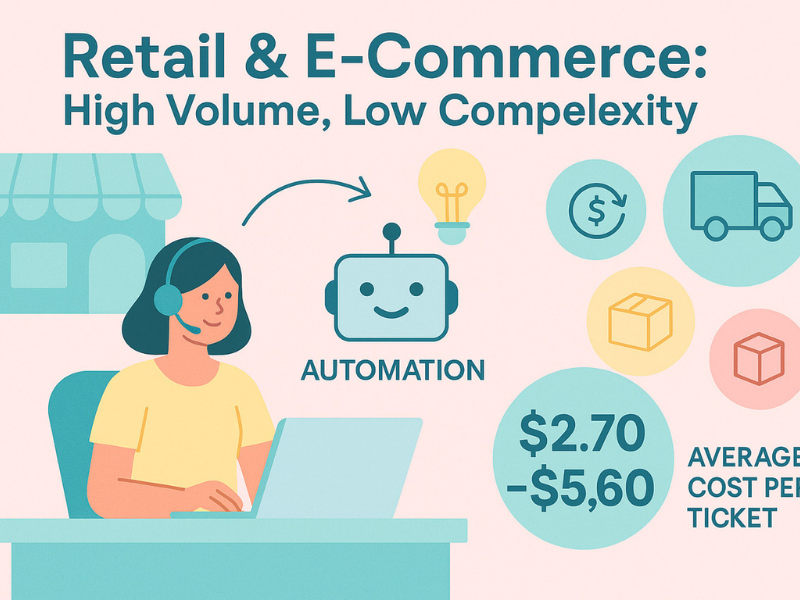
Common pricing models
The most common pricing models are:
- Hourly: You pay for staffed support hours.
- Monthly retainer: Fixed monthly fee for an agreed scope.
- Per seat: Price based on the number of agents assigned.
- Per ticket: Cost tied to ticket volume.
- Per resolution: Cost tied to completed issue resolution.
- Outcome-based: Pricing linked to service performance or agreed outcomes.
Each model suits a different support setup. Dedicated teams often lean toward retainer or per-seat pricing. Shared programs may use hourly, per-ticket, or per-resolution structures.
What affects cost
The main cost drivers are:
- Coverage hours: 24/7 support costs more than business-hours support.
- Channels: Voice usually costs more than chat or email.
- Product complexity: Technical SaaS support costs more than simple Tier 1 coverage.
- Ticket volume: Higher volume can improve efficiency, but also changes staffing needs.
- Languages: Multilingual support often increases cost.
- Compliance requirements: Regulated environments need tighter controls and training.
- Team model: Dedicated teams usually cost more than shared teams.
- SLA expectations: Faster response commitments can increase staffing requirements.
If two quotes are far apart, check the scope first. The difference is often team model, hours, or ticket depth.
How to compare cost versus value
Do not compare vendors on price alone.
Compare them on value against the same scope. A lower-cost vendor that misses SLAs, creates poor escalations, or hurts CSAT may cost more in churn, internal rework, and lost trust.
Use a simple buyer checklist:
- Are SLA targets realistic and achievable?
- What FRT and queue performance do they expect?
- How do they measure CSAT and QA?
- How flexible is staffing if volume changes?
- How strong is escalation handling?
- Can they support your channels and time zones?
- What reporting is included?
- What is the likely impact on customer experience?
Always compare using the same assumptions:
- Same ticket mix.
- Same monthly volume.
- Same languages.
- Same hours.
- Same escalation scope.
Low price is not value if the customer experience gets worse.
Pricing comparison table
| Pricing model | Best for | Pros | Cons |
|---|---|---|---|
| Hourly | Flexible coverage | Easy to start | Costs can fluctuate |
| Monthly retainer | Stable support scope | Predictable spend | Less flexible if scope shifts |
| Per seat | Dedicated staffing | Clear team allocation | May cost more at low utilization |
| Per ticket | Simple front-line support | Volume-based | Can reward speed over quality |
| Per resolution | Outcome focus | Tied to completed work | Resolution definition must be clear |
| Outcome-based | Mature buyers with strong governance | Aligns incentives | Harder to structure well |
KPIs to Measure Outsourced SaaS Customer Support Success
Speed and efficiency metrics
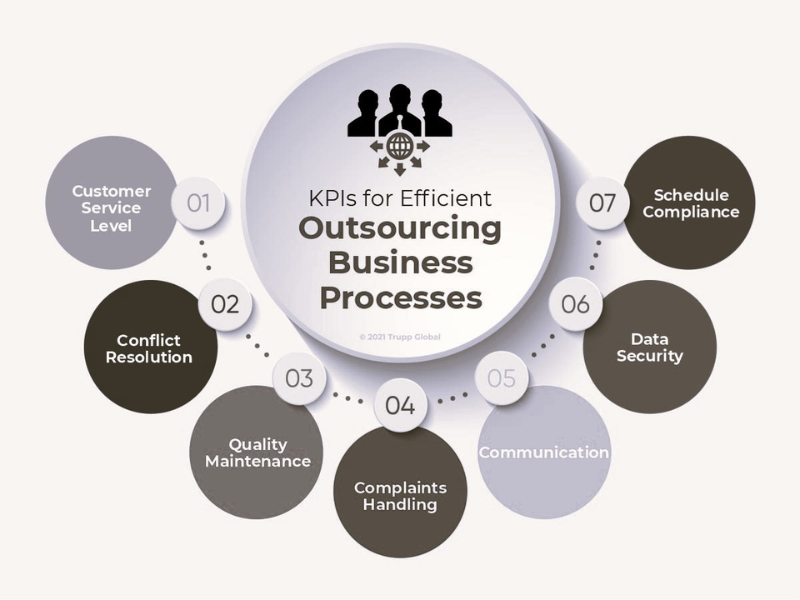
These metrics show queue health and responsiveness:
- First Response Time (FRT): How quickly the team first replies.
- Average Resolution Time: How long it takes to fully resolve a case.
- Backlog: Open tickets waiting beyond normal handling time.
- Ticket deflection: Issues solved through self-service without agent handling.
- SLA attainment: How often the team meets agreed service targets.
These are useful, but they should never be viewed alone.
Quality and customer sentiment metrics
Fast support means little if the answers are poor.
Use quality metrics alongside speed:
- CSAT (Customer Satisfaction Score): Measures how satisfied customers are after a support interaction.
- NPS (Net Promoter Score): Measures how likely customers are to recommend your company.
- CES (Customer Effort Score): Measures how easy it was for customers to get help.
- QA score: Internal quality rating based on reviewed conversations.
- Reopen rate: Percentage of tickets reopened after being marked solved.
These metrics reflect real customer experience better than speed alone.
For example:
- Strong FRT with weak CSAT may mean replies are fast but unhelpful.
- High QA with high reopen rate may mean the scorecard is missing practical resolution quality.
- Good CSAT but weak CES may signal customers like the agents but still have to work too hard to solve issues.
Use these metrics together to find the real story.
Business outcome metrics
Support should also be connected to business outcomes, even if support is not the only cause.
Track:
- Customer churn
- Retention rate
- Renewal performance
- Expansion support signals
- CLV (customer lifetime value)
Do not overstate causation. Support does not single-handedly control these outcomes. Product quality, onboarding, pricing, and customer success all matter.
But support influences them. If customers struggle during onboarding, wait too long for answers, or keep hitting unresolved friction, retention risk rises.
This is why many SaaS teams now review support metrics together with renewal and churn signals.
Team and process metrics
These internal metrics help catch problems early:
- Escalation rate
- Training completion
- Coverage adherence
- Documentation usage
- Calibration accuracy
If these drift, customer-facing problems usually follow later.
KPI advice for buyers
Use KPIs as a system, not a scoreboard.
Best practice:
- Do not judge quality on speed alone.
- Pair FRT with CSAT, QA, and reopen rate.
- Track trends over time, not one-off snapshots.
- Connect support metrics to churn-related signals where possible.
- Review monthly operations trends and quarterly business impact.
A weekly view helps you manage execution. A monthly and quarterly view helps you judge whether the outsourcing model is truly working.
Best Practices for a Successful Outsourcing Rollout
Start with a clear scope
Vague scope creates bad delivery and confusing pricing.
Define these before launch:
- Channels.
- Support hours.
- Languages.
- Ticket types.
- Tier 1 boundaries.
- Escalation rules.
- Ownership split with internal teams.
- SLA targets.
A provider cannot succeed if your support scope is unclear.
Use a scope checklist:
- What will the vendor handle?
- What stays in-house?
- Which channels are included?
- What are the response targets?
- What counts as an escalation?
- What requires manager approval?
Build a strong knowledge base
Documentation is the foundation of quality and scaling.
Give the vendor:
- SOPs.
- Macros.
- Troubleshooting flows.
- Release notes.
- Known issue logs.
- Product walkthroughs.
- Billing rules.
- Escalation maps.
When documentation is weak, agents improvise. Improvisation creates inconsistent service.
A strong knowledge base also makes retraining easier after product changes and supports self-service for customers.
Create tight communication loops
Outsourced support performs best when communication is frequent and structured.
Set up:
- Weekly syncs.
- Shared Slack channel or equivalent.
- QA reviews.
- Product update sessions.
- Fast alerts for incidents and releases.
- Trend feedback from support to product and CX leaders.
Communication quality often determines whether service gets better or slowly drifts.
Good vendors need fast context. Good clients need fast feedback.
Use AI carefully, not blindly
Use AI for:
- Triage.
- Summaries.
- Suggested replies.
- FAQ automation.
- Routing.
Do not rely on AI alone for:
- High-risk billing issues.
- Escalations.
- Cancellation moments.
- Sensitive account conversations.
- Complex technical support.
The right model is AI plus human oversight, not AI instead of judgment.
Review performance regularly
Outsourcing is not a one-time setup. It is an operating system.
Use a regular review cycle:
- Review SLA performance.
- Review staffing and coverage.
- Audit QA trends.
- Retrain after product releases.
- Run root-cause analysis on repeat issues.
- Update documentation gaps.
- Adjust scope as ticket mix changes.
The teams that get the best results do not just outsource. They actively manage the partnership.
Final Thoughts
SaaS customer support outsourcing can work very well when the fit is right, the training is strong, and the governance stays tight. It is not just a cost decision. It is a service quality, coverage, and retention decision.
The best partner is not always the biggest or the cheapest. It is the one that fits your ticket mix, product complexity, support hours, and customer expectations. Shortlist three vendors, test them with real ticket scenarios, and compare QA, reporting, escalation quality, and coverage discipline before you sign.
Frequently Asked Questions
What is SaaS customer support outsourcing?
SaaS customer support outsourcing is when a software company hires a third-party provider to handle part or all of its support operation. That can include chat, email, billing help, onboarding support, after-hours coverage, or Tier 1 troubleshooting. The provider usually works as an extension of your brand.
Is outsourcing customer support a good idea for SaaS companies?
Yes, often. It can be a strong option for support scaling, 24/7 coverage, and cost-efficiency. It works best when your product is documented well, the provider has SaaS-specific experience, and you set clear SLAs, QA rules, and escalation paths. It is less effective when training and governance are weak.
When should a SaaS company outsource support?
A SaaS company should consider outsourcing when ticket volume rises faster than hiring, FRT gets slower, backlog keeps growing, after-hours work causes burnout, or customers in new time zones need better coverage. It also makes sense when internal teams spend too much time on repetitive support instead of strategic work.
Can outsourced teams handle technical SaaS support?
Yes, but not all vendors are equally strong. Outsourced teams can handle technical SaaS support when they receive domain-specific training, access to documentation, real product environments, and clear escalation paths. For complex B2B SaaS, a hybrid model is often safer than fully outsourced technical support.
How much does SaaS customer service outsourcing cost?
Pricing varies based on scope, hours, channels, product complexity, ticket volume, and language coverage. Common models include hourly, per seat, per ticket, per resolution, and monthly retainer. Dedicated teams usually cost more than shared teams, while 24/7 and multilingual support also increase cost.
What should I look for in a SaaS support outsourcing company?
Look for SaaS experience, strong QA, clear reporting, security controls, omnichannel support operations, structured training, and solid SLA discipline. Also review escalation quality, brand voice alignment, compliance readiness, and how the provider handles product updates and changing ticket volume.
Is a hybrid support model better than fully outsourced support?
For many SaaS teams, yes. A hybrid SaaS support model in-house vs outsourcing often gives the best balance. The external team handles Tier 1, repetitive tickets, or after-hours coverage, while your internal team owns escalations, complex technical issues, and strategic customer workflows.
Can outsourcing help reduce churn and improve customer satisfaction?
Yes, it can help when it improves response speed, resolution quality, onboarding support, and service consistency. Better support can reduce avoidable customer churn caused by poor experience. It can also improve CSAT, especially when the provider is well-trained and integrated into your workflow.
What tools do outsourced SaaS support teams usually use?
Most outsourced teams use tools such as Zendesk, Intercom, CRM systems, knowledge base platforms, QA dashboards, and automation tools. They may also work with status page tools, internal SOP libraries, and AI-assisted workflows for triage, summaries, or routing.
How do I keep quality and brand voice consistent with an external team?
Use strong documentation, style guides, QA scorecards, approved reply examples, and regular calibration sessions. Brand consistency improves when agents get real product training, review actual ticket samples, and receive feedback often. White-label brand representation only works when expectations are documented clearly.
Continue Exploring
- Best Outsourced Customer Support Providers Compared 2026
- Gaming Customer Support Outsourcing: Scaling Player Success
- Ecommerce Call Center Outsourcing: Scale Support, Keep Quality
More in Industry
View all →
Customer Experience Trends 2026: What Changed and What to Do
Customer experience in 2026 is being reshaped by three converging forces: persistent economic uncertainty, widespread AI adoption, and fundamentally different customer expectations. Today's customers are more price-conscious than previous years, less attached to brands they once trusted, and willing to switch providers the moment value becomes unclear. For businesses, this means customer experience is no longer a differentiator—it's a survival…


Customer Experience Analytics: Metrics, Data and Tools
Most companies do not have a customer data problem. They have a customer data connection problem: marketing measures ad clicks, support measures resolution time, product measures feature adoption, and nobody can answer whether the customer who abandoned checkout on Tuesday is the same one who called about pricing on Thursday. Customer experience analytics is the practice that closes that gap…
What Is Customer Experience Management? A Practical Guide
Customer experience management (CXM) is the practice of designing, measuring, and improving every interaction a customer has with your company — treated as one connected journey rather than as separate departmental touchpoints. It is what turns a collection of well-meaning teams into an experience a customer can recognise as coming from a single organisation. The distinction that matters is between…



 English
  Russian
  Chinese