

An ecommerce call center helps online stores handle customer questions before and after purchase, faster and with more consistency. If your team is dealing with order issues, returns, shipping questions, checkout problems, or rising support volume, the right setup can protect sales, improve customer satisfaction, and make scaling easier without creating support chaos.
What Is an Ecommerce Call Center?

Simple definition of an ecommerce call center
An ecommerce call center is a support team built for online stores. Its job is to help customers before, during, and after a purchase.
That includes answering product questions, fixing checkout issues, tracking orders, handling returns, and solving delivery problems. A good ecommerce call center does more than answer calls. It protects revenue and improves retention.
In practice, it helps your business:
- Resolve customer issues quickly.
- Save sales that might otherwise be lost.
- Support repeat purchases through better service.
- Keep your brand experience consistent across channels.
For example, if a shopper calls a direct-to-consumer brand before checkout to ask about shipping speed or return policy, the agent can remove doubt and help close the sale.
How it differs from a traditional call center
An ecommerce call center is more connected to store operations than a traditional call center.
| Area | Traditional Call Center | Ecommerce Call Center |
|---|---|---|
| Main focus | General customer inquiries | Pre-sale and post-purchase support |
| Data needed | Basic account details | Order history, shipping status, returns, payments |
| Channels | Often phone-first | Phone, chat, email, SMS, social |
| Agent context | Limited | Unified customer context across channels |
| Common tasks | FAQs, generic support | Tracking, exchanges, refunds, cart recovery |
The big difference is context. Ecommerce agents need to see what the customer bought, where the order is, what happened in previous conversations, and what policy applies. Without that, support becomes slow and repetitive.
Common support channels: phone, email, live chat, SMS, and social media
Most ecommerce support is no longer phone-only. Customers move between channels based on urgency and convenience.
- Phone: Best for urgent or high-friction issues like failed payments, missing orders, or complaints.
- Email: Best for detailed cases that need links, screenshots, or written confirmation.
- Live chat: Best for quick pre-purchase questions and fast order support.
- SMS: Best for short updates, delivery notifications, and simple replies.
- Social media: Best for public inquiries, direct messages, and brand engagement.
An omnichannel communication platform connects these channels in one system. That matters because customers often start in chat, follow up by email, and call when the issue becomes urgent. If your team cannot see the full conversation, customers must repeat themselves.
When a support team becomes a true ecommerce contact center
A small support inbox becomes a true ecommerce contact center when it has structure, visibility, and measurable service standards.
Common signs include:
- Defined service levels and response targets.
- Call routing based on issue type or agent skill.
- A helpdesk ticketing system for tracking cases.
- CRM integration with customer and order data.
- Shared workflows across phone, chat, and email.
- Reporting on resolution speed, quality, and satisfaction.
A simple test works well: if agents can see the customer’s history, recent orders, and open issues before they answer, your team is operating much closer to a real ecommerce contact center.
Why Ecommerce Businesses Need a Call Center

Rising customer expectations for fast, immediate support
Online shoppers expect fast answers. They want help before checkout, after payment, and when something goes wrong. Slow support now has a direct business cost.
If a customer cannot get help quickly, they may:
- Abandon the cart.
- Cancel the order.
- File a chargeback (payment dispute).
- Leave a negative review.
- Stop buying from the brand.
This matters even more for high-ticket products, subscriptions, custom orders, or items with longer shipping windows. In those cases, uncertainty drives hesitation. A fast phone response or quick live chat can prevent a lost sale and reduce post-purchase anxiety.
Recent customer service trends also point in the same direction: shoppers increasingly expect immediate responses, and many will leave if support is too slow.
Common ecommerce issues customers contact support about
Order tracking and delivery delays
Customers want to know where their order is, when it will arrive, and what to do if shipping is delayed.
Returns, refunds, and exchanges
These requests often need policy explanation, order lookup, and status updates on refund timing or replacement items.
Payment questions and checkout issues
Common issues include declined cards, duplicate charges, promo code problems, and checkout errors.
Product questions before purchase
Shoppers ask about sizing, compatibility, stock, shipping timing, bundles, or which product fits their needs.
Subscription, account, and loyalty programme support
Customers need help with account access, recurring orders, points, rewards, cancellations, and plan changes.
How customer service affects conversions, retention, and customer lifetime value
Customer service is not just a cost centre. In ecommerce, it directly affects revenue.
Good support improves business results in three clear ways:
- It reduces cart abandonment: Fast answers remove hesitation at the point of purchase.
- It increases repeat purchases: Customers come back when post-purchase service is smooth.
- It raises customer lifetime value (CLV): Better experiences create stronger trust over time.
A simple example: a shopper is ready to buy but is unsure whether the product will arrive before a trip. If your team responds fast with a clear shipping answer, the order gets completed. If support is slow, the customer leaves and buys elsewhere.
As acquisition costs rise, retention matters more. Strong support helps protect the value of customers you already paid to acquire.
Why omnichannel support matters for online stores
Customers do not think in channels. They think in outcomes. They want help, and they want it without friction.
When support channels are disconnected, common problems appear:
- Customers repeat the same issue multiple times.
- Agents miss earlier context.
- Resolution takes longer.
- Handoffs between teams fail.
- The brand feels disorganised.
Omnichannel support fixes this by linking conversations together. A customer can start on chat, receive an email update, and then call if needed, without losing context.
That makes support feel faster and more personal. It also helps agents work better because they can see the whole story in one place.
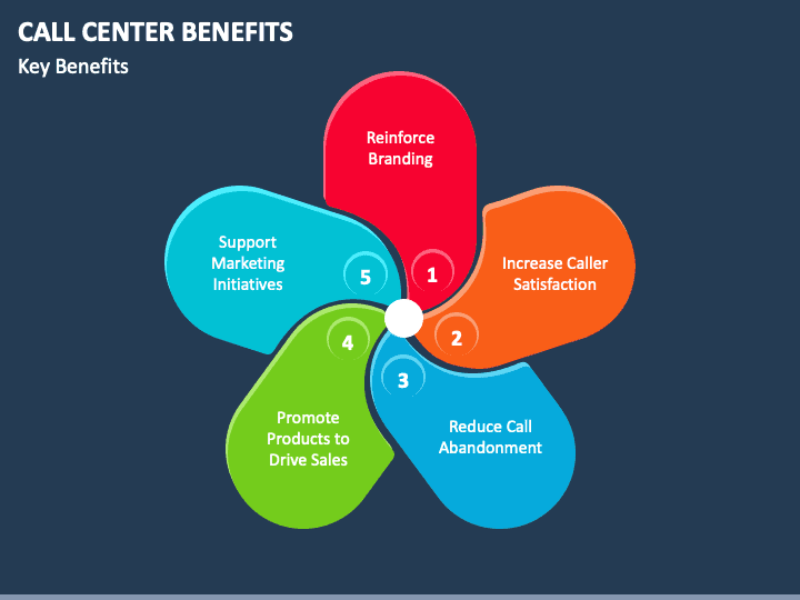
Key Benefits of an Ecommerce Call Center
Faster response times and quicker issue resolution
An ecommerce call center reduces delays by routing customers to the right team and giving agents the right context upfront. Instead of asking basic questions first, agents can move straight to the issue.
That matters for urgent cases like failed deliveries, address changes, or payment errors. Smart routing, self-service, and integrated data all help reduce waiting and shorten time to resolution.
Better customer experience and higher satisfaction
Customers judge support on speed, accuracy, and consistency. A good ecommerce call center improves all three.
When agents have the right information and follow clear processes, customers get answers that are faster and more reliable. That leads to better satisfaction scores and fewer frustrating back-and-forth interactions.
Fewer abandoned carts and more saved sales
Many sales are lost because shoppers have one unanswered question. It may be about shipping cost, delivery time, product fit, return policy, or payment.
Phone and chat support can remove that friction in real time. This is especially valuable for high-consideration purchases where one short conversation can move the customer to checkout.
Higher repeat purchase rates and stronger retention
Post-purchase support shapes whether a customer buys again. If returns are easy, delivery problems are handled well, and communication feels helpful, trust grows.
That trust increases repeat purchase rate and improves long-term retention. In many ecommerce categories, that has more value than winning one extra first-time order.
Better agent efficiency with unified customer context
Agents work faster when they can see customer history, open tickets, recent orders, shipping status, and past conversations in one view.
This reduces:
- Repeated questions
- Manual lookups
- Wrong transfers
- Long hold times
It also improves accuracy, because the agent is working from real customer data instead of guesswork.
Easier scaling during seasonal spikes and promotions
Support volume changes fast in ecommerce. Holiday sales, flash promotions, product launches, and restocks can create sudden demand spikes.
A call centre setup helps you scale coverage, queues, and staffing more easily. Cloud tools and outsourced teams are especially useful when volume rises quickly and then drops again after the campaign.
More consistent support across channels
Customers should get the same policy answer on the phone, in chat, and by email. A good ecommerce call centre creates that consistency through shared workflows, scripts, and systems.
That consistency protects trust. It also reduces confusion for both customers and agents.
How an Ecommerce Call Center Works in Practice

Inbound support workflows for online stores
Inbound support usually starts with the customer calling, chatting, or sending a message. The system identifies the issue, routes it to the right agent, and displays relevant customer and order information.
For ecommerce, common inbound cases include order tracking, exchanges, damaged items, failed payments, and product questions. If the issue is simple, self-service or automation may solve it first. If not, an agent takes over.
Outbound use cases such as cart recovery, follow-ups, and win-back campaigns
Outbound support is often used to recover revenue or improve retention.
Common use cases include:
- Calling high-intent shoppers who did not complete checkout.
- Following up after a complex support case.
- Re-engaging inactive customers.
- Promoting subscription renewals or loyalty offers.
- Confirming high-value or custom orders.
How CRM integration and order management visibility help agents
CRM integration lets agents see who the customer is, what they bought, how often they buy, and what happened in past conversations.
Order management visibility shows shipping status, return requests, payment status, and fulfilment updates. This lets agents solve problems in one interaction instead of asking customers to wait while they check multiple tools.
Example workflow from incoming call to resolution
A customer calls about a delayed order. Interactive Voice Response (IVR) identifies the reason for the call and routes it to order support. The agent sees the caller’s profile, recent purchase, and shipping status.
The agent confirms the delay, explains the cause, and offers the next step. If needed, the case is escalated to a supervisor or fulfilment team. The system logs notes, updates the ticket, and sends the customer a follow-up message.
Must-Have Features in Ecommerce Call Center Software
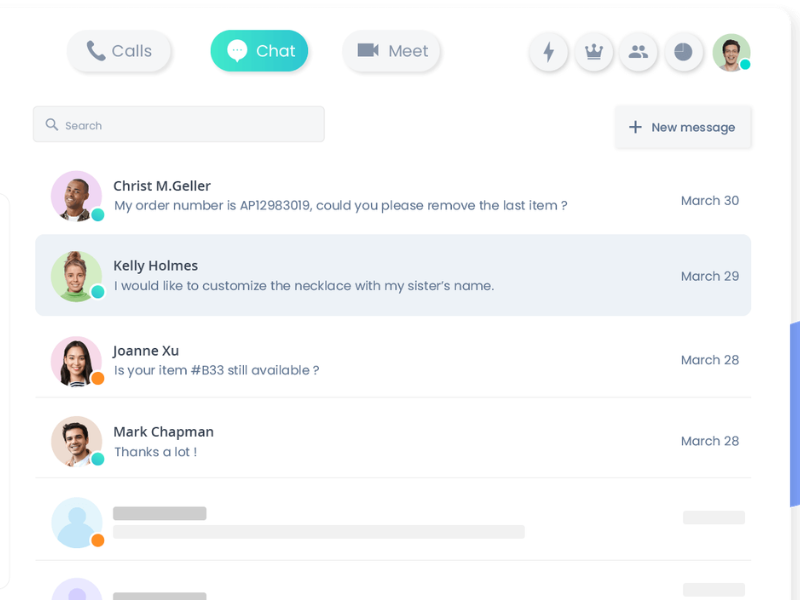
Omnichannel communication platform
Your software should bring phone, email, chat, SMS, and social support into one workspace. This prevents channel silos and keeps conversation history connected.
For ecommerce, this is critical because buying journeys are not linear. A shopper may ask a product question in chat, place an order, then call about delivery. If those interactions live in separate tools, your team loses continuity.
A strong omnichannel communication platform improves speed, reduces repetition, and makes support feel more seamless.
Interactive Voice Response (IVR) and smart call routing
IVR is the automated phone menu customers hear when they call. Smart routing sends the customer to the best available agent based on need, skill, or account context.
In ecommerce, that may mean routing:
- Order tracking calls to post-purchase support
- Product questions to pre-sales agents
- VIP customers to priority queues
- Return requests to agents trained on policy exceptions
Keep IVR menus short. Long menus frustrate customers. The goal is simple: identify intent fast and route correctly the first time.
CRM integration and helpdesk ticketing system
CRM integration connects your call centre with customer records. A helpdesk ticketing system tracks issues from first contact to final resolution.
Together, they give agents a full view of:
- Customer identity
- Order history
- Past tickets
- Previous channel interactions
- Internal notes
- Escalation status
This is one of the highest-value features in ecommerce support. Without it, every case takes longer and quality becomes inconsistent.
Access to order history, shipping data, and customer profiles
If your software cannot show order status and shipping details inside the agent workflow, it will slow your team down.
This matters for the most common ecommerce contacts:
- Where is my order?
- Can I change my address?
- Has my refund been processed?
- Can I exchange this item?
- Why was my payment declined?
Order visibility should be treated as a core buying requirement, not an extra.
Call analytics, reporting, and key dashboards
You need reporting that helps you improve operations, not just collect data. At minimum, your dashboard should show response times, first contact resolution, call volume, queue trends, repeat contacts, and customer satisfaction.
Good analytics help you answer practical questions:
- Which issues create the most calls?
- When do queues spike?
- Which agents need coaching?
- Which policies cause repeat contacts?
Use reporting to improve staffing, training, and workflows.
Self-service tools and customer service automation
Self-service tools help customers solve simple problems without waiting for an agent. Good examples include order status lookup, return portals, shipping FAQs, and automated delivery updates.
Automation is useful for repetitive tasks like:
- Sending tracking links
- Confirming refund status
- Routing requests
- Summarising interactions
But it should not block human help. If a customer is stuck in automation with no easy path to an agent, support becomes a barrier instead of a solution.
AI assistants, real-time guidance, and call summaries
AI assistants can help agents during live conversations by surfacing relevant answers, policies, and customer details in real time. They can also generate call summaries and notes after the interaction.
For ecommerce teams, this improves speed and reduces manual work. It is especially useful during busy periods when agents need help handling repetitive questions without losing quality.
Secure payment handling and PCI-DSS compliance
If your team takes payment over the phone, secure payment handling is mandatory. PCI-DSS (Payment Card Industry Data Security Standard) is the baseline standard for protecting card data.
Look for systems that support safe payment collection and limit agent exposure to sensitive card information. Also check call recording controls so payment details are not stored where they should not be.
If phone payments are part of your process, this is not optional.
Cloud-based accessibility for remote teams
Cloud-based systems run online, so agents can work from different locations without relying on one office setup. This is ideal for remote or hybrid teams.
It also helps with:
- Faster deployment
- Easier expansion
- Flexible staffing
- Disaster recovery
- Coverage across time zones
For ecommerce brands with changing volume, cloud-based accessibility usually offers the best operational flexibility.
Advanced features for growing teams
Whisper coaching
Whisper coaching lets a supervisor guide an agent during a live call without the customer hearing.
Sentiment analysis
Sentiment analysis uses software to detect signs of frustration, satisfaction, or urgency in conversations.
Predictive dialling for outbound sales
Predictive dialling automatically places outbound calls to improve efficiency for cart recovery, follow-ups, and reactivation campaigns.
In-House vs Outsourced Ecommerce Call Center
What an in-house ecommerce call center looks like
An in-house ecommerce call centre is built and managed by your own team. You hire the agents, choose the tools, create the workflows, and control quality directly.
This model gives you tighter brand control and often stronger product knowledge. It works well for brands with complex catalogues, sensitive policies, or high-touch customer experience standards.
What outsourced ecommerce call center services include
An outsourced ecommerce call centre is run by a third-party provider. The provider usually supplies agents, management, reporting, quality assurance, and multichannel support capabilities.
Some providers work as a virtual customer service centre, using your systems and brand guidelines while handling daily support operations. This can be useful for fast-growing brands that need coverage without building everything internally. For a deeper look at this model, see our guide to ecommerce call center outsourcing.
Pros and cons of building in-house
| Pros | Cons |
|---|---|
| Stronger brand control | Higher upfront cost |
| Deeper product knowledge | Slower hiring and ramp-up |
| Easier alignment with internal teams | More management overhead |
| Better fit for complex support | Harder to scale during spikes |
In-house teams make sense when support is central to the brand experience and when products or policies require deeper internal knowledge.
Pros and cons of outsourcing
| Pros | Cons |
|---|---|
| Faster setup | Less direct control |
| Easier seasonal scaling | Quality can vary by provider |
| Lower internal management burden | Brand tone needs active training |
| Access to existing systems and expertise | Integration depth may differ |
Outsourcing is often the fastest route to better coverage, especially for brands that need extended hours, overflow support, or flexible staffing.
When in-house makes more sense
In-house is usually better when:
- Your products are complex or technical.
- Average order value is high.
- Brand voice is a major differentiator.
- Policies require careful judgment.
- You already have internal support leadership.
This is common for premium brands, custom products, and stores with deeper consultative selling.
When outsourcing makes more sense
Outsourcing is usually better when:
- Support volume is rising quickly.
- You need longer hours or weekend coverage.
- Seasonal peaks are hard to staff internally.
- Your team lacks call centre expertise.
- You want faster deployment with lower internal overhead.
This is often the best fit for small and mid-sized ecommerce brands in growth mode.
Decision framework for small and mid-sized ecommerce brands
Use this framework to choose your approach:
- Choose in-house if brand control, product depth, and customer intimacy matter most.
- Choose outsourced if speed, flexibility, and easier scaling matter most.
- Choose hybrid if you want internal control for high-value or sensitive cases, but external support for overflow, after-hours, or repetitive contacts.
A simple checklist helps guide your decision:
- Is support volume stable or highly seasonal?
- Do agents need deep product expertise?
- Do you need weekend or 24/7 coverage?
- Can your team manage hiring, QA, and training?
- Do you want to scale in weeks or in months?
If most answers point to speed and flexibility, outsourcing usually wins. If they point to control and complexity, build in-house or use a hybrid model.
How to Set Up a Call Center for Ecommerce Business

Define support goals and service coverage
Start with what you want support to achieve. Do not begin with software.
Typical goals include:
- Faster response times
- Better post-purchase support
- Fewer lost sales
- Lower complaint volume
- Higher retention
Then define service coverage:
- Which channels will you support?
- What hours will you offer?
- Do you need weekends?
- Which languages do you need?
- What issues require escalation?
Clear goals keep the setup focused. Without them, you risk buying tools that look impressive but do not solve real problems.
Identify your top customer contact reasons
Look at your actual support data. Review tickets, chat logs, order notes, call reasons, return requests, and product reviews.
Find patterns such as:
- Shipping delays
- Sizing confusion
- Refund requests
- Discount code issues
- Subscription changes
Your support model should reflect those patterns. If 40% of contacts are order tracking, make tracking easier through self-service and proactive notifications. If many pre-sale questions involve product fit, make sure agents have product guidance ready.
Choose support channels and business hours
Pick channels based on customer behaviour, not trends.
A simple approach works well:
- Use phone for urgent and high-value issues.
- Use chat for pre-sale and quick support.
- Use email for detailed cases.
- Use SMS for updates and short replies.
- Use social if customers already contact you there.
Set business hours based on order volume, geography, and complaint patterns. Many brands do not need 24/7 support. They need strong coverage during peak buying and post-delivery windows.
Select ecommerce call center software or service provider
Choose software or a provider based on operational fit.
Prioritise:
- Easy setup and ease of use
- Cloud-based access
- Omnichannel support
- CRM and helpdesk connectivity
- Order and shipping visibility
- Reporting and QA tools
- Secure payment handling if needed
If you outsource, ask how the provider handles training, quality reviews, escalation, and seasonal ramp-up. If you buy software, test the real workflow, not just the feature list.
Connect your ecommerce platform, CRM, and helpdesk
Your systems need to work together. If customer, order, and ticket data live in separate places, agents will lose time and customers will feel it.
Key integrations often include your ecommerce platform, CRM, helpdesk, and shipping tools.
Shopify integration
Connect order data, fulfilment status, customer profiles, and return information so agents can answer order-related questions without switching tabs.
WooCommerce integration
Make sure the call centre tool can pull order details, account history, and product records in real time, especially if you use multiple plugins.
Magento integration
For Magento stores, integration depth matters. Check whether the system supports complex catalogues, custom workflows, and detailed order states.
The goal is simple: one view of the customer.
Build call flows, routing rules, and escalation paths
Design routing around common contact reasons. Keep the flow short and logical.
A practical setup may include:
- Sales questions
- Existing orders
- Returns and refunds
- Subscription support
- Priority customers
Then define escalation rules. Decide which issues agents can resolve alone and which require a supervisor, finance, fulfilment, or technical team.
Do not overbuild the system. The best call flows are usually simple, clear, and easy to maintain.
Train agents on products, policies, and tone
Agents need more than scripts. They need product knowledge, policy clarity, and judgment.
Training should cover:
- Product basics and common use cases
- Shipping and return policies
- Refund rules
- Loyalty and subscription processes
- Brand tone of voice
- De-escalation skills
In ecommerce, consistency matters. Customers should get the same answer and same tone across channels. Practice with real scenarios, not just documentation.
Launch, measure performance, and improve
Start with a soft launch if possible. Review interactions closely during the first weeks.
Track what matters:
- Response time
- First contact resolution
- Repeat contacts
- Customer satisfaction
- Escalation patterns
Listen to calls, review chats, and ask agents where friction appears. Then improve scripts, routing, self-service, and training.
A good ecommerce call centre is not a one-time setup. It gets better through steady refinement.
Best Practices for Ecommerce Phone Support and Omnichannel Service

Answer quickly and reduce hold times
Fast response is one of the strongest drivers of satisfaction. If wait times grow, customers assume the brand will also be slow in solving the issue.
Use queue management, smart routing, and callback options to reduce hold time. If customers can avoid waiting on the line, frustration drops immediately.
Give agents full customer context before they pick up
Agents should see customer details before they answer, not halfway through the interaction.
That means access to:
- Order history
- Shipping status
- Past tickets
- Recent chat or email conversations
- Loyalty or subscription status
This reduces repeated questions and makes support feel far more competent.
Personalise support using order history and preferences
Personalisation does not need to be complex. It can be as simple as referencing the customer’s recent order, knowing their preferred channel, or recommending the correct accessory based on what they bought.
In ecommerce, small signs of context build trust. They also help agents make more relevant suggestions without sounding pushy.
Use automation for repetitive requests without removing the human option
Automate simple, predictable requests such as order status, shipping updates, refund confirmation, and password help.
Do not automate cases that involve:
- Emotional frustration
- Policy disputes
- High-value purchases
- Complex troubleshooting
Always provide a clear path to a human agent. Good automation reduces workload. Bad automation traps the customer.
Be proactive with shipping updates and issue prevention
Proactive support is becoming more important. Instead of waiting for customers to complain, notify them early about shipment progress, delays, delivery exceptions, or next steps.
This reduces inbound volume and improves trust. It also shows that your support team is helping prevent problems, not just reacting to them.
Prepare staffing plans for peak seasons and campaigns
Ecommerce support volume is predictable in one sense: it spikes during promotions, holidays, launches, and restocks.
Plan ahead for:
- Black Friday and Cyber Monday
- Holiday shopping periods
- Major campaigns
- New product releases
- Shipping disruption windows
Build overflow plans early. Waiting until queues are already overloaded is too late.
Review conversations regularly for coaching and quality improvement
Quality improves when managers review real interactions and coach from patterns, not assumptions.
Use call reviews, chat reviews, and QA scorecards to spot:
- Policy confusion
- Weak product knowledge
- Unclear tone
- Missed sales opportunities
- Repeated friction points
Regular coaching creates more consistency across the team.
Keep policies clear for returns, refunds, and exchanges
Unclear policies create unnecessary contact volume and frustration. Customers should be able to understand your returns, refunds, and exchange terms without needing to call.
Your website, chatbot, help centre, and agents should all communicate the same policy in the same plain language. Policy clarity reduces disputes and improves trust.
KPIs to Track in an Ecommerce Call Center

First contact resolution (FCR)
FCR measures whether the customer’s issue was solved in the first interaction. It matters because repeat contacts increase cost and frustration.
Average response time
This tracks how fast customers get a first reply or reach an agent. In ecommerce, slower response often means lower satisfaction and more lost sales.
Average handle time
This measures how long interactions take. It is useful, but it should never be optimised at the expense of real resolution quality.
Customer satisfaction (CSAT)
CSAT shows how customers rate the service they received. It helps you understand whether the experience felt helpful, clear, and efficient.
Net Promoter Score (NPS)
NPS measures how likely customers are to recommend your brand. It is broader than support alone, but service quality strongly influences it.
Conversion rate from support-assisted sales
This shows how often pre-sale support helps turn questions into completed orders. It is especially useful for high-ticket or complex products.
Cart recovery rate
This tracks how many abandoned or stalled purchases are recovered through support outreach or intervention.
Agent productivity and utilisation
These metrics help you understand workload, staffing efficiency, and coverage quality. Use them carefully. Busy agents are not always effective agents.
Common Mistakes to Avoid

Using disconnected tools that hide customer context
When your phone tool, inbox, helpdesk, and order system do not connect, agents lose time and customers repeat themselves.
This leads to longer handle times, weaker resolution, and lower confidence in the brand. If you fix only one thing, fix context visibility first.
Choosing software based on features instead of ease of use
A tool with dozens of features is useless if agents avoid it or need too many clicks to do simple work.
Choose software based on real workflows. Test common tasks like finding an order, updating a ticket, handling a return, or transferring a call. Ease of use drives adoption.
Focusing only on handle time and not resolution quality
Short calls do not always mean good service. If agents rush conversations just to reduce handle time, customers call back and frustration rises.
Balance speed with quality. First contact resolution and satisfaction matter more than shaving a few seconds off each call.
Undertraining agents on products and policies
Weak training creates wrong answers, more escalations, and inconsistent support. In ecommerce, agents must know the products, shipping rules, return policies, and common exceptions.
A lightweight knowledge base helps, but it is not enough. Real practice matters.
Ignoring peak season volume planning
Support often breaks during the periods that matter most for revenue. If you fail to plan for spikes, queues grow, service drops, and sales suffer.
Forecast volume early and secure extra capacity before major campaigns.
Over-automating simple service journeys
Automation should remove friction, not create it. If customers cannot reach a person when the issue becomes complex, they will leave more frustrated than before.
Keep self-service helpful, but always maintain a clear escape path to human support.
Not setting clear service level expectations
Customers get less frustrated when they know what to expect. If your team replies in four hours, say so. If refunds take five business days, say that too.
Clear service level expectations reduce uncertainty and improve satisfaction, even when the answer is not immediate.
What to Look for in an Ecommerce Call Center Provider

Experience with ecommerce operations and customer experience
Choose a provider that understands ecommerce-specific work. That includes returns, delivery exceptions, failed payments, pre-sale questions, subscription issues, and promotional spikes.
A general support provider may handle calls well, but ecommerce requires tighter operational context.
Integration support with CRM, helpdesk, and ecommerce platforms
Integration quality matters as much as agent quality. Ask whether the provider can work with your ecommerce platform, CRM, helpdesk, and shipping tools.
The exact technology stack matters less than whether customer and order data flow cleanly into the agent workflow.
Scalability for seasonal volume changes
Ask how the provider handles sudden volume increases. Can they add agents quickly? Do they offer overflow support? How long does ramp-up take?
For ecommerce, this is one of the most practical buying questions.
Reporting, analytics, and quality assurance processes
A provider should show you how they measure quality. Ask for examples of dashboards, QA scorecards, call review processes, and coaching workflows.
Reporting should be easy to understand and tied to action, not just activity counts.
Data security, PCI-DSS compliance, and privacy practices
If support involves customer data or payments, security standards matter. Ask about access controls, privacy practices, payment handling, and PCI-DSS compliance where relevant.
The provider should be clear and specific here. Vague answers are a warning sign.
Pricing model, service scope, and contract flexibility
Review what is actually included in the price.
Check:
- Agent coverage
- Channel support
- QA and reporting
- Training
- Escalation handling
- Setup fees
- Volume commitments
- Contract length
The cheapest option often becomes expensive if quality is weak or service scope is too limited.
Who an Ecommerce Call Center Is Best For

Small ecommerce brands with rising support volume
If founders or a small team are buried in customer messages every day, a call centre setup can remove that bottleneck. It helps small brands respond faster without relying on one person to handle everything.
This is often the point where support starts affecting growth.
Mid-sized stores managing returns, shipping, and multichannel demand
As stores grow, support becomes more operational. Returns increase, shipping issues get more complex, and customers contact the brand in more places.
At this stage, a structured ecommerce call centre improves consistency and reduces chaos.
High-growth brands needing flexible coverage
Fast-growing brands often face unpredictable demand. One promotion can double support volume overnight.
A call centre model, especially outsourced or hybrid, helps these brands add coverage without rebuilding the entire support team each time volume changes.
Stores with higher-ticket products or complex buying decisions
If customers need reassurance before buying, phone support becomes a sales tool as much as a service tool.
This is common with premium products, technical items, bundles, custom products, and subscription offers where questions can block conversion.
Who may not need a full call center yet
If your store has low support volume, simple products, and few phone-based issues, you may not need a full call centre yet.
A lean setup with email, chat, a help centre, and basic ecommerce customer service software may be enough until volume or complexity grows.
Comparison Table: In-House vs Outsourced Ecommerce Call Center
| Criteria | In-House | Outsourced |
|---|---|---|
| Setup speed | Slower | Faster |
| Upfront cost | Higher | Lower to moderate |
| Ongoing management | Managed internally | Shared or provider-led |
| Brand control | High | Moderate |
| Product knowledge depth | Usually deeper | Depends on training |
| Seasonal scalability | Harder | Easier |
| Remote flexibility | Depends on tools and hiring | Often built in |
| Integration complexity | Controlled by your team | Depends on provider capability |
| Best fit | Brands needing control and deep expertise | Brands needing speed, flexibility, and coverage |
Guide to Choosing the Right Ecommerce Call Center Software

Start with workflows, not software brand names
Begin with the work your team needs to do. What are the most common contacts? Where do agents lose time? Which issues create repeat conversations?
If you start with workflows, you choose software based on fit. If you start with brand names, you often end up paying for features that do not solve your actual problems. To shortlist tools, compare the best inbound call center software.
Prioritise connectivity and order visibility
Software should connect to your ecommerce platform, CRM, and helpdesk. More importantly, it should make order visibility easy for agents.
If agents cannot quickly see what the customer bought, where the order is, and what happened in previous contacts, the software is not a strong fit for ecommerce.
Compare cloud-based platforms for flexibility
Cloud-based platforms are easier to deploy, scale, and manage across remote or hybrid teams. They also reduce dependence on one office setup and make it easier to handle changing volume.
For most modern ecommerce teams, cloud tools offer the best mix of flexibility and speed.
Check reporting, QA, and automation depth
Do not stop at dashboards that show surface-level activity. Check whether reporting helps you improve operations. Review QA tools, call recordings, and workflow automation in real use.
Good reporting should help you decide what to fix next.
Shortlist tools based on business size and channel mix
Shortlist by operational stage:
- Small teams: prioritise ease of use, core integrations, and basic omnichannel coverage.
- Growing teams: add routing, QA, reporting, and stronger automation.
- Enterprise-leaning teams: look for deeper analytics, advanced routing, security controls, and broader channel support.
Also match the tool to your channel mix. A phone-heavy team needs different strengths than a chat-first team.
Ecommerce Call Center FAQ

What does an ecommerce call center do?
An ecommerce call centre helps online shoppers before and after purchase. It handles order questions, shipping issues, returns, refunds, payments, product inquiries, and account support across phone and other channels.
Do small ecommerce businesses need a call center?
Not always. Small stores with low volume may do well with chat, email, and a help centre. But if support is slowing down sales or overwhelming the team, a basic ecommerce call centre setup becomes valuable.
What is the difference between an ecommerce call center and an ecommerce contact center?
A call centre is usually focused on phone support. An ecommerce contact centre is broader and supports multiple channels like chat, email, SMS, and social while keeping customer context connected.
Is it better to outsource or build an in-house team?
It depends on your priorities. In-house gives you more control and deeper brand knowledge. Outsourcing gives you faster setup, easier scaling, and less internal management. Many brands do best with a hybrid model.
What features matter most in ecommerce call center software?
The most important features are omnichannel support, CRM integration, order and shipping visibility, smart routing, reporting, automation, and secure payment handling if you take payments by phone.
How does an ecommerce call center improve sales?
It improves sales by answering pre-purchase questions quickly, reducing abandoned carts, recovering stalled orders, and creating better post-purchase experiences that increase repeat purchases.
Can ecommerce call centers support remote agents?
Yes. Cloud-based systems, VoIP (internet-based calling), QA tools, and secure access controls make remote and hybrid support teams practical for many ecommerce brands.
How long does it take to set up an ecommerce call center?
A basic setup can take days to a few weeks if you use cloud software and standard integrations. A fully in-house operation usually takes longer because it includes hiring, training, workflows, and quality processes. Outsourcing is often faster.
Conclusion
An ecommerce call centre helps online stores do three things better: solve customer problems faster, protect revenue, and deliver a more consistent customer experience. The strongest setups are built around omnichannel support, CRM integration, and clear order visibility so agents can act with context.
Whether you build in-house, outsource, or combine both depends on how much control, speed, and flexibility your business needs.
A practical next step is simple:
- Review your top customer contact reasons.
- Compare software or providers based on real workflows.
- Choose the model that fits your current scale and future growth.
If your support is starting to affect sales, retention, or team capacity, now is the right time to build a proper ecommerce call centre.
Continue Exploring
- Ecommerce Call Center Outsourcing: Scale Support, Keep Quality
- Ecommerce Customer Service: Guide, Tools & 4-Week Action Plan
- Retail Call Center Best Practices: Guide to Scalable Support
More in Industry
View all →
Customer Experience Trends 2026: What Changed and What to Do
Customer experience in 2026 is being reshaped by three converging forces: persistent economic uncertainty, widespread AI adoption, and fundamentally different customer expectations. Today's customers are more price-conscious than previous years, less attached to brands they once trusted, and willing to switch providers the moment value becomes unclear. For businesses, this means customer experience is no longer a differentiator—it's a survival…


Customer Experience Analytics: Metrics, Data and Tools
Most companies do not have a customer data problem. They have a customer data connection problem: marketing measures ad clicks, support measures resolution time, product measures feature adoption, and nobody can answer whether the customer who abandoned checkout on Tuesday is the same one who called about pricing on Thursday. Customer experience analytics is the practice that closes that gap…

What Is Customer Experience Management? A Practical Guide
Customer experience management (CXM) is the practice of designing, measuring, and improving every interaction a customer has with your company — treated as one connected journey rather than as separate departmental touchpoints. It is what turns a collection of well-meaning teams into an experience a customer can recognise as coming from a single organisation. The distinction that matters is between…



 English
  Russian
  Chinese