

Player expectations are high. Support volume can spike overnight after a launch, patch, outage, or live event. For many studios, keeping every support function in-house becomes slow, expensive, and hard to scale.
This guide explains what gaming customer support outsourcing includes, when it makes sense, what to outsource first, how to set it up, and how to choose a partner that protects player experience instead of hurting it. For the broader playbook covering all of this in one place, see our video game customer support strategies for player loyalty guide.
Last updated: 25 April 2026 · FlyFone editorial team
What Is Gaming Customer Support Outsourcing?

Simple definition of outsourced player support
Gaming customer support outsourcing means hiring a third-party gaming call center team to manage some or all player-facing support. This partner may be a BPO (business process outsourcing company) or a specialist gaming support provider.
The goal is simple: give players faster, better support while keeping your internal team focused on game development, live ops, and high-risk escalations.
This model can be structured in a few ways:
- A studio outsources only frontline queues like chat and email.
- A studio outsources most support but keeps fraud, trust and safety, or VIP cases in-house.
- A studio uses a hybrid model, where internal and external teams share responsibility.
Typical business reasons include:
- Improve support quality and response speed.
- Add coverage for nights, weekends, and global regions.
- Handle launch spikes without overhiring.
- Keep costs more predictable as support demand changes.
A practical example: a mobile game studio keeps fraud reviews and payment policy decisions in-house, but outsources Tier 1 chat and email for password resets, billing questions, and known issue replies.
What services are typically included
Exact scope depends on the provider, game type, and risk level.
By channel
- Email support
- Live chat
- In-app help
- Social escalation handling
- Help centre and self-service support
By issue type
- Login and account access issues
- Billing, refunds, and payment questions
- Bug report intake
- Basic gameplay guidance
- Known issue communication
- Subscription support
- Moderation escalation support
By operations
- Queue management
- Help desk software setup and macros
- Knowledge base updates
- QA reviews
- Reporting and trend analysis
Gaming customer service vs regular customer service
Gaming support is not the same as standard retail or software support. The pace is faster. The emotional stakes are higher. The context is more technical. Players also expect support teams to understand game logic, account systems, and live event pressure.
| Area | Regular customer service | Gaming customer service |
|---|---|---|
| Urgency | Often moderate | Often high during launches, outages, or events |
| Emotion | Frustration is common | Frustration can escalate fast, especially after progression loss or lockouts |
| Technical context | Product usage questions | Login issues, patches, crashes, device compatibility, progression bugs |
| Culture fit | Brand knowledge matters | Brand knowledge plus gaming culture awareness matter |
| Timing sensitivity | Business-hour support may be enough | Real-time support — including chat, email and voice / VoIP — is often needed across time zones |
A retail support agent may handle a delayed shipment.
A gaming support agent may need to respond to an account lockout during a ranked event, explain a patch issue, and calm an angry player who thinks they lost rewards.
That is why gaming-savvy agents matter. They do not need to be pro players. But they should understand genres, player behaviour, monetisation friction, and how live service pressure changes support demand.
When support sounds generic or scripted, players notice fast. In gaming, that gap hurts trust more than in many other industries.
Who usually uses gaming support services
- Indie studios use outsourcing to cover launches, after-hours support, and limited internal bandwidth.
- Mid-size game developers use it to scale without hiring a full internal support organisation.
- Game publishers use it to support multiple titles, regions, and service channels.
- Mobile studios use it for billing, refunds, account issues, and event-driven ticket surges.
- MMO and live service teams use it for 24/7 coverage, multilingual support, and launch readiness.
- Operations leaders and support managers use it to improve service levels while keeping internal experts focused on higher-value work.
For most buyers, the question is not whether external support is possible. It is whether the provider can protect player experience at scale.
Why Gaming Companies Outsource Customer Support
To scale support during launches, updates, and live events
Launches create support chaos fast. So do major patches, battle passes, seasonal events, and reward campaigns. Ticket volume can double or triple in a short window.
Common spike triggers include:
- Server queues and login failures
- Download and install issues
- Reward claim confusion
- Patch note misunderstandings
- Device or platform compatibility problems
- Event access errors
- Progression or inventory complaints
Internal hiring is too slow for these spikes. By the time a studio recruits, trains, and schedules new agents, the surge may already be over.
Outsourcing solves this by giving studios flexible staffing. A provider can add trained capacity faster, extend hours, and absorb short-term demand without forcing permanent headcount decisions.
A common real-world pattern: a live event doubles ticket volume for five days. A studio does not need 12 new full-time hires for that. It needs temporary coverage, clear macros, and fast escalation paths. That is where outsourced support fits best.
To provide round-the-clock customer support for global gaming operations
Games do not stop at 5 p.m. Players buy, log in, disconnect, and submit tickets at all hours. Global titles especially need coverage outside one office time zone.
Support demand often appears during:
- Overnight outages
- Weekend payment failures
- Login issues after updates
- Regional store problems
- Account access failures during live events
Round-the-clock support improves trust because players know help is available when issues happen, not hours later.
This also protects retention. If a player cannot log in, cannot recover an account, or cannot resolve a payment issue quickly, frustration turns into churn fast.
Building true 24/7 support in-house is hard. It requires staffing, scheduling, leadership coverage, QA oversight, and cost tolerance for nights and weekends. Outsourced teams often make that model more realistic and more stable.
To add multilingual support services for global players
Global games need more than English support. Players trust support more when they can explain problems in their own language and receive a clear response.
Good multilingual support services improve:
- New player onboarding
- Billing clarity
- Refund understanding
- Account recovery success
- Trust in new markets
Localisation is not just translation. It also means using the right tone, platform terms, and support phrasing for each region.
That is why native-level support is stronger than machine-translated replies for sensitive cases. Translation tools can help with low-risk queues, but they are weak for billing, escalations, and frustrated players.
One warning: poor localisation can make complaints worse. If the reply sounds awkward, robotic, or inaccurate, players may see the brand as careless.
To reduce overhead and improve cost control
Outsourcing is not always the cheapest option. But it is often the more flexible one.
An internal team requires more than salaries. You also pay for:
- Recruiting
- Training
- Scheduling
- Team leads
- QA management
- Software seats
- Coverage for attrition and time off
Outsourcing can shift some of that fixed overhead into a more variable model.
High-level comparison
- In-house: more control, but higher management and staffing overhead.
- Outsourced: lower staffing complexity, but requires onboarding and vendor governance.
- Hybrid: balanced cost structure with better control over sensitive queues.
This matters most for studios with uneven support demand. If your ticket volume changes around launches, seasons, or updates, a flexible external model usually gives better cost control than hiring for peak demand all year.
To free internal teams to focus on development and live ops
Support work often pulls engineers, producers, and community leads into repetitive issues they should not own.
Outsourcing helps by moving repeatable frontline work out of core teams, especially:
- FAQ and known issue replies
- Password resets and access requests
- Basic billing questions
- First-pass bug intake
That frees internal experts to focus on:
- Development
- Live ops execution
- Complex escalations
- Trust and safety decisions
This works best when studios outsource repetitive queues first and keep sensitive cases internal.
To improve customer experience and support player retention strategies
Support quality affects player retention more than many studios expect. Players may forgive bugs. They are less likely to forgive silence, slow replies, or canned responses that do not solve the issue.
Support protects retention by reducing friction around:
- Unresolved account access issues
- Billing or refund confusion
- Repeated copy-paste replies
- Slow responses during outages
- Poor explanations after game changes
Fast, clear, empathetic support lowers frustration and keeps players engaged. It also protects monetisation. A player who trusts your support team is more likely to stay, return, and spend again — and proactive gaming outbound call strategies can re-engage churned segments before they walk away.
The key mindset shift is this: support is not only a cost centre. In gaming, it is part of retention and brand trust. Strong outsourced support can improve both when the provider is trained well and measured on quality, not just speed.
When Outsourcing Makes Sense for a Game Company
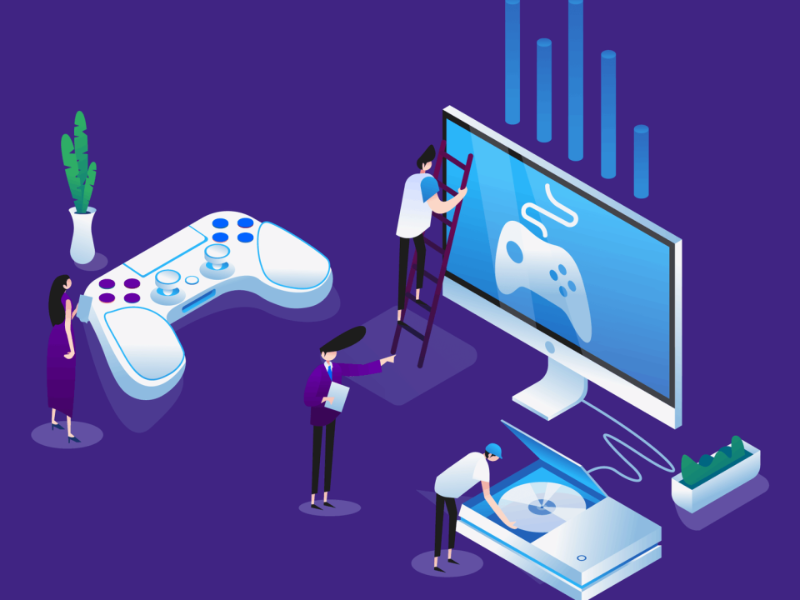
Ticket volume is growing faster than the in-house team can handle
This is often the clearest sign that outsourcing should be on the table.
Watch for these warning signs:
- Backlogs keep growing
- First response times are getting slower
- Duplicate tickets are increasing
- Agents are rushing replies to keep up
- Support complaints appear in reviews or social posts
- Internal teams are constantly pulled into frontline work
Once these signs appear, waiting too long usually makes recovery harder. Players feel the slowdown before dashboards show the full damage.
If your queue keeps rising faster than your internal team can absorb, outsourcing becomes a practical scale decision, not a nice-to-have.
Response times and resolution rates are slipping
You do not need dozens of metrics to see a problem. A few core KPIs usually show it early.
- First response time: how long a player waits for the first reply.
- Resolution time: how long it takes to solve the issue.
- Reopen rate: how often solved tickets come back because the issue was not truly fixed.
- CSAT (customer satisfaction): how players rate the support experience.
When these metrics slip, the cause is usually one of three things: not enough staffing, weak workflows, or poor escalation design.
This is where SLAs (service commitments for speed and quality) help. They create clear targets, make problems visible, and give both client and provider a shared operating standard.
A short-term miss is normal during launches. A sustained decline means the current support model is no longer keeping up.
The game is expanding into new regions or time zones
Regional growth creates support gaps fast.
Common gaps include:
- No local language coverage
- No after-hours support
- Weak understanding of local payment issues
- Poor response timing for key player windows
This is a common trigger for outsourcing because a provider can usually add regional coverage faster than an internal team can.
The team needs launch coverage or seasonal surge support
Not every studio needs full-time outsourced support.
Sometimes the need is temporary, such as:
- Launch week
- Holiday events
- Major content drops
- Esports seasons
- Limited-time reward campaigns
In these cases, outsourcing works well as surge coverage without forcing permanent hiring.
In-house agents lack gaming technical support services knowledge
Generic support teams often struggle with gaming tickets because the context is different. Players do not just ask simple how-to questions. They report progression loss, patch confusion, latency complaints, login failures, or reward bugs.
These issues need agents who understand:
- Patch and version changes
- Platform-specific behaviour
- Common gameplay systems
- Event timing and reward logic
- The emotional pressure behind account or progression problems
If an agent sounds uninformed, the player usually gets more frustrated, not less. Even when the final answer is correct, poor context makes support feel scripted and dismissive.
This is especially risky for live service titles where players expect the support team to understand the game they are playing right now, not just read a macro.
If your internal team lacks that gaming context, a specialist provider can improve both accuracy and tone.
The business needs a more flexible support model
Some teams do not need full outsourcing. They need flexible staffing across regions, channels, or schedules.
That is where a hybrid model often works best. It lets you keep control where needed and outsource scale where it matters.
What Support Functions Can Be Outsourced First?

Tier 1 player support
Tier 1 is usually the safest first step in player support outsourcing. These are high-volume, repeatable issues that follow clear workflows.
Typical Tier 1 player support tasks include:
- FAQ answers
- Password resets
- Basic gameplay guidance
- Known issue communication
- Event or reward explanation
- Simple account questions
- Standard troubleshooting steps
This works well because the scope is easier to document, train, and quality-check.
The most important rule is escalation clarity. Agents should know exactly when to hand off to internal teams, such as for fraud, advanced technical issues, policy exceptions, or trust and safety cases.
For most studios, the rollout path is simple: start with Tier 1, measure quality, then expand only after the basics are stable.
Billing, refunds, and payment-related support
Billing queues are common candidates for outsourcing because they are high-volume and process-driven.
Common ticket types include:
- Failed purchases
- Duplicate charges
- Refund eligibility questions
- Subscription issues
- Platform billing confusion
- Missing currency or items after payment
These cases can be outsourced successfully when policies are documented well and platform rules are clear.
The key caution is consistency. Refund decisions and payment messaging must align with your internal policy, store rules, and player communication standards. If one agent says yes and another says no, trust drops fast.
This queue is often a strong early outsourcing target because the workflows are repeatable, but it still needs careful QA and policy control.
Account access and recovery workflows
Account recovery is common, sensitive, and high-risk. It affects trust directly.
Typical cases include:
- Forgotten credentials
- Locked accounts
- Verification failures
- Suspicious login activity
- Recovery after device changes
A safe outsourced workflow usually looks like this:
- Confirm the contact reason and account status.
- Follow documented identity verification steps.
- Request approved proof only.
- Apply allowed recovery actions.
- Escalate suspicious or exception cases to internal specialists.
This queue should only be outsourced with strict rules, clear access controls, and hard escalation limits. Agents should never improvise on identity or recovery policy.
When done well, outsourced teams can handle routine recovery quickly. When done poorly, this queue creates fraud risk and brand damage.
Bug report intake and issue triage
Outsourced agents can help a lot with bug intake, especially after patches and live events. Their role is not to diagnose deep technical issues. Their role is to collect clean, structured information so internal teams are not flooded with noise.
Useful bug intake fields include:
- Device or platform
- Patch version
- Steps to reproduce
- Time issue occurred
- Error message
- Screenshots or video
- Region or server
- Whether the issue is repeatable
Good triage reduces duplicate reports, groups similar issues, and routes the right tickets to the right owners.
This saves developer time and makes issue patterns visible faster, especially during post-update spikes.
Social media and community moderation escalation
Outsourced teams can support public-channel escalation by spotting complaints and routing them into formal workflows.
Useful support tasks include:
- Flagging viral complaints
- Escalating toxic behaviour reports
- Routing outage sentiment to incident teams
- Converting public complaints into trackable tickets
This is not the same as outsourcing full community strategy. It is about response coordination and risk visibility.
Knowledge base maintenance and self-service support
Updated self-service content reduces avoidable tickets.
Useful items include:
- FAQ updates
- Known issue articles
- Troubleshooting guides
- Event support pages
- Account recovery instructions
- Billing and refund policy pages
A provider can help maintain this content so players solve simple issues without opening a ticket.
Omnichannel support systems across chat, email, and in-app help
Players do not think in channels. They think in problems. If they get one answer in email and a different answer in chat, trust falls immediately.
That is why omnichannel support systems matter. The goal is consistent support across chat, email, in-app help, and other contact points.
Key benefits include:
- One shared ticket history
- Consistent macros and policy answers
- Fewer duplicate replies
- Better escalations across channels
- Cleaner reporting by issue type
The best setup uses centralised ticketing and a shared knowledge base so every agent works from the same source.
For gaming companies, this is especially valuable during outages and launch spikes, when players move quickly between channels looking for answers.
Key Benefits of Outsourcing Gaming Customer Support

Better scalability without overhiring
Outsourcing gives studios flexible staffing. You can add support capacity for launches, events, or seasonal demand without committing to permanent headcount.
Compared with in-house hiring:
- Outsourced teams scale faster.
- Internal recruiting cycles are slower.
- Short-term demand is easier to cover externally.
- Staffing can be adjusted more easily after spikes end.
This is especially useful for live service games, mobile titles, and studios with uneven support demand.
Faster response times across global time zones
Distributed support teams reduce queue delays by covering more hours and more player regions.
This helps most with:
- Overnight incidents
- Weekend traffic
- International player peaks
- Cross-region launches
Faster response times do more than improve dashboards. They show players that the company is present and paying attention. That matters during frustrating moments.
Broader language coverage for player community support
More language coverage lowers support friction and improves player trust.
It is especially useful when:
- Entering new markets
- Supporting global live service communities
- Reducing misunderstandings around billing and recovery
- Improving onboarding for new players
More consistent SLAs for gaming support
An SLA is a service commitment for how support should perform. In simple terms, it sets the rules for speed, quality, and reporting.
Good providers should define and report on metrics such as:
- First response time
- Resolution time
- Backlog size
- CSAT
- Reopen rate
- QA score (quality review score)
- Escalation rate
Consistency matters more than occasional speed. One great day does not help if players get slow or poor support the rest of the week.
Strong providers do not just promise fast replies. They explain how they will hit targets, how they review misses, and how different queue types should have different SLA expectations. A billing queue and a fraud queue should not be measured the same way.
Access to trained agents with gaming industry experience
Gaming experience improves support quality because context matters.
Agents with gaming industry experience usually understand:
- Common player behaviour by genre
- Patch-day pressure
- Monetisation friction
- Live event expectations
- The tone players expect from game support
Agents who play games themselves can be a plus, but the real value is practical understanding. They know why a lost reward, ranked access issue, or progression rollback feels serious to the player.
That improves empathy, reply accuracy, and escalation judgement.
Better operational flexibility for live service games
Live service games need support flexibility for patch days, overnight incidents, event windows, and temporary surges.
Outsourcing makes that easier without forcing the internal team to carry every coverage need alone.
Useful reporting and data-driven player insights
A good provider should do more than close tickets. Support data can reveal business problems early.
Useful support reporting can surface:
- Recurring bugs after a patch
- Payment issues by platform or region
- Confusing UX (user experience) flows
- Churn risk patterns
- Escalation bottlenecks
- Player sentiment during incidents
The best reports do not just show raw numbers. They explain what changed, why it matters, and what action to take.
Example: if account recovery tickets rise 40 per cent after a login update, that is not just a support issue. It may point to a broken flow, poor messaging, or new fraud pressure.
This is where outsourced support becomes more than labour. It becomes a useful source of player insight.
In-House vs Outsourced vs Hybrid Support Models
Quick comparison table
No support model is best for every game company. The right choice depends on volume, complexity, coverage needs, and risk tolerance.
| Model | Best for | Strengths | Weaknesses | Ideal company type |
|---|---|---|---|---|
| In-house | Lower volume, sensitive support, deep brand control | Strong product knowledge, high control, tighter escalation handling | Harder to scale, more overhead, limited hours without larger staffing | Small premium titles, teams with complex or sensitive workflows |
| Outsourced | High-volume, repeatable support, 24/7 and multilingual coverage | Fast scalability, broader coverage, more flexible staffing | Needs strong onboarding, governance, and QA | Mobile studios, growing publishers, live service teams |
| Hybrid | Companies needing both control and scale | Balanced model, better coverage, keeps sensitive work internal | More coordination needed between teams | Growing studios, mid-market publishers, global live service games |
In-house support
In-house support works best when control matters more than scale.
Best for:
- Sensitive escalations
- Complex policy decisions
- High-touch VIP support
- Deep brand and product context
Tradeoffs:
- Higher staffing overhead
- Slower scaling
- Harder 24/7 coverage
Outsourced support
Outsourced support works best for repeatable, high-volume, and coverage-heavy queues.
Best for:
- Tier 1 support
- After-hours coverage
- Multilingual support
- Launch surge support
Tradeoffs:
- Requires strong training
- Needs active governance
- Quality depends on vendor fit
Hybrid support
For many growing studios, the hybrid support model is the safest path.
It combines the strengths of both approaches. You keep internal control where risk is high and use outsourced teams where scale matters most.
A common split looks like this:
Outsourced team handles
- Frontline chat and email
- Overnight and weekend coverage
- Multilingual player support
- Billing and routine account workflows
- Bug intake and queue triage
In-house team handles
- Fraud and trust and safety
- VIP or high-value cases
- Complex technical escalations
- Policy exceptions
- Sensitive recovery decisions
This model gives better flexibility without fully giving up control. It also makes rollout safer because you can expand scope over time instead of outsourcing everything at once.
For most growing game companies, hybrid is the practical default.
Which model fits different game types
- Indie games: start with light outsourcing or hybrid support for launch coverage, after-hours support, and basic Tier 1 queues.
- Mid-size publishers: hybrid is often the best fit because it supports growth without losing control of sensitive cases.
- Global live service games: hybrid or larger outsourced models work best due to 24/7 coverage and regional demand.
- Mobile F2P (free-to-play): outsourcing is often effective for billing, refunds, account issues, and high-volume repetitive support.
- Premium PC or console titles: in-house or hybrid often works better because ticket volume may be lower but issues can be more brand-sensitive.
How to Choose a Gaming Customer Support Partner
Look for real gaming industry experience
General support experience is not enough. Gaming has different player expectations, issue types, and event pressure.
Ask whether the provider has worked with games similar to yours in:
- Genre
- Platform
- Monetisation model
- Region
- Live service complexity
Relevant examples might include:
- MMO or multiplayer titles
- Mobile F2P games
- Premium console or PC games
- Competitive multiplayer games
Look for proof such as:
- Case studies
- Client references
- Sample workflows
- Example reports
- Launch or outage support examples
A vendor that understands your game category will onboard faster and make fewer tone and escalation mistakes.
Check support channel coverage
Verify which channels the provider supports:
- Live chat
- In-app help
- Social escalation
- Help centre workflows
- Forum-related escalation
Also check whether answers stay consistent across those channels.
Review multilingual and global time zone support
Do not stop at asking, “Do you support multiple languages?”
Ask for exact coverage details:
- Which languages are native-level
- Which are handled by bilingual agents
- Which rely on overflow coverage
- Which time zones each team covers
- What hours are staffed by region
A strong provider should show a language and shift map, not just a vague capability list.
This matters because language quality and timing affect trust directly. If your Korean players only receive delayed English replies, that is not real regional support.
Confirm SLA and KPI alignment
Not every queue should be measured the same way. A refund request, bug report, and account compromise case need different expectations.
Ask for alignment on:
- First response time by queue
- Resolution time by queue
- Backlog thresholds
- CSAT targets
- QA scoring method
- Escalation rate
- Reopen rate
Also ask how quality is measured beyond speed. Fast replies are not useful if they are inaccurate, robotic, or fail to resolve the issue.
Good providers help shape realistic targets based on queue complexity and business goals.
Evaluate training and quality assurance processes
Good outsourced support depends on training quality.
Your provider should have a clear process for:
- Game knowledge onboarding
- Policy and workflow training
- Brand voice training
- Known issue updates
- QA calibration between teams
- Refresher training after patches or launches
Also look for structure behind the process:
- QA leads
- Team leads
- Regular review sessions
- Feedback loops
- Customer Success Managers
Ask how long onboarding takes, how agents are tested, and how weak performance is corrected. If training sounds generic, quality will likely be generic too.
Assess security, privacy, and compliance readiness
Support teams often touch sensitive player data. That makes security non-negotiable.
Review the provider’s approach to:
- Player data handling
- Role-based access (access by job need)
- Account recovery verification
- Billing information protection
- Permission controls
- Audit trails
- Escalation for suspicious activity
For sensitive queues, ask who can access what, under which conditions, and how exceptions are handled.
A provider may have great staffing and weak controls. That is not a good partner for account recovery or payment support.
Check help desk software and tool compatibility
Confirm fit with your current tools:
- Ticketing platform
- CRM
- Macros
- Knowledge base
- Chat tools
- Reporting dashboards
- QA forms
Operational fit reduces onboarding friction and lowers rollout risk.
Review scalability for game launches and outages
Ask how the provider handles stress events, not just steady-state support.
Review whether they have:
- Surge staffing plans
- Queue triage models
- Reserve capacity
- Outage communication workflows
- Examples from launch or incident support
If a vendor cannot explain how they handle demand spikes, they may not fit gaming support well.
Ask for reporting quality and communication cadence
Good reporting should include:
- Daily issue snapshots during launches
- Weekly trend reporting
- Monthly performance summaries
- Player sentiment insights
- Action recommendations
- Escalation themes
Raw data is not enough. You want reporting that helps you act.
10 Questions to Ask Before Signing an Outsourcing Provider

1. Have you supported games similar to ours?
Ask about genre, platform, and monetisation fit. A provider with mobile F2P experience may not be the best fit for a premium PC title, and vice versa.
2. How do you handle launch spikes and outage events?
Ask for real examples, staffing plans, reserve coverage, and incident workflows. You want proof, not promises.
3. What languages and regions do you cover?
Clarify which languages are native-level, which are secondary, and how regional staffing is scheduled.
4. Which support channels do you manage?
Confirm whether they cover email, chat, in-app help, social escalation, and forum-related workflows.
5. How do you train agents on our game and brand voice?
Ask about onboarding length, nesting period (supervised live work), refresh training, and QA calibration.
6. How do you manage escalations for bugs, fraud, or trust and safety issues?
Review severity paths, ownership rules, and urgent escalation handling before signing.
7. What SLAs and quality targets do you recommend?
A strong provider should suggest different targets by queue type and explain how quality is measured beyond speed.
8. What tools and CRM / help desk platforms do you integrate with?
This affects onboarding speed, workflow fit, and reporting consistency.
9. How often do you share reports and insights?
Ask whether reports include interpretation and recommendations, not just raw metrics.
10. How do you protect player data and account security?
This should be a required question for any provider handling account access, billing, or recovery workflows.
How the Gaming Customer Support Outsourcing Process Works

Define goals, scope, and support volumes
Start with business goals, not vendor shopping.
Define what you want to improve, such as:
- Lower backlog
- Faster response times
- 24/7 coverage
- Multilingual support
- Launch surge coverage
- Better QA consistency
Then estimate support volume by:
- Channel
- Region
- Issue type
- Time of day
- Event seasonality
This helps you choose the right scope and avoid overbuying or under-scoping support.
Map common player issues and escalation paths
Before rollout, identify the top contact reasons and decide who owns each one.
A simple mapping process:
- List top ticket categories.
- Mark which are safe for outsourced handling.
- Define what must be escalated.
- Set severity levels and owners.
- Document response rules and handoff timing.
Examples:
- Billing confusion may stay external.
- Fraud suspicion may escalate internally.
- Bug reports may be triaged externally, then routed to product teams.
- Abuse reports may follow trust and safety rules.
Clear escalation design prevents delays, repeat contacts, and bad handoffs.
Choose the right outsourcing provider
Choose based on your game type, support channels, growth stage, and risk profile. A good fit matters more than a long feature list.
Build workflows, macros, and knowledge base content
Weak documentation is one of the biggest reasons outsourcing fails.
Before launch, prepare:
- Macros for common issues
- Policy answers
- Decision trees
- Escalation triggers
- Known issue articles
- Billing and recovery workflows
- Channel-specific response rules
This documentation should be current, easy to use, and approved internally.
If agents have to guess, players will feel it.
Train agents on the game, systems, and player expectations
Minimum training should cover:
- Game overview
- Core systems and progression
- Platform and account flows
- Common issue taxonomy
- Tone and brand guidelines
- Empathy for frustrated players
- Escalation rules
- Current known issues
Best practice: let agents play the game when possible. Even limited hands-on experience improves context, language, and empathy.
Also plan refresh training after patches, events, and policy changes. Gaming support content changes fast.
Connect help desk software and reporting tools
Set up the basics:
- Access permissions
- Ticket tags
- Macros
- Dashboards
- QA forms
- Knowledge base links
Keep the setup simple enough to support fast onboarding and clean reporting.
Launch a pilot or phased rollout
Do not outsource everything at once unless the business already has mature processes.
A safer rollout looks like this:
- Start with one queue, channel, or region.
- Run a pilot with limited scope.
- Review SLA, QA, and escalation performance.
- Fix documentation gaps.
- Expand gradually.
A pilot reduces risk and shows where workflows break under real volume.
Monitor KPIs, QA, and player feedback for optimisation
Early-stage outsourcing needs active review.
Check weekly:
- SLA compliance
- QA findings
- Escalation patterns
- CSAT trends
- Backlog changes
- Reopen rate
- New issue spikes after patches or events
Also review player comments and ticket examples, not just dashboards. Sometimes the numbers look stable while tone or accuracy is slipping.
Outsourcing works best when it is managed as an evolving operation, not a one-time handoff.
Common Risks and Mistakes to Avoid

Choosing a vendor based on price alone
The cheapest provider often becomes the most expensive mistake. Poor fit leads to weak quality, bad escalations, player frustration, and internal rework.
Buy for value, not just rate. In gaming, support quality affects retention and trust.
Weak onboarding and incomplete documentation
If macros are missing, policies are unclear, or the knowledge base is outdated, outsourced agents will reply inconsistently.
This causes:
- Wrong answers
- Poor tone
- Weak escalations
- Longer resolution times
Documentation quality sets the ceiling for support quality.
Poor escalation design for complex issues
Bugs, fraud, exploit abuse, and account recovery need clear ownership. If handoffs are vague, players get bounced between teams and serious issues sit too long.
Generic agents with no gaming culture understanding
Players can tell when support does not understand the game. Scripted, tone-deaf replies damage trust quickly, especially during high-friction events.
Inconsistent tone that hurts brand trust
Support tone should stay consistent across chat, email, and public incidents. Mixed tone makes the brand feel fragmented and unreliable.
No clear ownership of QA, SLAs, or reporting
Both sides need owners. The vendor needs operational accountability. Your team needs internal governance.
Without clear ownership, performance issues stay vague and improvement slows down.
Underestimating security and account protection needs
Payment issues, account recovery, and identity checks carry real risk. Weak controls here can create fraud, privacy problems, and major trust damage.
Best Practices for a Smooth Outsourcing Rollout

Start with a narrow support scope
Begin with lower-risk queues like Tier 1 or billing FAQs. Narrow scope makes training and QA easier.
Use a pilot before full expansion
A pilot reveals documentation gaps, tooling issues, and escalation failures before they affect the full player base.
Keep an internal owner for governance
One internal owner should manage vendor alignment, approvals, issue resolution, and performance reviews.
Share product updates with the outsourced team in real time
Patches, outages, events, and monetisation changes must be shared fast. Delayed updates create wrong answers.
Review weekly performance and monthly trends
Use weekly reviews for operational correction and monthly reviews for broader patterns, staffing changes, and trend analysis.
Continuously update workflows for patches, launches, and events
Games change often. Support content must keep pace or quality will drift.
Gaming-Specific Scenarios Where Outsourcing Helps Most

MMO or multiplayer launch week ticket spikes
Login failures, queue complaints, server access issues, and progression concerns can flood support during launch week. Outsourcing helps absorb urgent volume fast.
Mobile game billing disputes and refund requests
These are high-volume, repeatable flows that often fit outsourced support well when policy rules are documented clearly.
Account recovery for competitive games
Competitive players feel account access issues more intensely. Fast handling, empathy, and strict verification matter.
Post-update bug influx and issue triage
After a major patch, outsourced teams can capture structured bug details and reduce noise for dev teams.
Global support coverage for live service games
Live service games benefit from round-the-clock coverage across player activity windows and regions.
Community friction during outages or balance changes
Support can reduce confusion, defuse anger, and route public complaints into structured workflows during sensitive incidents.
What Good Performance Looks Like in Outsourced Player Support

Core service metrics to watch
- First response time: how quickly players get the first reply.
- Average resolution time: how long issues take to solve.
- CSAT: how players rate the support experience.
- Reopen rate: how often resolved tickets return.
- Backlog: unresolved ticket volume waiting in queue.
- Escalation rate: how often tickets move to higher-level teams.
Quality indicators beyond basic SLA numbers
- Reply accuracy
- Empathy and tone
- Brand consistency
- Policy adherence
- Escalation quality
- Documentation quality
- Clear next steps for players
How reporting can improve CX management and player loyalty
Good reporting helps teams do more than manage support.
It can improve:
- Product fixes
- UX clarity
- Billing messaging
- Event communication
- Churn prevention
When support data becomes action data, player experience improves faster.
Should You Outsource, Keep It In-House, or Use a Hybrid Model?
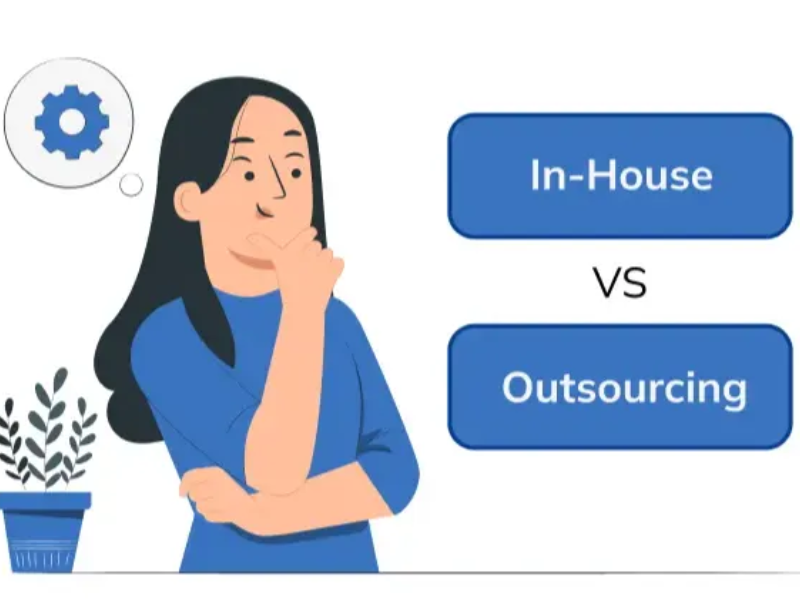
The right choice depends on your support volume, complexity, and growth stage.
- Outsource if you need scale, round-the-clock customer support for global gaming operations, multilingual coverage, or surge handling for launches and live events.
- Keep support in-house if ticket volume is manageable but cases are highly sensitive, policy-heavy, or tightly tied to product expertise.
- Choose a hybrid model if you want both control and flexibility.
For most growing studios, hybrid is the safest answer.
It lets you:
- Outsource frontline and after-hours coverage
- Add language support faster
- Protect sensitive queues internally
- Scale without overhiring
- Improve player experience without losing governance
Recommendation: if you are unsure, do not jump straight to full outsourcing. Start with a hybrid setup, outsource one lower-risk queue, run a pilot, and expand only after quality proves stable.
Final Checklist for Choosing a Gaming Support Provider

- The provider has real experience with games similar to yours.
- They support your required channels, regions, and player hours.
- They can provide 24/7 and multilingual coverage if needed.
- Their SLA and KPI model fits your queue complexity.
- Their training and QA process is clear and repeatable.
- Their security controls are strong enough for player data and account workflows.
- Their tools fit your help desk, CRM, and reporting setup.
- They have a credible plan for launches, surges, and outages.
- Their reports include insights and recommendations, not just raw numbers.
- They support a pilot or phased rollout before full expansion.
FAQ – Common Questions About Gaming Customer Support Outsourcing

What is gaming customer support outsourcing?
Gaming customer support outsourcing is when a studio or publisher hires an external team to handle some or all player support. This can include Tier 1 support, billing, account access, bug intake, multilingual coverage, or 24/7 operations.
Is outsourcing player support a good fit for indie game studios?
Yes, often. For indie studios, light outsourcing or a hybrid model can help with launch support, after-hours coverage, and limited internal bandwidth without building a full internal support team.
What support tasks should game companies outsource first?
The best first tasks usually include:
- Tier 1 player support
- Billing and refund questions
- Account access workflows
- Bug report intake
- After-hours support coverage
How is gaming customer service different from regular customer service?
Gaming support requires more urgency, stronger technical context, and better player empathy. Agents often need to understand game systems, patch changes, account issues, and live event pressure.
Can outsourced teams handle technical support and account recovery?
Yes, if the workflows are documented clearly and escalation rules are strict. Routine technical support and account recovery can be outsourced, but sensitive cases need strong verification and clear internal handoff rules.
How do outsourcing providers support global players 24/7?
They use distributed teams, shift-based coverage, and multilingual staffing across regions. This allows support coverage outside one local business schedule.
What KPIs matter most in gaming customer service outsourcing?
The most useful KPIs are:
- First response time
- Resolution time
- CSAT
- Backlog
- Reopen rate
- QA score
- Escalation quality
How do I choose the best game customer support partner?
Look for gaming experience, channel coverage, SLA fit, multilingual support, tool compatibility, security readiness, and proven launch scalability.
Is a hybrid support model better than fully outsourced support?
For many growing studios, yes. A hybrid support model balances control and flexibility by keeping sensitive work in-house while outsourcing scale-heavy queues.
How long does it take to implement outsourced gaming support?
A basic pilot can often launch in a few weeks. Multi-region, multi-channel, or security-sensitive support programmes usually take longer because they need more training, tooling, and workflow setup.
Why FlyFone Fits the Outsourced Gaming Support Model
Most BPOs price gaming support per seat per hour with 3–12 month contracts and 50-seat minimums. That works for AAA studios with stable 1M+ MAU. It hurts indies, mid-size studios, and live-service teams whose volume swings 200–500% around launches and events.
FlyFone is a cloud contact center built for that volatility. You pay per active call/chat minute, scale 50–200 agents in under one hour via REST API, and scale back the same week without penalty.
| Need | In-house | Traditional BPO | FlyFone |
|---|---|---|---|
| Launch surge +200–500% | 4–8 weeks to hire | 24–48h to add agents | <1h, scale back instantly |
| Cost model | Salary + overhead | $10–25 / seat / hour | Pay only for active minutes |
| Lock-in | Long-term hires | 3–12 month contract | No contract, no minimums |
| API integration | Build it yourself | Limited | REST + webhooks for game backends, fraud, CRM |
| Best fit | Tier 2/3, VIP | Stable 1M+ MAU | 50K–2M MAU studios + launch surges |
Studios commonly run a hybrid: BPO Tier 1 for steady-state volume, FlyFone for launch-day burst capacity and VIP voice support. See pay-per-minute pricing or request a free trial to test integration with your help desk.
Conclusion
Gaming customer support outsourcing works best when it is treated as a player experience strategy, not just a staffing shortcut. If your team is struggling with launch spikes, after-hours coverage, or global player demand, start by outsourcing one lower-risk queue, measure performance through a pilot, and build towards a hybrid model that scales with your game.
More in Industry
View all →
Customer Experience Trends 2026: What Changed and What to Do
Customer experience in 2026 is being reshaped by three converging forces: persistent economic uncertainty, widespread AI adoption, and fundamentally different customer expectations. Today's customers are more price-conscious than previous years, less attached to brands they once trusted, and willing to switch providers the moment value becomes unclear. For businesses, this means customer experience is no longer a differentiator—it's a survival…


Customer Experience Analytics: Metrics, Data and Tools
Most companies do not have a customer data problem. They have a customer data connection problem: marketing measures ad clicks, support measures resolution time, product measures feature adoption, and nobody can answer whether the customer who abandoned checkout on Tuesday is the same one who called about pricing on Thursday. Customer experience analytics is the practice that closes that gap…
What Is Customer Experience Management? A Practical Guide
Customer experience management (CXM) is the practice of designing, measuring, and improving every interaction a customer has with your company — treated as one connected journey rather than as separate departmental touchpoints. It is what turns a collection of well-meaning teams into an experience a customer can recognise as coming from a single organisation. The distinction that matters is between…



 English
  Russian
  Chinese