

Choosing contact center technology shouldn’t require four months of vendor evaluations, 50-page proposals, and enterprise consulting fees. Yet that’s exactly what most buyers face: complex implementation timelines, opaque pricing structures, and platforms built for 5,000-agent operations when you only need 50.
This buyer’s guide cuts through the confusion by focusing on what actually matters: deployment models that match your timeline, pricing transparency that protects your budget, and features that deliver measurable CX improvements. Whether you’re a CX leader, operations director, IT manager, or procurement professional, you’ll learn how to evaluate vendors objectively and make confident decisions.
Key Takeaways for Buyers
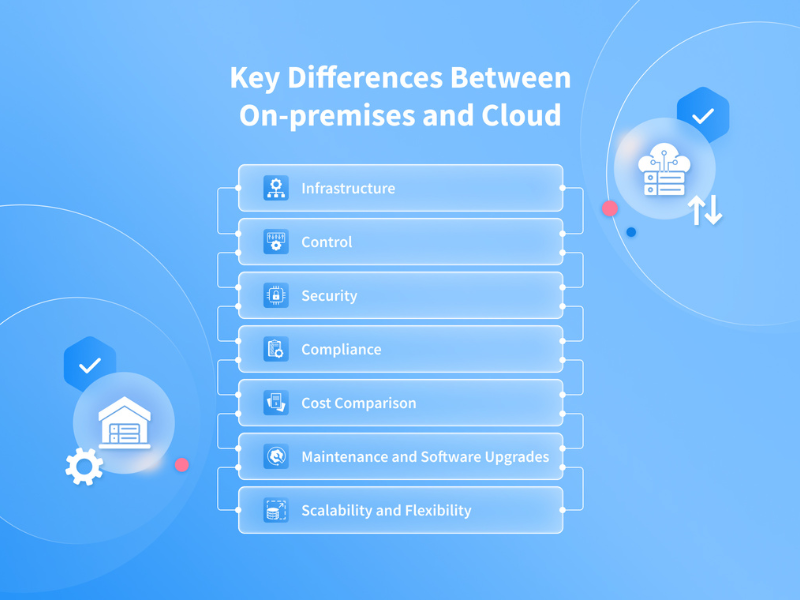
- Define your requirements before vendor demos—not during them. Most failed implementations happen because teams compare features instead of matching solutions to specific business goals. Know your must-haves, stakeholders, and success metrics before the first sales call.Deployment models (cloud, on-prem, hybrid) determine your timeline, costs, and flexibility. Cloud platforms deploy in days or weeks with lower upfront investment. On-premise systems require months but offer maximum control. Hybrid approaches balance both. Choose based on your operational reality, not vendor recommendations.Four capabilities drive measurable ROI: omnichannel architecture, workforce optimization, analytics, and CRM integration. These features directly impact customer satisfaction, agent productivity, and cost efficiency. Everything else is secondary.
Ignore the feature checklist war. Vendors compete on feature counts, but most contact centers actively use only 15-20 core capabilities. Evaluate platforms on the features you’ll actually implement, not the ones that look impressive in slide decks.
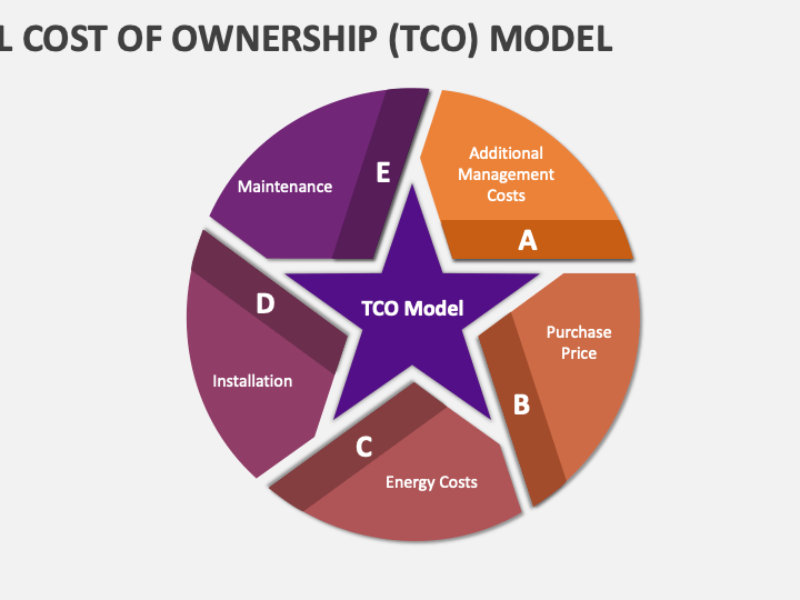
Total cost of ownership matters more than subscription pricing. Implementation fees, training costs, premium support, and hidden charges often double your budget. Calculate TCO over 3 years, not just month one.
What Is Contact Center Technology and Why Buyers Often Get Confused

What Is Contact Center Technology and Why Buyers Often Get Confused
Contact center technology is the software and infrastructure that manages customer interactions across voice, chat, email, messaging, and social channels from a single platform.
In practice, here’s what that means: When a customer starts a support conversation via email on Monday, follows up with a phone call Tuesday, and sends a chat message Wednesday, contact center software ensures each interaction connects to the previous ones. The Wednesday chat agent sees the Monday email and Tuesday call transcript automatically—no customer has to repeat their issue three times.
Why buyers get confused: Vendors blur the lines between different types of systems, making it hard to understand what you’re actually buying.
To better understand how these platforms are evolving and what capabilities are becoming standard versus optional it’s helpful to review the latest global contact center trends shaping CX, automation, and operational efficiency across industries.
Call center vs contact center
Call centers handle voice only—phone calls in and out. Contact centers support multiple digital channels (email, chat, SMS, social media) alongside voice. If customers only reach you by phone, you need call center software. If they use email and chat too, you need contact center software.
Contact center vs PBX (Private Branch Exchange)
A PBX is your internal phone system—it connects desk phones and routes calls between employees. Contact center software sits on top of the PBX (or replaces it with cloud telephony) and adds customer service capabilities: intelligent routing, queue management, call recording, and agent performance tracking.
例如 When a customer calls your support line, the PBX connects the call. The contact center software determines which agent answers based on skills, availability, and language—then logs the interaction and measures handle time. Without contact center software, you’d have basic call forwarding with no visibility into performance.
Contact center vs UC (Unified Communications)
UC tools like Microsoft Teams or Zoom handle internal employee collaboration—voice calls, video meetings, chat between coworkers. Contact centers handle external customer interactions with routing, reporting, and CX analytics that UC platforms don’t provide.
Contact center vs CRM (Customer Relationship Management)
CRM systems like Salesforce store customer data—purchase history, account details, support tickets. Contact center software handles the actual interactions—routing calls, managing conversations, tracking agent performance. The two integrate: when an agent answers a call, the contact center software pulls up the customer’s CRM record automatically.
The confusion happens when vendors bundle these together. Some call center platforms include basic CRM features. Some CRM vendors add calling capabilities. Understanding where each system’s core strength lies prevents you from buying overlapping tools or missing critical functionality.
- Call center vs contact center: Call centers focus on voice only. Contact centers support multiple digital channels.
- Contact center vs PBX (private branch exchange – internal phone system): PBX handles calls. Contact center software manages routing, agents, reporting, and CX.
- Contact center vs UC (unified communications – voice, video, messaging for employees): UC supports internal collaboration. Contact centers serve customers.
- Contact center vs CRM (customer relationship management): CRM stores customer data. Contact center tools handle interactions.
Vendor marketing often bundles these together, making platforms seem more complete than they are.
Key Buying Decisions You Must Make Before Comparing Vendors
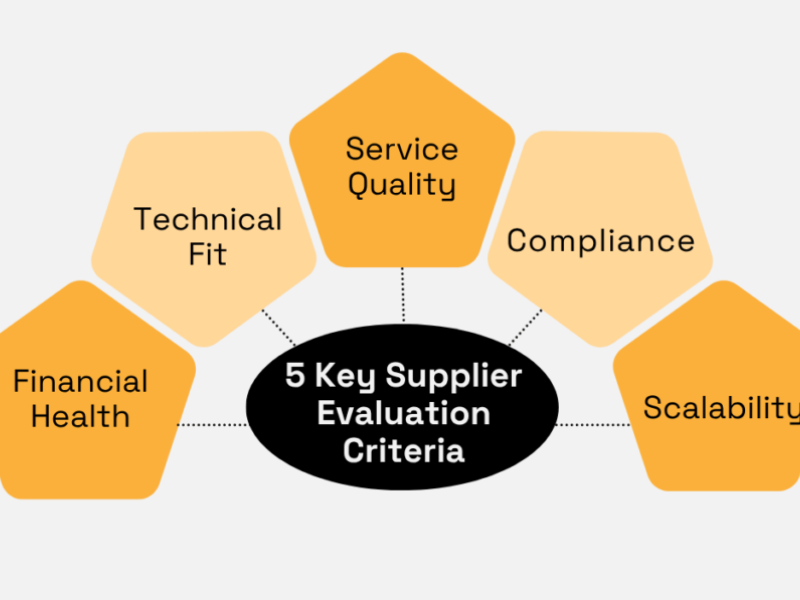
Most failed contact center projects don’t fail because of technology. They fail because buyers skip foundational decisions.
1. Define Business and CX Goals
Start with outcomes, not features.
- Reduce cost per contact.
- Improve CSAT (customer satisfaction score).
- Increase first contact resolution.
- Support remote or distributed agents.
- Scale without adding headcount.
If you can’t tie a feature to a goal, it’s not a priority.
2. Identify Stakeholders and Ownership
Contact center purchases affect multiple teams.
- CX and operations define workflows.
- IT owns security, integrations, and reliability.
- Finance cares about cost and ROI.
- Procurement manages contracts and risk.
Name a single decision owner to avoid deadlock.
3. Scope Channels, Agents, and Locations
Be specific.
- Which channels matter today: voice, chat, email, messaging?
- How many agents now, and in 12–24 months?
- One location or global operations?
- Seasonal spikes or steady volumes?
Overbuying capacity is as costly as underestimating growth.
4. Separate Must-Haves from Nice-to-Haves
Must-haves block success if missing.
Nice-to-haves can wait.
例如
- Must-have: CRM integration with screen pops.
- Nice-to-have: advanced speech analytics in year one.
This protects you during demos.
5. Assess Internal Readiness
Technology won’t fix broken processes.
- Do supervisors know how to use analytics?
- Is training standardized?
- Can your team manage change?
SMBs often need simplicity. Enterprises need governance and controls.
Contact Center Deployment Models Explained Simply
Cloud-Based Contact Center Systems (CCaaS)
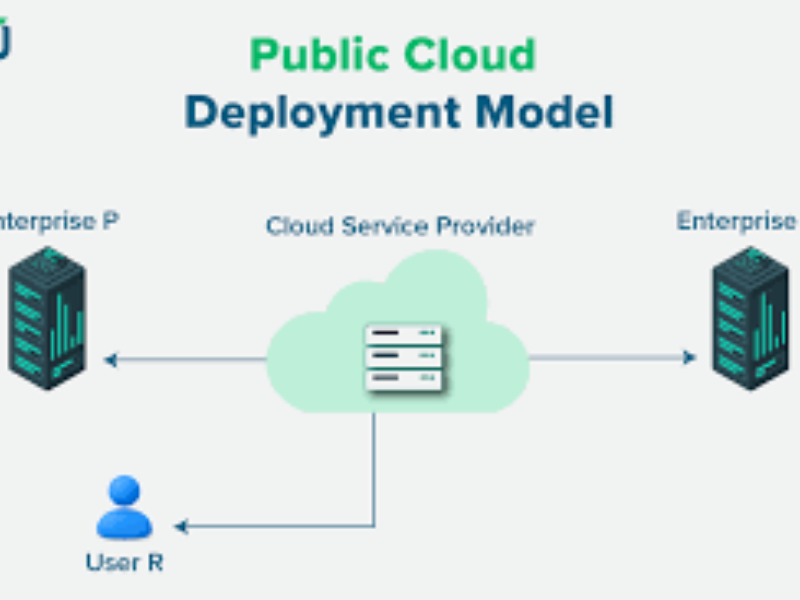
Cloud contact centers run in the vendor’s environment and are accessed via the internet.
Cloud-Based Contact Center Systems (CCaaS)
Cloud contact centers run in the vendor’s infrastructure and are accessed via the internet. You subscribe monthly rather than buying servers and software licenses upfront.
Why Cloud Dominates New Deployments
Fast Deployment
Traditional on-premise contact centers require 4-8 weeks minimum: hardware procurement, server setup, software installation, network configuration, and agent training.
Cloud platforms eliminate this entirely. Most businesses go from signup to first live call in 3-10 days:
- Day 1-2: Account creation, admin configuration
- Day 3-5: Purchase phone numbers, configure call routing
- Day 6-8: Add agents, conduct training
- Day 9-10: Go live with initial campaigns
For businesses launching new support operations, this speed difference is critical. A company entering a new market doesn’t have two months to wait before handling customer calls.
Lower Upfront Costs
On-premise systems demand $50,000-$200,000 upfront for servers, telephony hardware, PBX infrastructure, and implementation consulting.
Cloud vendors charge only for usage. A 50-agent team pays approximately:
- Cloud subscription: $200-400/agent/month = $10,000-20,000/month
- On-premise (amortized over 3 years): $50,000 initial + $5,000/month maintenance = $20,000+/month
The break-even point typically occurs around year 2-3, meaning cloud is cheaper short-term, on-premise might be cheaper if you maintain the same infrastructure for 5+ years without changes.
Easy Remote Agent Support
When you need to add 20 remote agents across different cities, cloud platforms provision new accounts in minutes. Agents log in from home with just a laptop, headset, and internet connection—no VPN complexity, no desk phone shipping, no IT visits.
This became essential during COVID-19 when contact centers shifted to remote work in days instead of months. Cloud architecture made that possible.
Automatic Updates
Cloud vendors release features continuously. When your platform adds AI call summarization or WhatsApp integration, it’s available immediately to all customers—no downtime, no manual upgrades, no IT project planning.
On-premise buyers wait 12-18 months for major version upgrades, which require:
- Testing in staging environments
- Scheduled maintenance windows
- Potential re-training for new interfaces
- Risk of breaking existing integrations
Tradeoffs to Consider
Ongoing subscription costs accumulate
While cloud avoids upfront investment, monthly fees continue indefinitely. For very stable operations that don’t change infrastructure often, on-premise systems may be cheaper over 5-7 year lifespans.
However, most businesses change requirements every 2-3 years (adding channels, scaling agents, integrating new tools), which requires expensive on-premise upgrades. Cloud handles these changes through configuration instead of hardware replacement.
Less control over infrastructure
You rely on vendor uptime, network quality, and data center reliability. If the vendor’s cloud goes down, your contact center goes offline.
Mitigation: Choose vendors with strong SLAs (99.95%+ uptime), multi-region redundancy, and proven disaster recovery. Many cloud platforms are 更多 reliable than self-managed systems because they have dedicated infrastructure teams monitoring 24/7.
Data residency in regulated industries
Some compliance frameworks (GDPR in Europe, healthcare data regulations) require customer data stay in specific countries or regions.
Solution: Most enterprise cloud vendors offer regional data centers. Verify during procurement that your vendor can store call recordings, transcripts, and customer data in your required geography (US, EU, APAC, etc.).
最适合
Cloud contact centers fit businesses that need:
- Fast deployment (weeks instead of months)
- Flexibility to scale agents up/down seasonally
- Remote or distributed workforce support
- Access to continuous innovation without IT overhead
- Lower initial investment with predictable monthly costs
Typical use case: A 100-agent customer support team that scales to 150 during holiday seasons, with agents working remotely across multiple time zones.
On-Premise Contact Center Solutions
On-Premise Contact Center Solutions
On-premise systems run on servers you own and manage, either in your data center or co-location facility. You buy perpetual software licenses and maintain the infrastructure yourself.
Why Some Buyers Still Choose On-Premise
Full Control Over Data and Security
Your call recordings, customer data, and interaction transcripts never leave your infrastructure. For industries with strict data sovereignty requirements—healthcare (HIPAA), financial services (PCI DSS), government contractors—this eliminates vendor risk.
例如 A healthcare insurance company handles protected health information (PHI) in every call. Storing this data in a third-party cloud requires extensive vendor audits, data processing agreements, and ongoing compliance monitoring. Keeping everything on-premise simplifies compliance because data never crosses organizational boundaries.
Custom Configurations
On-premise platforms allow deep customization that cloud vendors often restrict to protect multi-tenant stability. If your workflows require unique call routing logic, custom integrations with legacy systems, or modifications to core functionality, on-premise gives you that flexibility.
例如 A large bank integrates its contact center directly with mainframe systems from the 1980s that process account transactions. Cloud vendors can’t connect to these proprietary systems, but on-premise software allows custom middleware development.
Predictable Long-Term Costs
After the initial $50,000-$200,000 investment, ongoing costs are primarily maintenance (10-15% of license value annually) and IT staff time. For very stable operations running the same infrastructure for 5-7+ years, this often becomes cheaper than cumulative cloud subscription fees.
Example cost comparison:
- 100-agent on-premise system: $120,000 upfront + $15,000/year maintenance = $225,000 over 5 years
- 100-agent cloud system: $300/agent/month = $30,000/month × 60 months = $1,800,000 over 5 years
However, this assumes zero infrastructure changes. Most businesses add channels, scale agents, or upgrade systems within 3-4 years—which erases the cost advantage.
Tradeoffs You Accept with On-Premise
High Upfront Investment
You pay for everything before handling your first customer call: servers, telephony hardware, software licenses, implementation consulting, network infrastructure. For startups or businesses with limited capital, this creates a significant barrier.
Ongoing Maintenance Burden
Your IT team manages:
- Server hardware failures and replacements
- Software patches and security updates
- Database backups and disaster recovery
- Network connectivity and bandwidth
- Agent workstation troubleshooting
This requires dedicated staff expertise. Smaller businesses often lack this capacity.
Slower Innovation Cycles
New features arrive in 12-18 month release cycles instead of continuous updates. Adding capabilities like AI analytics or new communication channels requires:
- Vendor upgrade projects (weeks of planning)
- Testing in staging environments
- Scheduled maintenance windows for production deployment
- Potential re-training for changed interfaces
最适合
On-premise contact centers fit organizations that:
- Operate in highly regulated industries requiring data sovereignty
- Have strong internal IT teams to manage infrastructure
- Run stable operations with predictable volumes for 5+ years
- Need deep customization that cloud vendors can’t support
- Already own data center infrastructure with available capacity
Typical use case: A 500-agent health insurance call center handling PHI-protected customer data, with dedicated IT staff and stable call volumes that haven’t changed significantly in 5 years.
Compliance Examples Where On-Premise Still Dominates
HIPAA (Healthcare)
Protected health information (PHI) requires extensive safeguards. While cloud vendors can be HIPAA-compliant, on-premise eliminates the need for Business Associate Agreements and ongoing vendor audits.
PCI DSS (Payment Card Industry)
Contact centers that process credit card payments must protect cardholder data. On-premise systems give direct control over data encryption, storage, and access logging required for PCI certification.
Government Contractors (FedRAMP, ITAR)
Agencies and defense contractors often require data stay on government-approved infrastructure. Cloud vendors need expensive FedRAMP certifications, while on-premise systems in government facilities meet requirements by default.
Hybrid Contact Center Models
Hybrid models combine cloud and on-prem components.
Why buyers choose hybrid
- Protect existing PBX investments.
- Migrate to cloud in phases.
- Keep sensitive data on-prem.
最适合
- Enterprises modernizing gradually.
- Regulated businesses adopting digital channels.
Essential Contact Center Features That Actually Matter

Omnichannel CX Platforms
Omnichannel means customers move between channels without repeating themselves.
What matters:
- Unified routing across voice and digital.
- Single customer interaction history.
- Consistent reporting.
What doesn’t:
- Adding channels your customers don’t use.
Workforce Optimization and Agent Performance Tools
Workforce Optimization: Turning Agent Data Into Cost Savings
Workforce optimization (WFO) tools transform raw operational data into actionable decisions that reduce labor costs and improve customer experience. For contact centers, this is where technology directly impacts bottom-line performance.
Workforce Management (WFM): Forecasting and Scheduling That Eliminates Waste
WFM software predicts call volumes and creates agent schedules that match demand hour by hour, preventing overstaffing and understaffing.
Without WFM:
A contact center manager uses gut feel and basic spreadsheets. They schedule 50 agents for Monday morning because “Mondays are busy.” Actual call volume only needs 35 agents. Result: 15 agents sitting idle at $18/hour fully loaded cost = $270 wasted every hour, or $43,000/month in unnecessary labor.
With WFM:
The system analyzes historical patterns: Mondays at 9am average 420 calls/hour, Fridays at 3pm drop to 180 calls. It auto-generates schedules matching actual demand within 5% accuracy. Overstaffing drops from 30% to 5%, saving $32,000/month for a 100-agent operation.
业务影响: WFM typically reduces labor costs by 10-15% while maintaining service levels. For operations with variable call volumes (seasonal retail support, tax preparation services during filing season), this flexibility is essential.
Quality Management (QM): Finding Performance Issues Before They Become Trends
QM tools record, score, and analyze customer interactions to maintain consistency and catch problems early.
Manual QM approach:
Supervisors randomly review 5 calls per agent per week. For a 100-agent team, that’s 500 calls/month manually evaluated—roughly 2% of total interactions. This catches obvious failures but misses systemic issues.
Automated QM approach:
Modern platforms record and transcribe 100% of interactions, then use keyword detection, sentiment analysis, and script compliance checks to flag problems automatically.
例如 The system detects that 15% of calls this week included the phrase “I already explained this to your colleague”—indicating agents aren’t accessing previous interaction notes. Supervisors investigate and discover a CRM integration broke three days ago. Without automated QM, this would surface weeks later in CSAT scores.
业务影响: Automated QM reduces manual review time by 60-70% while improving quality cover
Reporting, Analytics, and CX Metrics
Dashboards must answer real questions.
重要的衡量标准:
- CSAT.
- FCR (first contact resolution).
- Handle time trends.
- Agent adherence.
Avoid platforms that drown you in vanity metrics.
AI in Modern Contact Center Technologies
AI works best in narrow, practical use cases.
Where AI delivers value:
- Self-service for simple intents.
- Agent assist with suggested responses.
- Interaction summarization.
Buyer warning: If AI ROI isn’t clearly explained, it’s marketing, not strategy.
CRM and Unified Communications Integrations
CRM-first architectures reduce friction.
Priorities:
- Native integration with Salesforce or Dynamics.
- Real-time data sync.
- Click-to-dial and screen pops.
Avoid custom integrations unless absolutely necessary.
What Matters Less Than Vendors Want You to Believe

- The longest feature checklist.
- AI claims without measurable outcomes.
- Proprietary dashboards with no export options.
- One-size-fits-all “enterprise” bundles.
How to Evaluate Contact Center Vendors Objectively
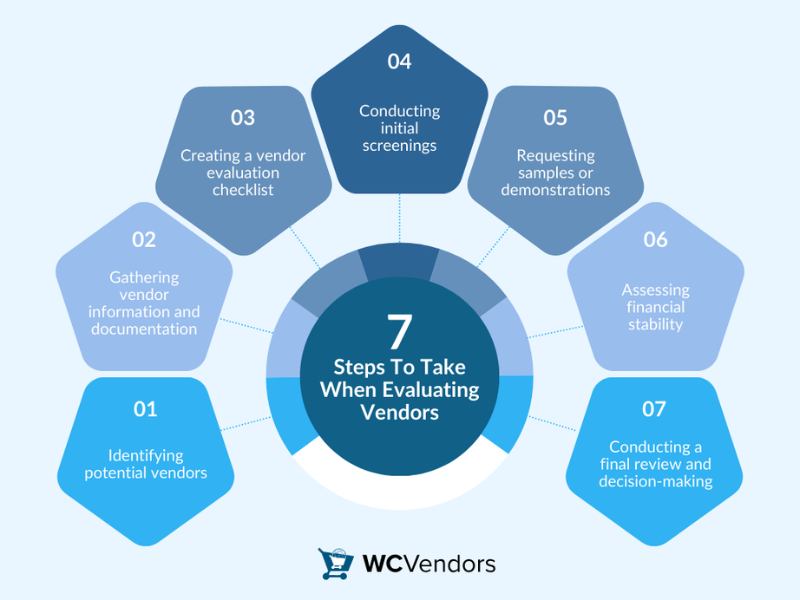
Vendor Evaluation Criteria Buyers Should Use
Score vendors on:
- Product maturity and reliability.
- Roadmap clarity.
- Security and compliance.
- SLA transparency.
- Customer support quality.
Use weighted scoring, not gut feel.
Questions to Ask Every Contact Center Technology Vendor
- What outcomes do customers like us achieve?
- How long does implementation really take?
- What breaks when we scale?
- What features cost extra?
- How do you handle outages?
Red Flags to Watch for During Demos and Sales Calls
- Demos avoid real workflows.
- Pricing lacks detail.
- Roadmaps are vague.
- References are outdated or irrelevant.
Pricing Models and Total Cost of Ownership
Common Contact Center Pricing Models
| 模型 | 最适合 | 风险 |
|---|---|---|
| Per-agent subscription | Predictable teams | Cost grows fast |
| Usage-based | 可变容量 | Hard to forecast |
| Bundled tiers | Simplicity | Paying for unused features |
Hidden Costs Buyers Often Overlook
- Implementation fees.
- Training and onboarding.
- Premium support.
- API usage.
- Data storage.
Budgeting for ROI-Driven Contact Center Solutions
Tie spend to outcomes:
- Cost per contact reduction.
- Agent productivity.
- CX improvements.
If ROI isn’t measurable, rethink the investment.
Best-of-Breed vs. Suite vs. Ecosystem Approaches
| Approach | Strength | Tradeoff |
|---|---|---|
| Best-of-breed | Deep functionality | Integration effort |
| Suite | Simplicity | Less flexibility |
| Ecosystem | 可扩展性 | 依赖供应商 |
Examples include Genesys, NICE, Verint, Amazon Connect, and Twilio.
For organizations evaluating scalable platforms with enterprise-grade capabilities, it’s worth exploring these enterprise contact center solutions to compare leading vendors, deployment flexibility, and performance at scale. This helps buyers move beyond feature comparisons and focus on long-term operational fit and growth readiness.
The Role of Partners, VARs, and Brokers in the Buying Process
Partners help when:
- You lack internal expertise.
- You need multi-vendor comparisons.
- Implementation risk is high.
Watch for biased recommendations tied to commissions.
Common Contact Center Technology Buying Mistakes

- Buying before defining goals.
- Letting demos drive requirements.
- Ignoring change management.
- Underestimating integration complexity.
- Focusing on price over TCO.
Final Buyer Checklist Before Making a Decision
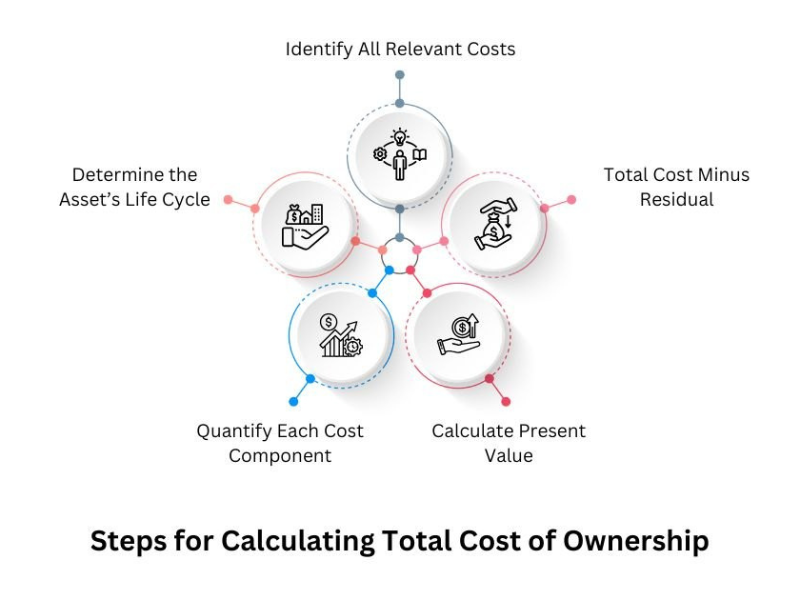
- Business and CX goals documented.
- Stakeholders aligned with clear ownership.
- Deployment model selected.
- Must-haves validated in demos.
- TCO calculated.
- References checked.
- Exit strategy understood.
常见问题(FAQ)

Is cloud always better than on-prem?
No. Cloud fits fast-changing environments. On-prem suits strict compliance and stable operations.
Is CCaaS suitable for SMBs?
Yes, especially for teams that need fast deployment and minimal IT overhead.
How long does implementation take?
From weeks for simple cloud setups to months for complex hybrid deployments.
Do I need AI on day one?
No. Start with strong foundations. Add AI where it proves ROI.
结论和行动呼吁

Buying contact center technology is a business decision, not a feature contest. When you define goals, choose the right deployment model, and evaluate vendors objectively, you stay in control.
Use this guide as your decision framework. Build a shortlist with confidence. Invest where it delivers real CX and operational impact.
更多信息
Call Center Forecasting: Methods, Metrics, Best Practices
Call Center KPIs for Customer Experience: What to Track

 English
  Russian
  Chinese