
Finance teams waste 15-20 hours per week chasing late payments. Manual follow-ups get forgotten, customers claim they never received invoices, and cash flow forecasts change weekly without explanation.
Accounts receivable collection software eliminates this chaos. It automates payment reminders, tracks every invoice status in real-time, and gives finance teams complete visibility into incoming cash—without adding headcount or complexity.
This guide walks you through what AR software actually does, which features matter for your business size, and how to choose without overpaying for features you’ll never use
主要收获

- After reading this guide, you’ll be able to:Distinguish AR collection software from accounting or invoicing tools—and know which problems each solves
Identify the exact moment your business has outgrown spreadsheets and manual reminders
Shortlist AR tools based on your invoice volume, team size, and billing complexity
Avoid overpaying for enterprise features when SMB tools fit better (or vice versa)
Run vendor demos that test your actual workflows, not scripted scenarios
Implement AR software that your team actually adopts—not another tool gathering dust
What Is Accounts Receivable Collection Software?

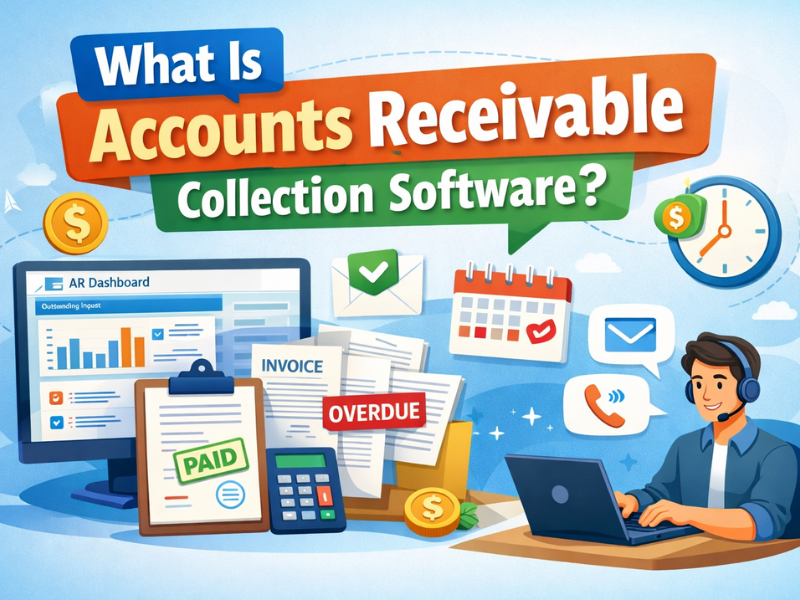
Accounts receivable collection software automates the process of getting customers to pay outstanding invoices. Unlike accounting software that tracks what’s owed, or invoicing tools that send bills, AR collection software focuses specifically on the gap between “invoice sent” and “payment received.”
You may also see it called:
AR collection software
Receivables management software
Automated collections platform
Payment recovery software
Here’s the key difference:
Accounting software (QuickBooks, Xero) records transactions and closes books
Invoicing tools (FreshBooks, Wave) create and send invoices
AR collection software chases payments and manages follow-ups until money arrives
What it actually does:
Syncs unpaid invoices from your accounting system automatically
Sends payment reminders on schedule (before due date, at due date, after overdue)
Tracks which customers opened emails, clicked payment links, or replied
Escalates overdue accounts with different messaging and frequency
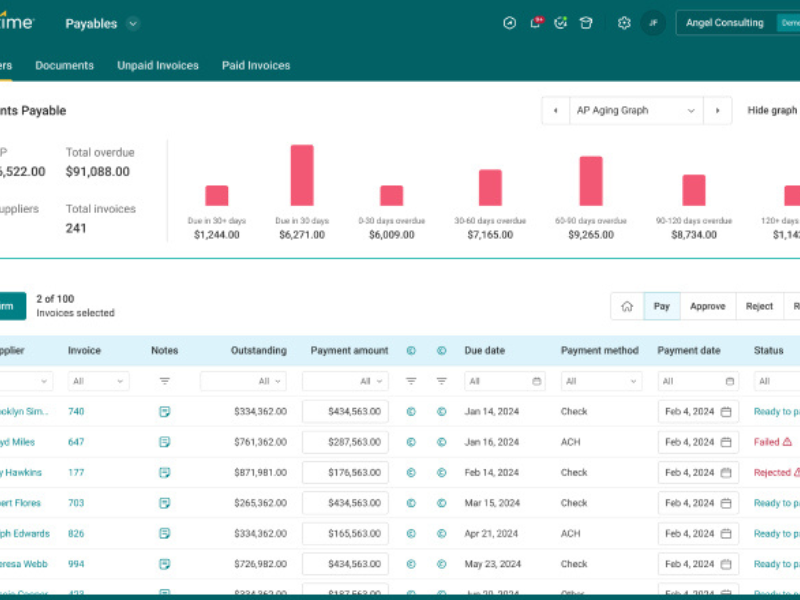
Provides real-time dashboards showing AR aging and expected cash-in dates
Stops reminders instantly when payments are received or disputes are flagged
Why Businesses Use AR Collection Software Today

Reducing Late Payments and Manual Follow-Ups
Manual collections fall apart once invoice volume exceeds what one person can track in their head. Finance teams rely on spreadsheets, calendar reminders, and memory—all of which fail when someone goes on vacation, gets sick, or simply forgets.
The typical breaking point: 50-100 active invoices across 20-30 customers. Beyond this, invoices slip through, follow-ups become inconsistent, and customers learn they can pay late without consequence.
AR collection software automates the entire chase process using rules you set once:
Before due date: Friendly reminder 7 days out (“Your invoice #1234 for $5,000 is due next week”)
At due date: Payment confirmation (“Invoice #1234 is due today. Click here to pay instantly”)
After overdue: Escalating reminders at 3 days, 7 days, 14 days with progressively firmer language
Automatic pauses: System stops reminders the moment a customer pays, replies, or disputes
Instead of chasing 100 invoices manually, your team manages by exception:
The system handles routine follow-ups for 90% of invoices
AR staff focus on the 10% requiring human attention (disputes, high-risk accounts, payment plan negotiations)
Measurable impact most teams see:
30-40% reduction in overdue invoices within 60 days
Average Days Sales Outstanding (DSO) drops by 8-12 days
70% less time spent on routine follow-ups
AR collection software automates follow-ups using predefined rules:
- Reminder emails sent before and after due dates.
- Escalation logic that adjusts tone and frequency over time.
- Automatic pauses when a customer pays or replies.
Instead of chasing invoices one by one, teams manage by exception:
- The system handles routine reminders.
- AR teams focus on disputed or high-risk accounts.
In practice, this leads to:
- Fewer forgotten follow-ups.
- More consistent communication with customers.
- A professional, non-aggressive collections process.
Improving Cash Flow Visibility and Predictability
In manual AR processes, cash forecasting relies on optimistic assumptions. Finance teams look at outstanding invoices and guess when customers will pay based on past behavior—but without real-time data, those guesses are often wrong.
Common blind spots without AR software:
You can’t see which customers consistently pay 15-30 days late
Aging reports are outdated the moment you export them from accounting software
High-risk accounts only become visible after they’re 60+ days overdue
You have no early warning when a reliable payer suddenly delays
AR collection software eliminates guesswork with live data:
Real-time AR aging: See how long each invoice has been outstanding, updated automatically as payments arrive
Customer payment profiles: Track average days to pay by customer (e.g., “ABC Corp historically pays in 45 days despite 30-day terms”)
Risk scoring: System flags customers who suddenly deviate from normal payment patterns (e.g., “XYZ Ltd usually pays in 30 days but hasn’t paid in 45—investigate now”)
Cash-in forecasting: Dashboard projects expected cash receipts for next 30/60/90 days based on current AR aging and historical payment behavior
This helps finance teams:
Spot late-paying customers 15-20 days earlier (before they’re deeply overdue)
Prioritize collection calls on accounts most likely to default
Plan short-term cash needs with 85-90% accuracy instead of rough estimates
Negotiate payment plans proactively instead of reactively
Most teams report their DSO (Days Sales Outstanding) drops by 10-15 days within the first quarter after implementing AR automation—meaning cash hits the bank faster and more predictably.
Saving Time for Finance and AR Teams
Automation removes repetitive tasks that drain time.
Before automation
- Manually sending reminder emails.
- Checking spreadsheets for overdue invoices.
- Matching payments line by line.
After automation
- Reminders run automatically.
- Dashboards show priorities instantly.
- Payment matching happens in the background.
Finance teams consistently report fewer interruptions and more time spent on analysis, exceptions, and customer relationships instead of routine chasing.
Signs Your Business Needs AR Collection Software

- You track overdue invoices in Excel, and versions never match reality.
- Customers say they “never saw the invoice” more than once.
- Follow-ups depend on individual team members, not a system.
- Cash-in forecasts change every week without a clear reason.
- AR volume grows, but headcount doesn’t.
- Finance teams spend more time chasing payments than analyzing risk.
Key Features That Actually Matter in AR Collection Software

Invoice and Payment Automation
AR software is only as good as the data it works with. If invoices sync incorrectly or payments aren’t matched properly, the entire system breaks—and your team ends up doing manual work anyway.
What to look for in reliable automation:
Automatic invoice sync from accounting/ERP
The system should pull new invoices from QuickBooks, NetSuite, Sage, or Xero automatically every hour (or in real-time). You should never manually upload CSV files or copy-paste invoice data.
Rule-based reminders triggered by invoice status
Set reminder schedules once (e.g., “7 days before due date, send Email Template A”), and the system applies them to every invoice automatically. No manual intervention unless you choose to override.
Intelligent payment matching
When a customer pays $4,850 against a $5,000 invoice, the system should automatically:
- Match the partial payment to the correct invoice
- Update the outstanding balance to $150
- Stop sending full-payment reminders
- Optionally send a new reminder for the $150 remainder
Clean handling of credits and adjustments
If you issue a $500 credit note against a $5,000 invoice, the system should:
- Reduce the outstanding balance to $4,500
- Adjust reminder messaging accordingly
- Not send collection emails for the credited amount
Avoid tools that:
- Require manual CSV uploads for every batch of invoices
- Break sync when you edit an invoice in your accounting system
- Can’t stop reminders automatically when payment is received (customers get “pay now” emails for already-paid invoices—extremely embarrassing)
- Don’t handle partial payments or credits (forces your team to manually intervene constantly)
Customer Communication and Self-Service
Most “overdue” invoices aren’t actually collection problems—they’re communication problems. Customers can’t find the invoice PDF, don’t know how to pay, or aren’t sure what the current balance is after making a partial payment.
Strong AR software reduces these friction points by letting customers self-serve instead of calling or emailing your AR team.
Customer portals with full invoice history
Customers log in and see every invoice you’ve ever sent them, with status (Paid, Pending, Overdue), amounts, and due dates. They can filter by date range, download PDFs, and view payment history—without calling your team.
One-click payment links in every reminder
Every automated email includes a secure payment link. Customer clicks, enters credit card or ACH details, pays instantly. No back-and-forth about “How do I pay this?” or “What’s your bank account number?”
Centralized communication records
All emails, replies, and payment discussions are logged in one place. When a customer claims “I already told your colleague about this dispute last week,” you can pull up the exact conversation instantly instead of searching through individual inboxes.
This eliminates the most common time-wasters:
- “Can you resend invoice #1234?” (Customer downloads it themselves from portal)
- “What’s my current balance?” (Portal shows real-time balance after partial payments)
- “I thought I paid this already” (Payment history shows exactly what was paid and when)
- “How do I pay by wire transfer?” (Payment instructions are in every email and on portal)
Impact: Teams typically see 40-50% reduction in inbound AR inquiries within 30 days of launching customer portals—freeing up hours every week that were previously spent answering basic questions.
Reporting, Insights, and Forecasting
Most accounting systems generate AR aging reports—but those reports are snapshots in time, exported to Excel, and outdated the moment you save them. AR collection software provides live dashboards that update automatically and highlight exactly where to focus your attention.
Core reports every AR team needs:
AR Aging by Customer and Invoice
See which customers have invoices in 0-30 days, 31-60 days, 61-90 days, and 90+ days buckets. Drill down to individual invoice level to see exactly which invoices are aging badly.
Real-world use: “ABC Corp has $50K in the 61-90 day bucket—we need to call them today before it hits 90+ and becomes a write-off risk.”
Overdue Trends Over Time
Track whether overdue balances are growing or shrinking month-over-month. If overdue AR is climbing despite collections efforts, it signals systemic issues (too-lenient credit terms, wrong customer targeting, product/service quality problems).
Real-world use: “Overdue AR grew from $100K to $180K in 3 months despite adding an AR specialist. We need to tighten credit approval, not hire more collectors.”
Expected Cash-In Forecast
System projects when you’ll receive payment based on historical customer behavior. If “XYZ Ltd” historically pays in 45 days, the system forecasts their $10K invoice (issued today) will arrive around Day 45—not the Day 30 due date.
Real-world use: “Forecast shows only $200K cash-in next month, not $300K. We need to push payment plans with top 5 late payers or we’ll miss payroll.”
Advanced tools add predictive insights:
Accounts Likely to Pay Late
System flags customers whose payment patterns suddenly change. “ABC Corp usually pays in 30 days but has slowed to 50 days in the last 3 invoices—investigate now before the gap widens.”
Customers That Need Proactive Outreach
Instead of waiting until Day 60 to call an overdue customer, the system predicts on Day 15 that this invoice will likely go overdue based on this customer’s recent behavior—giving you time to intervene early.
How teams use this data:
- Prioritize collection calls on accounts with highest default risk
- Adjust credit terms for customers with worsening payment trends
- Negotiate early payment discounts with slow-but-reliable payers
- Identify which industries or customer segments pay fastest (to inform sales targeting)
Without these insights, AR teams work reactively—chasing whoever screams loudest. With them, AR becomes strategic—preventing problems before they become write-offs.
Integrations and Flexibility
AR software rarely works alone.
It should integrate cleanly with:
- Accounting systems like QuickBooks, NetSuite, or Sage.
- ERP and CRM platforms where customer data lives.
Poor integration leads to:
- Data mismatches.
- Duplicate work.
- Low team adoption.
Scalable tools handle growing invoice volume without breaking workflows.
Types of AR Collection Software by Business Use Case

Small Businesses and SMBs
Best for: Teams with limited AR volume and simple needs.
Priorities:
- Ease of use.
- Affordable pricing.
- Basic reminders and reporting.
Watch out for: Tools that don’t scale once invoice volume increases.
Growing and Mid-Market Companies
Best for: Businesses scaling fast with increasing invoice complexity.
Priorities:
- Strong integrations.
- Advanced reporting and controls.
- Role-based access for teams.
Watch out for: Entry-level tools that lack flexibility.
B2B and Subscription-Based Businesses
Best for: Companies with recurring billing and contract terms.
Priorities:
- Customer-level risk tracking.
- Complex billing support.
- Predictive insights on payment behavior.
Watch out for: Generic tools built only for one-off invoicing.
Examples of Popular AR Collection Software on the Market

Younium
优点 Strong for subscription and B2B SaaS billing.
缺点 Not ideal for very small teams.
Best for: B2B SaaS and recurring revenue models.
Versapay
优点 Strong collaboration and customer communication.
缺点 Higher cost for smaller businesses.
Best for: Mid-market teams with complex disputes.
Sage Intacct
优点 Deep accounting integration.
缺点 Collections features are not standalone.
Best for: Businesses already using Sage.
FreshBooks
优点 Simple and affordable.
缺点 Limited advanced AR automation.
Best for: Freelancers and small businesses.
Quadient AR
优点 Predictive insights and automation.
缺点 Setup can be heavier.
Best for: Larger or more structured AR teams.
How to Choose the Right AR Collection Software in 5 Simple Steps

- Map your current AR process.
Identify where delays, errors, and manual work happen today. - Define your non-negotiables.
Focus on reminders, reporting, and integrations you actually need. - Shortlist based on business size and complexity.
Eliminate tools built for companies much smaller or larger than yours. - Ask vendors to demo real workflows.
Use your invoices, customers, and edge cases during demos. - Evaluate adoption, not just features.
The best tool is one your team will actually use every day.
Common Mistakes to Avoid When Buying AR Collection Software

- Buying an all-in-one system when you only need collections.
- Ignoring integration limits until after signing.
- Choosing tools that require heavy manual setup to stay accurate.
- Overpaying for advanced analytics your team won’t use.
- Skipping pilot tests with real invoice data.
Final Takeaway for Business Decision-Makers

The best accounts receivable collection software is the one that fits your business today and scales tomorrow. Focus on faster payments, clearer visibility, and less manual work—not feature lists. When AR processes are automated and transparent, finance teams stop chasing cash and start managing it. The right tool turns collections from a daily struggle into a predictable system.
FAQ: Accounts Receivable Collection Software

Is AR collection software the same as accounting software?
No. Accounting software records transactions, while AR collection software focuses on collecting unpaid invoices and managing follow-ups.
Can small businesses use AR collection software?
Yes. Many tools are built specifically for SMBs and offer simple automation without heavy setup.
Does AR software replace human collections work?
No. It automates routine tasks so teams can focus on exceptions and high-risk accounts.
How long does implementation usually take?
For most SMB and mid-market tools, setup takes days to a few weeks, depending on integrations.
Will customers dislike automated reminders?
When done correctly, automated reminders are consistent, polite, and often preferred over ad-hoc manual emails.
CTA:
Audit your current AR process, list your must-have features, and demo tools using real invoices. Choose fit over hype, and let automation do the chasing.
常见问题

What is accounts receivable collection software?
Accounts receivable collection software automates the process of managing and collecting outstanding invoices. It includes features like payment reminders, customer communication tools, and reporting dashboards to improve cash flow, reduce effort for AR teams, and enhance operational efficiency.
How does AR collection software improve cash flow?
AR collection software accelerates cash flow by automating invoice follow-ups, enabling faster payments, and providing real-time insights into customer payment trends. These tools help businesses predict incoming cash, reduce delays, and avoid errors caused by manual processes.
What features should I look for in AR collection software?
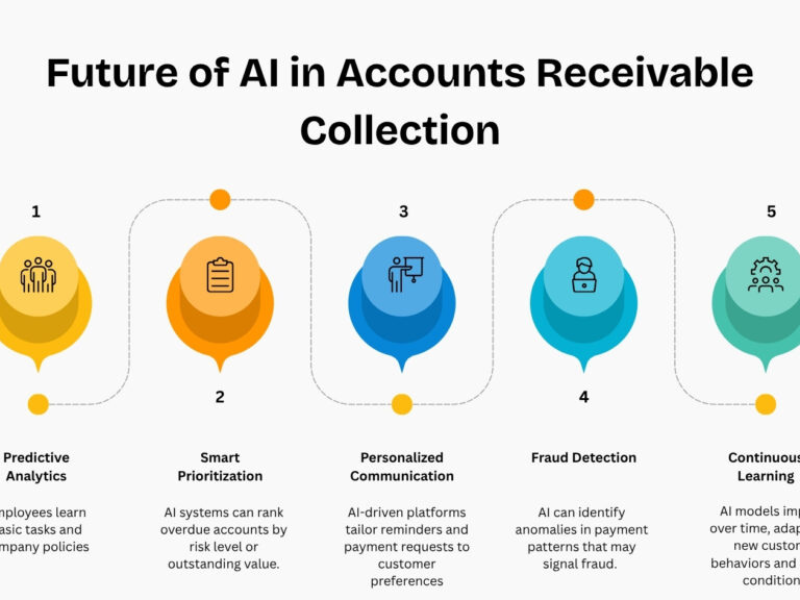
Key features to consider include automated invoicing and reminders, customer self-service portals, integration with ERP or CRM systems, AI-driven analytics, and customizable reporting dashboards. These ensure ease of use, better cash visibility, and seamless workflows.
Is AR collection software suitable for small businesses?
Yes, small businesses benefit significantly from AR collection software. It reduces manual work, helps manage overdue invoices efficiently, and integrates with accounting tools. Cost-effective options like FreshBooks and Zoho are ideal for SMBs with simpler needs.
Can AR collection software integrate with my existing ERP or CRM?
Most modern AR collection tools offer seamless integration with ERP and CRM systems like Oracle, SAP, Salesforce, or QuickBooks. Always verify compatibility with your current software to ensure smooth adoption.
How do I choose the right AR collection software?
To choose the right software, identify your business’s specific AR needs, prioritize automation and integration capabilities, and shortlist vendors offering demos. Also, consider scalability, industry fit, and ROI to match your growth trajectory effectively.
Is AR collection software worth the investment?
Yes, AR collection software is worth the investment for businesses facing delayed payments or cash flow issues. By automating accounts receivable processes, it saves time, improves payment accuracy, and directly impacts financial stability and growth.
What’s the difference between accounting software and AR collection software?
Accounting software focuses on recording financial transactions and generating reports, while AR collection software specializes in automating invoicing, payment follow-ups, and outstanding collections. For businesses, AR tools complement accounting systems to streamline cash flow processes.
Can AR collection software help reduce overdue payments?
Yes, AR collection software reduces overdue payments by sending automatic reminders, enabling self-service payment portals, and tracking past-due invoices. These features encourage timely payments without straining customer relationships.
Are there affordable AR collection software options for startups?
Yes, budget-friendly options like Zoho Books and FreshBooks cater to startups and small businesses. These tools provide essential features, including automated reminders and basic reporting, to improve collections without unnecessary complexity or high costs.
更多信息
- Outbound Call Centers Types Benefits and Setup Guide
- 外拨拨号器指南 类型 优点 以及如何选择
- 网络电话在游戏中的意义 优势 挑战 和顶级工具