

Power dialer software is worth considering when your outbound team is losing time to manual clicking, inconsistent call logging, and too much admin between conversations. For many sales and call center teams, the problem is not a lack of activity. It is weak outbound productivity caused by broken workflows.
This guide is built for buyers, not telecom engineers. It explains what power dialer software is, when it fits, how it compares with predictive and progressive dialers, which features actually matter, what results are realistic, and how to shortlist vendors without wasting demo time.
What Power Dialer Software Is and How It Works
Power dialer software is an outbound calling tool that automatically dials the next contact in a list when an agent is available, helping teams reduce manual work and move through call queues faster. In most cases, it follows a sequential dialing model, meaning one available rep handles one live call at a time.
In practical terms, it is a form of automated dialing software built for teams that want more control than a predictive setup, but more speed than manual calling. The main gain is not just more dials. It is less idle time, fewer clicks, cleaner handoffs, and better consistency in call disposition tracking.
Manual list-clicking slows reps down. So does switching between an outbound calling platform and a CRM after every call. A well-configured power dialer keeps the workflow moving, but it still depends on clean lead data and disciplined follow-up.
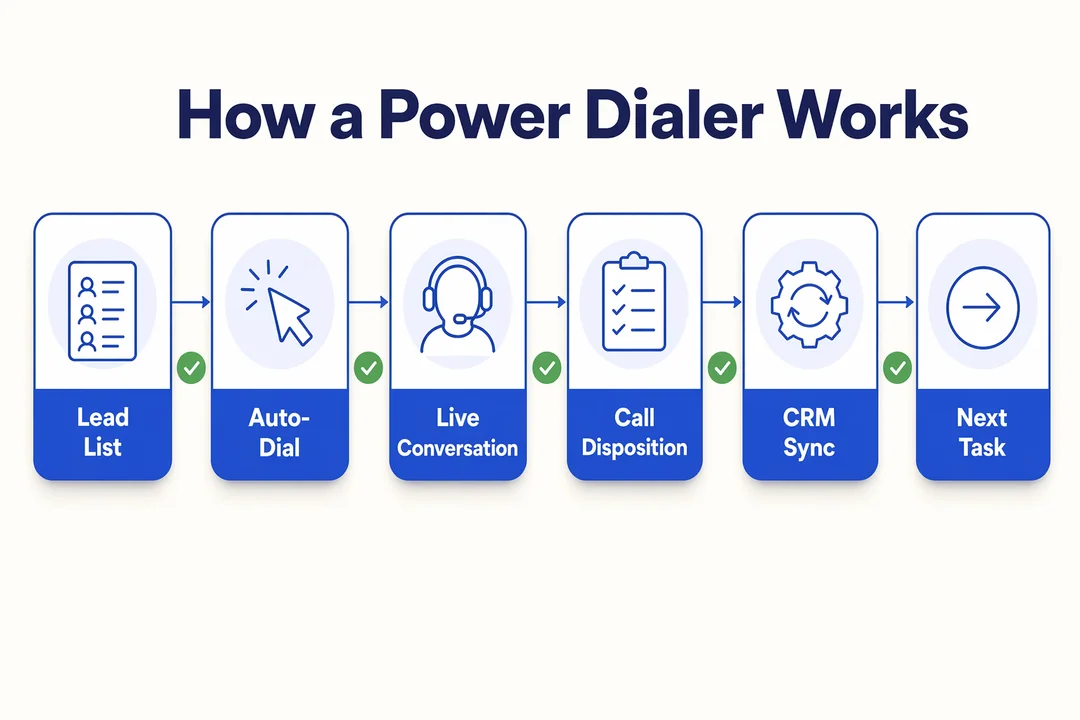
How a Power Dialer Works in a Typical Outbound Workflow
- The system pulls the next contact from a call list or queue.
- It auto-dials when the agent is free.
- The rep handles the live conversation once the call connects.
- The outcome, notes, and disposition are captured immediately after the call.
- The record syncs back to the CRM and triggers the next step or task.
What a Power Dialer Is Not
- It is not the same as predictive dialing.
- It is not just any generic autodialer.
- It is not a cure for poor lead quality, weak scripts, or bad process design.
When Power Dialer Software Is the Right Fit
The best use case for a power dialer is structured outbound work where teams need speed, control, and repeatable execution. It works well when you want stronger agent productivity without handing too much pacing control to an algorithm.
As a sales outreach automation tool, it usually fits teams that care about consistent workflows more than raw call volume. It is also useful when lead contact automation software needs to connect tightly with CRM updates, task creation, and reporting.
Best-Fit Teams
- SDR or inside sales teams running structured outreach with clear call lists and follow-up rules
- Collections or BPO teams that need controlled throughput and reliable outbound campaign management
- Remote sales teams that need one cloud-based workflow across distributed reps
- Teams that want more conversations without forcing managers to oversee a complex predictive setup
- Organizations that need cleaner reporting, disposition tracking, and rep accountability
When Another Dialing Mode May Be Better
- Predictive dialer setups are often better for very high-volume, script-led environments where throughput is the main KPI
- Progressive dialer models can work better when guided pacing and queue management matter more than rep-controlled flow
- Manual calling may still be better for low-volume, highly personalized enterprise outreach where each call needs heavy pre-call research
- Teams with poor contact data may not benefit much until list quality improves
The decision comes down to balance. If your team needs speed with control, power dialing is often the practical middle ground.
Power Dialer vs Predictive Dialer vs Progressive Dialer
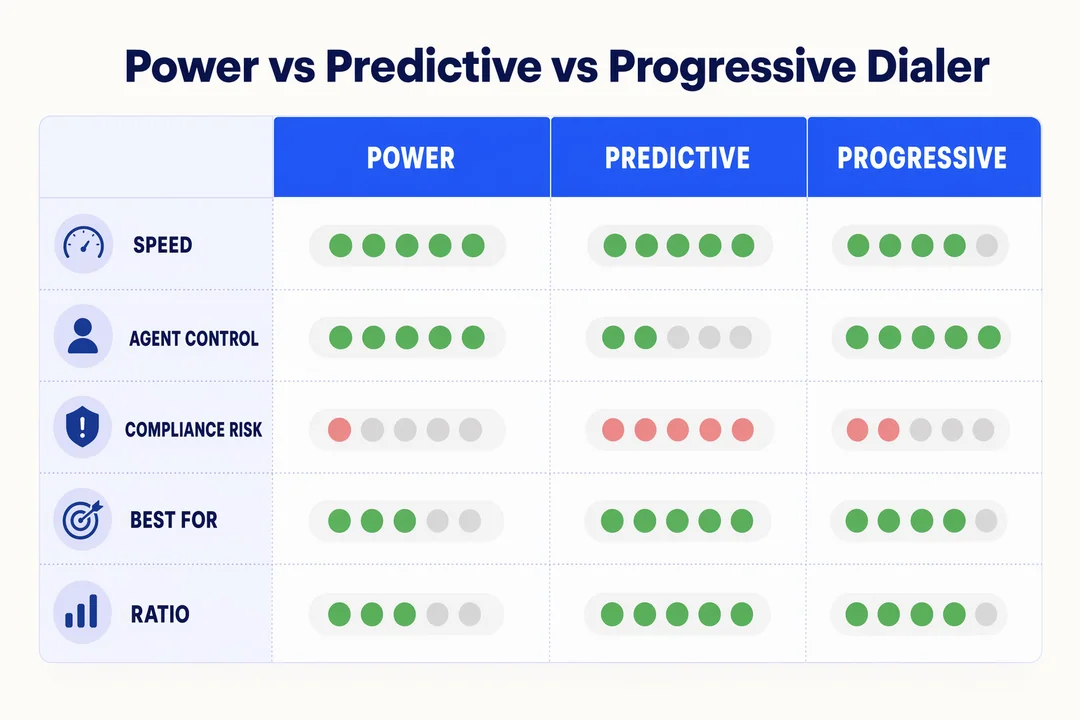
Most buyers comparing dialing tools are really comparing trade-offs. The choice is not about which mode is universally better. It is about how much control, throughput, personalization, and compliance sensitivity your team needs. In a power dialer vs predictive dialer comparison, the key question is whether you want balanced pace or maximum volume.
| Criteria | Power Dialer | Predictive Dialer | Progressive Dialer |
|---|---|---|---|
| Dialing logic | Dials one contact at a time in sequence | Dials multiple contacts based on agent availability predictions | Dials the next contact automatically with controlled pacing |
| Agent readiness | Agent is typically ready before connection | Agent may be matched after the system predicts availability | Agent is kept on a guided, steady pace |
| Best for | Balanced outbound teams needing speed and control | Large-scale, high-volume campaigns | Teams needing more pacing discipline |
| Conversation quality | Usually stronger due to better rep readiness | Can be lower if calls connect before reps are ready | Generally steady and consistent |
| Idle time reduction | Good | Highest | Moderate to good |
| Dead air / abandoned call risk | Low | Higher | Lower than predictive |
| Compliance sensitivity | Easier to manage in many environments | Requires tighter monitoring and controls | Often more manageable than predictive |
| Personalization level | Moderate to high | Lower | Moderate |
| Operational complexity | Low to moderate | Higher | Moderate |
A generic autodialer label does not help much in real buying decisions. What matters is the dialing mode and how it affects outbound calling efficiency, rep readiness, and manager oversight.
A Simple Rule of Thumb
- Choose power dialing when you want balanced speed and control.
- Choose predictive when throughput is the main KPI and your operation can manage the added complexity.
- Choose progressive when pacing discipline matters more than maximum volume.
The common mistake is optimizing only for dials per hour. In most B2B environments, the better metric is conversation quality and conversations per hour, not just call attempts.
Key Features to Look for in Power Dialer Software
When buyers compare vendors, the easiest trap is overvaluing long feature lists and undervaluing workflow basics. For most teams, the must-haves are the features that improve rep execution, protect compliance, and give managers visibility. Everything else is secondary.
Start with this shortlist:
- CRM integration
- Automatic call logging
- Voicemail drop
- Compliance controls
- AI notes and summaries
- Reporting and QA visibility
- Caller ID and routing quality
A simple rule applies here: more features do not always mean better adoption. If reps struggle with usability or managers cannot trust the data, even a polished platform becomes shelfware.
| Must-Have | Nice-to-Have |
|---|---|
| CRM synchronization | Advanced AI coaching prompts |
| call disposition tracking | Custom workflow builders for edge cases |
| Auto-dialing | Deep omnichannel orchestration |
| voicemail drop | Advanced lead scoring layers |
| compliance tools | Highly customized dashboard themes |
| Reporting dashboards | Niche third-party integrations |
| caller ID reputation management | Industry-specific templates |
Features That Directly Impact Rep Productivity
- Auto-dialing keeps reps moving instead of manually clicking through lists.
- CRM synchronization reduces double entry and keeps records current in platforms like Salesforce, HubSpot, Zoho, or Pipedrive.
- Voicemail drop saves time on repetitive follow-up messages.
- Post-call automation helps trigger tasks, status updates, and next actions automatically.
- AI call summaries reduce after-call work and improve note consistency.
- Sales cadence automation keeps follow-up discipline intact across larger teams.
Features That Protect Performance and Compliance
- DNC scrubbing helps reduce risk by checking contact lists against internal and external do-not-call rules.
- Consent and opt-out handling matter more as compliance expectations tighten across US states.
- A STIR/SHAKEN-aware routing environment can support call authentication and reduce spam-label exposure.
- Caller ID reputation management matters because spam tagging can damage connect rates even when reps are doing everything else right.
- Call recording controls and audit visibility support coaching, dispute review, and policy enforcement.
Recent compliance changes also make revocation handling more important. As of April 2025, businesses are expected to honor consent revocation within 10 business days under updated federal rules. State-level “mini-TCPA” rules add more complexity, so native compliance tooling is no longer optional for many teams.
Features That Matter for Scaling Teams
- Reporting dashboards give managers real visibility into outcomes, not just activity.
- Live monitoring supports coaching and campaign correction earlier in the cycle.
- API integration matters if your workflows depend on custom lead routing or internal systems.
- Multi-region calling is important for teams covering several geographies.
- Usage-based scalability can be more efficient for variable-volume teams than rigid seat pricing.
For global or APAC-sensitive outbound operations, routing quality becomes more than a telecom detail. It directly affects answer rates, audio quality, and campaign consistency.
What Results Should You Realistically Expect?
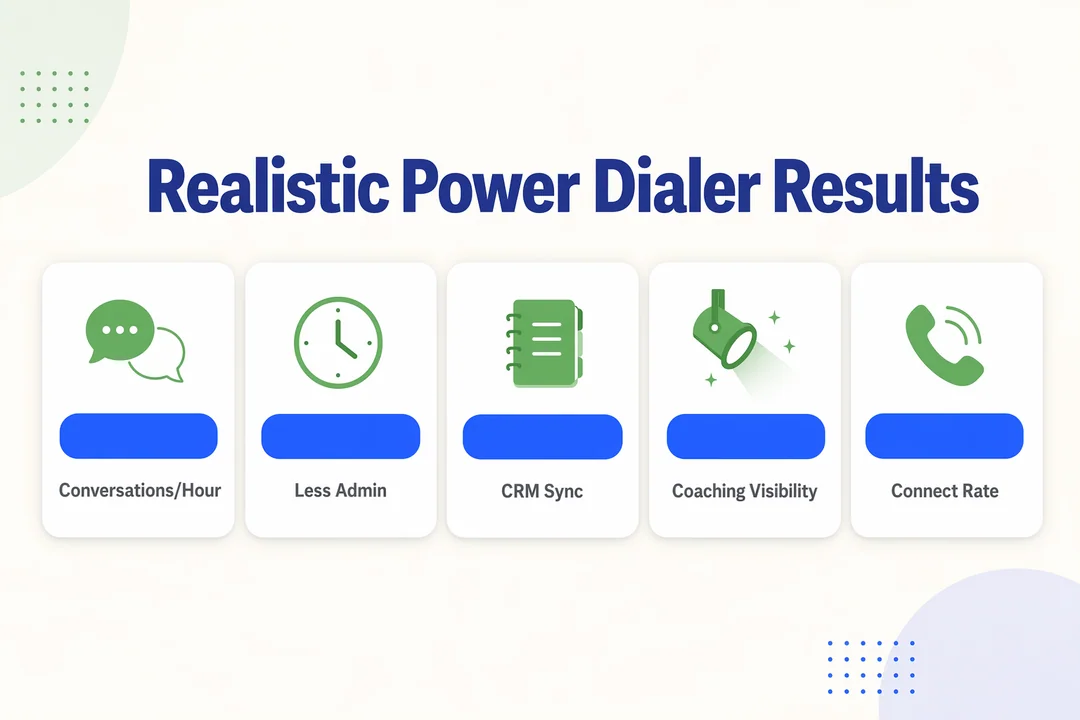
The realistic value of a dialer is better workflow efficiency, not magic pipeline growth. When power dialing is configured well, teams usually see stronger agent productivity, less admin time, cleaner lead management, and better manager visibility into what happens between lists, calls, and follow-up.
A better way to measure impact is through conversations per hour, not just dials. That KPI reflects whether your process is producing actual human interaction instead of vanity activity. Depending on lead quality and number health, many outbound teams also look for gains in outbound calling efficiency, more consistent disposition use, and faster reaction to campaign issues.
What Improves With the Right Setup
- Better rep throughput with fewer pauses between calls
- More consistent follow-up and task completion
- Cleaner coaching visibility through call outcomes and recordings
- Faster campaign adjustments when managers can see trends early
What Software Alone Will Not Fix
- Poor data quality
- Weak scripts or low rep readiness
- Bad lead routing logic
- Spam-flagged numbers that damage connect rate
This point matters. Industry benchmarks often cite outbound connect rates in the single digits, while cleaner data and healthier caller ID practices can improve outcomes more than switching tools alone. In other words, the dialer helps, but list quality and number reputation often move the needle more.
If your team is evaluating these variables now, request an outbound workflow assessment from Flyfone to review dialing mode, routing, and CRM process before testing vendors.
How to Choose the Right Power Dialer Software
The fastest way to waste time in this category is to jump straight into demos without a buying framework. The best power dialer software for one team may be the wrong choice for another if the workflow, compliance exposure, and CRM process are different.
Good buying logic starts with operational reality: how your reps work, what managers need to see, which systems must sync, and where compliance or caller ID risk is highest.
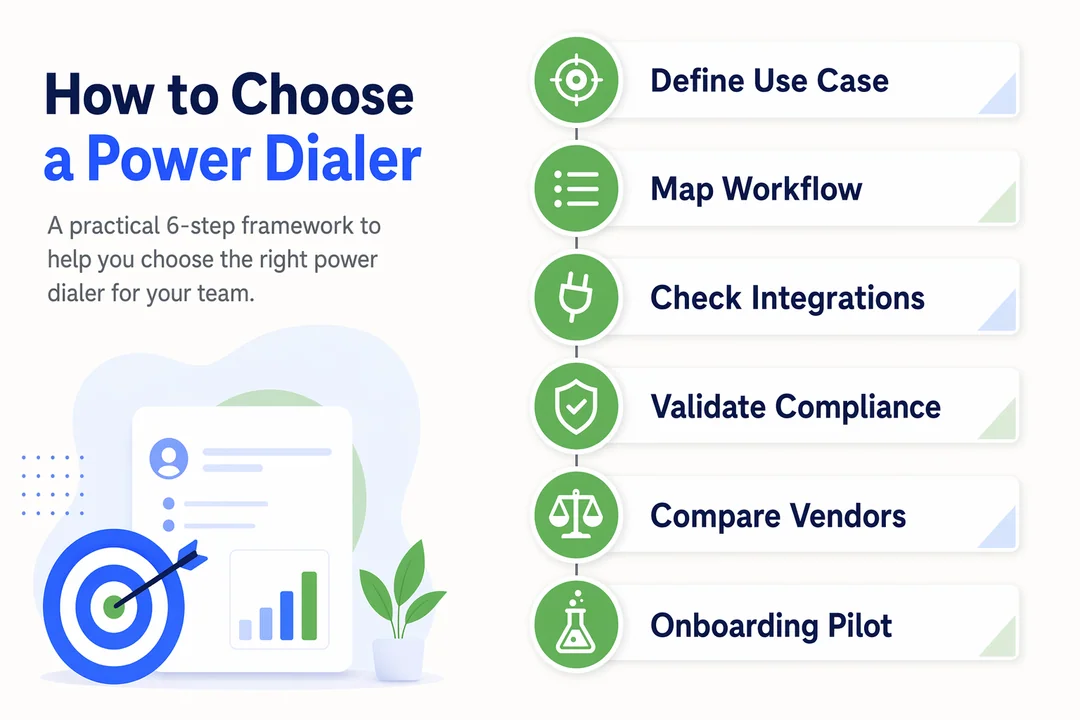
6-Step Selection Framework
-
Define your outbound use case
Clarify whether you are running SDR outreach, collections, BPO calling, renewals, or multi-region campaigns. -
Choose the right dialing model
Decide whether power, progressive, or predictive logic best matches your team’s pace and control needs. -
Validate CRM and workflow integration
Confirm real CRM integration capability, including live sync, disposition mapping, task creation, and activity logging. -
Check compliance and caller ID safeguards
Review DNC handling, opt-out controls, recording settings, and protections around spam labeling and routing quality. -
Review reporting and QA depth
Make sure managers can track outcomes, monitor performance, and coach without heavy custom setup. -
Test onboarding speed and rep usability
A tool that looks good in a demo can still fail if onboarding is slow or daily use feels clunky.
Questions to Ask Vendors Before Booking a Demo
- How does CRM sync work in real time?
- Which compliance controls are native and which require custom setup?
- How do you manage caller ID reputation and routing quality?
- What reporting is available out of the box?
- How quickly can teams go live?
- What usually causes onboarding delays?
A polished demo is not enough. Buyers should pressure-test outbound sales workflows, not just interface quality. Ask to see how the tool behaves inside your real process, with your CRM, your reporting needs, and your contact center infrastructure requirements.
Need a practical shortlist faster? Flyfone can help compare dialing modes, workflow fit, and rollout considerations before your team spends time on full demos.
What Modern Buyers Should Notice in 2026
The category is shifting from “more dials” to “better conversations with cleaner execution.” That shift should affect how you evaluate vendors now.
- AI-powered dialer features are becoming more useful when they reduce admin, such as AI note-taking, summaries, and QA support.
- Conversation intelligence is more valuable for managers than generic AI claims because it improves coaching and trend visibility.
- Compliance sensitivity is rising, especially with revocation handling, state-level rules, and stricter recordkeeping expectations.
- Caller ID health and spam labeling now influence outcomes enough that routing and number reputation should be part of every buying review.
- Global outbound operations increasingly need a stable cloud-based power dialer setup with flexible routing, not just basic calling features.
The takeaway is simple: modern buying decisions should evaluate workflow quality, compliance resilience, and number health alongside dialing speed.
Where Flyfone Fits for Outbound Teams
Flyfone is best understood as a fit-based outbound calling platform, not a universal answer for every dialing use case. It is especially relevant for teams that want fast go-live, flexible scaling, and more operational visibility around outbound performance.
For buyers comparing power dialer software, Flyfone fits well when the evaluation includes not only dialing speed, but also deployment speed, route resilience, and manager oversight.
Best-Fit Scenarios for Flyfone
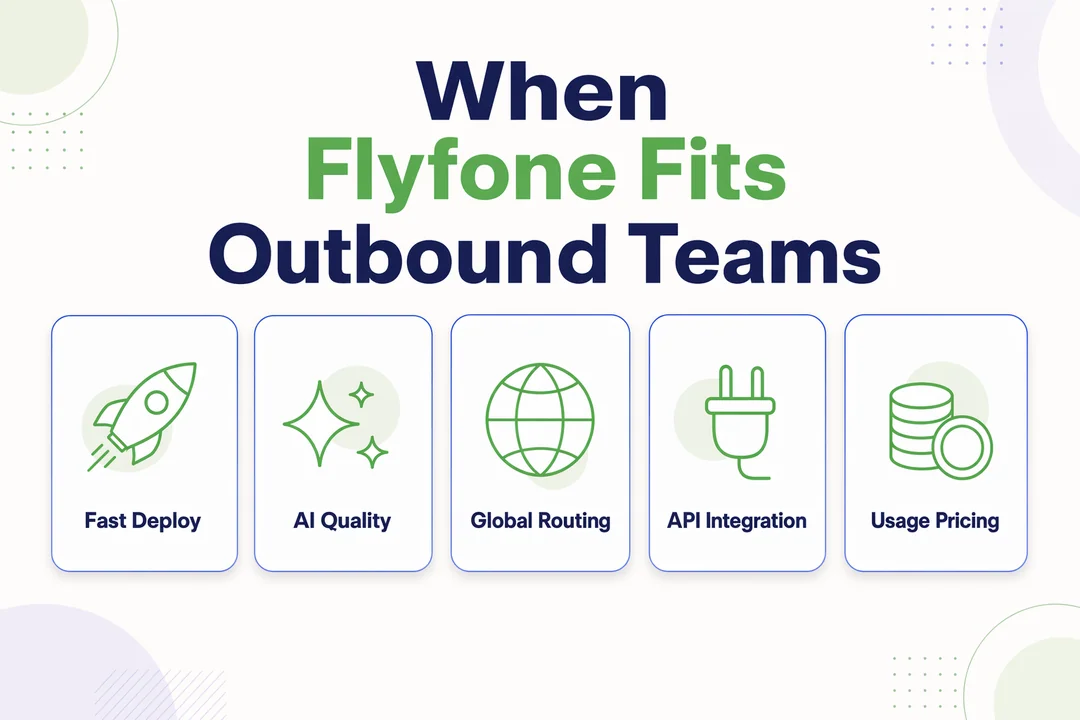
- Teams that need deployment in under 1 hour without a heavy implementation cycle
- Organizations that want AI-powered quality assurance alongside outbound dialing for better monitoring and coaching
- Multi-market teams that need stronger global routing, especially across APAC-sensitive operations
- Teams that need CRM/API integration to connect call workflows with existing systems
- Variable-volume operations that prefer usage-based pricing instead of rigid seat fees
This matters most for BPOs, fast-scaling outbound teams, fintech, digital services, and cross-border businesses where campaign volumes shift quickly. Flyfone’s structure is also relevant when buyers need rapid activation, route flexibility, and a more hands-on path to operational rollout.
If your shortlist includes APAC or global outbound requirements, Flyfone is worth evaluating based on workflow fit rather than feature count alone.
Conclusion
The right power dialer software depends less on hype and more on workflow fit. Buyers should evaluate the dialing model, CRM process, compliance controls, reporting depth, usability, and caller ID health before focusing on volume claims or surface-level demos.
For most teams, the smartest next step is to compare power, progressive, and predictive modes against the way reps actually work today. If you want a practical walkthrough based on team size, outbound workflow, CRM setup, and routing needs, request a tailored consultation with the Flyfone team and review your best-fit options before shortlisting vendors.
Frequently Asked Questions
What is power dialer software?
Power dialer software automates the outbound dialing process for sales teams by dialing the next contact in the list as soon as the rep finishes the current call. It removes manual clicking and maximizes live talk time without the multi-line risk of a predictive dialer.
What is the difference between a power dialer and a progressive dialer?
A power dialer places calls at a 1:1 ratio, one rep, one call at a time, and only dials the next number when the rep is ready. A progressive dialer can begin dialing before the rep fully finishes the previous call to shave seconds off the cycle, but it requires tighter pacing controls to avoid agent overload.
Why should sales teams use power dialer software?
A power dialer reduces idle time between calls, raises conversations-per-hour, and keeps CRM logging consistent. It is a strong fit for SDR teams, inside sales, and professional telesales groups that need higher productivity without the compliance risk of predictive multi-line dialing.
Does power dialer software integrate with CRMs?
Yes. Modern platforms including Flyfone integrate with major CRMs such as Salesforce, HubSpot, Zoho, and Pipedrive. The integration auto-logs calls, updates call dispositions, and syncs customer data in real time so reps spend less time on data entry.
How do I choose the right power dialer software in 2026?
Prioritize: (1) deep CRM integration, (2) compliance tooling (DNC, STIR/SHAKEN), (3) AI features (call summaries, script suggestions), and (4) caller-ID reputation management to avoid being flagged as spam.
Can I try a power dialer before buying?
Yes. Reputable vendors offer free trials or guided demos. Request a walkthrough to test workflow stability, CRM sync speed, and deployment time for your team before committing to a contract.
More in Operations & CX Optimization
View all →
Customer Experience Transformation: Framework and Steps
A telecom customer calls support about a billing error. They explain the problem to the IVR system. Then to the first agent. Then get transferred and explain again. Then escalated—and explain a third time. Forty minutes later, they're exhausted and the problem still isn't solved. This is what broken customer experience looks like. And it's costing you customers. Customer experience…


Web Caller Meaning: JavaScript caller, Calling Tools or Portals
“Web caller” is one of those phrases where the search results and the searcher are frequently talking about different things. Three unrelated audiences use it: developers hitting an error on the legacy JavaScript caller property, buyers evaluating browser-based calling software, and people trying to reach a specific portal or training page whose exact name they cannot recall. That fragmentation is…

Customer Experience Strategy: How to Build One That Works
Customer experience is getting worse, not better. Forrester's 2025 Global CX Index found that 21% of brands declined in CX quality while only 6% improved — and in the US, 25% declined against 7% that improved, the second consecutive year of that pattern. Most of those brands were not neglecting customer experience. They were working on it without a strategy…



 English
  Russian
  Chinese