

pricing, and use case. Find the right outbound calling tool for your team faster.
Choosing telemarketing software gets easier when you focus on the features that actually improve outbound sales. This guide helps sales managers, small business owners, and outbound call center leaders compare the best telemarketing software by feature set, pricing style, team fit, and tradeoffs. You’ll see what matters, what to avoid, and which tools are best for your workflow, CRM, and budget.
Key Takeaways
- Telemarketing software helps teams handle outbound calling faster with auto-dialers, call logging, reporting, and CRM integration.
- The best platform depends on team size, call volume, workflow complexity, and whether you need pure outbound calling or broader call center tools.
- CRM integration matters more than many flashy features because it reduces manual work and improves follow-up speed.
- Auto-dialer type matters: predictive dialing fits high-volume teams, while power or progressive dialers fit smaller sales teams better.
- Pricing is rarely just the base subscription. Add-ons, integrations, support, phone numbers, and AI features can change total cost fast.
- TCPA and GDPR support should be part of the buying process, especially for regulated teams or multi-region outreach.
- Usability matters. A tool with fewer features but faster adoption often delivers better results than a complex platform nobody uses well.
What Is Telemarketing Software and Who Needs It?
A simple definition of telemarketing software
Telemarketing software is outbound calling software that helps teams manage sales calls, lead follow-up, and outreach campaigns from one system. It usually includes an auto-dialer, call logging, scripts, reporting, and CRM integration.
In simple terms, it replaces manual dialing and scattered spreadsheets with a more structured workflow. Reps can place more calls, track outcomes faster, and keep contact history in sync without jumping between tools.
Core functions often include:
- Auto-dialing to reduce manual calling time.
- Call logging to record outcomes automatically.
- Scripts to keep outreach consistent.
- Reporting to track rep and campaign performance.
- CRM integration to sync notes, tasks, and customer context.
How it supports outbound calling, lead follow-up, and sales outreach
Telemarketing software improves outbound sales by removing busywork and making follow-up more consistent.
Key business outcomes include:
- Reps can make more calls per hour.
- Callback speed improves because lead data stays organized.
- Manual note entry drops.
- Follow-up tasks become easier to track.
- Managers get better visibility into campaign performance.
It works well for SDR teams, inside sales, appointment setters, fundraising teams, and renewal teams.
A common example: without a dialer, reps switch tabs, copy phone numbers, and log notes by hand. With integrated software, the next call loads automatically, outcomes sync to the CRM, and follow-up tasks can be created in one step.
Who should use it: small businesses, sales teams, and call centers
Different teams need different levels of telemarketing software.
- Small businesses: Best for teams moving away from manual dialing and spreadsheets.
- Growing sales teams: Useful when managers need visibility, repeatable workflows, and cleaner follow-up.
- High-volume outbound teams: Ideal when dialing speed, campaign controls, and monitoring matter.
- Remote teams: Helpful for cloud access, centralized reporting, and standardized workflows across locations.
Not every business needs enterprise-grade software. Lean teams often do better with simpler tools that are easier to launch and manage.
Telemarketing software vs call center software vs contact center platform
| Category | Primary use | Best for | Strengths | Limitations |
|---|---|---|---|---|
| Telemarketing software | Outbound calling and lead follow-up | Sales teams, SDRs, outbound campaigns | Dialers, call tracking, CRM sync, rep productivity | Often narrower than full contact center suites |
| Call center software | Inbound and outbound voice operations | Support teams, blended teams, call centers | Routing, IVR, voice operations, reporting | May include features outbound-only teams do not need |
| Contact center platform | Voice plus digital channels | Teams handling phone, email, chat, SMS | Omnichannel workflows, broader customer management | Can be more complex and expensive |
| UCaaS (Unified Communications as a Service) | Internal and external business communications | Businesses wanting one communications platform | Calling, messaging, meetings, collaboration | Not always strongest for specialized outbound dialing |
Bottom line: choose telemarketing software when outbound sales is the main priority. Choose a contact center platform when inbound and digital support channels also matter. Choose UCaaS if you want broader business communication systems beyond outreach alone.
Key Features to Look for in Telemarketing Software
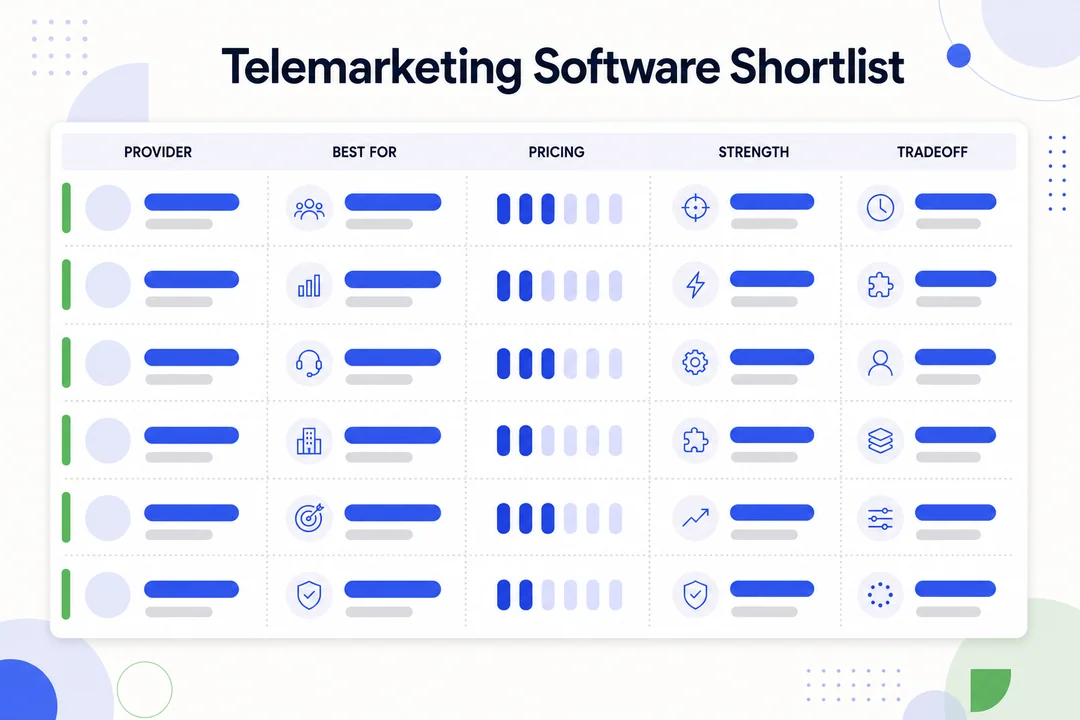
Auto-dialer types: predictive dialing, power dialing, progressive dialing, and preview dialing
Dialer mode has a direct impact on rep workflow and campaign speed.
| Dialer type | How it works | Best for | Tradeoff |
|---|---|---|---|
| Predictive dialing | Calls multiple numbers ahead of agent availability | High-volume outbound teams | Can feel too aggressive for consultative sales |
| Power dialing | Dials the next number right after a call ends | SMB sales teams that want speed | Less context before each call |
| Progressive dialing | Dials one call at a time when an agent is ready | Teams wanting balance and control | Slower than predictive |
| Preview dialing | Shows lead details before dialing | High-value or complex leads | Lower call volume |
Predictive dialing works well for large teams focused on efficiency. Power dialing fits sales reps who want faster workflow without too much complexity. Progressive dialing is often a safe middle ground. Preview dialing works best when calls require preparation.
Bottom line: smaller teams should not assume predictive dialing is automatically better.
CRM integration for better lead management and customer context
CRM integration often matters more than advanced AI or niche calling features. If your telemarketing software does not sync cleanly with your CRM, reps lose time and managers lose visibility.
Strong integration should support:
- Screen pops that show lead or customer details during calls.
- Automatic call logging.
- Synced notes and call dispositions.
- Follow-up tasks created after calls.
- Pipeline visibility for managers.
Salesforce and HubSpot are common CRM ecosystems, so native support matters. Native integrations are usually better than patchwork connections because they reduce sync errors and admin work.
Buyer tips:
- Prefer native integrations when possible.
- Confirm two-way sync, not just one-way logging.
- Test custom field mapping before purchase.
- Check whether tasks, notes, and outcomes sync correctly.
A practical example: when a rep finishes a call and the disposition, note, and next task all sync into the CRM automatically, follow-up gets faster and pipeline data stays cleaner.
Call routing, IVR, and workflow automation
These features still matter in outbound environments, especially for blended teams or structured campaigns.
IVR (interactive voice response, a menu that routes callers using keypad or voice input) helps when teams also handle callbacks or inbound responses. Workflow automation reduces admin work after each call.
Useful examples include:
- Routing callbacks to the right rep or team.
- Supporting blended inbound and outbound teams.
- Triggering qualification flows after a call outcome.
- Sending voicemail drops for unanswered calls.
- Creating post-call tasks automatically.
Bottom line: even outbound-first teams benefit when routing and workflow automation reduce handoff friction.
Reporting, customer interaction analytics, and campaign tracking
Good reporting helps buyers measure whether the software improves performance, not just whether it adds features.
Core metrics to look for:
- Connection rate
- Answer rate
- Call duration
- Conversion rate
- Agent productivity
These metrics help teams assess:
- Campaign quality
- Lead list quality
- Rep performance
- Staffing decisions
- Coaching needs
Customer interaction analytics can help larger teams spot trends across many calls. Smaller teams may not need deep analytics from day one, but basic reporting is essential.
Bottom line: if a platform cannot show which lists, reps, and campaigns drive results, it will be hard to justify the spend.
Call recording, monitoring, and agent coaching tools
These features support quality control, onboarding, and consistency.
Key terms in plain English:
- Call recording: Saves calls for review and compliance.
- Live monitoring: Lets managers listen to calls in real time.
- Whisper: Lets managers coach the rep without the customer hearing.
- Barge: Lets managers join the live call directly.
These tools help teams train new reps faster, review call quality, and keep scripts consistent. Advanced real-time coaching is useful for larger teams, but many smaller teams can do well with recording and simple monitoring alone.
Compliance features for TCPA, GDPR, and internal audit needs
Compliance needs vary by region, industry, and campaign type, so buyers should treat this as a must-check area.
Useful compliance features include:
- Consent tracking
- Do-not-call list support
- Call recording controls
- Audit logs
- Role-based permissions
- Automated compliance auditing
These features help teams reduce risk and create cleaner internal controls. They do not replace legal review.
Buyers should confirm requirements with internal legal or compliance teams, especially when dealing with TCPA rules in the US, GDPR in Europe, or industry-specific obligations.
VoIP-based connectivity, reliability, and scalability
VoIP (Voice over Internet Protocol, calling over the internet instead of traditional phone lines) is now standard in cloud-based calling platforms.
Why buyers care:
- Easier scaling
- Lower infrastructure burden
- Better support for remote teams
- Faster deployment
More important than the term itself are the buying questions behind it:
- What uptime does the vendor offer?
- Is call audio quality reliable?
- Are local and international numbers available?
- Does the platform stay stable during peak volume?
- Can the system support team growth without rework?
Bottom line: buyers should focus less on telecom jargon and more on stability, call quality, and scale.
AI features worth considering: sentiment analysis, real-time call coaching, and agent-assist tools
AI can be useful, but buyers should separate real workflow value from expensive extras.
Worth considering:
- AI call summaries
- Keyword tracking
- Live prompts during calls
- Real-time coaching suggestions
- Agent-assist AI copilot tools
Use caution with:
- Features that sound impressive but are hard to adopt
- AI layers that increase cost without helping reps close more calls
- Analytics dashboards nobody actually uses
Sentiment analysis can help large teams review call patterns at scale. Real-time coaching can help new reps. AI summaries can save admin time. But each feature should be tested against actual rep performance.
Bottom line: if AI does not improve speed, consistency, or conversion, it is probably not worth the premium.
Ease of setup, usability, and support quality
Adoption often matters more than feature count. A platform that looks great in a demo but feels hard to use will slow rollout and weaken ROI.
Check for:
- Admin setup complexity
- Onboarding speed
- Rep learning curve
- Help documentation quality
- Support responsiveness
- Training resources
Always test with real users, not just admins. Frontline reps usually spot usability problems fast. If the tool adds clicks, hides call outcomes, or makes note-taking awkward, adoption will suffer.
Bottom line: simple software with strong support often beats feature-heavy software that takes months to implement.
10 Best Telemarketing Software Tools to Compare
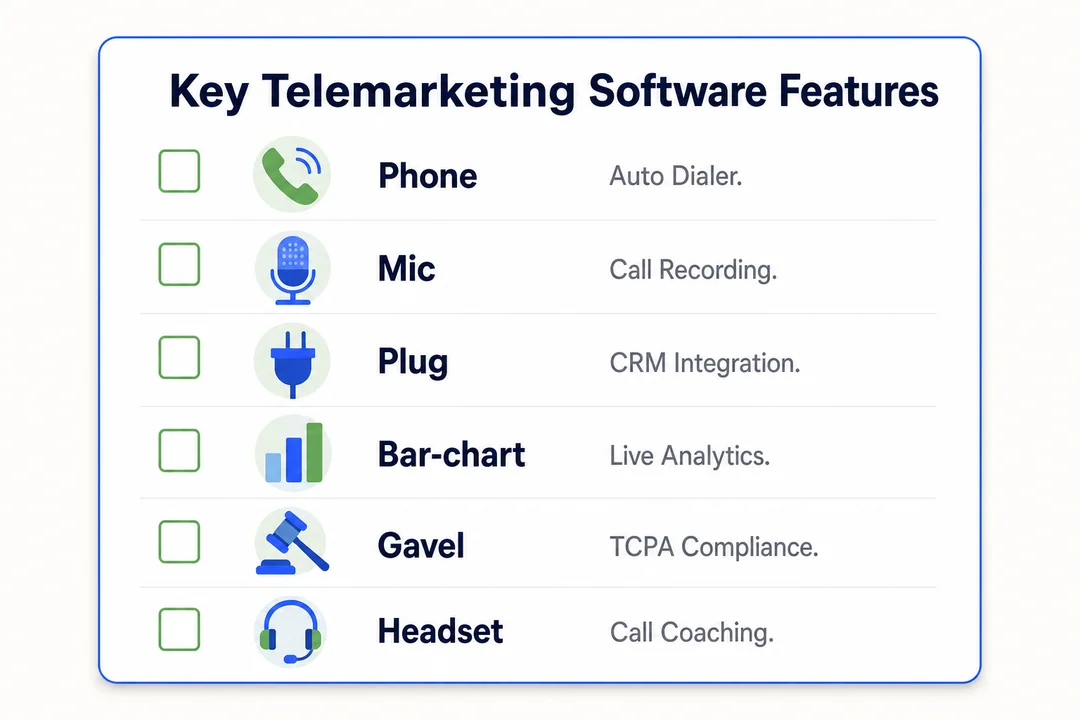
1. Nextiva, best for all-in-one outbound call center efficiency
Best for: Teams that want outbound calling plus broader business communication systems in one platform.
Key features:
- Multiple dialer modes
- CRM integrations
- Omnichannel contact center capabilities
- Reporting and call monitoring
- UCaaS features like voice, messaging, and meetings
Pros:
- Strong all-in-one positioning
- Useful for businesses standardizing on one vendor
- Good balance of usability and feature breadth
- Fits teams that need more than just outbound dialing
Cons:
- May be broader than needed for simple sales teams
- Buyers wanting deep outbound specialization may compare other tools first
Best fit for: Businesses that want call center efficiency and unified communications under one roof.
2. Five9, best for enterprise outbound calling and AI automation
Best for: Large outbound teams that need scale, compliance controls, and advanced workflow depth.
Key features:
- Predictive and other dialer modes
- AI automation tools
- Strong reporting and monitoring
- Enterprise admin controls
- Broad integration options
Pros:
- Strong fit for high-volume outbound calling
- Mature enterprise feature set
- Good compliance and oversight options
- Scales well for large operations
Cons:
- Can be heavy for smaller teams
- Often requires a larger budget and more structured rollout
Best fit for: Enterprise outbound operations with dedicated admins, formal processes, and high dialing volume.
3. CloudTalk, best for growing sales teams needing strong CRM integration
Best for: Sales teams that need clean CRM workflows and room to scale.
Key features:
- Auto-dialers
- Native CRM integrations
- Call analytics
- International calling support
- Cloud-based deployment
Pros:
- Strong fit for Salesforce and HubSpot users
- Easier to adopt than some enterprise tools
- Good sales-focused workflow support
- Works well for growing outbound teams
Cons:
- May not offer the deepest enterprise control layer
- Some large organizations may outgrow lighter admin features
Best fit for: Mid-market and growing teams that want telemarketing software with CRM integration and practical deployment speed.
4. JustCall, best for multichannel outreach and simple automation
Best for: Teams combining voice and SMS in one outbound workflow.
Key features:
- Calling and SMS outreach
- Auto-dialers
- Automation workflows
- CRM integrations
- Basic analytics and team management tools
Pros:
- Good fit for omnichannel sales strategies
- Simpler to operate than many enterprise platforms
- Helps teams coordinate outreach across channels
- Practical for sales and support crossover teams
Cons:
- May not satisfy highly complex enterprise requirements
- Advanced analytics depth can vary by plan
Best fit for: Sales teams that want voice, SMS, and simple automation without a heavy implementation project.
5. 8×8, best for businesses needing broader business communication systems
Best for: Organizations that want unified communications plus contact center capabilities.
Key features:
- Voice and contact center tools
- Business phone and collaboration features
- Dialer and routing support
- Security and compliance capabilities
- Global communications options
Pros:
- Good fit for businesses consolidating communications tools
- Useful for distributed teams
- Broader platform than pure outbound dialers
- Enterprise-friendly positioning
Cons:
- Not always the first choice for outbound-only buying
- Buyers focused on specialized telemarketing workflows may want a narrower tool
Best fit for: Companies seeking a contact center platform tied closely to broader communication needs.
6. Talkdesk, best for teams prioritizing analytics and modern AI features
Best for: Teams that value customer interaction analytics and AI-driven optimization.
Key features:
- Advanced reporting
- AI-powered support tools
- Omnichannel contact center features
- Workforce and quality management options
- Cloud deployment
Pros:
- Strong analytics and CX visibility
- Modern AI feature set
- Useful for teams optimizing operations at scale
- Good fit for structured management environments
Cons:
- May exceed the needs of simple outbound teams
- Budget can be harder to justify for smaller businesses
Best fit for: Larger teams investing in analytics, customer experience optimization, and continuous process improvement.
7. Zendesk, best for service teams adding outbound calling to a contact center platform
Best for: Support-led organizations that need outbound calling as part of a broader service workflow.
Key features:
- Voice integrated with support workflows
- Omnichannel contact management
- AI-assisted service tools
- Customer profile visibility
- Reporting and ticket alignment
Pros:
- Strong for service teams already in the Zendesk ecosystem
- Good cross-channel visibility
- Useful for callback, retention, and support-led outbound use cases
- Better for blended service environments than pure sales calling
Cons:
- Not the strongest fit for cold-calling-heavy teams
- Outbound sales specialization is not the main focus
Best fit for: Customer support teams that also run outbound follow-ups, renewals, or service-related calls.
8. RingCentral, best for unified communications and remote teams
Best for: Distributed teams needing cloud-based communication and calling in one system.
Key features:
- Business calling and messaging
- Video meetings
- Contact center options
- Cloud administration
- Remote-friendly access
Pros:
- Strong fit for remote and hybrid teams
- Broad unified communications value
- Easy access across locations
- Useful for businesses standardizing remote collaboration
Cons:
- Outbound specialization depends on plan and setup
- Buyers wanting deep telemarketing focus may compare alternatives
Best fit for: Organizations managing remote sales teams and broader communication needs together.
9. Aircall, best for easy deployment and sales productivity tools
Best for: Teams that want fast rollout, practical integrations, and simple day-to-day use.
Key features:
- Fast cloud deployment
- CRM and help desk integrations
- Call monitoring and logging
- Sales workflow support
- Simple admin experience
Pros:
- Easy to deploy and adopt
- Good for practical sales productivity
- Strong integration ecosystem
- Lower training burden than many complex tools
Cons:
- May not be ideal for highly complex enterprise environments
- Advanced customization depth may be more limited than heavier platforms
Best fit for: Small to mid-sized teams that want usable software live quickly.
10. Dialpad, best for AI-powered calling and coaching
Best for: Teams interested in AI summaries, live assistance, and modern calling workflows.
Key features:
- AI summaries
- Real-time call coaching
- Call transcription
- Cloud calling
- Team collaboration support
Pros:
- Strong AI-led productivity angle
- Modern interface
- Helpful for rep coaching and note reduction
- Good fit for teams that value speed and usability
Cons:
- AI value depends on whether teams actually use it
- Buyers should confirm workflow fit before paying for premium features
Best fit for: Sales organizations that want AI-powered calling without moving into a heavy enterprise stack.
Side-by-Side Comparison of the Top Telemarketing Software Options
Comparison table: features, pricing style, ideal team size, and best use case
Use this table to narrow your shortlist faster.
| Software | Best for | Dialer options | CRM integration | AI/coaching | Compliance features | Pricing style | Ideal team size | Main drawback |
|---|---|---|---|---|---|---|---|---|
| Nextiva | All-in-one efficiency | Multiple dialer options | Strong | Moderate | Good | Quote-based / subscription | SMB to enterprise | Broader than some outbound-only needs |
| Five9 | Enterprise outbound | Strong predictive focus | Strong | Advanced | Strong | Custom enterprise pricing | Large teams | Heavier and costlier |
| CloudTalk | Growing sales teams | Auto-dialers | Strong | Moderate | Moderate | Mid-market subscription | SMB to mid-market | Less enterprise depth |
| JustCall | Voice + SMS outreach | Auto-dialers | Strong | Basic to moderate | Moderate | Subscription | SMB to mid-market | Less suited for complex enterprises |
| 8×8 | Broader communications | Available | Good | Moderate | Strong | Quote-based | Mid-market to enterprise | Less outbound-specialized |
| Talkdesk | Analytics and AI | Strong | Good | Advanced | Strong | Custom pricing | Mid-market to enterprise | Can exceed simple needs |
| Zendesk | Service-led outbound | Available | Good | Advanced | Good | Subscription / quote | Mid-market to enterprise | Not sales-first |
| RingCentral | Remote teams | Varies by setup | Good | Moderate | Good | Subscription / quote | SMB to enterprise | Outbound depth varies |
| Aircall | Easy deployment | Available | Strong | Basic to moderate | Moderate | Subscription | SMB to mid-market | Less ideal for highly complex needs |
| Dialpad | AI-powered coaching | Available | Good | Advanced | Moderate | Subscription / quote | SMB to mid-market | AI premium must be justified |
Best for small business
- Aircall is a strong option for small teams that want fast setup and simple admin.
- CloudTalk fits growing teams that need better CRM workflows without going enterprise-heavy.
- JustCall works well for small teams running voice and SMS outreach together.
Small teams should avoid buying software built for complex enterprise operations unless they truly need those controls.
Best for high-volume outbound calling
- Five9 stands out for predictive dialing, enterprise workflows, and scale.
- Nextiva is a good fit for teams that want outbound performance plus broader communication tools.
- Talkdesk can work well for larger teams that care about analytics and management depth.
These tools make more sense when you have structured campaigns, formal QA, and larger rep groups.
Best for CRM ecosystems like Salesforce and HubSpot
- CloudTalk is a strong pick for growing teams that rely on native CRM workflows.
- Aircall fits teams that want practical integrations with fast deployment.
- JustCall is useful for teams that need CRM-connected calling plus multichannel outreach.
Native integration matters because it reduces manual logging, sync errors, and follow-up delays.
Best affordable auto-dialer for sales teams
- Aircall is often appealing for teams that care about usability and rollout speed.
- JustCall balances practical automation with accessible setup.
- CloudTalk is worth shortlisting when CRM fit is a top priority.
Budget-conscious buyers should compare total cost, not just entry plan pricing.
Best for omnichannel sales strategies
- JustCall is a strong fit for voice and SMS outreach in one workflow.
- Zendesk works when outbound calling is part of a broader multichannel contact setup.
- Talkdesk fits larger teams with coordinated, cross-channel workflows.
These tools are useful when phone is only one part of the outreach mix.
Best for remote and distributed teams
- RingCentral is a natural fit for remote communication and calling.
- Nextiva works well for teams wanting cloud access plus broader UCaaS capabilities.
- Dialpad is useful for distributed teams that value AI support and a modern interface.
For remote teams, prioritize cloud access, call quality, browser usability, and coaching tools.
Best Telemarketing Software by Use Case
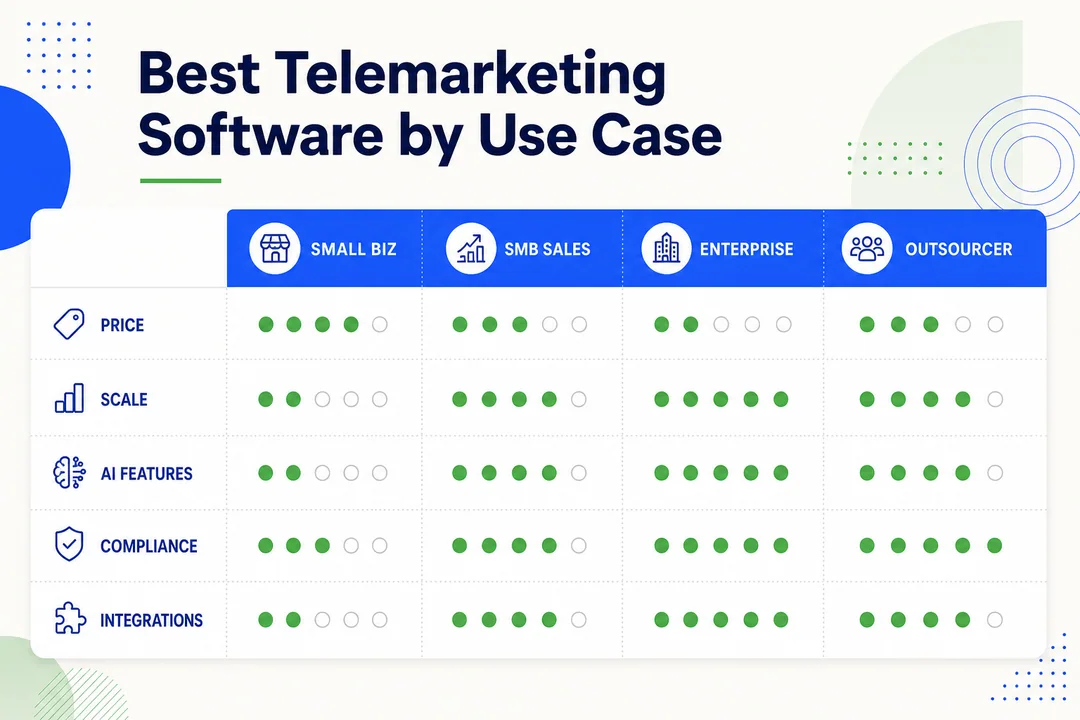
Best telemarketing software for small business
For small businesses, Aircall, CloudTalk, and JustCall are the most practical starting points. They usually offer easier setup, simpler reporting, and lower admin burden than enterprise-heavy platforms. If your team is still replacing manual dialing, avoid tools that require long implementation cycles or dedicated technical admins.
Best cloud-based outbound call center solutions
If you want cloud-based outbound call center solutions, shortlist Five9, Nextiva, and CloudTalk. These tools support remote access, easier scaling, and lower infrastructure burden than older on-premise setups. They are especially useful when your team is growing or working across locations.
Best telemarketing software with CRM integration
For CRM-heavy teams, CloudTalk, Aircall, and JustCall deserve close attention. They fit sales teams that live inside Salesforce or HubSpot and want cleaner lead management, faster follow-up, and less manual logging. This matters most for RevOps-led teams and pipeline-driven sales organizations.
Best cold calling software for outbound sales teams
For pure outbound sales, Five9, CloudTalk, and Nextiva are strong choices. They support dialer workflows, call outcome tracking, and performance reporting that matter in cold calling. The right fit depends on whether you prioritize speed, enterprise control, or easier adoption.
Best option for teams replacing manual dialing
If your reps still copy numbers from spreadsheets, start with Aircall, CloudTalk, or JustCall. These platforms usually offer easier transitions with power or progressive dialer workflows, lower training burden, and practical integrations. That makes them easier for beginner teams to adopt well.
Best fit for enterprise compliance and scalability
For enterprise compliance and scale, Five9, Talkdesk, and 8×8 are safer places to start. These platforms are better suited for larger team structures, stricter audit needs, stronger admin controls, and broader security requirements. Buyers should still validate regional compliance needs internally before signing.
How to Choose the Right Telemarketing Software
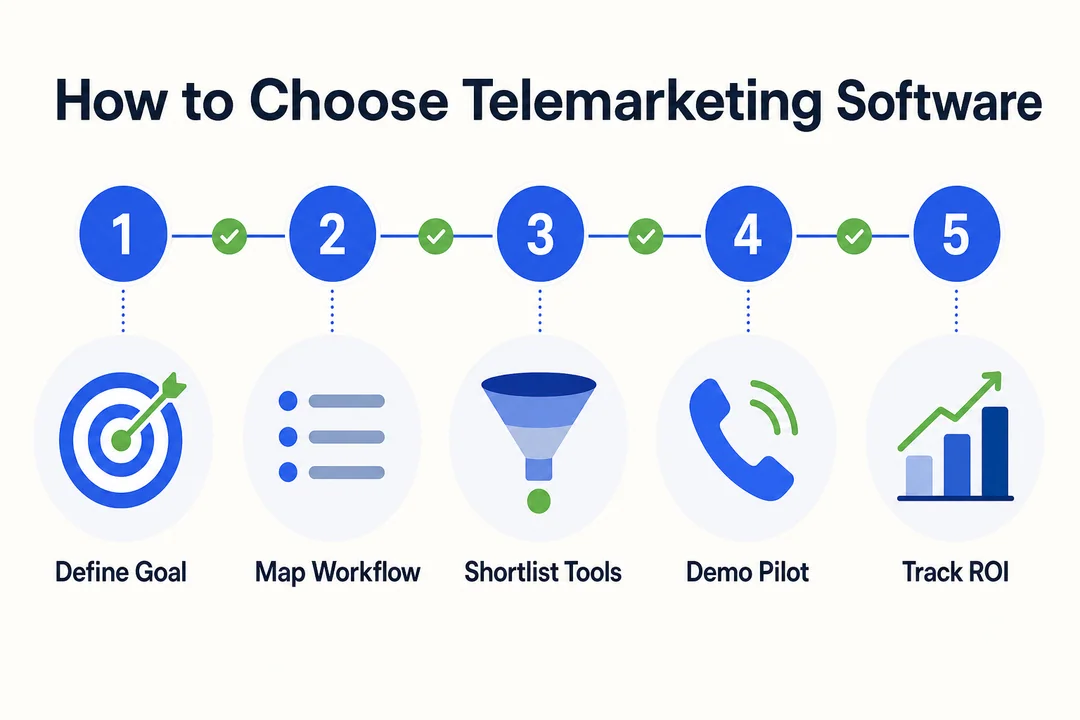
Start with team size and outbound call volume
Team size changes what you need.
- Small teams: Usually do best with power or progressive dialers, simple reporting, and quick onboarding.
- Mid-market teams: Often need stronger automation, manager controls, and cleaner CRM workflows.
- Enterprise teams: Need scale, predictive dialing, formal QA, deeper reporting, and stricter permissions.
Call volume also affects pricing, routing needs, and monitoring requirements. A low-volume team should not pay for a platform built around massive campaigns if the workflow does not require it.
Match the platform to your sales technology stack and CRM
Your telemarketing software should fit your existing stack, not fight it.
Look at:
- CRM
- Help desk
- Sales engagement tools
- ERP (enterprise resource planning, software for managing business operations)
- BI tools (business intelligence tools for reporting and dashboards)
Disconnected systems create manual work, duplicate records, and slower follow-up. Before demos, map the integrations you need. Then test whether the platform supports them natively or through extra setup.
Decide which automation features are must-have vs nice-to-have
Buyers often overpay because they do not separate essentials from extras.
Must-have features often include:
- Call logging
- The right dialer mode
- CRM sync
- Reporting
- Call recording
Nice-to-have features may include:
- Advanced AI
- Deep sentiment analysis
- Premium coaching layers
- Complex automation branches
Prioritize features that improve daily workflow first. Fancy features only matter if the team will actually use them.
Check compliance, security, and recording requirements
Before buying, confirm your internal requirements.
Use this checklist:
- DNC handling
- Consent records
- Recording settings
- Role-based permissions
- Data retention policies
- Vendor security review
Compliance needs vary by region and campaign type. Buyers should confirm TCPA, GDPR, and recording consent rules with internal legal or compliance teams rather than relying on vendor claims alone.
Review international calling, omnichannel, and remote team needs
This matters if your team works across regions or channels.
Check for:
- Local number availability
- International calling quality
- SMS support
- Browser and mobile access
- Tools for coaching remote reps
Do not go too deep into telecom details. Focus on whether the platform supports your actual operating model.
Compare onboarding time, training needs, and vendor support
Ask these questions before purchase:
- How long does implementation usually take?
- What support is included in the base plan?
- Is onboarding paid or included?
- How complex is admin setup?
- What rep training resources are available?
- How fast does support respond during rollout?
Include frontline reps in trials, not just managers. A polished demo does not always reflect day-to-day usability.
Pricing Factors and Total Cost of Ownership
Common pricing models: per user, usage-based, and custom enterprise quotes
Most telemarketing software uses one of three pricing styles.
- Per-user pricing: Common for small and mid-sized teams. Easier to predict, but feature tiers matter.
- Usage-based pricing: Better for teams with fluctuating call volume.
- Custom enterprise quotes: Common for large teams with compliance, security, or workflow complexity.
Do not compare plans by headline price alone. A lower base price can become expensive once dialers, analytics, or integrations are added.
What affects cost: dialer features, integrations, AI, and support tiers
The biggest cost drivers usually include:
- Advanced dialer modes
- CRM integrations
- Analytics depth
- AI add-ons
- Support level
- Number setup and calling usage
Feature bundles change the effective price fast. A plan that looks affordable at first can become much more expensive after adding coaching, reporting, or enterprise support.
Hidden costs to watch for: implementation, add-ons, phone numbers, and overages
Watch for these common hidden costs:
- Onboarding fees
- Implementation help
- Premium support
- Extra calling minutes
- Additional phone numbers
- Compliance add-ons
- API or integration charges
These costs matter most when comparing similar vendors. Buyers should ask for a full cost breakdown before signing annual terms.
How to think about ROI in call center efficiency and sales productivity
The right way to think about ROI is simple: compare software cost against measurable workflow improvement.
Look at:
- Calls per rep
- Answer rates
- Meetings booked
- Conversion rate
- Revenue per rep
- Time saved on admin work
If a tool helps reps make more quality calls, log outcomes faster, and improve follow-up consistency, the ROI case gets stronger. If the team barely uses the extra features, it does not.
Common Mistakes Buyers Make When Choosing Telemarketing Software
Buying enterprise software that is too complex for the team
A common mistake is buying for future scale instead of current workflow. Warning signs include too many modules, heavy admin setup, and long implementation timelines. If the team is small and the process is simple, complex software often slows adoption rather than helping growth.
Choosing based on price alone without checking CRM integration
Cheap software can create expensive manual work. If calls, notes, and follow-up tasks do not sync well with your CRM, reps waste time and data quality drops. That hidden operational cost often matters more than the monthly subscription difference.
Overpaying for AI features the team will not use
AI is useful only when it improves daily work. If reps do not use summaries, prompts, or coaching tools, those features just inflate total cost of ownership. Buyers should validate actual workflow fit before paying for premium AI layers.
Ignoring compliance and call recording rules
This is a high-risk mistake. Rules around TCPA, GDPR, consent, and recording can vary by region and campaign type. Without the right controls, teams increase audit exposure and operational risk. Always verify requirements internally.
Not testing usability with real agents before purchase
Software can look smooth in a sales demo and still frustrate reps in real use. Run pilot testing with managers and frontline reps. That is the fastest way to spot workflow friction, extra clicks, and adoption problems before a full rollout.
Implementation Tips for Faster Adoption
Import leads and clean contact data before launch
Bad data hurts answer rates, routing, and reporting from day one.
Quick checklist:
- Remove duplicates
- Standardize phone number formats
- Remove invalid contacts
- Tag lead segments clearly
Connect CRM, workflows, and reporting dashboards early
Set up integrations before the team starts calling. That includes call dispositions, synced notes, and dashboard reporting. Early integration avoids duplicate work and gives managers cleaner performance data from the start.
Train agents on dialer workflows and compliance basics
Keep training practical. Focus on scripts, call outcomes, opt-out handling, and recording rules. Reps do not need a long theory session. They need to know how to work inside the tool correctly and consistently.
Track a few core metrics first before expanding automation
Start simple. Focus on 3 to 5 KPIs first:
- Connection rate
- Answer rate
- Calls per rep
- Meetings booked
- Conversion rate
Avoid making rollout too complex in week one. Get the basics stable, then expand automation later.
Final Verdict: Which Telemarketing Software Is Best for Your Team?
The best telemarketing software depends on how your team actually works. Team size, dialer needs, CRM fit, compliance requirements, and rollout speed matter more than long feature lists.
Shortlist two or three tools based on your real workflow. Then test them with actual reps before committing to a long contract. If you are comparing adjacent tools too, it also helps to review guides on CRM software, cloud call center platforms, sales engagement tools, VoIP phone systems for business, and call center compliance best practices.
Best overall choice for balanced features and usability
Nextiva is the best overall choice for buyers who want balanced features, broad usability, and room to support wider communication needs. It works especially well for teams that do not want a narrow outbound-only platform.
Best for small businesses on a tighter budget
Aircall and JustCall are strong options for smaller teams. They are easier to deploy, simpler to manage, and less likely to overwhelm lean sales teams that are replacing manual dialing.
Best for enterprise outbound operations
Five9 is the strongest fit for enterprise outbound operations. It offers scale, predictive dialing, deeper admin controls, and a stronger compliance posture than lighter tools aimed at SMB teams.
Best for CRM-heavy sales teams
CloudTalk stands out for CRM-heavy teams, especially those using Salesforce or HubSpot. It supports cleaner lead management, easier follow-up, and better workflow alignment for pipeline-driven sales organizations.
Best for buyers who want fast setup and simple adoption
Aircall is one of the best picks for fast time-to-value. It is well suited to teams that want practical functionality, quicker onboarding, and fewer barriers to adoption.
Frequently Asked Questions
What is telemarketing software?
Telemarketing software is a tool for managing outbound calling, lead follow-up, and sales outreach. It usually includes an auto-dialer, call logging, reporting, scripts, and CRM sync so reps can work faster and managers can track results.
What is the difference between telemarketing software and call center software?
Telemarketing software is mainly built for outbound sales and follow-up. Call center software usually covers broader voice operations, including inbound support, routing, and service workflows. If your priority is outbound calling, telemarketing software is often the better fit.
What is the best telemarketing software for small business?
For many small businesses, Aircall, CloudTalk, and JustCall are strong choices. They are generally easier to deploy, simpler to learn, and more practical for teams replacing manual dialing without needing a heavy enterprise setup.
Which telemarketing software has the best CRM integration?
That depends on your stack, but CloudTalk, Aircall, and JustCall are strong options for teams that rely on Salesforce or HubSpot. The best choice is the one that offers clean native sync for notes, tasks, call outcomes, and custom fields.
How much does telemarketing software cost?
Telemarketing software cost varies by seats, calling usage, dialer features, integrations, AI tools, and support level. Many SMB-focused tools use per-user pricing, while larger platforms often use custom enterprise quotes. Always ask for total cost, not just base plan pricing.
What auto-dialer features matter most for outbound sales teams?
The most important dialer features are the right mode for your workflow, such as power, predictive, progressive, or preview dialing. Strong call logging, CRM sync, and easy post-call workflows matter just as much as dialing speed.
Do I need a cloud-based outbound call center solution?
A cloud-based outbound call center solution makes sense if you want faster setup, easier scaling, lower infrastructure burden, or support for remote teams. It is usually the practical choice for modern outbound operations unless you have unusual on-premise requirements.
What compliance features should I look for?
Look for support for TCPA and GDPR needs, plus do-not-call handling, consent tracking, recording controls, audit logs, and role-based permissions. The exact mix depends on your region, industry, and campaign type, so confirm requirements internally before buying.
More in Operations & CX Optimization
View all →
Customer Experience Transformation: Framework and Steps
A telecom customer calls support about a billing error. They explain the problem to the IVR system. Then to the first agent. Then get transferred and explain again. Then escalated—and explain a third time. Forty minutes later, they're exhausted and the problem still isn't solved. This is what broken customer experience looks like. And it's costing you customers. Customer experience…


Web Caller Meaning: JavaScript caller, Calling Tools or Portals
“Web caller” is one of those phrases where the search results and the searcher are frequently talking about different things. Three unrelated audiences use it: developers hitting an error on the legacy JavaScript caller property, buyers evaluating browser-based calling software, and people trying to reach a specific portal or training page whose exact name they cannot recall. That fragmentation is…

Customer Experience Strategy: How to Build One That Works
Customer experience is getting worse, not better. Forrester's 2025 Global CX Index found that 21% of brands declined in CX quality while only 6% improved — and in the US, 25% declined against 7% that improved, the second consecutive year of that pattern. Most of those brands were not neglecting customer experience. They were working on it without a strategy…



 English
  Russian
  Chinese