

If Pipedrive handles your pipeline well, the missing piece is often faster, smarter calling.
This guide helps you compare the best Pipedrive dialer tools for outbound sales, follow-up workflows, and daily team use. You’ll see which options fit different sales motions, which features matter, what mistakes to avoid, and how to set up a dialer in Pipedrive without making your stack harder to manage.
Key Takeaways
- A Pipedrive dialer usually means third-party sales calling software for Pipedrive connected to your CRM.
- The best option depends on team size, outbound volume, SMS needs, reporting depth, and rollout complexity.
- The top tools differ most in click-to-call, call logging, automation, local presence, and multichannel support.
- A side-by-side comparison makes it easier to judge pricing model, workflow fit, and setup effort.
- Teams should understand power dialer vs parallel dialer before buying.
- Strong Pipedrive integration matters more than flashy features because weak sync creates admin work.
- Most teams can test a dialer for Pipedrive CRM with a short pilot before full rollout.
- The FAQ below covers built-in calling, cold calling, SMS, setup time, and auto-logging.
What Is a Pipedrive Dialer?
What a Pipedrive dialer means in real-world sales use
A Pipedrive dialer is usually third-party calling software connected to Pipedrive. It lets reps call leads and customers directly from CRM records instead of switching between tools and logging everything by hand.
In practice, it means a rep opens a lead in Pipedrive, clicks the phone number, makes the call, and the result is saved back into the right contact, person, or deal record.
What that usually includes:
- A rep can call directly from a contact or deal page with fewer clicks.
- The system can save call logging, notes, recordings, and activities automatically.
- Managers get cleaner pipeline data and better visibility into follow-up activity.
A simple example: an SDR opens a lead in Pipedrive, clicks call, leaves a note, marks the outcome, and the dialer syncs the activity without manual entry.
Common dialer types used with Pipedrive
You do not need every dialer format. You need the one that matches how your team works.
- Native/basic calling: Simple calling inside or alongside the CRM. Best for low complexity.
- Click-to-call: Reps click a number in Pipedrive and the call starts instantly.
- Chrome extension: A browser add-on that adds calling actions inside Pipedrive.
- Web dialer: A browser-based dialer with no heavy desktop setup.
- Desktop dialer: A separate desktop app for calling, often used for stability or call control.
- Power dialer: Dials numbers one by one from a list to speed up outbound calling.
- Parallel dialer: Calls multiple numbers at once and connects the rep when someone answers.
Most teams do best with one main workflow. Buying extra modes sounds useful, but often adds training and confusion.
Why teams add a dialer to Pipedrive
Teams usually add a dialer to Pipedrive for speed, consistency, and cleaner data.
Main reasons:
- One-click calling reduces friction and helps reps move faster.
- Less manual logging cuts admin time and keeps records cleaner.
- Faster follow-up improves response time after missed calls or demos.
- Better reporting gives managers clearer activity and outcome data.
- More visibility helps coaching, forecasting, and process control.
The biggest factor is not feature count. It is integration quality. A tool with fewer features but reliable sync is often a better buy than a feature-rich dialer that creates duplicate records or misses activities.
Quick Answer: Best Pipedrive Dialer Tools at a Glance
Top 7 shortlist
The best Pipedrive dialer for most teams depends on whether you need high-volume outbound, simple click-to-call, SMS, or structured cadence workflows. For 2026, the strongest shortlist includes Kixie, JustCall, Ring.io, Klenty, PowerDialer.ai, CloudTalk, and Aircall.
- Kixie, Best for high-volume outbound teams that want speed, SMS, voicemail drop, and local presence.
- JustCall, Best for SMB and inside sales teams that want flexible web, desktop, and Chrome-based workflows.
- Ring.io, Best for teams that want multichannel outreach plus manager visibility.
- Klenty, Best for sequence-driven outbound teams with structured processes.
- PowerDialer.ai, Best for aggressive outbound teams focused on parallel dialer throughput.
- CloudTalk, Best for SMBs and international teams that need an all-around calling platform.
- Aircall, Best for simple deployment and broad team adoption.
Who this shortlist is best for
- SDR and BDR leaders comparing calling platforms for outbound teams.
- Sales managers who want cleaner activity tracking and rep visibility.
- Founders and SMB buyers replacing weak phone workflows.
- RevOps teams evaluating implementation fit before rollout.
- Buyers who want recommendations, reviews, pricing direction, and a simple setup path.
Best Pipedrive Dialer Software Compared
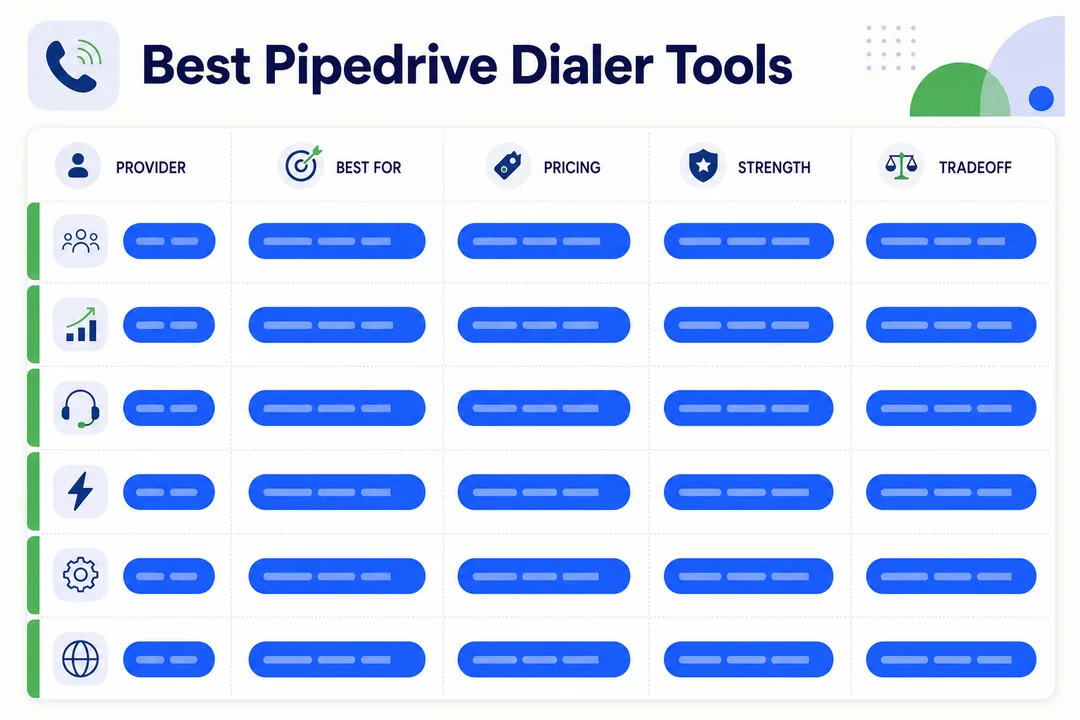
1. Kixie
Best for: High-volume outbound teams
Key features: Click-to-call, local presence, voicemail drop, SMS, call recording, strong Pipedrive sync
Pros:
- Fast outbound workflow for reps
- Strong feature set for cold calling
- Good manager visibility and call context
- Local presence can help improve answer rates
Cons:
- Can feel heavy for very small teams
- Mid-to-premium pricing direction
- Some teams may pay for more than they use
Pricing direction: Mid to premium
Integration fit: Kixie is a strong fit for Pipedrive teams that care about speed and live inside the CRM all day. It makes the most sense when outbound calling is a core part of pipeline generation.
Kixie stands out when reps make a lot of calls and need tools that cut wasted time. Features like voicemail drop and SMS support are practical, not just flashy. The tradeoff is cost and complexity. If your team only needs basic follow-up calling, Kixie may be more than necessary.
2. JustCall
Best for: SMBs and inside sales teams that want flexibility
Key features: Native dialer, Chrome extension, desktop dialer, SMS, automation, auto-logging
Pros:
- Flexible setup across browser and desktop
- Good fit for mixed calling and texting workflows
- Easy for many teams to adopt
- Useful auto-logging and workflow support
Cons:
- Advanced automation may require higher-tier plans
- Feature depth can vary by plan
- Some teams may need time to choose the right dialer mode
Pricing direction: Mid-range, with plan-based feature expansion
Integration fit: JustCall fits Pipedrive teams that want flexibility more than aggressive outbound speed. It works well for teams that want calling plus SMS without a heavy technical rollout.
JustCall is a practical choice for teams that value options. Reps can use a native dialer, browser flow, or desktop setup depending on preference. That helps adoption, especially in SMB teams. The main watchout is pricing creep when you move into more advanced workflows.
3. Ring.io
Best for: Multichannel sales teams and managers who want better visibility
Key features: Power dialer, SMS, analytics, monitoring, local presence, coaching support
Pros:
- Strong for multichannel outreach
- Better reporting and monitoring than lighter tools
- Useful for manager oversight
- Good fit for growing sales orgs
Cons:
- Can be more complex for smaller teams
- May feel heavier than needed for simple calling
- Setup and training may take longer
Pricing direction: Mid to premium
Integration fit: Ring.io makes sense for Pipedrive users who care about call activity, performance analytics, and a more complete communication workflow.
Ring.io is less about quick simplicity and more about control. If managers want stronger rep visibility, live monitoring, and deeper analytics, it is worth a look. If your team just wants click-to-call and clean logging, it may be more platform than you need.
4. Klenty
Best for: Sequence-driven outbound teams
Key features: Sales cadence management, outbound sequencing, task automation, CRM sync
Pros:
- Strong fit for structured outbound process
- Helpful for multi-step follow-up
- Good for teams that work in disciplined cadences
- Reduces manual task handling
Cons:
- Less ideal for lightweight calling-only needs
- Better for process-heavy teams than casual users
- Calling may not be the main reason teams buy it
Pricing direction: Mid-range with workflow-driven value
Integration fit: Klenty is a better fit for teams that want calling inside a broader outbound process rather than a standalone calling-first tool.
If your reps work from structured cadences and touch prospects across steps, Klenty deserves a shortlist spot. If your main need is a faster dialer with basic logging, other tools may be easier and more direct.
5. PowerDialer.ai
Best for: Teams focused on parallel dialer throughput
Key features: Parallel dialing, call automation, multi-line outreach, CRM sync
Pros:
- Designed to reduce idle time between calls
- Useful for aggressive outbound teams
- Can increase live conversation volume
- Strong fit for top-of-funnel prospecting
Cons:
- Not every team needs a parallel dialer
- Requires more care around workflow and compliance
- Less ideal for relationship-driven follow-up motions
Pricing direction: Varies by plan and usage model
Integration fit: PowerDialer.ai fits teams using Pipedrive for outbound-heavy prospecting where speed and rep talk time matter most.
This tool is built for throughput. If your team loses too much time waiting through rings and voicemails, it can be effective. But it is not the default answer for everyone. Many SMB teams will get enough value from a simpler power dialer or click-to-call tool.
6. CloudTalk
Best for: SMBs and international teams
Key features: Smart dialer, analytics, international calling, CRM compatibility, broader phone support
Pros:
- Good all-around feature mix
- Useful for international calling needs
- Practical for SMB scaling
- Easier to understand than some outbound-first platforms
Cons:
- Less specialized for high-volume outbound
- May not match niche cold-calling tools on speed
- Advanced sales automation depth can be lighter
Pricing direction: Mid-range
Integration fit: CloudTalk is a strong option for Pipedrive teams that need reliable calling, decent analytics, and international support without overcomplicating rollout.
CloudTalk works well when your needs are broad rather than extreme. If you want one platform that covers day-to-day calling, supports international use, and integrates cleanly with your CRM, it is a sensible choice.
7. Aircall
Best for: Simple setup and broad user adoption
Key features: Easy deployment, call routing, analytics, call logging, user-friendly interface
Pros:
- Easy for teams to launch
- Clean interface lowers training burden
- Good for general business calling plus sales use
- Strong adoption potential across mixed teams
Cons:
- Less ideal for advanced outbound automation
- Power users may outgrow it
- Some high-volume teams may want more specialized dialing features
Pricing direction: Mid-range
Integration fit: Aircall fits Pipedrive teams that want a practical phone system with solid calling basics and minimal setup friction.
Aircall is often a good answer when simplicity matters most. If your team needs calling inside Pipedrive but does not need heavy outbound automation, it can be a better fit than more complex sales-first tools.
Side-by-Side Comparison Table
Compare the top Pipedrive dialers by the features that matter most
Use this table to compare the most important buying criteria: calling style, SMS support, logging quality, analytics depth, pricing direction, and rollout difficulty.
| Tool | Best for | Dialing type | SMS support | Auto-logging | Local presence | Analytics/coaching | Pricing model | Setup difficulty | Ideal team size |
|---|---|---|---|---|---|---|---|---|---|
| Kixie | High-volume outbound | Click-to-call, power dialer | Yes | Yes | Yes | Strong | Seat-based, mid-premium | Moderate | SMB to mid-market |
| JustCall | Flexible SMB workflows | Native, web, Chrome, desktop | Yes | Yes | Limited to plan/use case | Good | Seat-based, plan-tiered | Easy to moderate | SMB to mid-sized |
| Ring.io | Multichannel teams | Power dialer | Yes | Yes | Yes | Strong | Seat-based, premium leaning | Moderate | Mid-sized teams |
| Klenty | Sequence-driven outbound | Calling within cadence workflows | Limited by workflow | Yes | Limited | Moderate | Seat-based | Moderate | SMB to mid-sized |
| PowerDialer.ai | Parallel outbound throughput | Parallel dialer | Varies | Yes | Varies | Moderate | Usage or blended | Moderate to advanced | Outbound-heavy teams |
| CloudTalk | SMBs and international teams | Smart dialer, click-to-call | Yes | Yes | Varies by region | Good | Seat-based | Easy to moderate | SMB to mid-sized |
| Aircall | Easy deployment | Click-to-call, standard dialer | Limited by plan | Yes | Varies | Good | Seat-based | Easy | SMB to mid-sized |
What to notice first in the comparison
- Look at dialing type first. Not every team needs a parallel dialer.
- Check setup difficulty if your team has limited admin support.
- If SMS matters, compare actual workflow support, not just whether SMS exists.
- For international teams, confirm country coverage and local number support before buying.
- If managers need coaching and visibility, prioritize analytics depth over brand familiarity.
Key Features to Look for in a Pipedrive Dialer
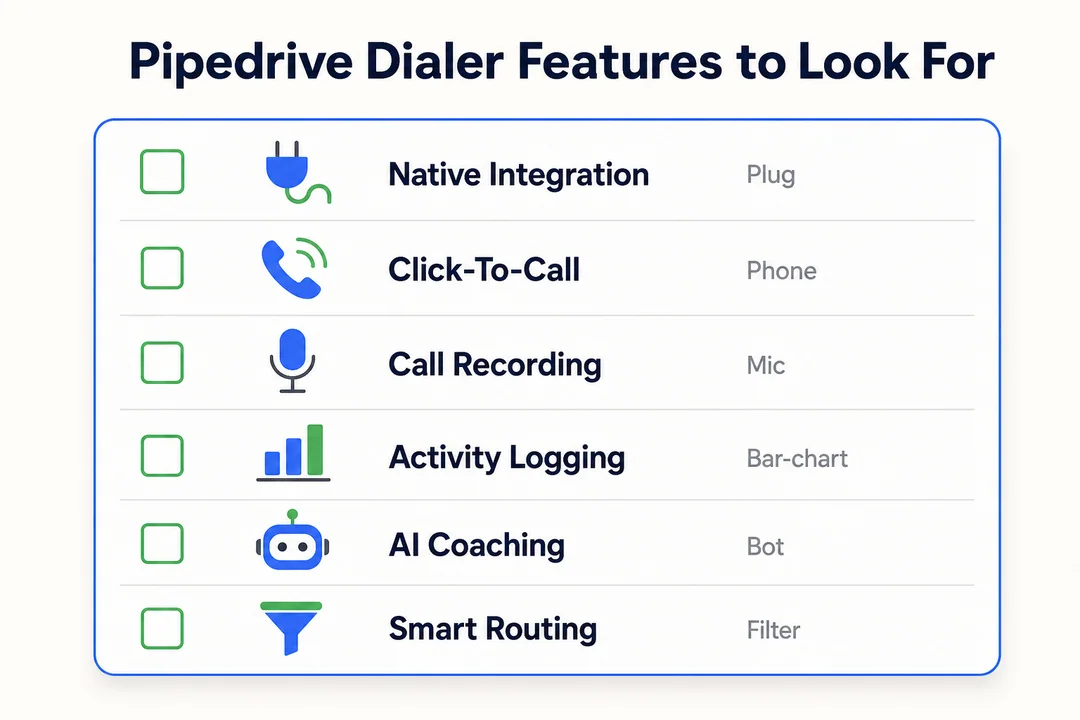
Click-to-call and one-click call initiation
Low-friction calling drives adoption. If reps can start calls directly from Pipedrive with one click, they waste less time switching tabs and copying numbers.
What to look for:
- Call buttons inside contact, lead, or deal records
- Fast number recognition
- Minimal tab switching
- A workflow reps will actually use every day
A good click-to-call setup sounds basic, but it has a big effect on rep speed.
Automated call logging and real-time data logging
Call logging is one of the most important buying criteria. If logging is weak, the CRM becomes messy fast.
A strong setup should capture:
- Outbound and inbound call activities
- Notes and call outcomes
- Recordings if enabled
- Contact and deal matching
- Activity timestamps in near real time
Watch for these problems:
- Duplicate activities
- Calls attaching to the wrong record
- Missing notes or recordings
- Delayed sync that hurts reporting
If the sync is unreliable, every other feature matters less.
SMS and multichannel communication
SMS matters when your team needs faster, lighter follow-up.
Useful cases:
- Following up after a missed call
- Nudging leads who ignore email
- Confirming meetings quickly
- Mixing calls, voicemail, and SMS in one workflow
Not every team needs deep multichannel outreach. But if your reps already text prospects, choose a tool that keeps that history inside Pipedrive.
Power dialer vs parallel dialer
A power dialer calls one number at a time from a list. A parallel dialer calls several numbers at once and connects the rep when someone answers.
| Type | What it means | Best for | Example |
|---|---|---|---|
| Power dialer | Dials contacts one by one automatically | Follow-up and steady outbound | A rep works through a lead list after a campaign |
| Parallel dialer | Dials multiple lines at once to reduce idle time | High-volume cold calling | A prospecting team wants more live connects per hour |
A parallel dialer is not necessary for every team. It is most useful when speed is the top priority. Teams should also review local calling rules and internal compliance before rollout.
Local presence and connect rate optimization
Local presence means the dialer can display a local-looking phone number to the person being called. This can help improve answer rates in outbound workflows.
It is useful for:
- Regional outbound teams
- Reps calling across multiple states or cities
- Teams testing answer-rate improvements
It helps, but it is not magic. Call quality, targeting, and timing still matter.
Reporting, coaching, and sales performance analytics
Managers care about more than call volume. They need activity context and performance visibility.
Useful analytics features include:
- Call outcomes by rep
- Connect rates and answer trends
- Activity volume over time
- Recording review for coaching
- Rep usage and adoption visibility
Not every team needs premium analytics. Small teams may only need accurate activity reporting and basic call history.
CRM compatibility and workflow automation
CRM compatibility is non-negotiable. Pipedrive should remain your system of record.
A strong integration should support:
- Clean contact and deal matching
- Follow-up activity creation
- Note sync
- Trigger-based workflows after calls
- Centralized records for managers and reps
If a dialer forces your team to manage data in two places, it will create friction. The goal is not just calling. The goal is making calling fit your existing sales workflow.
Rare but useful advanced features
These are useful for advanced teams, but optional for most buyers:
- AMD (answering machine detection): Detects voicemail or a live person.
- Predictive AI voice detection: Uses automation to classify call outcomes faster.
- Custom telephony schema integration: A custom call-routing format that helps certain app or desktop setups.
How to Choose the Right Pipedrive Dialer for Your Team
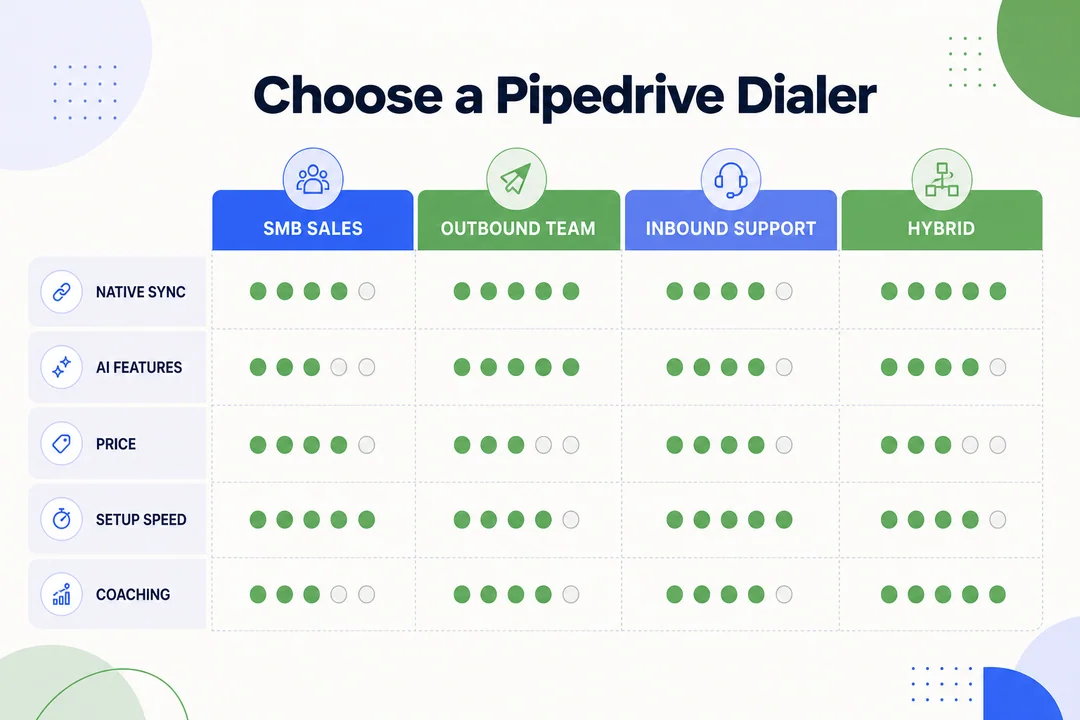
Choose based on team size
- Solo users and small SMB teams: Prioritize ease of use, predictable pricing, and clean logging.
- Mid-sized teams: Focus on SMS, manager visibility, coaching, and reliable workflow support.
- Larger teams: Look for stronger analytics, governance, reliability, and rollout consistency.
The bigger the team, the more expensive bad adoption becomes.
Choose based on calling motion
- Cold calling: Look for power dialing, local presence, voicemail drop, and fast call handling.
- Follow-up calling: Prioritize click-to-call, note sync, and simple activity logging.
- Account management: Look for call history, easy notes, and strong contact context.
- Multichannel outreach: Choose tools with SMS and better workflow coordination.
- Cadence-heavy outbound: Choose platforms that support structured sequences.
The right dialer should match the motion your reps repeat every day.
Choose based on pricing model
- Seat-based pricing: Easier to budget, common for SMB teams.
- Usage-based pricing: Can work well if calling volume varies.
- Blended pricing: Watch for extra charges like SMS, local numbers, analytics, and recordings.
Do not compare entry price only. Compare expected monthly cost after add-ons.
Choose based on setup simplicity
- Native app: Usually easiest for standard users.
- Chrome extension: Good for browser-heavy teams.
- Web dialer: Fast to launch with low install burden.
- Desktop tool: Can work well for stability, but adds one more app to manage.
Simple setup usually leads to faster adoption.
Choose based on international calling needs
- Confirm supported countries before signing an annual plan.
- Check local number availability, not just global coverage claims.
- Review international rates and outbound restrictions.
- Make sure regional teams can use the same workflow.
This matters more than buyers expect.
A simple shortlist framework for buyers
- Pick 2–3 tools that fit your main workflow.
- Match them to your team size and calling motion.
- Check sync quality inside Pipedrive.
- Review actual monthly cost, not just base price.
- Run a small pilot.
- Gather rep feedback before rollout.
How to Set Up a Dialer in Pipedrive
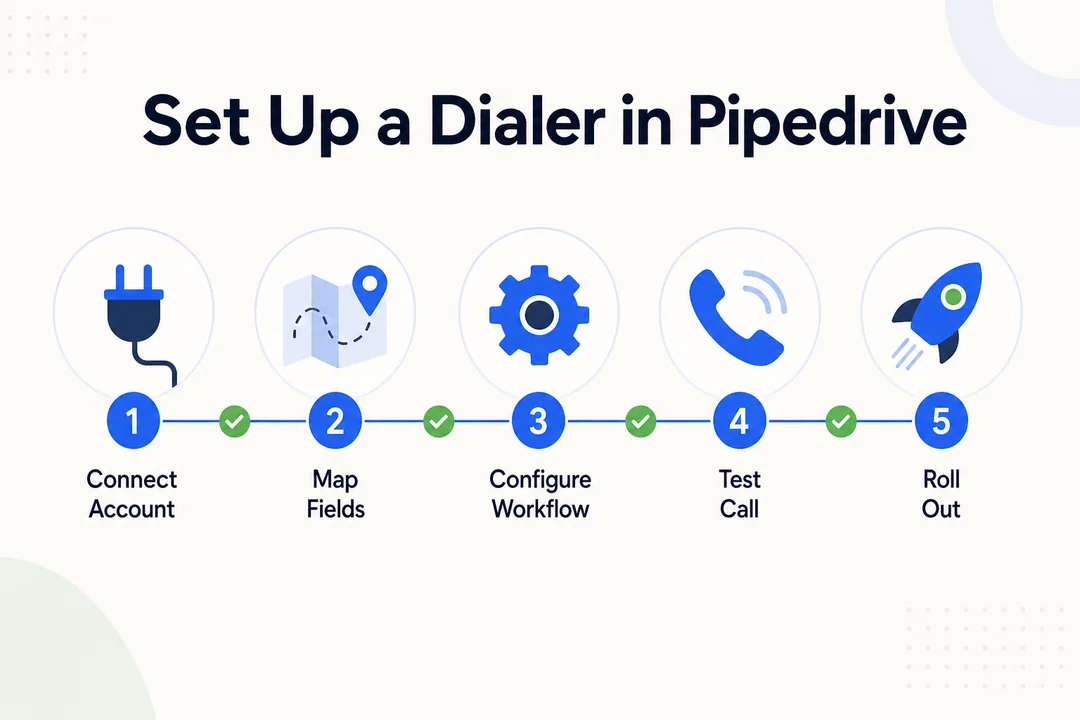
Step 1: Choose a Pipedrive-compatible dialer
Start by confirming the tool has direct Pipedrive support or a trusted integration path.
Check these basics first:
- Pipedrive marketplace or vendor integration support
- Your preferred platform: web, desktop, or Chrome
- Required features like SMS, recordings, or analytics
- Expected team use case
Do this before buying, not after.
Step 2: Connect the dialer to Pipedrive
Most setups follow the same pattern:
- Install or enable the dialer app.
- Sign in and authorize your account.
- Connect it to Pipedrive.
- Approve the required permissions.
- Map users or phone numbers if needed.
You do not need deep technical work for most SMB rollouts. But you do need to review permissions carefully.
Step 3: Set the default calling app
In many setups, you can choose which app handles calls from Pipedrive.
Common options:
- Browser-based dialer
- Native in-app dialer
- Desktop app
- Custom call handler if the vendor requires it
Keep the setup as simple as possible for reps.
Step 4: Test click-to-call, logging, and SMS sync
Before rollout, test the workflow with real contacts.
Use this checklist:
- Click a number from a Pipedrive record
- Confirm the call opens in the right tool
- Verify the call logs to the right contact or deal
- Check notes and outcomes
- Confirm recordings appear if enabled
- Test SMS sync if your team uses texting
Do not skip this step.
Step 5: Run a small pilot before full rollout
Use a small pilot group before enabling the tool across the team.
A simple pilot process:
- Select a few reps with real daily calling activity.
- Measure calling speed and workflow friction.
- Check logging accuracy and record quality.
- Review manager visibility and reports.
- Collect rep feedback after one to two weeks.
A short pilot usually reveals more than vendor demos.
What setup success looks like
- Reps actually use the dialer daily.
- Calls log cleanly in Pipedrive.
- Managers can review activity without cleanup.
- Follow-up gets faster and more consistent.
Common Mistakes When Buying a Dialer for Pipedrive CRM
Choosing based on headline features only
A flashy feature list does not guarantee fit. Many teams buy tools based on advanced outbound claims, then use only the basic call button.
A common mistake is choosing a parallel dialer when the real need is simple follow-up calling with clean logging.
Ignoring call logging quality
Poor call logging creates expensive cleanup.
Problems usually show up as:
- Missed follow-ups
- Duplicate activities
- Incomplete notes
- Weak reporting
- Rep frustration
If logging quality is weak, the dialer is not doing its job.
Overbuying advanced sales automation
Some teams pay for advanced routing, AI features, and enterprise layers they never use.
Examples include:
- Complex routing for small teams
- Predictive voice tools for low call volume
- Heavy automation for simple follow-up workflows
Buy for current workflow, not fantasy scale.
Skipping real-world testing
A proper trial should include real usage.
Test for:
- Live calling quality
- Speed of starting calls
- Note-taking workflow
- Reporting accuracy
- Manager review experience
A demo is not enough.
Not checking SMS, local presence, or international support
These gaps are often discovered after purchase.
Check before you buy:
- Whether SMS is included or limited by plan
- Whether local presence works in your target markets
- Whether international numbers and rates match your needs
- Whether regional reps can use the same workflow
Native Pipedrive Calling vs Third-Party Dialer Tools
When basic calling may be enough
- Your team is very small.
- Calling volume is low.
- Reps mostly do simple follow-ups.
- You do not need SMS, coaching, or deeper automation.
When third-party calling software is the better fit
- You need faster outbound workflows.
- Your team wants SMS or multichannel communication.
- Managers need stronger reporting and coaching.
- You need local presence, better logging, or scale.
Quick comparison points
| Option | Best for | Strength | Limitation |
|---|---|---|---|
| Native/basic calling | Small, simple teams | Lower complexity | Less feature depth |
| Third-party dialer | Growing or outbound teams | Better speed, automation, and reporting | More setup and cost |
Pipedrive Dialer Use Cases by Team Type
SDR and BDR teams
- Need speed and high call output
- Often benefit from power dialing or local presence
- May use voicemail drop and SMS for follow-up
- Should prioritize fast workflow and clean logging
Account executives
- Need quick follow-up from contact and deal records
- Benefit from note sync and call history
- Usually need click-to-call more than aggressive dialing
- Often value SMS for light-touch updates
Sales managers and RevOps
- Need consistent records across reps
- Care about reporting and coaching visibility
- Should prioritize stable integration over extra features
- Benefit from centralized activity data inside Pipedrive
Founders and SMB teams
- Usually need fast setup and simple UI
- Prefer predictable pricing
- Want reliable basics, not heavy complexity
- Often do best with easy adoption over advanced automation
Pricing and Buying Considerations for Pipedrive Dialers
Common pricing models
- Per-user monthly pricing
- Per-minute or usage-based calling
- Bundled calling plans
- Usage-based SMS charges
- Annual discounts with longer commitments
What buyers often underestimate
- Local number fees
- Call recording storage
- Analytics add-ons
- International calling rates
- Onboarding and admin time
The smartest way to evaluate cost
- Estimate real monthly call and SMS usage.
- Add seat cost plus likely extras.
- Compare total monthly cost across 2–3 tools.
- Balance cost against logging quality and rep adoption.
Final Recommendations by Use Case
Best for high-volume outbound
Kixie is the better fit for teams that want balanced outbound workflows with SMS, voicemail drop, and local presence.
PowerDialer.ai is the better fit for teams that want aggressive throughput and more live connects through parallel dialer workflows.
Best for balanced calling plus SMS
JustCall is a strong choice for flexible SMB and inside sales teams.
Ring.io is better for teams that want calling plus SMS with stronger manager visibility and analytics.
Best for simple setup
Aircall is the easiest place to start if your team values admin simplicity, clean usability, and broad team adoption over advanced outbound automation.
Best for structured cadence workflows
Klenty is the best fit for teams that run disciplined outbound sequences and want calling inside a more structured cadence process.
Best for SMBs with broader communication needs
CloudTalk is a strong all-around choice for SMBs that need reliable calling, decent analytics, and international coverage without a complicated rollout.
Best approach if you are unsure
- Shortlist 2–3 tools.
- Run a pilot with real reps.
- Judge sync quality and daily usability more than vendor marketing.
Frequently Asked Questions
Does Pipedrive have a built-in dialer?
Pipedrive offers calling options, but many teams still use third-party dialer software for stronger outbound workflows, SMS, analytics, and cleaner automation. Basic calling may be enough for small teams with low volume. If your team depends on calling for pipeline generation, a dedicated dialer is usually the better fit.
What is the best Pipedrive dialer for cold calling?
For cold calling, the best fit depends on workflow:
- Kixie for balanced outbound speed plus voicemail drop and SMS
- PowerDialer.ai for teams that want parallel dialer throughput
- Ring.io for teams that want calling with stronger analytics and manager visibility
Which Pipedrive dialer is best for SMS and multichannel outreach?
- JustCall is strong for flexible SMB workflows with SMS.
- Ring.io is a good fit for broader multichannel outreach.
- CloudTalk works well for teams that want calling plus broader communication support.
What is the difference between a power dialer and a parallel dialer?
A power dialer calls one number at a time from a list. A parallel dialer calls several numbers at once and connects the rep when someone answers. A power dialer is better for steady follow-up. A parallel dialer is better for high-volume prospecting where idle time is the main problem.
How do I add calling software to Pipedrive?
- Choose a Pipedrive-compatible dialer.
- Connect the integration and approve permissions.
- Set the default calling workflow.
- Test call logging, notes, and SMS sync.
- Run a small pilot before full rollout.
How long does Pipedrive dialer setup usually take?
Basic connection can take minutes. Real rollout takes longer because you still need user mapping, workflow testing, logging QA, and rep adoption. Most teams should plan for a short pilot, not just a fast install.
Can a Pipedrive dialer automatically log calls and notes?
Yes. Many dialers can automatically log calls, notes, activities, and recordings. But sync quality varies a lot between tools, so this should be one of your top trial checks.
What should I look for before starting a trial?
- Call quality
- Logging accuracy
- Ease of daily rep use
- SMS workflow if needed
- Pricing clarity
- Reporting quality
- Fit for your actual calling motion
Conclusion
The best Pipedrive dialer is the one that fits your sales motion, team size, and daily workflow. Some teams need high-volume outbound speed. Others need simple click-to-call, SMS, and clean call logging inside Pipedrive.
The safest buying path is simple: compare 2–3 tools, test the integration, verify logging quality, and run a small pilot with real reps. Use the comparison table above to shortlist the right Pipedrive dialer before you commit.
More in Operations & CX Optimization
View all →
Customer Experience Transformation: Framework and Steps
A telecom customer calls support about a billing error. They explain the problem to the IVR system. Then to the first agent. Then get transferred and explain again. Then escalated—and explain a third time. Forty minutes later, they're exhausted and the problem still isn't solved. This is what broken customer experience looks like. And it's costing you customers. Customer experience…


Web Caller Meaning: JavaScript caller, Calling Tools or Portals
“Web caller” is one of those phrases where the search results and the searcher are frequently talking about different things. Three unrelated audiences use it: developers hitting an error on the legacy JavaScript caller property, buyers evaluating browser-based calling software, and people trying to reach a specific portal or training page whose exact name they cannot recall. That fragmentation is…

Customer Experience Strategy: How to Build One That Works
Customer experience is getting worse, not better. Forrester's 2025 Global CX Index found that 21% of brands declined in CX quality while only 6% improved — and in the US, 25% declined against 7% that improved, the second consecutive year of that pattern. Most of those brands were not neglecting customer experience. They were working on it without a strategy…



 English
  Russian
  Chinese