

If you’re comparing ucaas vs ccaas, you’re likely trying to solve a practical business problem, not study telecom jargon. Many companies start by asking for a better phone system, but the real need is usually either better employee communication or better customer-facing service workflows. That is why these two categories often get mixed up. This guide gives a simple, neutral explanation of what each one is, how they differ, when to choose each, and when using both makes more sense.
UCaaS vs CCaaS at a Glance
UCaaS and CCaaS are both cloud communication platforms, but they serve different business purposes. UCaaS supports internal employee communication and collaboration, while CCaaS supports customer-facing conversations and structured service workflows. In many businesses, they work together rather than replacing one another.
Simple Definitions
- UCaaS (Unified Communications as a Service) is a cloud-based system for employee calling, messaging, meetings, and day-to-day collaboration.
- CCaaS (Contact Center as a Service) is a cloud-based system for handling customer conversations through routing, queues, service workflows, and omnichannel communication.
- In many ucaas vs ccaas decisions, the right answer is not either-or. Businesses often need both because internal and external communication platforms solve different problems.
Quick Comparison Table
| Criteria | UCaaS | CCaaS |
|---|---|---|
| Primary purpose | Support internal communication and teamwork | Manage customer-facing communication and service workflows |
| Main users | Employees across the business | Agents, supervisors, support and sales teams |
| Core channels | Voice, video, chat, messaging | Voice, chat, SMS, email, social, messaging apps |
| Common integrations | Email, calendar, productivity apps, collaboration suites | CRM, help desk, ticketing, workforce and support systems |
| Main business goal | Improve employee collaboration and productivity | Improve service levels, response handling, and customer experience |
| Best-fit scenario | Hybrid teams, multi-office communication, legacy phone replacement | High-volume support, outbound sales, queue-based customer operations |
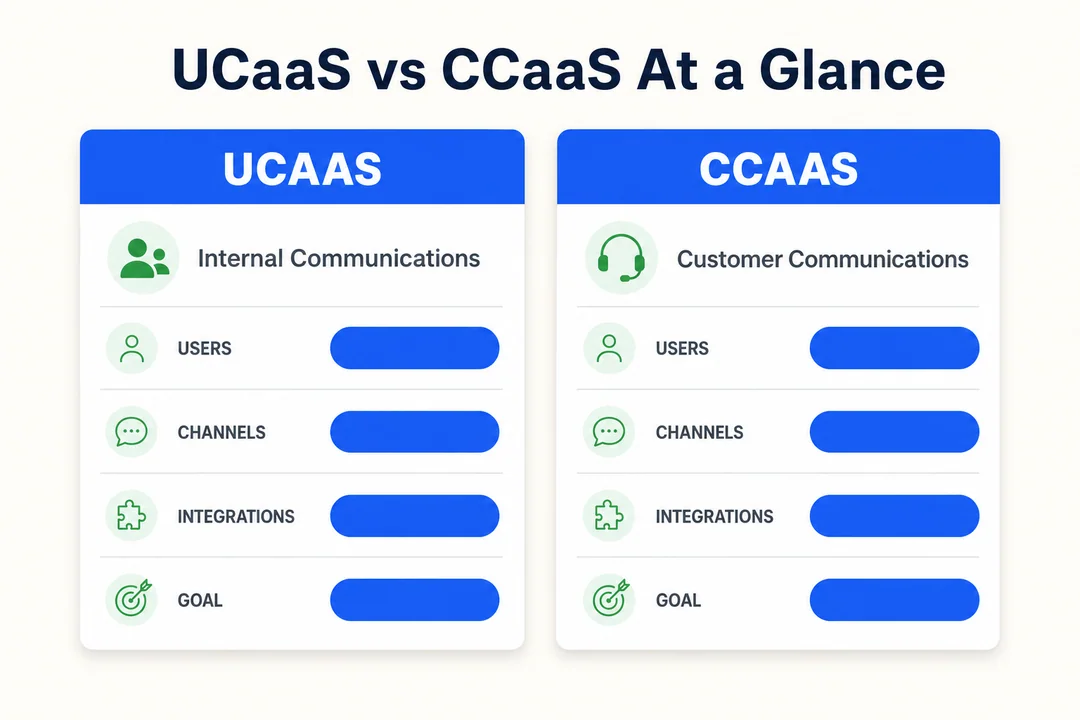
A common buyer mistake in ucaas vs ccaas research is treating both as interchangeable cloud communication systems. They are related, but they are not the same. One is mainly about employee collaboration tools. The other is mainly about customer support systems and service operations.
What Is UCaaS?
UCaaS is a cloud-based communication platform that brings business calling, messaging, meetings, and collaboration into one environment. It is designed mainly for employees, helping teams communicate more easily across locations and devices without relying on a legacy phone system.
What is UCaaS in practical terms? It is the modern replacement for fragmented internal communication tools. Instead of separate systems for calls, chat, video meetings, and team coordination, Unified Communications as a Service puts them into one cloud-based layer.
For many businesses, the trigger is simple: the old phone setup no longer fits how teams work. A legacy cloud PBX upgrade, support for hybrid work, or the need to standardize communication across offices often leads companies to evaluate what is UCaaS and whether it can simplify internal collaboration.
Common UCaaS Features
- Business calling over VoIP
- Video meetings
- Team messaging
- Presence and status visibility
- File sharing or collaboration tools
Who Usually Owns UCaaS Internally
In larger organizations, UCaaS is often owned by IT or workplace technology teams. In smaller firms, founders, operations leaders, or office systems owners may lead the decision. The business goal is usually the same: improve employee productivity, reduce tool sprawl, and standardize internal communication.
Best-Fit UCaaS Use Cases
- Hybrid or remote teams
- Multi-office communication
- Replacing a legacy PBX
- Simplifying internal communication across departments
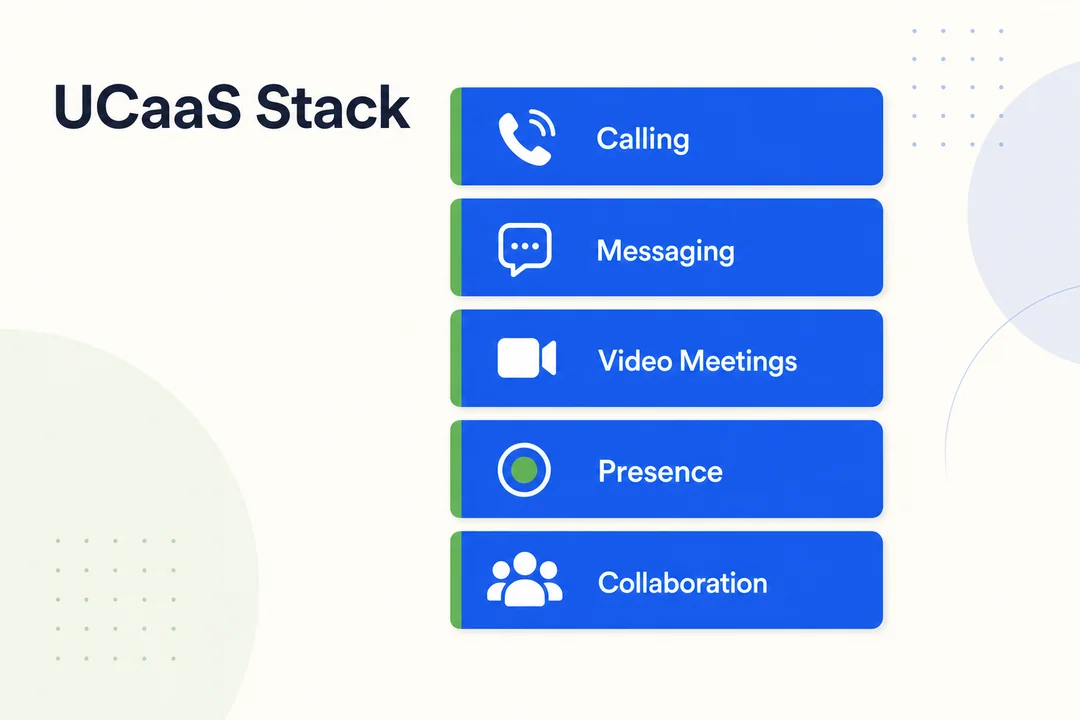
The key limitation is important: Unified Communications as a Service is not the same as a contact center platform. It can support general business calling well, but it usually does not provide the structured routing, queue management, agent oversight, and service workflows needed for advanced customer operations.
What Is CCaaS?
CCaaS is a cloud-based contact center platform built for customer-facing communication. It helps businesses manage inbound and outbound interactions through routing, queues, IVR (Interactive Voice Response), omnichannel communication, CRM integration, analytics, and quality assurance.
What is CCaaS in real operations? It is the layer that helps support teams, sales teams, and service teams manage customer conversations at scale. While UCaaS helps employees talk to each other, Contact Center as a Service helps businesses handle structured customer interactions more effectively.
This matters when communication is no longer casual or one-to-one. If you have inbound support queues, outbound calling teams, service-level targets, or the need to track agent performance, what is CCaaS becomes a much more relevant question than simply choosing a phone system.
Common CCaaS Features
- IVR for customer self-service and call direction
- Skills-based routing
- Call queues
- Omnichannel inbox for voice, chat, SMS, email, and messaging
- CRM integration
- Analytics and quality assurance
Who Usually Owns CCaaS Internally
CCaaS is usually owned by customer support leaders, contact center managers, or sales operations teams. When telephony design, integrations, or routing logic become more complex, IT often shares ownership. The business focus is less about employee productivity and more about service consistency, visibility, and customer experience optimization.
Best-Fit CCaaS Use Cases
- High inbound support volume
- Outbound sales teams
- Omnichannel service operations
- BPO and multi-agent environments
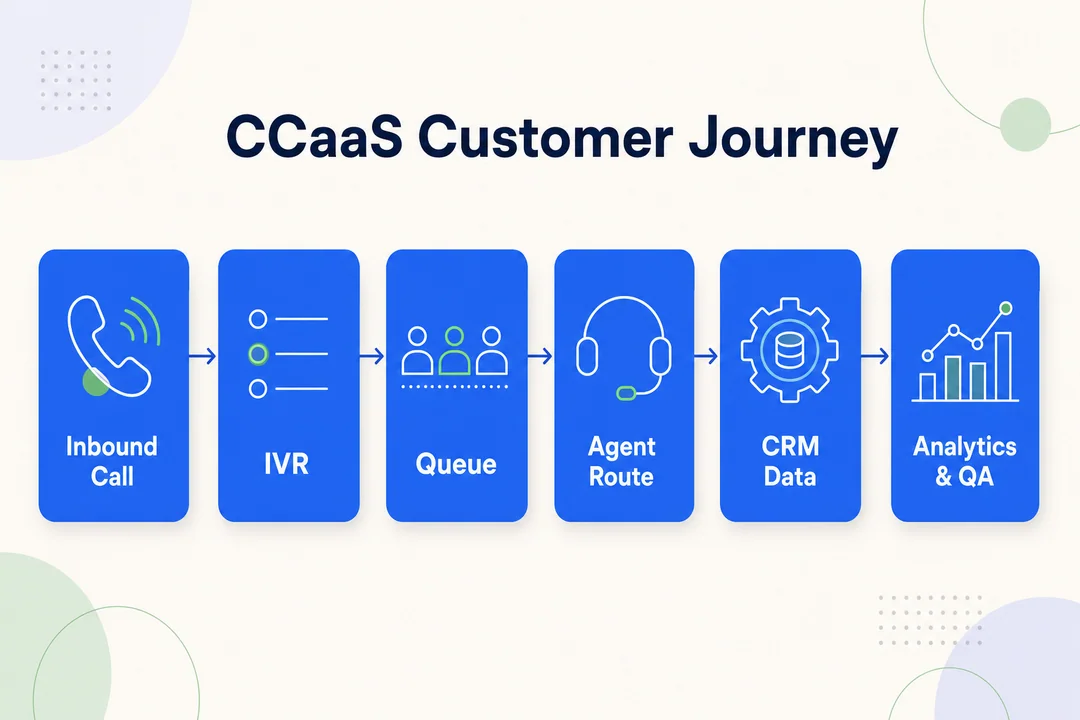
A useful reality check: Contact Center as a Service can be too much for companies that only need internal calling and meetings. If there are no queues, no structured service workflows, and no real need for agent management, a full CCaaS platform may add complexity without adding much value.
UCaaS vs CCaaS: 5 Key Differences That Matter
The difference between ucaas and ccaas becomes clear when you compare them through business outcomes, not feature hype. These five factors are the fastest way to classify what your organization actually needs.
Difference #1, Primary Purpose
This is the simplest shortcut in the entire difference between ucaas and ccaas discussion.
- UCaaS is built for employee communication and internal collaboration
- CCaaS is built for external customer interaction and structured service workflows
If your main issue is how employees call, message, and meet, UCaaS is the right category to examine first. If your main issue is how customers reach your business and how teams handle that demand, CCaaS is the better starting point.
Difference #2, Main Users
UCaaS generally serves employees across departments.
Typical users include:
- office staff
- managers
- distributed teams
- internal project teams
- executives
CCaaS is narrower and more operational. It serves:
- agents
- supervisors
- customer support teams
- outbound sales teams
- service operations teams
This matters because buying criteria differ. A company-wide communication layer is evaluated differently from a platform built for queue-based service delivery.
Difference #3, Core Features
UCaaS usually centers on:
- calling
- messaging
- video meetings
- presence
- basic collaboration
CCaaS usually centers on:
- routing
- IVR
- queues
- analytics
- quality assurance
- automation
That does not mean one category is more advanced overall. It means each one is advanced in a different direction. UCaaS supports a unified communications ecosystem for employees. CCaaS supports customer operations with more structure, oversight, and workflow control.
Difference #4, Integrations
UCaaS often connects with:
- calendars
- productivity suites
- collaboration platforms
CCaaS usually connects with:
- CRM
- help desk software
- ticketing systems
- workforce or support systems
This is where many businesses feel the operational gap. If agents need customer context, case history, or ticket status during live interactions, CCaaS integrations matter much more than standard collaboration integrations.
Difference #5, Success Metrics
UCaaS success is often measured by:
- employee adoption
- call quality
- faster collaboration
- fewer disconnected tools
- productivity improvements
CCaaS success is usually measured by:
- response time
- service level
- conversion rate
- CSAT
- QA score
That difference in metrics is one of the clearest signs of category fit. One supports everyday business communication. The other supports a more scalable communication infrastructure for customer operations.
One-Table Summary
| Dimension | UCaaS | CCaaS |
|---|---|---|
| Purpose | Internal employee communication | Customer-facing interaction and service workflows |
| Main users | Employees across the business | Agents, supervisors, support and sales teams |
| Core features | Calling, messaging, meetings, presence | Routing, IVR, queues, analytics, QA, automation |
| Integrations | Calendar, email, collaboration tools | CRM, ticketing, help desk, support systems |
| Success metrics | Adoption, collaboration speed, productivity | Response time, service level, CSAT, conversion, QA |
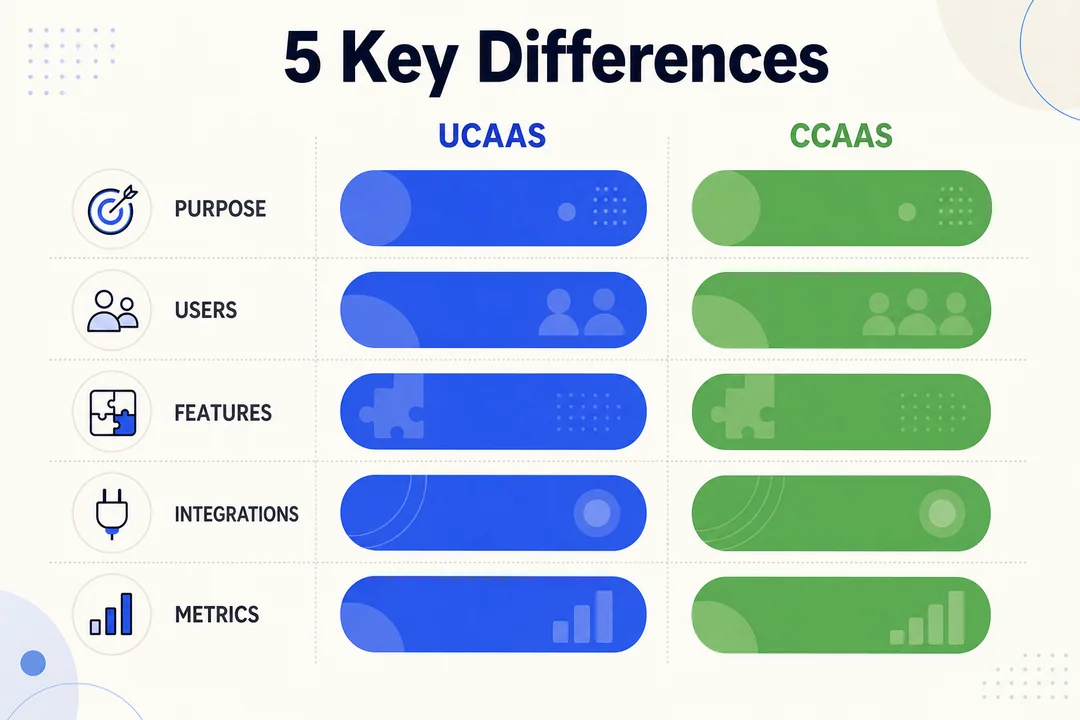
The right conclusion from the difference between ucaas and ccaas is not that one is better. It is that business fit depends on workflow, users, and the outcomes you are trying to improve.
When to Choose UCaaS, When to Choose CCaaS, and When You Need Both
The best way to choose ucaas or ccaas is to start with workflows, not feature lists. Many companies overbuy CCaaS when they only need better internal communication. Others expect UCaaS alone to handle high-volume customer operations and then run into limits around routing, visibility, and service control.
Choose UCaaS If…
- Your main problem is internal communication
- Teams are remote, hybrid, or distributed
- You are replacing a legacy phone system
- Customer interaction complexity is low
Choose CCaaS If…
- You handle high customer call or message volume
- You need IVR, routing, QA, reporting, or omnichannel support
- Performance depends on queue management and customer context
You Likely Need Both If…
- Internal experts regularly support frontline teams
- Employee and customer-facing communication need to connect
- Your business has both collaboration needs and structured service workflows
3 Quick Business Scenarios
Remote software company:
A software company with distributed employees, regular internal meetings, and limited support complexity will usually lean mostly toward UCaaS.
Ecommerce support team:
An ecommerce business managing order questions, returns, and service conversations across voice and chat will usually lean mostly toward CCaaS.
BPO or outbound sales operation:
A BPO or sales team may need CCaaS for customer campaigns, routing, reporting, and QA, plus UCaaS for internal coordination between managers, agents, and specialist teams.
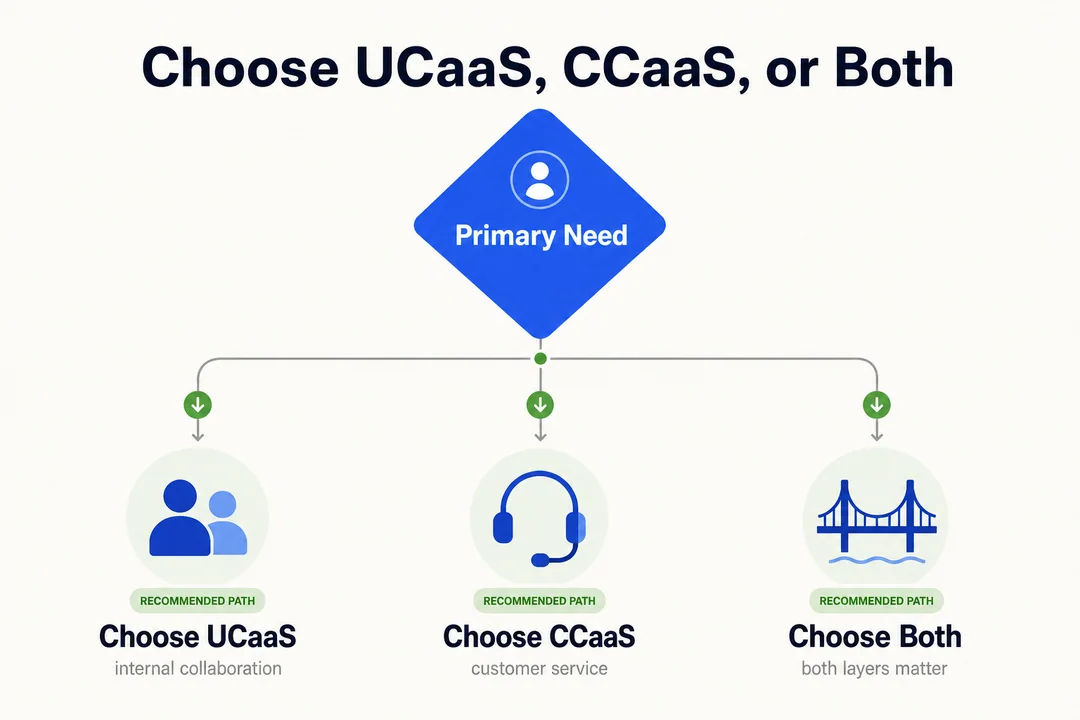
If you are asking when do you need both ucaas and ccaas, the answer is usually this: when internal coordination directly affects customer outcomes. That is common in support-heavy organizations, multi-team service environments, and businesses where customer-facing staff depend on quick access to internal experts.
Why UCaaS and CCaaS Are Converging in Modern Communication Stacks
The categories are still different, but ucaas and ccaas convergence is real. Buyers increasingly want fewer disconnected tools, and communication stacks are being shaped by hybrid work, AI, deeper integrations, and the push to unify customer and employee workflows.
What Convergence Means in Practice
In practice, convergence means some UCaaS platforms are expanding toward customer workflows, while some CCaaS platforms are extending into broader communication needs. Buyers care less about rigid category lines than they used to. They care more about whether systems work together, reduce switching between tools, and create a more connected unified communications ecosystem.
That said, convergence does not remove the need for clear use-case thinking. A platform can include overlap, but your business still needs to decide whether the primary need is internal collaboration, customer operations, or both.
What Is Driving It
- AI-powered cloud communications that support automation, summaries, QA, and smarter routing
- Omnichannel operations that connect voice, chat, SMS, email, and messaging
- APIs and deeper integrations in API-driven ecosystems
- Hybrid work that links employee communication with customer service workflows
- Tool consolidation to reduce silos and simplify operations
For businesses evaluating the CCaaS side of the stack, cloud call center platforms like Flyfone are relevant when fast deployment, AI-powered quality assurance, routing flexibility, and customer-facing workflow support matter more than broad all-purpose collaboration features.
The market is moving toward connected experiences, but category clarity still matters. Convergence changes packaging and platform design. It does not change the underlying question of what problem you are solving.
Where Flyfone Fits for CCaaS Buyers
For teams that conclude they need CCaaS, not just internal collaboration, the next question is which CCaaS fits the operating model. Flyfone is built specifically for the CCaaS side of the stack: outbound scale, global voice operations, and fast deployment instead of bundled internal collaboration features.
Why CCaaS buyers shortlist Flyfone
- Cloud call center purpose-built for CCaaS, routing, queues, agent workspace, and reporting designed for customer-facing operations, not internal employee calling.
- AI-powered quality assurance on 100% of calls for coaching and compliance visibility, not sampled review.
- Auto-dialer with predictive, progressive, and power modes for outbound sales, collections, and renewal campaigns at scale.
- Global voice routing on AWS Singapore for stable APAC connectivity and lower-latency cross-border voice.
- Under-1-hour deployment, no seat fees, and pay-as-you-go pricing that aligns with seasonal or campaign-driven team sizes.
If your team is already running UCaaS for internal collaboration and now needs the CCaaS layer for customer operations, the typical pattern is to keep UCaaS for employees and add Flyfone for customer-facing voice rather than forcing one bundled vendor to do both. Book a discovery call to compare fit before consolidating around a single platform.
Conclusion
At a practical level, ucaas vs ccaas comes down to communication purpose. If your main need is internal employee communication, start with UCaaS. If your priority is customer-facing service or sales operations, start with CCaaS.
If both layers matter, evaluate how they should work together rather than forcing one platform to do everything. The best way to choose ucaas or ccaas is to map your workflows, separate internal users from customer-facing teams, and decide whether your business needs one cloud communication solution for business or a connected combination of both. If your workflows are complex, a communication platform specialist can help you classify requirements before you commit.
Frequently Asked Questions
What is the difference between UCaaS and CCaaS?
UCaaS (Unified Communications as a Service) focuses on internal communication, voice, video, and messaging between employees. CCaaS (Contact Center as a Service) is built for customer-facing interactions like support, sales, and omnichannel care workflows.
Why do businesses often confuse UCaaS and CCaaS?
Both are cloud-based and share underlying VoIP technology. The confusion comes from overlapping calling features, but they serve very different user groups, business goals, and feature depth.
When should a business choose UCaaS over CCaaS?
Choose UCaaS when the primary goal is internal collaboration, replacing a legacy PBX, or supporting remote/hybrid workforces, and customer interactions are simple enough that they don’t need queues, IVR, or skill-based routing.
What features does CCaaS offer that UCaaS does not?
CCaaS includes contact-center-specific tools: IVR, skill-based routing, queueing, deep analytics, quality management (QA), and rich CRM integrations, features purpose-built for customer service and outbound operations.
Should a business use both UCaaS and CCaaS?
Yes, many larger organizations use both. UCaaS keeps employees productive across the company, while CCaaS delivers consistent customer experience. Integrating the two lets back-office experts assist front-line agents in real time.
What is the convergence trend between UCaaS and CCaaS?
The two categories are merging into intelligent communication platforms where AI sits at the core, automating workflows, surfacing insights from every interaction, and linking employee and customer conversations across one connected stack.
More in Operations & CX Optimization
View all →
Customer Experience Transformation: Framework and Steps
A telecom customer calls support about a billing error. They explain the problem to the IVR system. Then to the first agent. Then get transferred and explain again. Then escalated—and explain a third time. Forty minutes later, they're exhausted and the problem still isn't solved. This is what broken customer experience looks like. And it's costing you customers. Customer experience…


Web Caller Meaning: JavaScript caller, Calling Tools or Portals
“Web caller” is one of those phrases where the search results and the searcher are frequently talking about different things. Three unrelated audiences use it: developers hitting an error on the legacy JavaScript caller property, buyers evaluating browser-based calling software, and people trying to reach a specific portal or training page whose exact name they cannot recall. That fragmentation is…

Customer Experience Strategy: How to Build One That Works
Customer experience is getting worse, not better. Forrester's 2025 Global CX Index found that 21% of brands declined in CX quality while only 6% improved — and in the US, 25% declined against 7% that improved, the second consecutive year of that pattern. Most of those brands were not neglecting customer experience. They were working on it without a strategy…



 English
  Russian
  Chinese