

A softphone is often the simplest way for distributed teams to make and receive business calls without relying on a physical desk phone. For companies moving toward hybrid work, cloud calling, and faster user onboarding, it can be a practical alternative to traditional phone hardware. If you are asking what is a softphone, the short answer is that it is a software-based calling interface that runs on devices you already use. In this guide, we will break down the definition, explain how does a softphone work, compare it with VoIP and desk phones, and show where it fits best in modern business communication.
What Is a Softphone?
A softphone is a software-based phone that lets users make and receive calls over the internet from a desktop, laptop, smartphone, tablet, or browser. It is usually part of a VoIP or cloud phone system, and it gives users a digital calling experience without requiring a physical handset.
In business terms, a softphone is the calling app, not the calling network itself. That distinction matters, because many buyers confuse what is a softphone with VoIP, when they are related but not the same.
One-Sentence Definition
A softphone is a virtual phone app that enables internet-based business calling on connected devices, usually through a VoIP-enabled cloud phone system.
Devices and Typical Users
Softphones are commonly used on:
- Desktop computers
- Laptops
- Smartphones
- Tablets
- Web browsers
They are especially useful for:
- Support agents
- Sales reps
- Remote workers
- Distributed teams
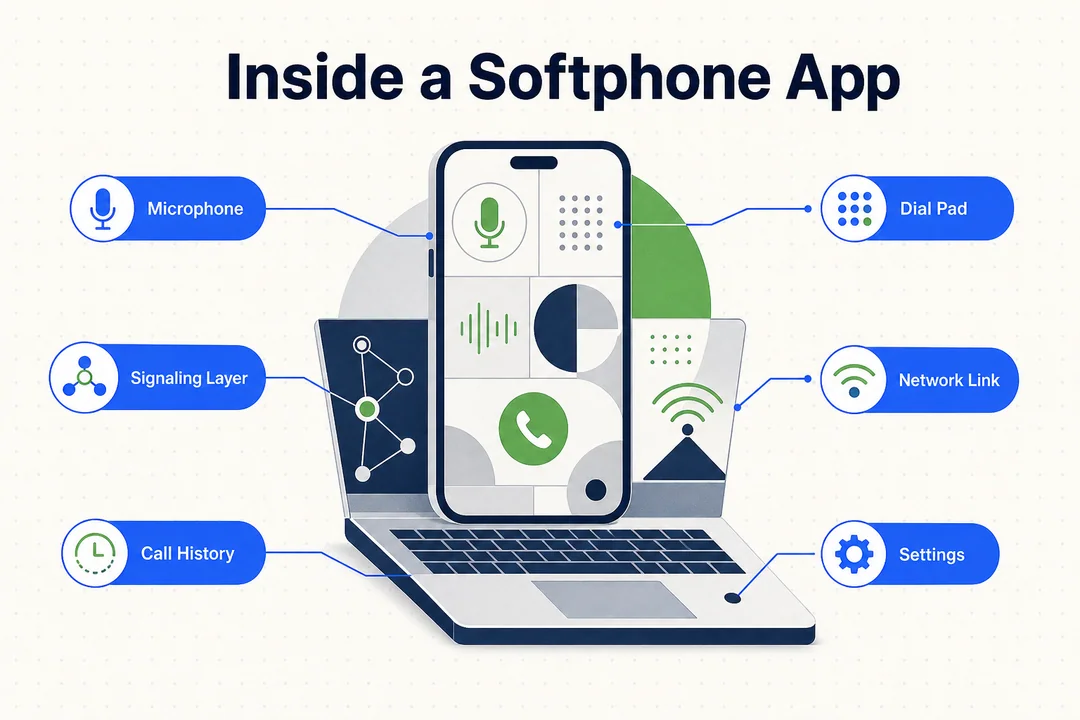
How Does a Softphone Work?
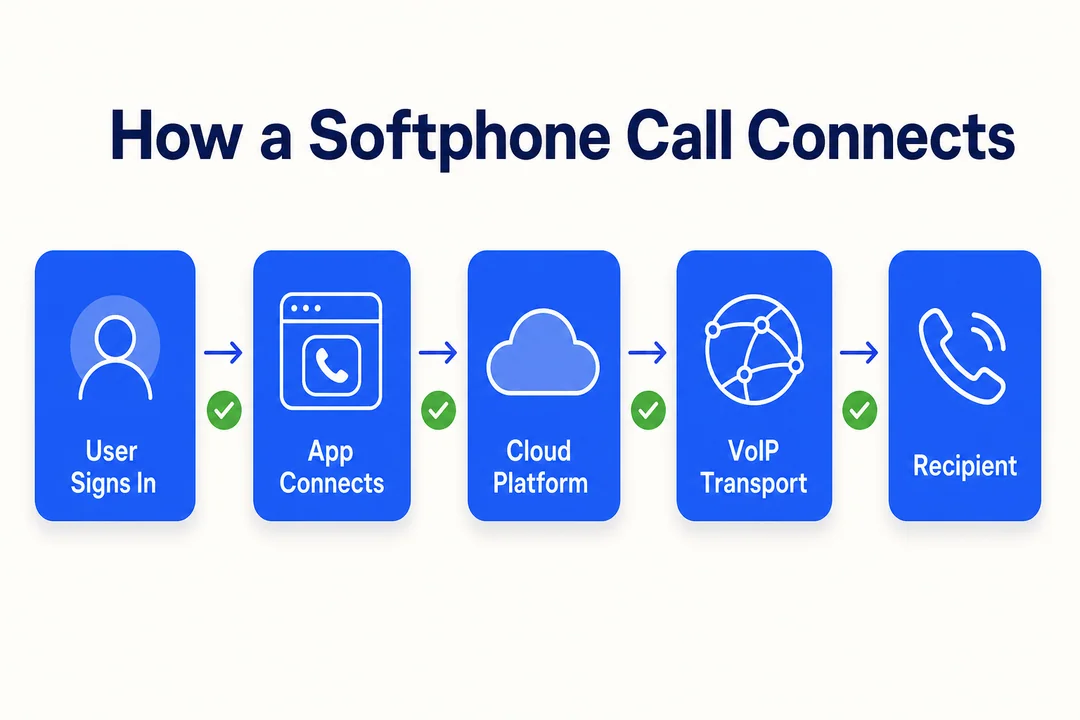
At a basic level, how does a softphone work comes down to one workflow: the user signs in, the app connects to the company's calling platform, and voice traffic moves over the internet using VoIP.
Behind the scenes, many platforms use technologies such as SIP (Session Initiation Protocol) or WebRTC for browser-based calling. For most business readers, the important point is simpler: the app turns a connected device into a business phone.
Simple Call Flow
- The user opens the softphone app and signs in.
- The app connects to the company's phone or cloud calling platform.
- The call travels over the internet using VoIP.
- Audio runs through the device speaker/microphone or a headset.
- The platform manages routing, voicemail, and call-related features.
Basic Setup Requirements
Before a softphone can work properly, you need:
- A stable internet connection
- A device with a microphone and speaker, or a headset
- User credentials
- Enough bandwidth for voice traffic
- Optional browser support if the app uses WebRTC
A softphone can be easy to use, but call quality still depends on internet stability and device quality.
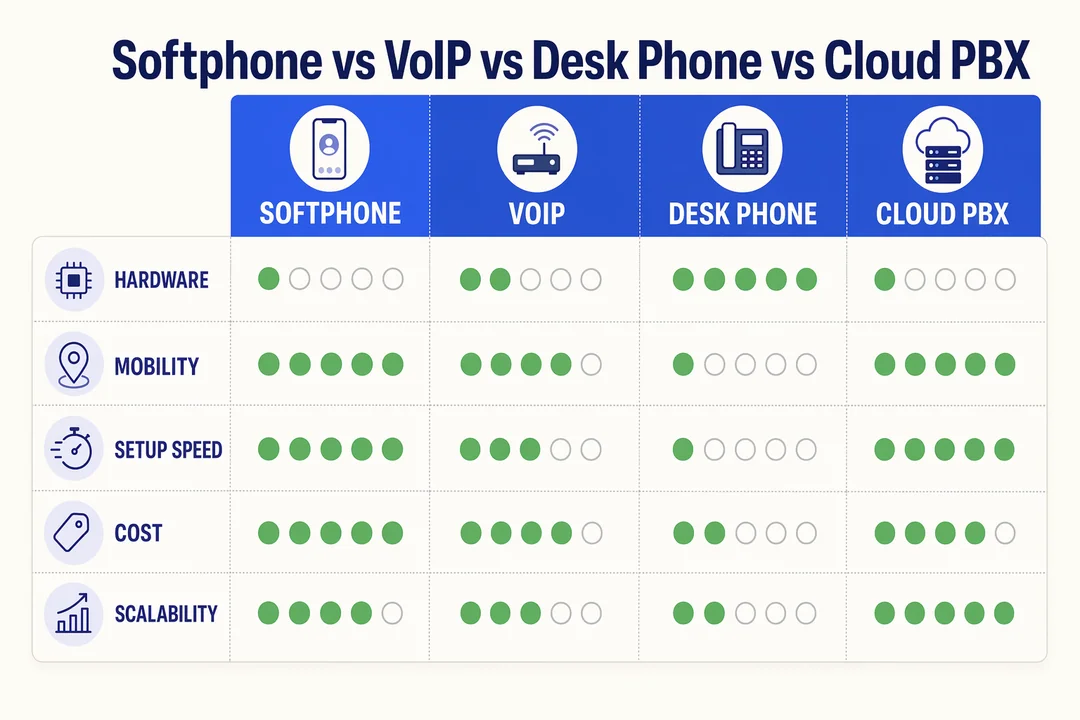
Softphone vs VoIP vs Desk Phone: What's the Difference?
This is where many buyers get confused. Softphone vs VoIP is not an either-or comparison. A softphone is the app; VoIP is the technology that carries the call; and a desk phone is the physical device.
| Term | What it is | Main role | Hardware needed | Best understood as |
|---|---|---|---|---|
| Softphone | Software calling app | User interface for calls | No | Calling app |
| VoIP | Internet calling technology | Transmits voice over IP | No | Underlying technology |
| Desk phone | Physical phone device | Hardware-based calling | Yes | Traditional handset |
| Cloud phone system | Managed calling platform | Numbers, routing, features | Usually no | Business telephony system |
In practice, softphone vs desk phone is a workflow decision. Softphones are usually more flexible, while desk phones can still make sense for reception, front desks, or fixed-location roles.
Why Do Businesses Use Softphones?
The main reason businesses use softphones is flexibility. They make it easier to support hybrid work, remote teams, and rapid scaling without shipping or provisioning physical devices for every user.
Operational Benefits for Teams
- Faster onboarding: New users can be activated quickly.
- Better mobility: Users can take business calls from different locations.
- Lower hardware dependence: Fewer desk phones to buy and manage.
- Easier integration: Many platforms connect with CRM, helpdesk, and collaboration tools.
- More scalable: It is easier to add or remove users as teams change.
- Better consistency: Everyone uses the same call interface across devices.
Trade-Offs to Know
- Call quality depends on network quality.
- Device audio matters.
- Some users need basic training.
- Not every environment should replace desk phones fully.
Softphone benefits are strongest when flexibility matters more than fixed hardware. That said, softphones are not automatically the best option in every business environment.
Common Features of a Softphone App
Most softphone features fall into two groups: core calling tools and advanced platform features. Not every provider includes the same set.
Essential Features Most Businesses Expect
- Answer and end calls
- Mute
- Hold
- Caller ID
- Call transfer
- Call forwarding
- Voicemail
- Call history
- Contact list or directory
Advanced Features Some Platforms Include
- Call recording
- CRM integration
- SMS or messaging
- Conference calling
- Analytics and reporting
- AI-powered quality assurance and AI summaries
- Sentiment analysis
- Real-time monitoring
- Omnichannel messaging
Not every softphone app includes every feature, especially advanced tools such as analytics, AI summaries, or CRM integration.
When Does a Business Actually Need a Softphone?
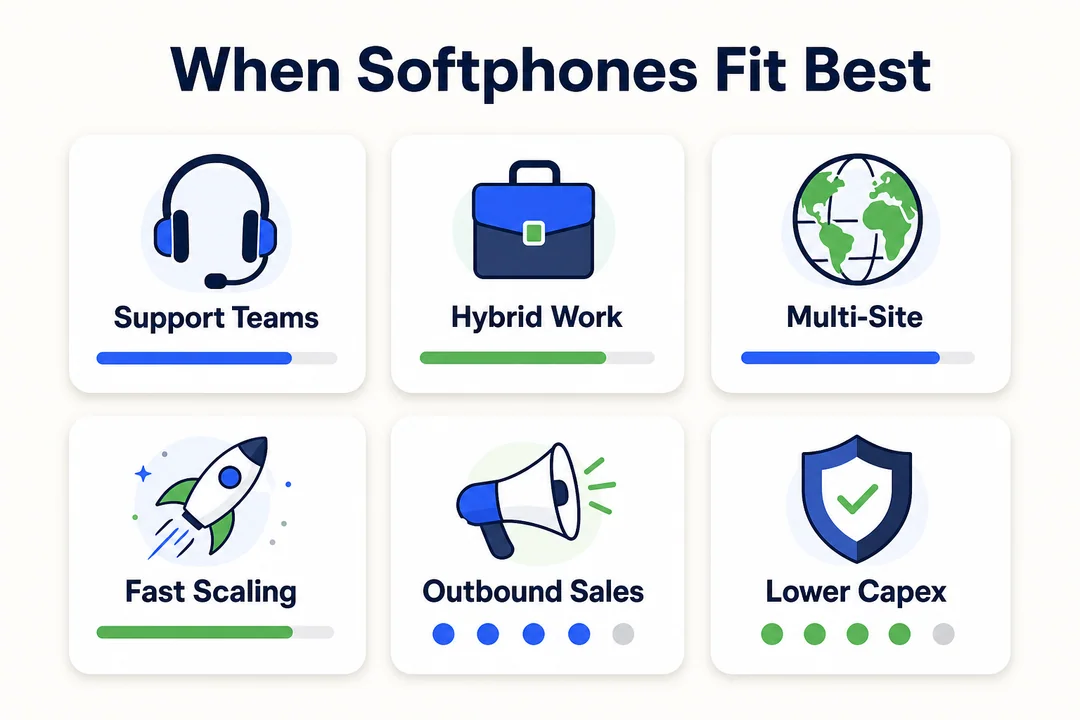
A softphone for business makes the most sense when users are not tied to one physical location and need fast, consistent access to calling.
Scenario-Based Business Examples
- Customer support: Teams across locations can answer calls from the same cloud-based workflow.
- Outbound sales: Reps can be onboarded quickly without desk phone provisioning.
- Hybrid teams: Employees can move between office and remote work without changing phone hardware.
- Multi-location teams: Different offices can use one centralized calling setup.
- Mixed environments: Some users work on softphones while fixed roles keep desk phones.
In a cloud call center, softphones are often the most practical choice for distributed agents, while reception or front-desk roles may still use physical phones.
How Softphones Fit Into Modern Cloud Calling
A softphone is usually the user-facing layer inside a broader cloud calling setup. The wider system may also include phone numbers, routing, IVR, call recording, reporting, and integrations.
In broader cloud calling environments, including platforms like Flyfone's cloud call center, the softphone is often just the user-facing layer within a larger communication setup that also handles routing, auto-dialer campaigns, and supervisor visibility.
That is why the softphone should not be treated as the entire business phone platform. It is one part of the communication infrastructure.
Conclusion
A softphone is a software-based calling app that enables business calls over the internet. It is not the same as VoIP, which is the underlying technology, and it is not the same as a desk phone, which is physical hardware. For many organizations, the real value comes from softphone benefits like flexibility, portability, and easier scaling.
For hybrid teams, support teams, sales teams, and distributed operations, softphones can be a practical fit. For fixed roles, desk phones may still be the better choice. If you want to compare softphones inside a full cloud calling stack, book a tailored walkthrough with the Flyfone team to review device fit, routing, and onboarding speed against your team model.
Frequently Asked Questions
What is a softphone?
A softphone is a software application that lets users make and receive voice calls over the internet instead of using a traditional desk phone. It runs on computers, smartphones, tablets, or browsers and turns those devices into a full business phone.
Is a softphone the same as VoIP?
No. VoIP (Voice over Internet Protocol) is the underlying technology that carries voice over the internet. A softphone is the software application you use to interact with a VoIP service. Softphones run on top of VoIP, not instead of it.
What are the main advantages of a softphone over a desk phone?
Softphones offer flexibility: remote and mobile employees can access the business phone system from anywhere. They also cut hardware costs and let companies onboard new users in minutes instead of waiting on device provisioning or installation.
How do I set up a softphone system?
- Sign up with a cloud calling or VoIP provider.
- Download and install the softphone app on a computer or mobile device.
- Sign in with business credentials provided by your admin.
- Configure your microphone and headset, then place a test call to confirm audio quality.
Does a softphone need an internet connection?
Yes. A softphone relies on an internet connection to transmit call data. Wi-Fi, mobile data (4G/5G), or a wired connection all work; a stable link is what matters most for clean audio.
Can a softphone do more than voice calls?
Yes. Modern platforms like Flyfone bundle features such as omnichannel messaging (SMS, WhatsApp), video conferencing, call recording, CRM integration, workflow automation, and AI-powered call analytics on top of the basic calling layer.
Should a business replace all desk phones with softphones?
It depends on the operating model. Most teams adopt a hybrid setup: softphones for remote staff and sales, and desk phones for fixed roles like reception, front-of-house, or walk-in customer service. The right mix depends on call volume, mobility needs, and where calls physically originate.
More in Operations & CX Optimization
View all →
Customer Experience Transformation: Framework and Steps
A telecom customer calls support about a billing error. They explain the problem to the IVR system. Then to the first agent. Then get transferred and explain again. Then escalated—and explain a third time. Forty minutes later, they're exhausted and the problem still isn't solved. This is what broken customer experience looks like. And it's costing you customers. Customer experience…


Web Caller Meaning: JavaScript caller, Calling Tools or Portals
“Web caller” is one of those phrases where the search results and the searcher are frequently talking about different things. Three unrelated audiences use it: developers hitting an error on the legacy JavaScript caller property, buyers evaluating browser-based calling software, and people trying to reach a specific portal or training page whose exact name they cannot recall. That fragmentation is…

Customer Experience Strategy: How to Build One That Works
Customer experience is getting worse, not better. Forrester's 2025 Global CX Index found that 21% of brands declined in CX quality while only 6% improved — and in the US, 25% declined against 7% that improved, the second consecutive year of that pattern. Most of those brands were not neglecting customer experience. They were working on it without a strategy…



 English
  Russian
  Chinese