
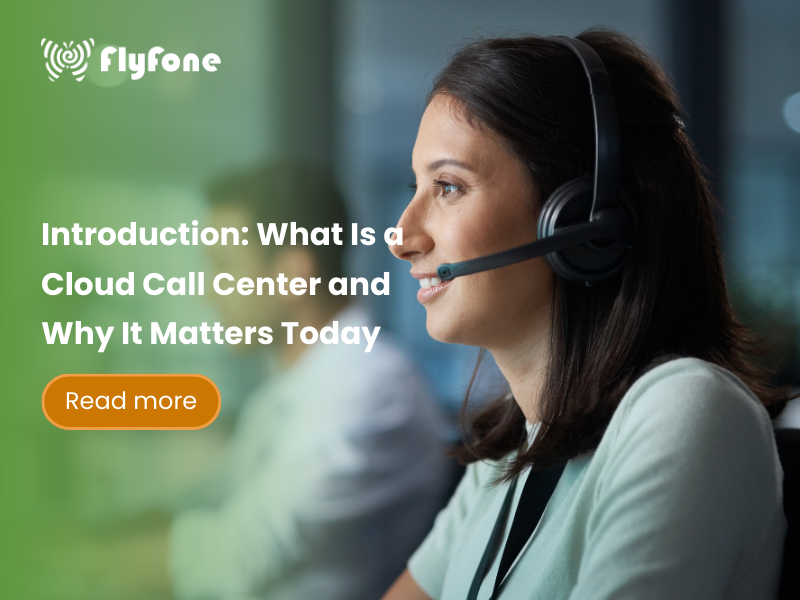
If your phone system feels rigid, hard to change, and impossible to support remote agents, you are not alone. Traditional on‑premise call centers struggle with modern expectations: customers want fast, flexible support, while your hardware keeps holding you back.
A cloud call center solves this by moving your phone system into the cloud. Instead of owning and maintaining physical phone hardware in your office, you use a cloud-based call center platform over the internet. Your team signs in from anywhere, and the provider takes care of the infrastructure behind the scenes.
This guide explains what a cloud call center is, how it works in plain English, and how it compares to both on‑premise systems and a broader cloud contact center. You will see the main benefits (cost, speed, scalability, remote work, and customer experience), plus simple steps to decide if it is right for your business and how to get started.
Key Takeaways from This Guide

- A cloud call center is an internet-based phone system for handling customer calls, hosted and managed by a third‑party provider.
- It works over the internet (often using VoIP), so agents only need a device, a headset, and a stable connection.
- Compared with on‑premise call centers, cloud solutions are faster to deploy, easier to change, and usually cheaper to scale.
- Compared with a cloud contact center, a cloud call center is voice‑first, while contact centers add channels like chat, email, SMS, and social.
- Cloud call centers are ideal when most customer interactions are phone calls and you want to support remote or hybrid teams.
- To get started, you define your needs, check your network, shortlist providers, and run a short pilot before rolling out.
What Is a Cloud Call Center? (Plain-English Overview)

A cloud call center is an internet-based, software-driven phone system for handling customer calls that runs in the provider’s cloud instead of hardware in your office. You access it through a browser or app, while the provider hosts and maintains everything in secure, geo‑redundant data centers.
In a cloud-based call center, phone numbers are virtual. They are not tied to a physical copper line in your building. Customers dial local, toll‑free, or international numbers as usual, but the call is delivered over the internet to your provider and then to your agents. This is typically powered by VoIP (Voice over Internet Protocol), which turns voice into data packets that travel over the internet.
Agents work from almost anywhere:
- They log in on a laptop, desktop, or even smartphone.
- They use a headset or an IP desk phone if you prefer a more traditional feel.
- They see caller details, notes, and interaction history when integrated with CRM software like Salesforce or Zendesk.
At a high level, a virtual call center gives you:
- A professional phone system without on‑site PBX hardware.
- Centralized control of call flows, queues, and IVR menus.
- Built‑in call recording and analytics for training and management.
- A foundation for digital transformation in customer service operations.
It is important to distinguish a cloud call center from a cloud contact center:
- Cloud call center: primarily voice calls (inbound and outbound).
- Cloud contact center: voice plus email, web chat, SMS, and social channels in one omnichannel platform.
We will compare these two later so you can see which one fits your situation.
How Does a Cloud Call Center Work?

The Basic Setup in Plain English
Think of your cloud provider (RingCentral, Nextiva, Vonage, etc.) as the engine behind your phone system. They run the core platform inside geo‑redundant data centers with power backup, network redundancy, and security controls.
You connect to this engine over the internet:
- Your business numbers (local, toll‑free, international) live as virtual numbers in the cloud.
- Calls use VoIP instead of dedicated phone lines.
- Your team signs in to a web or desktop app to make and receive calls.
In practice, the path looks like this:
- Customer’s phone → public phone network → cloud provider’s platform → your agent’s app/phone over the internet.
You do not install PBX boxes, phone servers, or complex wiring. The provider manages telephony systems, updates, monitoring, and uptime, while you manage call flows and users from an admin dashboard. For most small and mid‑size businesses, this means:
- Less hardware.
- Less dependence on on‑site IT.
- More flexibility to adapt as you grow.
What You Need to Get Started
To launch a cloud call center, you mainly need connectivity and basic devices:
- Reliable high-speed internet
A stable connection with enough upload and download bandwidth for your peak number of concurrent calls. - Computers or mobile devices
Laptops or desktops for most agents; smartphones or tablets can work for very small teams or backup. - Headsets or IP phones
USB or Bluetooth headsets are usually enough. IP desk phones are optional if some agents prefer a traditional handset. - Supported browser or softphone app
Agents sign in via a web browser or the provider’s desktop/mobile app. - Optional: CRM or help desk tools
Integrations with systems like Salesforce, HubSpot, or Zendesk help manage customer interaction history in one place.
From experience, it is smart to test call quality with a small group of 2–3 agents on your current network. If calls sound choppy or drop often, improve your internet or configure network Quality of Service (QoS) before rolling out to everyone.
What Happens When a Customer Calls (Step-by-Step
Call Flow)
Here is what typically happens behind the scenes when someone calls your business number:
- Customer dials your number
The number is hosted in the cloud, not linked to a physical line in your office. The provider receives the call on their platform. - The platform applies your rules
It checks your business hours, holiday schedules, and routing logic.- During open hours, calls might go to a main menu.
- After hours, they might go to voicemail or an external answering service.
- IVR and queues handle the first layer
An IVR menu (“Press 1 for sales, 2 for support”) lets callers choose where they want to go.
If a team is busy, calls are placed into queues with hold music and position updates. - Smart routing connects the right agent
The system routes the call based on rules such as team, skill, language, or priority (for VIP customers).
When integrated with your customer interaction management tools, it can match callers to the right account or ticket. - The agent handles the call and data is logged
The agent’s screen pops up with caller info and previous history from your CRM.
They talk to the customer, take notes, and complete any follow‑up tasks.
The system logs key details—duration, outcome, and recording (if enabled)—for reporting and training.
You can adjust these rules yourself in the admin dashboard instead of waiting for a technician to reprogram hardware, as with many on‑premise systems.
Core Functions in a Cloud Call Center
Most cloud-based call center platforms include a similar set of core features:
- Call routing and queues
Automatically route calls to the right team or agent, and hold callers in queues with custom announcements and music when all agents are busy. - IVR (interactive voice response)
Menu trees that let customers choose where they want to go or self‑serve for simple tasks like checking an order status. - Call recording and monitoring
Record calls for quality assurance, coaching, and compliance. Supervisors can listen live or review recordings to train agents. - Analytics and dashboards
Real-time and historical reports show call volume, wait times, abandoned calls, and agent performance. This helps you spot bottlenecks and improve your customer service operations. - Integrations with CRM and support tools
Connect to Salesforce, Zendesk, or other systems so agents see customer details and past interactions without switching between multiple apps.
Together, these functions support your digital transformation efforts without requiring a large internal IT project.
Cloud Call Center vs. Traditional On-Premise Call Center
How a Traditional On-Premise Call Center Works
In a traditional on‑premise setup, your phone system lives inside your building. You install PBX boxes, phone servers, wiring, racks, cooling, and power backup in a server room. Desk phones are physically connected to that infrastructure.
IT staff or external vendors handle configuration, maintenance, and upgrades. If you want to change call flows, add lines, or expand to a new floor, it often means new hardware, cabling work, and scheduled downtime. Agents typically must be on‑site to use the system, which limits remote or hybrid work options.
Common pain points include:
- High upfront hardware and installation costs.
- Ongoing maintenance and support contracts.
- Slow changes to routing or capacity.
- Difficulty supporting remote call center agents across locations.
Key Differences: Cloud vs. On-Premise
Setup and deployment
- On‑premise: Requires months of planning, hardware installation, on‑site wiring, and complex configuration.
- Cloud call center: Mainly software; you can often go live in days or weeks using existing laptops and internet connections.
Cost model
- On‑premise: Large upfront capital expense (hardware, licenses, installation), plus maintenance and upgrade costs.
- Cloud call center: Subscription‑based (per user/per month) with minimal upfront hardware. You shift from heavy CAPEX to predictable OPEX.
Scalability
- On‑premise: Adding capacity usually needs more hardware, licenses, and technician visits. Scaling down is hard once you have bought equipment.
- Cloud call center: Inherently scalable—you add or remove seats with a few clicks. Ideal for seasonal teams or fast‑growing companies.
Remote work and flexibility
- On‑premise: Designed for on‑site agents; remote access is limited and often clunky.
- Cloud call center: Built for remote work. Agents log in from home offices or different locations using standard devices.
Maintenance and updates
- On‑premise: Your IT team is responsible for patches, security fixes, and handling hardware failures.
- Cloud call center: The provider manages updates, security, and uptime; you focus on operations, not infrastructure.
Reliability and disaster recovery
- On‑premise: Tied to a single physical location. Power outages, local network issues, or disasters can take you offline.
- Cloud call center: Uses geo-redundant data centers with failover. Calls can be rerouted to mobile phones or other sites if one location has issues.
When comparing costs, include not just phone bills and hardware, but also IT labor, downtime risk, and the cost of slow changes.
Key Benefits of Using a Cloud Call Center

Lower Upfront Cost and Simpler Budgeting
A cloud call center eliminates the need for PBX boxes, phone servers, and complex wiring, which significantly reduces upfront capital expenses. You avoid large one‑time purchases and the ongoing cost of maintaining on‑site telephony systems.
Instead, you pay a monthly subscription, typically per user. This makes budgeting easier and more predictable. You know roughly what your phone system will cost each month, and you can scale licenses up or down as your team changes.
For small businesses and startups asking what are the benefits of a cloud call center for small businesses, lower upfront investment and predictable monthly costs are often the biggest advantages.
Faster Setup and Easier Changes
Cloud call centers can often be deployed in days or weeks, not months. You use devices you already own—laptops, desktops, and headsets—and agents log in via browser or app. There is no need to rewire your building or wait for hardware to ship and be installed.
Once you are live, changes are much easier:
- Update IVR menus from an online editor.
- Adjust business hours and holiday routing yourself.
- Move agents between queues or teams without touching any cables.
A good practice is to start simple with one or two call flows and a basic IVR, then refine based on real call data and customer feedback.
Scalability for Growing and Seasonal Teams
As your business grows or experiences seasonal spikes, a cloud call center lets you expand capacity quickly:
- Add or remove users in a few clicks, without buying new PBX hardware.
- Spin up additional queues for new campaigns or products.
- Purchase new local or toll‑free numbers in different regions directly from the portal.
This flexibility is especially useful for:
- Retail and e‑commerce during holiday seasons.
- Tax or legal firms during busy periods.
- Campaign‑based outbound teams that ramp up and down.
When evaluating providers, ask how long it takes to add new numbers or agents. If the answer is more than a day, that is a red flag.
Better Support for Remote and Hybrid Work
Because the system is fully cloud‑based, agents can work from home, satellite offices, or even different countries as long as they have a suitable internet connection. This opens up your hiring pool and can reduce office space costs.
Supervisors maintain visibility through dashboards showing agent status, live queues, and performance metrics. They can also use live monitoring and call recordings to coach agents regardless of location.
From experience, it helps to define minimum requirements for remote agents:
- A stable, high‑quality internet connection (preferably wired).
- Approved headsets with noise cancellation.
- Guidelines for working environments to reduce background noise.
Improved Customer and Agent Experience
For customers, cloud call centers improve the experience in several ways:
- Smarter routing and IVR reduce transfers and long hold times.
- Agents can see customer history from your CRM, so customers do not have to repeat basic details over and over.
For agents, the unified interface reduces friction:
- One screen to handle the call, view customer data, and log notes.
- Simple tools for warm transfers, conference calls, and callbacks.
- Light business process automation (BPA), such as automatically logging calls and creating tickets.
Over time, you can extend this foundation toward omnichannel customer service. A voice‑first cloud call center can evolve into a full cloud contact center by adding chat, email, SMS, and social channels on the same platform.
Reliability, Security, and Compliance (High-Level)
Modern cloud providers invest heavily in reliability and security, often at a level that is hard for individual businesses to match on their own:
- Geo-redundant data centers with backup power and multiple network carriers.
- Built‑in disaster recovery and failover, so calls can be rerouted if one data center has issues.
- Encryption for calls and signaling, plus role‑based access control and audit logs.
For many SMBs, this results in stronger security than a legacy PBX sitting in a closet with minimal monitoring. Still, you should ask each provider:
- Where is our data stored?
- Which standards or certifications do you meet (e.g., SOC 2, ISO 27001, HIPAA where relevant)?
- How long do you retain call recordings and logs?
These questions are especially important in healthcare, financial services, and other regulated industries.
Cloud Call Center vs. Cloud Contact Center: What’s the Difference?

Cloud Call Center: Voice-First
A cloud call center focuses on phone-based interactions. Agents primarily talk to customers using inbound and outbound voice calls, supported by routing, IVR, and call recording. Some platforms may add basic SMS or callbacks, but voice remains the central channel.
Best suited for:
- Businesses where 80–90% of customer interactions still come through phone calls.
- Small and mid‑size companies replacing outdated office phones with a simple, modern, internet-based call center.
- Teams that want to improve phone support first before adding more channels.
Cloud Contact Center: Omnichannel Customer Service
A cloud contact center goes beyond voice. It is an omnichannel platform that brings multiple channels into one system:
- Voice calls
- Web chat
- SMS and messaging apps
- Social media messages
- Sometimes video and co‑browsing
All these channels share a unified routing engine and reporting layer. This allows better customer interaction management, so agents see the full history of interactions across channels in one place.
More advanced cloud contact centers may also add AI-powered features such as chatbots, virtual agents, and sentiment analysis to help automate routine questions and assist human agents in real time.
Best suited for:
- Companies with significant volume across multiple channels (e‑commerce, SaaS, large retail, financial services).
- Customer service teams that want a single platform for all customer touchpoints.
- Businesses that view customer experience as a strategic differentiator and are ready to invest in full omnichannel capabilities.
Which Should You Choose?
Choose a cloud call center if:
- Most of your customers still pick up the phone when they need help.
- You are in an early phase of digital transformation and want a manageable first step.
- Your budget is limited, and you need something fast and simple to operate.
- Your immediate goal is to replace a legacy phone system rather than overhaul all customer communication channels at once.
Consider a cloud contact center if:
- Customers frequently reach you via chat, email, and social media in addition to phone.
- You want unified reporting and routing across all channels.
- You are ready to invest more for a comprehensive omnichannel customer experience.
Many SMBs start with a voice‑first cloud call center and upgrade to a full cloud contact center later as their interaction volume and channel mix expand.
Common Use Cases and Industries for Cloud Call Centers

Cloud call centers are flexible and fit many scenarios:
- Customer support and help desks
Product support, billing questions, and general service inquiries for SaaS, e‑commerce, or utilities. - Inside sales and outbound calling
Sales teams using a VoIP call center for prospecting, renewals, and follow‑ups. More advanced setups may add predictive dialer capabilities for high‑volume outreach. - Service-based businesses
Healthcare practices scheduling appointments, home services dispatching technicians, logistics managing delivery updates, or financial services handling client calls. - Small and mid-size businesses
Companies moving from analog lines and basic office phones to cloud communication so they can support remote agents and multiple locations. - Centralized customer hotlines
Franchises or multi‑location businesses routing all customer calls through one centralized, cloud-managed phone system.
Over time, many organizations combine voice with messaging and collaboration as part of a broader Unified Communications as a Service (UCaaS) strategy.
Essential Features to Look For in a Cloud Call Center Platform

When choosing a platform, use this checklist of core features:
- Smart call routing and queues
Ability to route by team, skill, language, or priority, and manage separate queues for departments like sales and support. - IVR menus
Easy‑to‑update IVR with clear prompts, allowing callers to self‑select where they go and self‑serve simple requests. - Call recording and quality monitoring
Options to record calls, enable supervisor listening or whisper coaching, and store recordings securely. - Real-time dashboards and analytics
Visibility into queue length, average wait time, abandoned call rate, agent status, and other key metrics. - CRM and ticketing integrations
Native integrations or open APIs for Salesforce, Zendesk, HubSpot, and similar tools so agents see full customer context. - User-friendly admin tools
Non‑technical managers should be able to add users, adjust routing, and pull basic reports without calling IT. - Support for remote agents
Optimized apps for home internet environments, with features like browser‑based calling and mobile apps.
These are the main features to look for in a cloud contact center platform, even if you are starting with a voice‑first cloud call center.
When Does a Cloud Call Center Make Sense?

Signs You’re Ready to Move to the Cloud
You are likely ready for a cloud call center if:
- Your current office phone system is hard or expensive to change (adding lines or updating menus takes days or weeks).
- Customers complain about long wait times, dropped calls, or being transferred multiple times.
- You want to support remote or multi‑site agents but your on‑premise system makes that difficult.
- Your IT team is small and overloaded, and you would prefer not to maintain telephony systems in‑house.
- You are undergoing digital transformation and need better visibility and control over customer interactions without a full rebuild.
If you recognize two or more of these signs, it is worth seriously evaluating a cloud-based call center.
Simple Steps to Get Started
You do not need a massive project to move to the cloud. Follow these high‑level steps:
- Define your needs
- Estimate typical and peak call volume.
- Count how many agents you have now and expect in the next 12–24 months.
- Sketch basic call flows: which calls go to sales vs support, which languages you handle, and your business hours.
- Check your network
- Run basic speed tests at each location where agents will work.
- Ensure you have enough bandwidth for simultaneous calls and other traffic.
- Consider setting network QoS so voice traffic has priority.
- Shortlist providers
- Look for cloud call center or hosted contact center solution vendors that:
- Support remote call center agents reliably.
- Integrate with your existing CRM or help desk.
- Offer the features from the checklist above.
- Request demos and ask about onboarding, training, and support.
- Look for cloud call center or hosted contact center solution vendors that:
- Run a pilot
- Start with one team or department for 2–4 weeks.
- Measure call quality, agent satisfaction, ease of administration, and reporting.
- Refine call flows and IVR based on real data, then roll out to more teams.
These steps align with how to implement a cloud call center solution for remote teams without disrupting your entire operation at once.
FAQs About Cloud Call Centers

What is a cloud call center in simple terms?
A cloud call center is a web-based system that handles your customer calls over the internet instead of through a phone box in your office. The provider hosts and manages the technology, and your agents just log in from their devices to make and receive calls.
Do I need special hardware to use a cloud call center?
No special hardware is required. A computer or laptop, a reliable internet connection, and a decent headset are usually enough. If you prefer a traditional setup, you can add IP desk phones, but they are optional.
Is call quality reliable over the internet?
With a solid internet connection and basic network tuning, modern VoIP call quality is very high. In many cases, it matches or even beats traditional phone lines. The key is stable bandwidth and avoiding overloaded networks during peak hours.
Is a cloud call center secure?
Reputable providers use encryption, secure data centers, access controls, and regular security audits. For most small and mid‑size businesses, a well‑managed cloud platform is more secure than maintaining an aging PBX on‑site. Always verify each vendor’s security and compliance standards.
What’s the difference between a cloud call center and a
cloud contact center?
A cloud call center focuses on voice calls—handling inbound and outbound phone calls with routing, queues, and recordings. A cloud contact center adds other channels like email, chat, SMS, and social messaging, with unified routing and reporting across them. Start with a cloud call center if you are mostly phone‑based, and move to a contact center when you need true omnichannel support.
How much does a cloud call center usually cost?
Most providers charge a per‑user, per‑month subscription, sometimes with different tiers based on features. There may also be usage‑based charges for minutes, SMS, or recordings. Exact pricing varies, but the overall model is more predictable than buying and maintaining on‑premise hardware.
Frequently Asked Questions
What Is a Cloud Call Center?

A cloud call center is an internet-based, software-driven phone system for handling customer calls that runs in the provider’s cloud instead of hardware in your office. This virtual call center solution is delivered as a SaaS contact center, meaning you access its features and functionalities through a web browser or dedicated application. Agents simply need a stable internet connection, a computer or smartphone, and a headset to operate professionally from virtually anywhere.
Key Takeaways from This Guide
- A cloud call center is an internet-based phone system hosted by a provider.
- It operates via VoIP technology, eliminating the need for on-premise hardware.
- Cloud call centers offer significant benefits over traditional systems, including cost savings, scalability, and support for remote work.
- It primarily focuses on voice interactions, differentiating it from the omnichannel approach of a cloud contact center.
- Transitioning involves assessing needs, checking network, selecting a provider, and running a pilot.
How Does a Cloud Call Center Work?
The Basic Setup in Plain English
At its core, a cloud call center leverages infrastructure hosted by third-party providers in secure, geo-redundant data centers. Your business accesses this platform through a web-based interface or a dedicated application on your agents’ devices. The phone numbers you use are virtual numbers managed within the cloud, unbound from physical office locations. All voice communication happens over VoIP (Voice over Internet Protocol), transforming your voice into data packets that travel across the internet to the provider’s system and then to your agents.
This model means you don’t need to invest in or maintain on-site PBX systems, servers, or extensive telecommunications wiring. The provider handles all the underlying telephony systems, software updates, maintenance, and security, freeing up your IT resources. All that’s truly required for your team to operate a professional call center is a reliable internet connection and basic devices like computers or smartphones.
What You Need to Get Started
- Reliable high-speed internet connection: Ensure sufficient upload and download speeds for clear call quality.
- Computers or laptops: The primary device for accessing the cloud platform and any integrated software. Smartphones or tablets can also be used for smaller teams.
- USB or Bluetooth headsets: Essential for professional call quality and agent comfort. IP desk phones are an optional addition.
- Supported web browser or provider’s softphone app: The interface for agents to manage calls and access features.
- Optional: CRM software or help desk tools: For enhanced customer interaction management and data synchronization.
Tip: Test call quality on your current network with a trial before full deployment. Prioritize upgrading your internet if it’s unstable, or consider implementing Quality of Service (QoS) settings.
What Happens When a Customer Calls (Step-by-Step Call Flow)
- Customer dials your number: The call is directed to your virtual number, which is managed by the cloud provider, not tied to a physical location.
- The platform applies your rules: Based on your setup, the system checks business hours, navigates IVR menus (e.g., “Press 1 for sales”), and assigns calls to appropriate queues.
- Smart routing kicks in: Calls are directed to the most suitable agent or team based on skill, availability, language, or customer priority, potentially linking to your customer interaction management system.
- Agent handles the call: The agent receives the call on their computer or desk phone, often seeing caller details pop up from your CRM, and can log notes directly in the system.
- Data is logged automatically: Call details, duration, outcome, and recordings (if enabled) are automatically saved for reporting and training purposes.
Tip: You can often adjust these call flow rules directly within the admin dashboard, unlike traditional on-premise systems that require technician intervention.
Core Functions in a Cloud Call Center
- Call routing and queues: Directs incoming calls to specific teams or agents based on defined rules, keeping customers informed with music and announcements while they wait.
- IVR (Interactive Voice Response): Automated menu systems allow customers to self-serve basic requests or route themselves to the right department, reducing agent workload.
- Call recording and monitoring: Captures calls for agent training, quality assurance, dispute resolution, and compliance purposes.
- Basic analytics and dashboards: Provides insights into call volume, wait times, abandoned calls, and agent performance, aiding in customer service operations optimization.
- Integrations with CRM and support tools: Connects with platforms like Salesforce or Zendesk to provide agents with customer history and context, supporting your digital transformation efforts.
Cloud Call Center vs. Traditional On-Premise Call Center
How a Traditional On-Premise Call Center Works
A traditional on-premise call center relies on physical hardware installed directly within your office. This includes PBX boxes, dedicated phone servers, and the necessary wiring to connect each agent’s desk phone. Maintaining this infrastructure requires significant IT involvement for setup, configuration, hardware upgrades, software patching, and ongoing maintenance. Adding new phone lines or agents often involves complex technical procedures and can be time-consuming and costly. The limited flexibility and inherent reliance on physical presence make it challenging to support remote work or scale operations quickly.
Key Differences: Cloud vs. On-Premise
Setup and deployment
- On-premise: Requires months of planning, extensive hardware installation, and complex configuration by specialized technicians.
- Cloud call center: Primarily software-driven, often deployable in days using existing devices and internet connectivity.
Cost model
- On-premise: Involves high upfront capital expenditure (CAPEX) for hardware, plus ongoing costs for maintenance, upgrades, and support.
- Cloud call center: Typically operates on a predictable monthly subscription (per user/per month) with minimal upfront hardware investment.
Scalability
- On-premise: Adding capacity requires purchasing and installing additional hardware and potentially hiring more IT staff.
- Cloud call center: Inherently scalable; new user licenses or lines can be added or removed in a few clicks, ideal for seasonal teams.
Remote work and flexibility
- On-premise: Primarily designed for agents to be physically present in the office.
- Cloud call center: Built for remote work, enabling remote call center agents to operate from any location with internet access.
Maintenance and updates
- On-premise: Your IT team or a contracted vendor is responsible for all hardware maintenance, software patching, and system updates.
- Cloud call center: The provider manages all system updates, security patches, and uptime, reducing your IT burden.
Reliability and disaster recovery
- On-premise: Susceptible to localized outages due to power failures, hardware malfunctions, or natural disasters affecting a single location.
- Cloud call center: Utilizes geo-redundant data centers, offering built-in failover and automatic call forwarding to alternative locations or mobile devices during disruptions.
When comparing costs, it’s crucial to consider the total cost of ownership (TCO) for on-premise systems, including IT labor, potential downtime, and hardware refresh cycles, not just the monthly phone bill.
Key Benefits of Using a Cloud Call Center
Lower Upfront Cost and Simpler Budgeting
A significant advantage of cloud call centers is the substantial reduction in upfront capital expenditure. You eliminate the need to purchase expensive PBX hardware, servers, and extensive wiring. Instead, you opt for a predictable monthly subscription, typically on a per-user basis. This makes budgeting much simpler and more manageable, especially for small businesses and startups. Furthermore, reduced reliance on on-site IT personnel for telephony system maintenance frees up resources and lowers operational expenses. For anyone asking what are the benefits of a cloud call center for small businesses, lower upfront costs and predictable monthly fees are often the biggest advantages, contributing to a lower total cost of ownership.
Faster Setup and Easier Changes
Cloud call center solutions are designed for rapid deployment, often getting your team operational within days rather than months. Since they are software-driven, you can leverage existing devices like computers, laptops, and smartphones, minimizing the need for new hardware. Administrators, even those without extensive technical backgrounds, can easily manage and modify call flows, IVR menus, and business hours directly through intuitive web-based dashboards. This agility allows for quick adjustments based on evolving business needs or customer feedback, supporting continuous improvement in customer service operations.
Scalability for Growing and Seasonal Teams
Cloud call centers offer unparalleled scalability. Need to add more agents or phone lines during peak seasons or promotional campaigns? You can typically provision new seats or numbers in minutes through your provider’s portal, without the need for additional hardware installations or technician visits. This flexibility is invaluable for businesses with fluctuating call volumes or those planning for growth. You can easily scale up to meet demand and then scale back down, paying only for what you use. For businesses expanding into new markets, acquiring local or toll-free numbers in different regions is also often a straightforward process.
Better Support for Remote and Hybrid Work
Cloud call centers are inherently built to support remote work and hybrid operational models. Agents can connect and handle calls from anywhere with a stable internet connection, whether they are working from home, a satellite office, or even traveling. Supervisors gain visibility into team performance through real-time dashboards and call monitoring tools, regardless of agent location. This capability not only broadens your talent pool by allowing you to hire the best candidates globally but also ensures business continuity during disruptions like pandemics or natural disasters.
Tip: To ensure optimal performance for remote call center agents, establish clear guidelines for internet speed and recommend specific headset types. Implementing policies that prioritize wired connections over potentially unstable Wi-Fi can also enhance call quality.
Improved Customer and Agent Experience
For customers, a cloud call center translates to a better experience through intelligent call routing, which minimizes wait times and ensures they reach the most appropriate agent or department quickly. When integrated with CRM systems, agents can access customer history and previous interactions, enabling personalized service and reducing the need for customers to repeat information. For agents, a unified interface that consolidates call management, customer data, and notes streamlines workflows, reducing the need to switch between multiple applications. This enhances agent efficiency and job satisfaction. As you add more communication channels like chat and email, your cloud call center evolves into a cloud contact center, offering true omnichannel customer service.
Reliability, Security, and Compliance (High-Level)
Reputable cloud call center providers utilize geo-redundant data centers, ensuring high availability and failover capabilities in case of an outage at one location. They implement robust security measures, including data encryption in transit, role-based access controls, and comprehensive audit logs. For many SMBs, the security infrastructure provided by a reputable cloud vendor often exceeds what they could achieve with an on-premise system.
Questions to ask providers:
- Where is your data stored?
- What security certifications do you hold (e.g., SOC 2, ISO 27001, HIPAA)?
- What are your data retention policies? This is particularly important for businesses in regulated industries like healthcare or financial services.
Cloud Call Center vs. Cloud Contact Center: What’s the
Difference?
Cloud Call Center: Voice-First
A cloud call center is primarily a voice-centric solution, designed to handle inbound and outbound phone calls efficiently. Its main focus is on managing voice interactions, often including features like call routing, queues, IVR menus, and call recording. While some basic SMS functionality or callback options might be available, the core strength lies in optimizing phone-based communication. This makes it an ideal starting point for businesses where the majority of customer interactions occur over the phone, or for those looking to replace aging on-premise phone systems with a simpler, more cost-effective cloud solution.
Cloud Contact Center: Omnichannel Customer Service
A cloud contact center offers a more comprehensive, omnichannel customer service approach. It integrates multiple communication channels beyond just voice, including email, web chat, SMS, social media, and sometimes even video. This allows customers to interact with your business through their preferred channel. Advanced platforms also incorporate AI features like chatbots and AI-powered sentiment analysis to enhance customer interactions and agent productivity. A cloud contact center is best suited for businesses that manage a high volume of customer interactions across various channels and require a unified system for routing, reporting, and managing all customer touchpoints.
Which Should You Choose?
Choose a cloud call center if:
- Your customers primarily interact with you via phone calls.
- You are in the early stages of digital transformation and need a foundational communication upgrade.
- Your budget is limited, and you require a quick, straightforward implementation.
- You aim to replace legacy phone systems without immediately needing multi-channel support.
Consider a cloud contact center if:
- Your customers frequently use channels like chat, email, or social media to reach you.
- You need a unified system for routing, reporting, and managing interactions across all channels.
- You are prepared to invest in a more comprehensive solution to deliver a seamless omnichannel customer experience.
Many small and medium-sized businesses begin with a cloud call center for its simplicity and cost-effectiveness and later upgrade to a full cloud contact center as their multi-channel customer interaction volume grows.
Common Use Cases and Industries for Cloud Call Centers
- Customer support and help desks: Providing product support, billing inquiries, and technical assistance, leveraging VoIP call center capabilities for efficient outbound follow-ups.
- Inside sales and outbound calling: Empowering sales development representatives (SDRs) to make proactive calls, manage renewals, and conduct follow-ups. More advanced teams might utilize predictive dialer capabilities offered by some platforms.
- Service businesses: Essential for healthcare practices, home services, logistics companies, and financial services, enabling better communication and customer management.
- Small and mid-size businesses: Transitioning from outdated analog lines to modern cloud communication solutions to better support remote work and enhance operational efficiency.
Cloud call centers often serve as an initial step in a broader Unified Communications as a Service (UCaaS) strategy, laying the groundwork for integrated business communication systems.
Essential Features to Look For in a Cloud Call Center
Platform
- Smart call routing and queues: The ability to route calls based on team, skill, language, or VIP priority ensures customers reach the right person quickly.
- IVR menus: Customizable interactive voice response systems that guide customers and support basic self-service options efficiently.
- Call recording and quality monitoring: Essential tools for agent training, performance evaluation, and resolving customer disputes.
- Real-time dashboards and basic analytics: Provide immediate insights into queue length, wait times, abandoned calls, and agent status for operational oversight.
- CRM and ticketing integrations: Seamless connection with platforms like Salesforce or Zendesk streamlines customer data access and management for agents.
- User-friendly admin tools: An intuitive interface allowing non-technical managers to add users, adjust routing, and generate reports easily.
- Support for remote agents: Features optimized for home internet connections and various devices ensure productivity for distributed teams.
These are the core features to look for in a cloud contact center platform, serving as a solid foundation even if you are starting with a voice-first cloud call center.
When Does a Cloud Call Center Make Sense?
Signs You’re Ready to Move to the Cloud
- Your current office phone system is rigid, making it difficult and costly to add new lines or agents.
- Customers frequently complain about long wait times, dropped calls, or being transferred multiple times.
- You need to enable agents to work remotely or support operations across multiple physical locations.
- Your IT team is small and prefers not to manage complex, legacy telephony systems.
- You are undergoing digital transformation and require better customer interaction management but aren’t ready for a complete rebuild of your entire communication infrastructure.
If you experience two or more of these situations, it’s a strong indicator that a cloud call center solution should be seriously considered.
Simple Steps to Get Started
- Define your needs: Estimate your average and peak call volumes, the number of agents you currently have and expect in the next 12–24 months, and your basic call flows (e.g., sales vs. support, languages, operating hours).
- Check your network: Conduct internet speed tests to ensure sufficient bandwidth and stability. If needed, prioritize Quality of Service (QoS) for voice traffic.
- Shortlist providers: Research cloud call center and hosted contact center solutions that support remote call center agents and integrate with your existing CRM (like Salesforce or Zendesk). Evaluate them based on the essential features mentioned previously.
- Run a pilot: Start with a small team or department to test the system. Measure call quality, agent satisfaction, reporting capabilities, and administrative ease. Refine your call flows based on feedback and data before a wider rollout.
Following these steps can help ensure a smooth transition when you are considering how to implement a cloud call center solution for remote teams.
FAQs About Cloud Call Centers
What is a cloud call center in simple terms? A cloud call center is essentially a phone system for customer service that operates over the internet. Instead of relying on physical hardware in your office, it uses software hosted by a provider in the cloud, allowing calls to be made and received from anywhere with an internet connection.
Do I need special hardware to use a cloud call center? No, special hardware is typically not required. Most cloud call centers work with standard computers or laptops, a reliable internet connection, and a USB or Bluetooth headset. Some providers also offer optional IP desk phones if you prefer a traditional handset.
Is call quality reliable over the internet? Yes, modern VoIP technology used in cloud call centers offers reliable call quality, often comparable to or better than traditional phone lines, provided you have a stable and sufficiently fast internet connection. Providers often have features to prioritize voice traffic, ensuring clarity.
Is a cloud call center secure? Reputable cloud call center providers implement robust security measures, including data encryption, secure data centers, and compliance certifications. This level of security is often more advanced than what can be achieved with older on-premise systems.
What’s the difference between a cloud call center and a cloud contact center? A cloud call center focuses primarily on voice calls. A cloud contact center is a broader, omnichannel platform that includes voice, email, chat, SMS, social media, and more, offering a unified experience across all channels. You might start with a cloud call center and upgrade to a cloud contact center as your needs evolve.
How much does a cloud call center usually cost? Costs typically vary based on the provider, the number of users, and the features included. Most solutions operate on a per-user, per-month subscription model, making them flexible and scalable for businesses of all sizes.
Conclusion: Is a Cloud Call Center Right for Your Business?

A cloud call center represents a modern, internet-based phone system that eliminates the constraints of traditional on-premise hardware, offering significant advantages in flexibility and support for remote work. Compared to older systems, it provides faster deployment, easier scalability for growing or seasonal needs, and predictable budgeting. While a cloud contact center offers a more comprehensive omnichannel experience, a cloud call center is an excellent voice-first solution for businesses beginning their digital transformation journey or seeking to upgrade their core phone infrastructure. Many small businesses find it practical to start with a few agents and scale up as their needs and customer interactions grow.
To determine if a cloud call center is the right fit for your business, begin by assessing your current phone system’s pain points and defining your basic call flow requirements. Then, research 2–3 reputable providers, request demos, and inquire specifically about their integration capabilities with your existing CRM and their support for remote agent setups.
Read more:
- 2026 Guide to Inbound Call Center Software: Top Tools & Features
- Advanced Call Routing: How It Works and Why Your Business Needs It
- Automatic Call Distribution Software Guide to Boost Efficiency

 English
  Russian
  Chinese