

Hosted IVR Applications: How They Work, Benefits, and What to Look For
Outdated phone menus usually become a problem long before teams realize it. What starts as a simple greeting can turn into manual transfers, misrouted calls, and routing rules that are difficult to update when departments, hours, or regions change. For many businesses, that friction shows up as slower response times, inconsistent customer handling, and unnecessary workload for support or sales teams.
Hosted IVR applications offer a more flexible way to manage call routing without owning complex on-premise telephony hardware. Instead of treating IVR as just a phone menu, businesses can use it as a cloud-based workflow for routing, self-service, and basic automation. This guide explains what hosted IVR applications are, how they work, how they compare with other models, and how to evaluate whether they are the right fit for your business.
What Are Hosted IVR Applications?
At a practical level, hosted IVR is a cloud-based way to answer calls, collect caller input, and move the call to the right destination or action.
Core Definition of Hosted IVR
Hosted IVR applications are cloud-based voice workflows that answer calls, collect caller input, and route callers or complete basic requests without relying on on-premise telephony hardware. They typically support self-service paths, rules-based routing, and business system connections that go beyond a simple menu greeting.
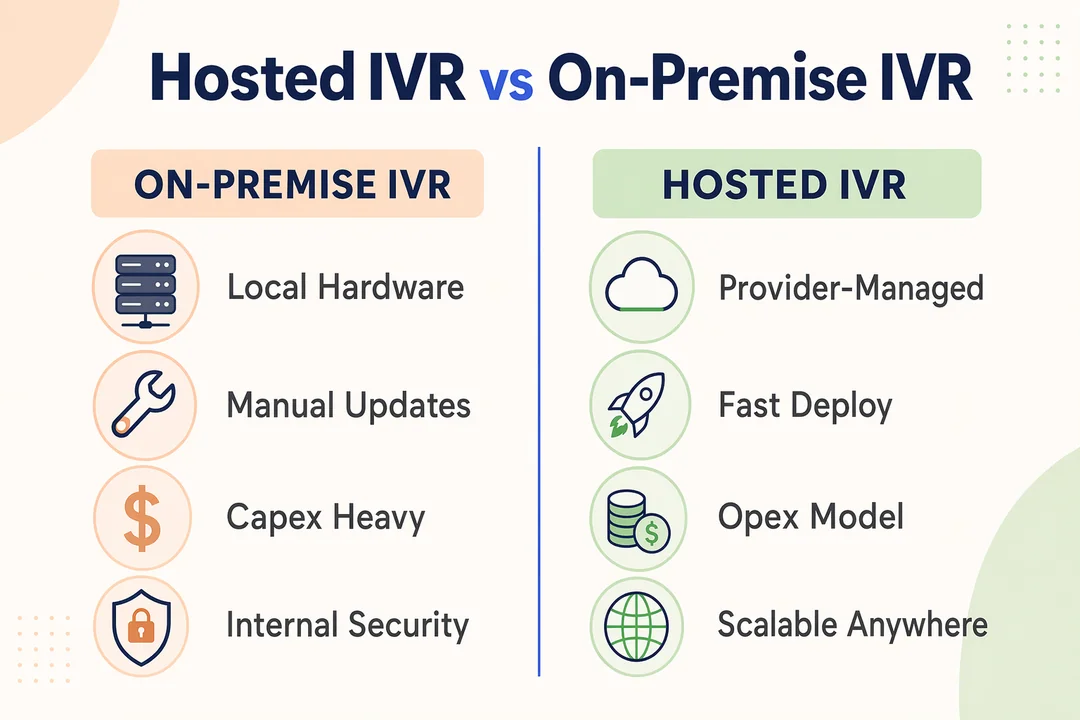
What makes the “hosted” model important is the operating model behind it. Instead of maintaining PBX equipment or on-site IVR infrastructure, businesses use a provider-managed environment that is faster to deploy and usually easier to update. This matters for teams that need to change hours, departments, escalation rules, or language options without waiting on telecom-heavy change cycles.
A common point of confusion is the difference between IVR and an auto-attendant. A basic auto-attendant usually answers the call and sends it to a department extension. Hosted IVR applications go further. They can apply logic, support call routing rules, trigger self-service actions, and connect to external systems. That makes them closer to workflow-driven automated telephony solutions than simple menu trees.
Main Components of a Hosted IVR Flow
A typical hosted IVR flow includes:
- Prompts: The greeting or menu instructions callers hear first
- Caller input: Responses through DTMF (keypad tone input) or speech recognition
- Routing logic: Rules that decide what should happen based on the caller’s selection
- Destination rules: Where the call should go, such as a team, queue, voicemail, or regional line
- Self-service actions: Basic tasks such as status checks, verification steps, or after-hours request capture
Many businesses learn the hard way that menu-only systems do not always route intelligently. A cloud-based IVR can be more useful because it supports logic and workflow decisions, not just static menu playback. Still, it is important to note that hosted IVR is not the same as a full contact center stack.
How Hosted IVR Applications Work in Practice
The easiest way to understand how hosted IVR works is to follow a live call from start to finish. In a real business setting, the workflow is usually straightforward on the surface, even if the routing logic behind it is more advanced.
Typical Hosted IVR Workflow
-
Caller reaches the business number
The incoming call lands on a business number connected through VoIP (internet-based business calling) or provider-level telephony connectivity. -
Greeting or menu plays
The system answers automatically and plays a greeting, department menu, language option, or after-hours message. -
Caller responds by keypad or voice
The caller selects an option using DTMF or, on some platforms, speech recognition. -
The system routes, resolves, or triggers an action
Based on the input, the workflow can route the call, send it to voicemail, capture information, or trigger an API-driven action. -
Caller reaches the right team or completes self-service
The caller is transferred to the correct person, queue, or workflow outcome with fewer unnecessary handoffs.
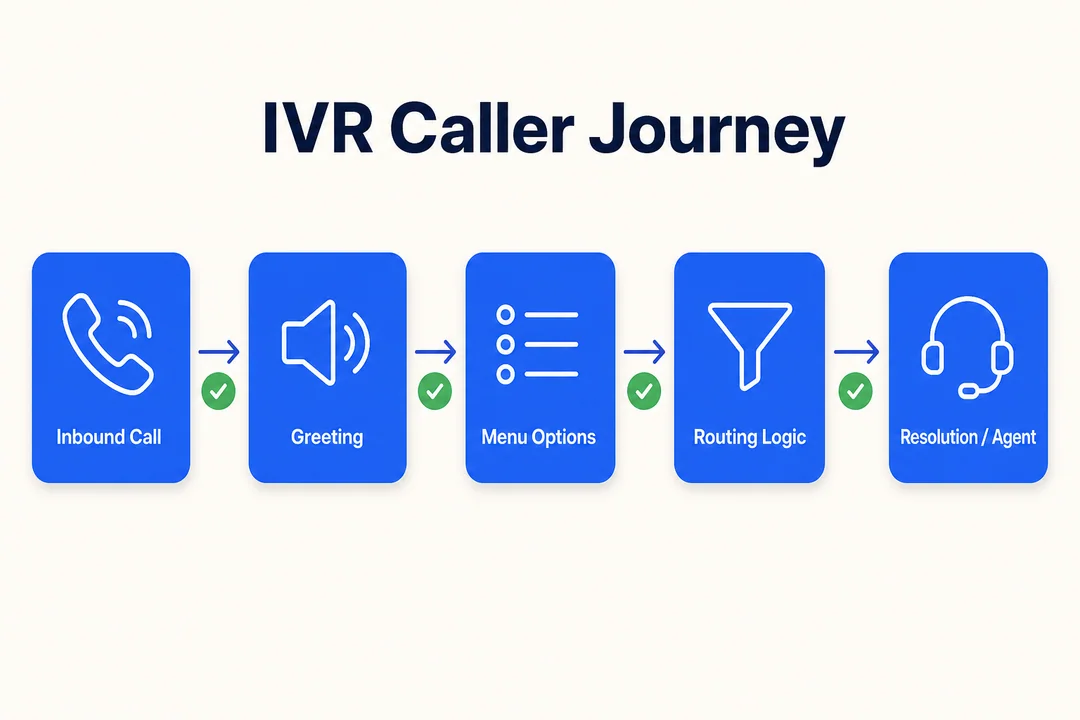
A simple example is an inbound support line for a multi-region business. A caller chooses Spanish, then selects billing, and the system sends the call to the correct team without a front-desk transfer. In practice, this reduces handling delays and lowers the number of misrouted calls.
What Powers the Workflow Behind the Scenes
Behind the menu, hosted voice response runs over cloud communications infrastructure. VoIP carries calls over internet-based systems, while SIP trunking (a method of connecting business telephony to internet-based calling networks) may provide the telephony layer depending on the provider model.
Modern platforms also connect workflows to business systems through APIs or webhooks. That makes CRM integration possible, supports ticketing workflows, and improves context before a call reaches an agent. Some vendors also provide real-time monitoring, so operations teams can see call volumes, drop patterns, and routing performance as issues develop.
Not every provider supports the same depth of integration, reporting, or fallback logic. That difference matters more than many feature lists suggest.
Hosted IVR vs On-Premise IVR vs Basic Auto-Attendant
The right model depends less on feature count and more on how much control, flexibility, and infrastructure ownership your business actually needs.
| Criteria | Hosted IVR | On-Premise IVR | Basic Auto-Attendant |
|---|---|---|---|
| Deployment speed | Usually fast | Usually slower due to setup and infrastructure | Very fast |
| Upfront infrastructure cost | Lower | Higher | Low |
| Custom routing logic | Moderate to strong, depending on platform | Strong | Limited |
| Maintenance burden | Provider-managed, lower internal burden | Internal team or telecom vendor must maintain | Low, but limited capability |
| Scalability | Strong for growing teams | Depends on infrastructure planning | Limited |
| CRM/API/SIP integration | Often available, varies by provider | Possible, often more complex | Usually limited |
| Reporting and monitoring | Often built in | Varies by environment | Basic or minimal |
| Best-fit scenario | Businesses needing flexibility without heavy telecom ownership | Organizations needing deep telecom control or specialized internal environments | Very small teams with simple menu needs |
For many mid-market buyers, the comparison comes down to this: hosted IVR vs on-premise IVR is usually a trade-off between flexibility and ownership. Hosted IVR often fits companies that need more than a simple phone menu but do not want to manage complex telecom infrastructure directly.
Where Hosted IVR Fits Best
Hosted IVR is often the strongest fit when businesses need:
- Frequent changes to call flows, schedules, or routing rules
- Support for distributed or hybrid teams
- Easier scaling during growth periods
- Better visibility without maintaining hardware-heavy systems
- More advanced logic than a virtual auto-attendant
This is especially common in businesses where routing needs evolve quickly. For example, support teams adding a new region, sales teams splitting inbound leads by campaign, or service teams needing different after-hours paths.
Where Hosted IVR Is Not Always the Best Fit
Hosted IVR is not automatically the right answer in every environment. Some organizations still prefer on-premise infrastructure when they have:
- Deep legacy telecom dependencies
- Specialized internal telephony control needs
- Highly customized in-house environments
- Strict architecture requirements that favor local ownership
This is why hosted IVR vs on-premise IVR should be evaluated as an operating model decision, not just a software preference. The best option depends on maintenance capacity, integration goals, scalability, and how much telecom complexity your team wants to own.
Key Benefits of Hosted IVR Applications for Growing Businesses
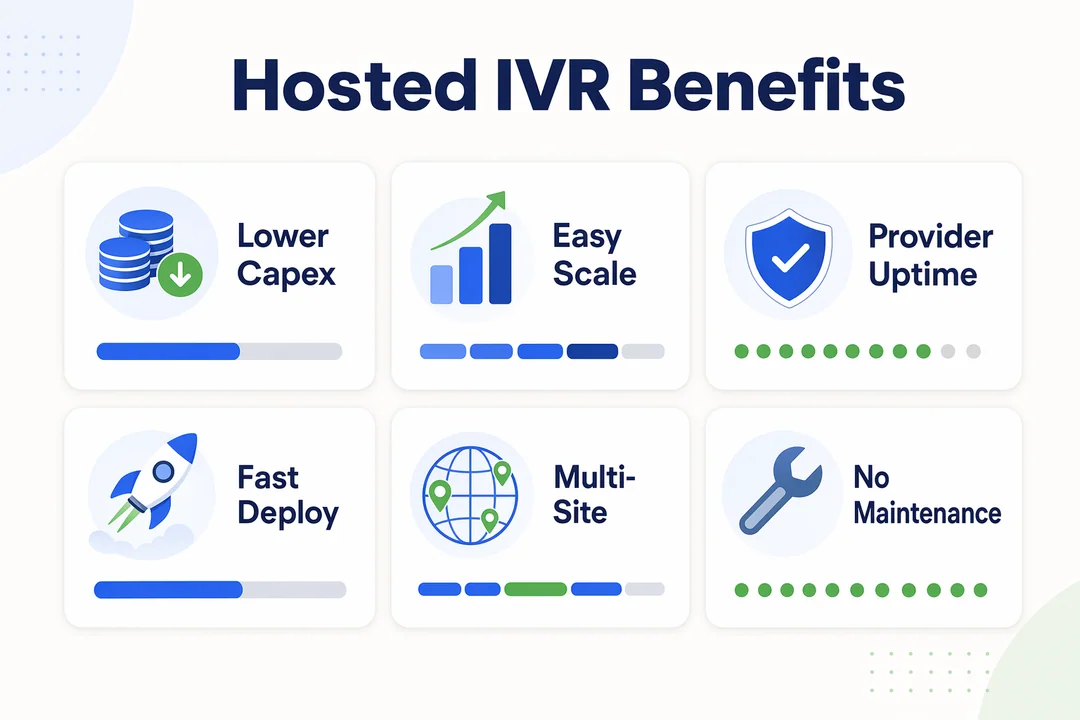
The biggest value of hosted IVR is usually operational, not theoretical. It helps businesses handle calls more consistently while reducing the effort required to maintain routing workflows.
Operational Benefits
Common hosted IVR benefits include:
- Fewer manual transfers because callers are directed more accurately at the start
- More consistent routing across departments, languages, or regions
- Less repetitive work for front-line teams handling routine call direction
- Faster updates to prompts, schedules, and routing rules
- Better management visibility through real-time monitoring
- Cleaner customer interaction paths during high-volume periods
These benefits matter because routing issues rarely stay isolated. They often create longer handle times, more call bouncing, and frustration for both callers and internal teams.
Financial and Scaling Benefits
From a cost and growth perspective, hosted IVR benefits usually come from operating efficiency rather than dramatic short-term savings.
Key advantages include:
- Lower infrastructure overhead than traditional on-site IVR systems
- Easier scaling during seasonal peaks or business expansion
- Reduced dependency on telecom-heavy change requests
- Faster rollout of new routing paths or departments
- Access to cost-effective IVR hosting solutions without full hardware ownership
That said, businesses should avoid expecting instant ROI from IVR alone. The financial value improves most when routing complexity is real and frequent enough to justify automation. For smaller teams with only a few direct lines, the gains may be more modest.
Common Hosted IVR Application Use Cases
Hosted IVR is most useful when call volume, routing complexity, or service coverage starts to outgrow manual handling. In those situations, even a basic automation layer can improve consistency and reduce operational friction.
Inbound Support Use Cases
Common inbound use cases include:
- Route calls by issue type, such as billing, technical support, or account access
- Route by language using multilingual routing
- Route by region, brand, or department
- Handle after-hours requests with voicemail, callback capture, or message branching
- Reduce wait times and misrouted calls through customer support routing
- Support self-service IVR paths for simple verification or information requests
These use cases are common in companies where front-desk transfers or generic support lines create bottlenecks. A business may not need a large contact center to benefit from better routing.
Outbound or Campaign-Adjacent Use Cases
Hosted IVR can also support workflows around outbound activity, even when it is not the main outbound engine.
Examples include:
- Lead pre-qualification before transfer to a sales team
- Routing inbound responses from outbound campaigns
- Appointment reminders or payment reminders
- Status checks and basic verification flows
- Pre-routing calls before they reach a live team
This is where automated telephony becomes more than a menu layer. It helps shape the call before a live agent gets involved.
These patterns are especially relevant in hosted IVR for high-volume call centers, BPO operations, fintech support teams, iGaming environments, cross-border service organizations, and eCommerce customer service teams. As complexity grows, IVR often works best as one part of a broader workflow stack rather than a standalone fix.
What to Look for in a Hosted IVR Platform
A strong hosted IVR platform should solve routing and workflow problems clearly. Long feature lists matter less than flexibility, reliability, and how well the system fits your actual operations.
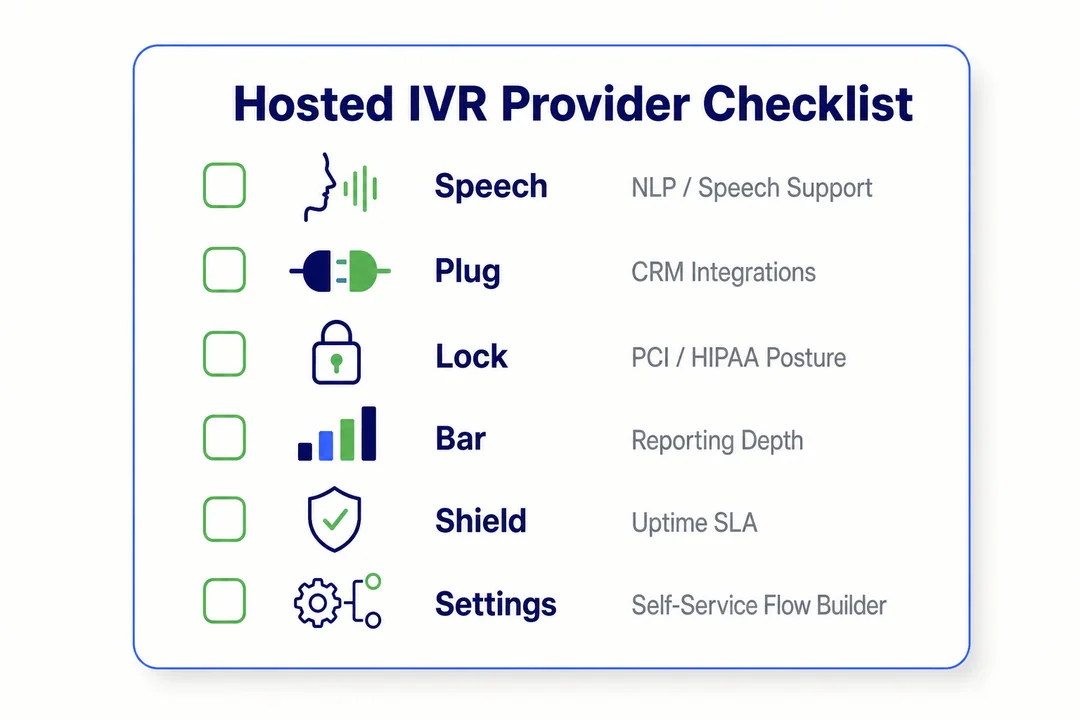
Plain-English Technical Checklist
Use this checklist when evaluating a cloud-based IVR provider:
- Can routing rules go beyond simple menu branches?
- Can the hosted IVR platform connect to your CRM, helpdesk, or internal systems through CRM integration or APIs?
- Can non-engineering teams update flows, prompts, or schedules quickly?
- Is uptime clearly stated in plain business terms?
- Is failover or fallback routing available if a route or connection fails?
- Does the platform support SIP trunking if your telephony setup requires it?
- Are reports useful for operations teams, not just raw call counts?
- Is real-time monitoring included for visibility during active traffic periods?
A good evaluation process should focus on workflow fit first. If your team cannot change routing quickly, see routing failures clearly, or connect the IVR to business systems, the platform may become another rigid layer instead of a useful one.
Questions to Ask a Vendor Before Committing
Before signing with a provider, ask practical questions such as:
- How quickly can call flows be updated?
- What happens if a route, provider path, or connection fails?
- What reports are included out of the box?
- What support hours and escalation paths are available?
- Is pricing usage-based, seat-based, or mixed?
- Are there setup fees, telephony fees, or hidden costs?
- How deep is the API-driven integration capability?
- Can the system support future workflow expansion?
Two red flags deserve special attention: vague uptime commitments and weak pricing transparency. Buyers often focus on menu setup first, then later discover support delays, limited reporting, or hidden telephony costs that affect the total operating picture.
Need a structured shortlist before speaking with vendors? Download the hosted IVR requirements checklist from Flyfone to compare providers more confidently.
When a Cloud Call Center Platform Makes More Sense Than Standalone Hosted IVR
Standalone IVR is useful, but some businesses outgrow it quickly. Once call handling becomes more agent-centric, data-driven, or multi-channel, the decision often shifts from “Do we need IVR?” to “Do we need a broader cloud call center platform?”
Signs You’ve Outgrown Standalone IVR
Common signals include:
- You need agent dashboards, queue visibility, and live supervisor oversight
- Inbound and outbound workflows need to work together
- QA or compliance monitoring has become important
- Your team now supports multiple channels, not just voice
- Operations are high-volume, distributed, or rapidly changing
Why a Platform Like Flyfone Becomes Relevant
This is where a broader platform can make more sense than standalone hosted IVR applications. If your business needs fast deployment, customizable routing, SIP/API integration, AI-powered quality assurance, real-time monitoring, and scalable agent operations, a full platform may be the better operational fit.
For businesses growing across regions or managing mixed inbound and outbound activity, Flyfone is relevant not because every company needs more software, but because some teams need more than routing. They need an operational layer that combines voice workflows, reporting, agent visibility, and broader omnichannel workflow support inside one environment.
If your team is already evaluating queue management, reporting, and QA together with IVR, review Flyfone’s cloud call center platform.
How to Choose the Right Hosted IVR Application for Your Business
The best buying process starts with the call-handling problem, not the product demo. Teams often overbuy features when a lighter workflow would solve the issue more effectively.
Decision Questions for Operations, IT, and CX Leaders
Use this 5-step framework for how to choose hosted IVR well:
-
What call problem are we trying to fix?
Start with the actual issue: misrouting, manual transfers, after-hours handling, language routing, or inconsistent business phone routing. -
What call flows do we actually need?
Map the real workflows first. Many buyers ask for complexity they do not need. -
What systems must the IVR connect to?
Consider CRM, ticketing, verification, or other business systems before comparing vendors. -
What call volume and growth should we expect?
A light cloud-powered IVR setup may work now, but future routing complexity matters. -
Which provider offers the best mix of reliability, support, and pricing clarity?
Good provider evaluation is about fit, not just features.
Recommendation by Business Maturity
-
Small team with simple routing needs:
A lightweight hosted setup may be enough if your needs are limited to greeting, department routing, and after-hours handling. -
Scaling support or sales team needing reporting and integrations:
Choose hosted IVR applications with stronger reporting, workflow flexibility, and system integration. -
High-volume distributed team needing broader platform capabilities:
Consider whether standalone IVR is too narrow and whether a broader communication platform is now the better fit.
A practical rule for how to choose hosted IVR is simple: do not buy for maximum complexity unless your workflows truly demand it. Overbuilt systems create their own maintenance burden.
Unsure whether you need standalone IVR or a broader workflow platform? Book a consultation with the Flyfone team for a fit assessment based on your routing, reporting, and integration needs.
Conclusion
Hosted IVR applications are a strong fit for businesses that need more flexible routing, better self-service, and less telecom infrastructure burden than traditional on-premise systems. Their value usually comes from cleaner workflows, fewer manual transfers, and easier updates as the business changes.
The right choice depends on workflow complexity, integration requirements, growth expectations, and whether standalone IVR is enough for your operations. Some teams only need a practical hosted routing layer. Others are already moving toward a broader cloud call center platform with dashboards, QA, and multi-channel coordination.
If you are still defining requirements, request an IVR evaluation checklist from Flyfone. If your needs already extend into reporting, QA, agent visibility, or scalable call operations, book a tailored walkthrough with the Flyfone team.
Frequently Asked Questions
What are hosted IVR applications?
Hosted IVR applications are cloud-based voice workflow solutions that let a business automatically answer calls, collect caller input, and route the call without owning complex on-premise telecom infrastructure.
How is hosted IVR different from a basic auto-attendant?
A basic auto-attendant only acts as a switchboard that forwards calls manually. Hosted IVR, by contrast, uses programmable logic to interpret keypad (DTMF) or voice input, which lets it automate business processes and integrate with systems like the CRM.
Why choose hosted IVR over on-premise IVR?
Hosted IVR deploys faster, makes it easier to change call flows on the fly, and removes the burden of maintaining physical telephony hardware. It is the better fit for growing businesses that need quick scaling and lower operating overhead.
How do I choose the right hosted IVR platform?
Evaluate platforms against five criteria: depth of call flow customization, breadth of API and CRM integration, uptime reliability, pricing transparency, and the real-world quality of technical support.
When should a business move from standalone IVR to a cloud call center platform?
Move when the need extends past pure call routing, for example, when you need real-time performance dashboards, queue management, AI-driven quality assurance, omnichannel support, and coordination across a larger group of agents.
Does hosted IVR affect customer data security?
It can, in a positive way, if you pick a reputable provider. Modern hosted IVR solutions follow strict data security standards, encrypt calls, and provide controlled access, which usually protects customer data better than legacy on-premise systems.
More in Operations & CX Optimization
View all →
Customer Experience Transformation: Framework and Steps
A telecom customer calls support about a billing error. They explain the problem to the IVR system. Then to the first agent. Then get transferred and explain again. Then escalated—and explain a third time. Forty minutes later, they're exhausted and the problem still isn't solved. This is what broken customer experience looks like. And it's costing you customers. Customer experience…


Web Caller Meaning: JavaScript caller, Calling Tools or Portals
“Web caller” is one of those phrases where the search results and the searcher are frequently talking about different things. Three unrelated audiences use it: developers hitting an error on the legacy JavaScript caller property, buyers evaluating browser-based calling software, and people trying to reach a specific portal or training page whose exact name they cannot recall. That fragmentation is…

Customer Experience Strategy: How to Build One That Works
Customer experience is getting worse, not better. Forrester's 2025 Global CX Index found that 21% of brands declined in CX quality while only 6% improved — and in the US, 25% declined against 7% that improved, the second consecutive year of that pattern. Most of those brands were not neglecting customer experience. They were working on it without a strategy…



 English
  Russian
  Chinese