

A zendesk call center integration becomes valuable when support teams are still taking calls in one system and managing tickets in another. That split usually leads to tab switching, fragmented records, inconsistent notes, and agents asking customers to repeat information they already shared. The problem is rarely voice alone. It is the gap between calling activity and the rest of the support workflow.
This guide is designed to help buyers evaluate voice options around Zendesk in a practical way. It covers what the integration actually does, which features matter most, when Zendesk native voice is enough, when a third-party call center integration makes more sense, and how to compare providers based on workflow fit rather than feature volume.
What Is a Zendesk Call Center Integration?
A Zendesk call center integration is a connection between Zendesk and a phone system or cloud call center platform that lets teams manage calls, customer records, and support activity in a more unified workflow. It typically syncs call events, contact details, tickets, notes, and sometimes recordings or transcripts directly inside the Zendesk environment.
In practical terms, this means agents do not have to handle calls in one tool and update Zendesk later by hand. Instead, a CTI (Computer Telephony Integration) layer connects the phone system with the support workspace so call activity appears where agents already work. Many providers describe this as a Zendesk VoIP integration, meaning internet-based calling is connected to Zendesk through an integrated workflow.
The user experience often includes a softphone widget, which is an on-screen dialer inside the Zendesk interface. Better setups also support two-way sync, meaning data updates move in both directions rather than only pushing call logs one way.
What It Usually Connects Between the Two Systems
- Caller details and customer profile: phone number, customer identity, and prior account context
- Tickets, notes, tags, and interaction history: call events tied to the right support record
- Recordings, transcripts, dispositions, and status updates: post-call data used for QA, coaching, and reporting
Common Terms Buyers Will See
- CTI: software that connects phone activity with business applications like Zendesk
- Softphone: an on-screen phone interface used inside a browser or workspace
- Screen pop: caller information that appears when the phone rings
- Two-way sync: data moves between systems in both directions, not just one
- Call disposition: the outcome label added after a call, such as resolved, escalated, callback needed
Many Zendesk teams already have “an integration available,” but the real difference is how well the sync works in daily use.
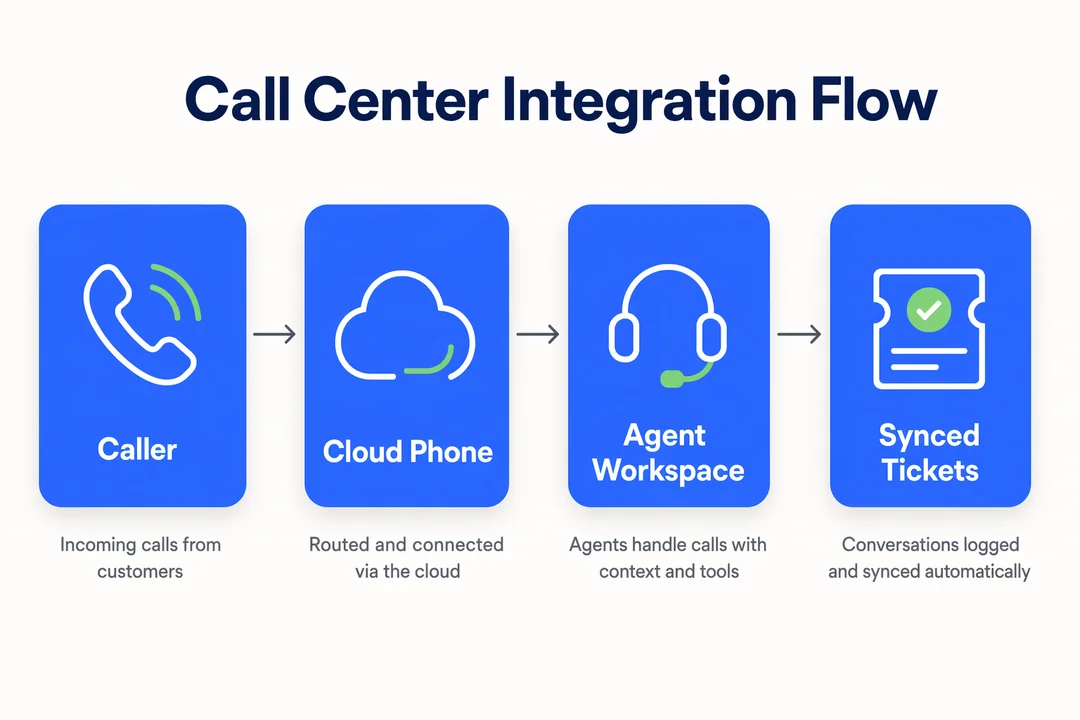
Why Teams Use Zendesk Call Center Integrations in the First Place
Teams adopt these integrations to improve workflow execution, not just to add a phone channel. In many support environments, the bigger issue is not answering calls. It is what happens before and after the call: manual note taking, missed records, duplicate updates, and poor visibility across customer history.
When calls sit outside Zendesk, agents often spend extra time copying details into tickets after each interaction. That adds after-call admin, increases the risk of incomplete notes, and makes it harder to keep customer records clean. It also creates a familiar problem for customers: repeating the same issue because the next agent cannot easily see prior calls, follow-ups, or outcomes.
For frontline teams, a good integration improves workflow continuity. Calls, notes, and ticket updates happen closer together in one environment. That usually means faster triage, less repetitive data entry, and fewer broken handoffs across channels.
For managers, the value shows up in visibility. Supervisors can review call activity alongside ticket progress, track missed calls more accurately, and spot process gaps that would otherwise stay hidden across separate systems. Better integration also supports more consistent reporting and automation, especially when tickets are created or updated automatically after calls.
The important caveat is that integration improves execution, but it does not fix a weak support process by itself. If routing, ownership, or QA standards are unclear, software alone will not solve that.
Operational Benefits for Support Teams
- Faster issue resolution: agents see prior context sooner and spend less time reconstructing customer history
- Less repetitive data entry: call activity can be logged automatically instead of manually
- Better continuity across channels: phone interactions connect more cleanly with tickets, messages, and follow-ups
- Improved supervisor visibility: managers can monitor call outcomes, handling patterns, and record quality more consistently
Where It Also Helps Beyond Support
- Outbound follow-up teams
- BPO environments
- Cross-border support
- Blended support and sales workflows
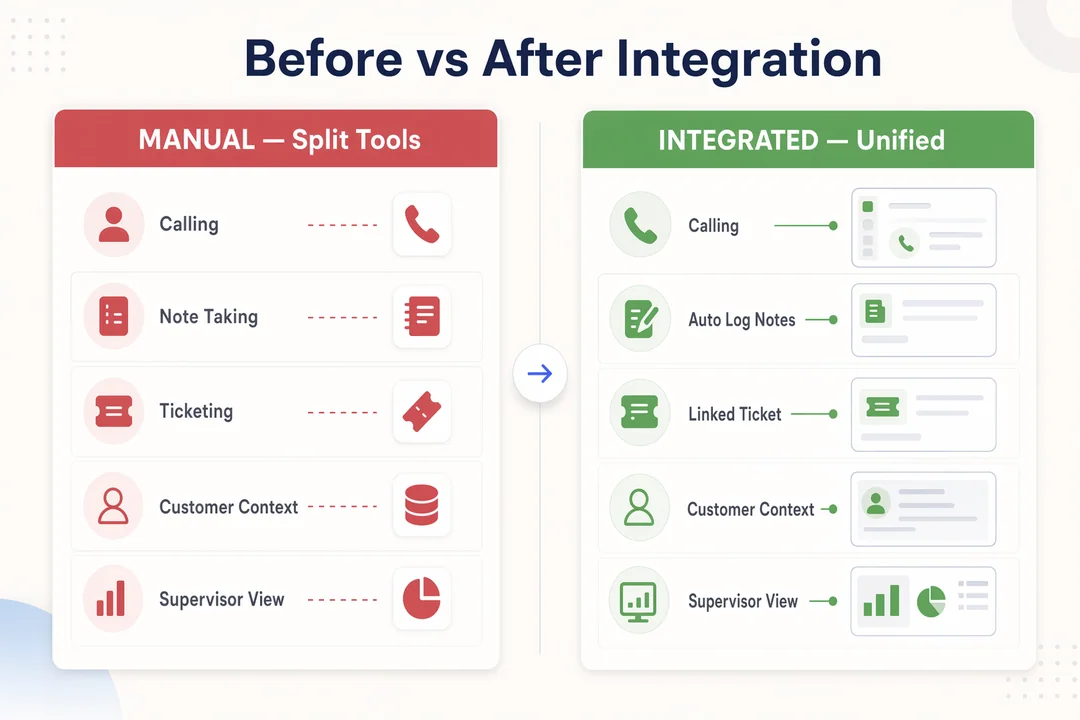
Key Features to Look for in a Zendesk Call Center Integration
The strongest integrations support the full support workflow, not just calling inside a browser.
- Click-to-call and embedded softphone
- Automatic ticket creation and call logging
- Screen pop and customer context
- IVR, routing, and queue management
- Recordings, transcripts, and QA support
- Reporting and real-time visibility
- Outbound dialing if your workflow requires it
1. Click-to-Call and Embedded Softphone
Click-to-call lets agents start calls directly from Zendesk instead of dialing manually. An embedded softphone places the calling interface inside the Zendesk workspace.
This reduces tab switching and speeds up routine tasks. It is especially useful for remote or distributed teams that want one browser-based workflow.
Buyers should confirm whether the softphone is fully embedded or opens as a separate overlay with limited controls.
2. Automatic Ticket Creation and Call Logging
This feature creates or updates tickets automatically when a call happens. It also records key details like time, direction, duration, agent, and call outcome.
Operationally, this reduces missing records and improves auditability. It also helps managers trust reporting more because call activity is linked to the right customer and case.
Validate whether calls attach to existing tickets intelligently or create duplicates too often.
3. Screen Pop and Customer Context
A screen pop shows caller details when the phone rings. In better integrations, it includes recent tickets, prior conversations, and relevant account history.
This matters because agents can triage faster and avoid asking repeated questions. Customer context is one of the clearest workflow wins in a Zendesk-connected voice setup.
Check whether the pop shows useful support history or only basic caller ID.
4. IVR, Routing, and Queue Management
IVR (Interactive Voice Response) helps direct callers through menu options. ACD (Automatic Call Distribution) routes calls to the right team or agent based on rules. More advanced tools add skill-based routing, overflow logic, after-hours handling, and callback options.
In buyer terms, this affects how efficiently calls reach the right queue and how well the system holds up during busy periods.
Do not assume every Zendesk phone integration has strong routing depth. Some are fine for simple queues but limited for multi-team or cross-region operations.
5. Recordings, Transcripts, and QA Support
Call recording supports coaching, dispute review, and quality assurance. Many buyers now also expect transcripts, AI-generated summaries, or AI QA features that help review call quality at scale.
This is increasingly relevant as Zendesk and the wider contact center market continue moving toward AI-assisted voice workflows. Zendesk has expanded AI voice capabilities, including stronger post-call automation and QA-related tooling, but feature availability and maturity can vary by plan and provider.
Buyers should also review storage, permissions, retention settings, and regional privacy requirements before enabling recording broadly.
6. Reporting and Real-Time Visibility
Managers usually need more than a basic call list. Useful reporting includes call volume, answer rate, missed calls, handle time, queue trends, and outcome visibility. Real-time monitoring helps supervisors respond faster when service levels drop.
This matters because reporting gaps often show up before workflow problems are visible on the floor.
Validate whether the reporting is voice-only or can be used alongside Zendesk ticket activity for a fuller operational view.
7. Outbound Dialing and Follow-Up Capabilities
Not every support team needs advanced outbound, but some do. Common examples include callbacks, reminders, renewals, collections, onboarding, and reactivation outreach.
If outbound matters, compare the dialing model carefully. Some integrations only support basic click-to-call, while others include queue-based outreach, retry logic, or dialer functionality.
This is one of the clearest areas where provider differences become operationally significant.
Top Zendesk Call Center Integrations to Shortlist in 2026
Below are the call center platforms most commonly evaluated alongside Zendesk. Each takes a different angle, some are CTI-first, some are full cloud contact centers, some are CRM-led voice tools. Match the platform style to your support workflow before comparing features.
Zendesk Native Voice (Talk / Contact Center)
Best for: Support-only teams that want built-in calling and ticket sync without managing a second vendor.
Strength: Tightest CRM alignment, simple admin, fastest time-to-value for SMB support.
Watch-out: Less depth for outbound campaigns, advanced routing, or call-center-grade QA at scale.
Aircall
Best for: CRM-centric sales and support teams already using Zendesk.
Strength: Mature Zendesk integration with click-to-call, screen pop, and call logging.
Watch-out: Costs can climb as team size grows; lighter for high-volume outbound.
CloudTalk
Best for: SMB to mid-market support teams that need flexible routing on top of Zendesk.
Strength: Strong Zendesk Sync, intuitive admin, and competitive entry-tier pricing.
Watch-out: Reporting depth and advanced contact-center features vary by plan.
Talkdesk
Best for: Mid-market and enterprise contact centers extending an AI-led CCaaS into Zendesk.
Strength: AI automation and visual workflow tools wired into Zendesk tickets.
Watch-out: Heavier sales motion; more value when broader Talkdesk suite is also adopted.
Zoom Contact Center
Best for: Teams already on Zoom that want a unified Zendesk + Zoom support experience.
Strength: Native ecosystem alignment for organizations standardized on Zoom.
Watch-out: Best fit when Zoom usage is already broad; less compelling stand-alone.
Webex Contact Center
Best for: Enterprise environments standardized on Cisco/Webex who add Zendesk for ticketing.
Strength: Mature enterprise governance and Cisco ecosystem fit.
Watch-out: Enterprise complexity that may exceed SMB support needs.
Flyfone
Best for: Outbound-heavy, global, or BPO teams keeping Zendesk for ticketing but needing more flexible voice operations.
Strength: Cloud call center with auto-dialer, AI QA, global routing, under-1-hour deployment, no seat fees.
Watch-out: Best fit when outbound or cross-border voice operations matter more than pure support helpdesk calling.
Most teams shortlist 2-3 of these. A support-only team usually compares Zendesk Native + Aircall + CloudTalk. A high-volume outbound team usually compares Talkdesk + Flyfone + one CCaaS suite.
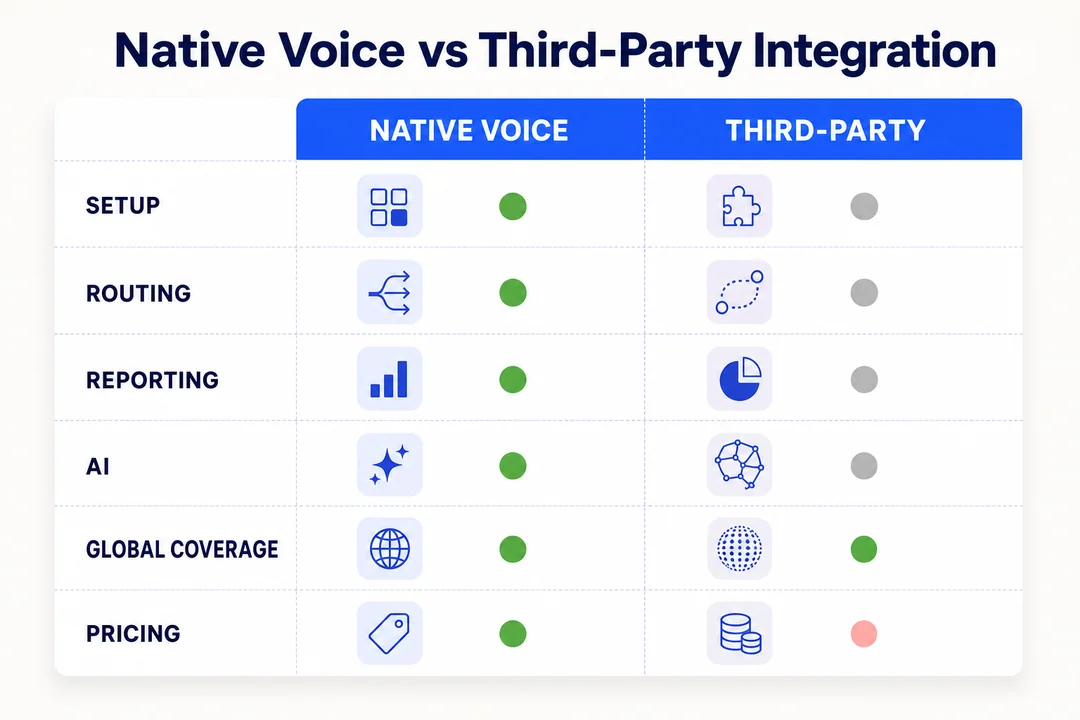
Zendesk Native Voice vs Third-Party Call Center Integration
This is now a common buying decision for support leaders. As AI-enabled voice becomes more important across cloud call center and CCaaS (Contact Center as a Service) platforms, teams are comparing whether to stay within Zendesk’s own voice stack or connect a separate provider with deeper telephony capabilities.
Zendesk native voice can work well for support-first teams that want straightforward calling inside the Zendesk environment. A third-party call center integration often becomes more attractive when routing, outbound operations, global coverage, reporting depth, or flexibility matter more.
Zendesk’s voice offering has evolved meaningfully, especially around AI. Recent product direction includes AI-assisted summaries, QA expansion, and broader voice automation momentum. Still, the right decision usually comes down to operating model, not product headlines.
| Criteria | Zendesk Native Voice | Third-Party Call Center Integration | Best Fit |
|---|---|---|---|
| Setup simplicity | Usually simpler for Zendesk-first teams | Varies by provider and setup depth | Native for fast, straightforward deployment |
| Voice depth | Good for core support calling | Often deeper for routing, outbound, and call-center controls | Third-party for more complex voice workflows |
| Workflow flexibility | Strong inside Zendesk’s native environment | Often more configurable across teams and use cases | Third-party for customized operations |
| Reporting breadth | Solid for many support needs | Can be broader for call-center performance and manager dashboards | Depends on reporting expectations |
| Global telephony coverage | May be enough for some regions and teams | Often stronger for multi-country numbers and routing flexibility | Third-party for cross-border operations |
| AI voice capabilities | Improving quickly within Zendesk | Varies widely; some providers focus on QA and analytics | Compare by real use case, not labels |
| Cost model | Often tied to platform structure and plan choices | Can be seat-based, usage-based, or hybrid | Depends on team size and call volume patterns |
| Best for | Support-centric teams with moderate complexity | Teams needing outbound, routing control, scale, or global flexibility | Match to workflow, not brand preference |
A Practical Decision Rule
Choose native if you want straightforward calling inside Zendesk and your routing, reporting, and outbound needs are relatively simple. Consider a third-party option if you need stronger routing control, outbound capability, AI QA, or broader global scale.
How to Choose the Right Zendesk Call Center Integration
If you are comparing the best Zendesk phone integration options or trying to understand how to integrate cloud call center with Zendesk in a practical way, start with shortlist logic rather than vendor claims. The best choice usually comes from workflow fit, sync quality, routing depth, reporting needs, setup reality, and pricing structure.
1. Start With Your Real Workflow, Not the Feature List
Map the actual support workflow first. Are you mainly inbound support, outbound-heavy, blended support and sales, or a BPO model? How many agents, queues, geographies, and channels are involved? Do you need voice only, or voice plus messaging?
This matters because the right tool for a 10-agent support desk may be the wrong one for a distributed team handling callbacks, multilingual routing, and follow-up campaigns.
2. Check the Quality of Sync, Not Just “Integration Available”
This is one of the most important checks. Ask what syncs automatically: notes, call outcomes, recordings, contact updates, ticket activity, and dispositions. Confirm whether the setup supports two-way data synchronization or only one-way updates.
Do not rely on marketplace labels alone. “Available in the marketplace” does not guarantee strong two-way sync in day-to-day operations.
3. Validate Routing and Scalability Requirements
Review IVR, overflow logic, time-zone handling, multi-team routing, after-hours behavior, and how the system performs during sudden volume spikes. Also consider future scalability if your team is growing or operating across markets.
A tool that works today for one queue may become limiting once you add new regions or service lines.
4. Review Reporting, QA, and Coaching Needs
Compare supervisor dashboards, call analytics, recording access, and how easy it is to review interactions for coaching. If quality management matters, assess whether transcripts, AI summaries, or QA support are available and usable.
For many buyers, reporting is where differences between tools become more visible than the feature list suggests.
5. Clarify Setup Expectations and Ownership
Ask who handles number setup, permissions, call flows, recording policies, compliance settings, and agent training. Some tools are highly self-serve. Others need more guided onboarding.
Fast activation is useful, but it does not remove design work. Good setup expectations still include routing decisions, access controls, and rollout planning.
6. Compare Pricing Logic Carefully
Review the full cost model, not just the starting plan. That includes seat-based versus usage-based pricing, phone numbers, recording storage, AI add-ons, international traffic, and support tiers.
This is especially important for teams with fluctuating volumes, seasonal staffing, or cross-border traffic patterns.
5 questions to ask in a demo
- What data syncs automatically in both directions?
- What routing options are available today, not just on the roadmap?
- How are recordings, permissions, and storage handled?
- What setup work is self-serve versus vendor-supported?
- What charges apply beyond core calling usage?
If you are building a shortlist and need a reference point for flexible cloud calling, Flyfone’s cloud call center platform is relevant when routing, outbound operations, or variable usage patterns matter more than basic embedded calling alone.
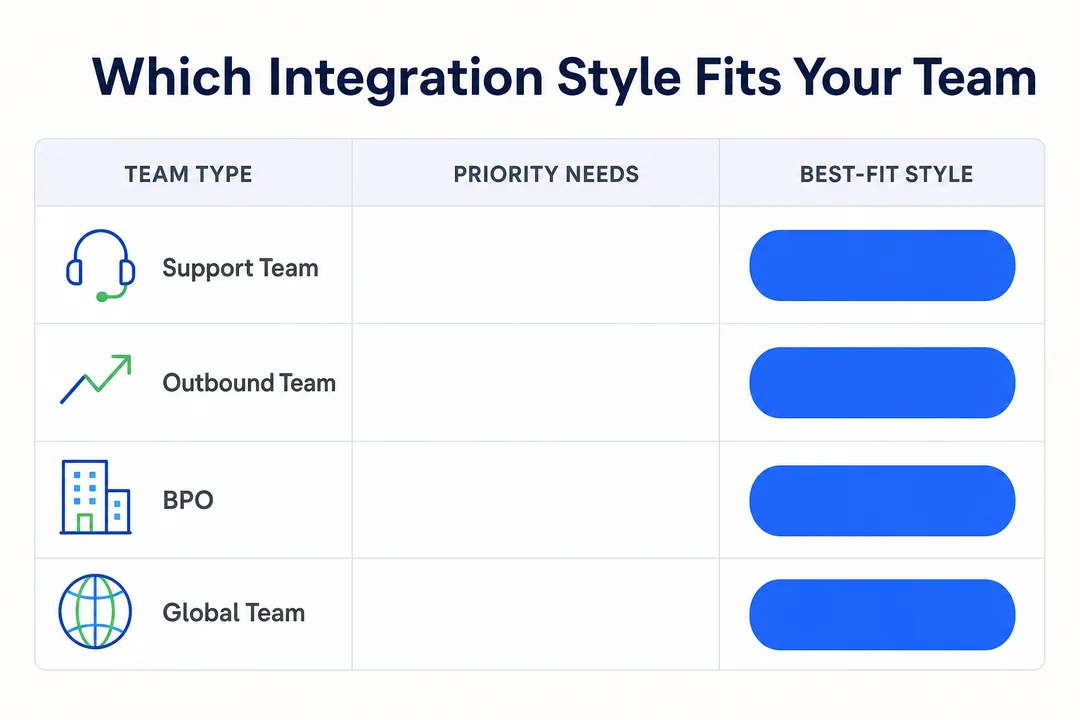
Common Use Cases by Team Type
Different teams do not need the same level of telephony depth, routing complexity, or reporting. That is why integration style should follow operating model rather than product popularity.
Customer Support Teams
These teams usually prioritize caller context, ticket updates, voicemail handling, and QA visibility. Screen pop and synced records matter because they reduce repeated questions and help agents resolve issues with less backtracking.
Outbound Service or Follow-Up Teams
These teams often need click-to-call, callback queues, clear dispositions, and stronger follow-up tracking. Outbound fit varies significantly across vendors, so basic calling inside Zendesk may not be enough.
BPO and Outsourcing Operations
BPO teams often need multi-client routing, reporting separation, governance controls, and faster onboarding. In these environments, flexibility usually matters more than basic calling features.
Fast-Growing Global Teams
These teams often value quick deployment, scalable operations, global numbers, and stable routing across regions. In some cases, usage-based pricing can also be more practical than paying fixed seat costs for fluctuating volumes.
Where Flyfone Fits for Zendesk-Connected Voice Operations
Some teams eventually outgrow basic Zendesk-only voice workflows. This usually happens when they need faster launch, more flexible routing, outbound campaigns, global coverage, stronger QA, or the ability to scale agent operations without rebuilding the calling setup.
In those scenarios, Flyfone fits as a cloud call center platform that can support Zendesk-compatible workflows while adding more operational flexibility around voice. Its positioning is especially relevant for teams that need deployment under 1 hour, pay-as-you-go usage with no seat fees, rapid agent onboarding, global routing, and AI QA support for call review and performance visibility.
That does not make Flyfone the default choice for every Zendesk team. If a team only needs simple support calling inside Zendesk, native voice may be enough. Flyfone becomes more relevant when the requirement extends beyond basic call handling into broader call-center operations.
Best-Fit Buyer Profile for Flyfone
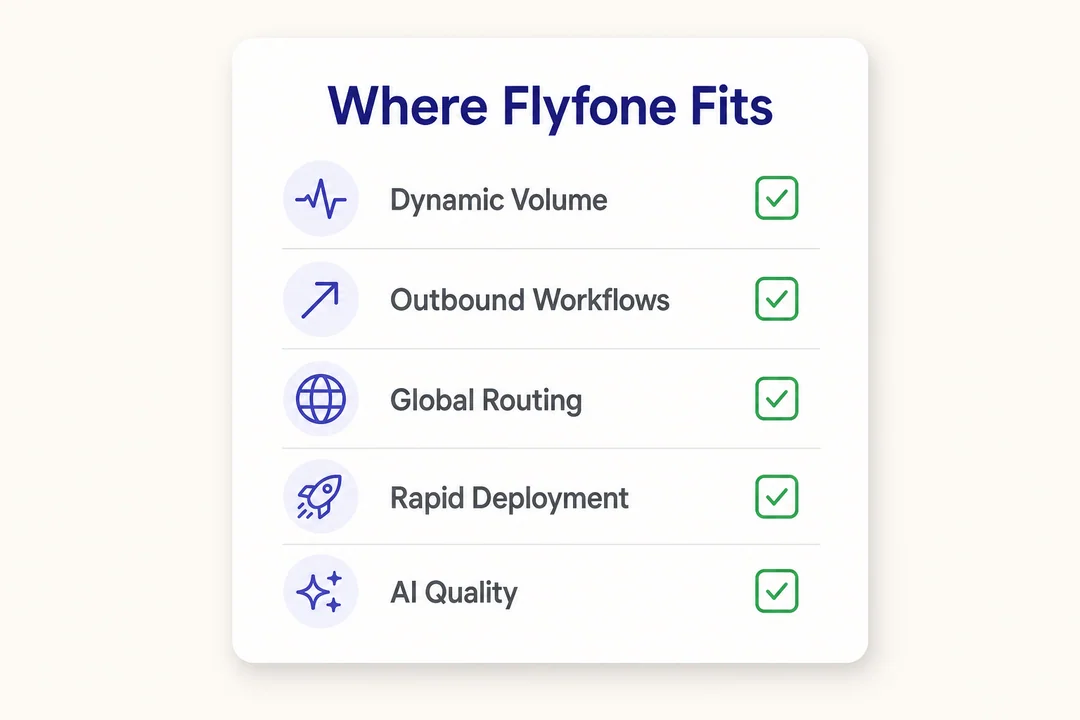
- Teams with dynamic call volumes
- Cross-border support or outbound operations
- Organizations needing flexible routing and fast launch
- Businesses wanting stronger call-center functionality while keeping Zendesk workflows
For buyers evaluating these scenarios, Flyfone’s AI-powered quality assurance and outbound calling workflows are worth comparing alongside native Zendesk options and other third-party providers.
Flyfone is a stronger fit for flexible, fast-moving, or cross-border voice operations than for very simple teams that only need basic calling inside Zendesk.
Conclusion
The goal of a zendesk call center integration is not just to add voice. It is to improve workflow continuity so customer context, call activity, ticket updates, and reporting stay connected in one operating model. That is what drives better agent efficiency, cleaner records, and stronger manager visibility.
The most reliable way to choose is simple: define your workflow first, validate sync quality second, compare routing and reporting depth third, and then decide whether Zendesk native voice or a third-party call center integration fits better. Native can be the right answer for simpler support-first teams. Third-party options become more compelling when outbound, flexibility, AI QA, or global scale start to matter.
Use the checklist above to pressure-test your shortlist. If your team needs a more flexible Zendesk-compatible cloud calling setup, you can review Flyfone’s approach or book a low-pressure consultation to compare fit against your current workflow.
Frequently Asked Questions
What is a Zendesk call center integration?
A Zendesk call center integration is a software bridge connecting your cloud phone system with your Zendesk workspace. It enables agents to manage voice interactions, access customer profiles, and log call data directly within the helpdesk interface, eliminating the need to toggle between separate platforms.
Why do support teams need a Zendesk phone integration?
Support teams use these integrations to centralize customer context and automate administrative tasks. It provides agents with instant access to ticket history during calls and automatically syncs call logs, recordings, and dispositions, significantly reducing manual data entry and resolving customer issues faster.
What are the key features of a high-quality Zendesk integration?
Essential features include embedded softphone widgets, automatic ticket creation, real-time screen pops with customer context, IVR for intelligent routing, and synchronized call recordings. Advanced integrations also offer real-time analytics, AI-powered QA, and two-way data syncing to maintain absolute record accuracy.
Zendesk Native Voice vs. Third-Party Integration: Which is better?
Zendesk Native Voice is best for teams needing simple, built-in calling capabilities with minimal setup. Third-party integrations are superior for organizations requiring advanced routing logic, global telephony coverage, high-velocity outbound dialers, or specific AI-driven quality assurance tools that scale with complex operations.
How do I choose the right Zendesk voice provider?
Focus on your actual support workflow rather than just a list of features. Evaluate providers based on the quality of their two-way data sync, routing flexibility, reporting depth, and global number availability. Always clarify whether the setup is self-serve or requires vendor implementation support before choosing.
Can I use Zendesk with my existing business phone system?
Yes, you can integrate Zendesk with your current infrastructure. Many providers support this via SIP trunking or by porting your existing business numbers into a cloud-based call center platform that offers native Zendesk integration, allowing you to modernize without replacing your entire network.
Does Flyfone offer integration for Zendesk users?
Yes, Flyfone provides a flexible, AI-powered cloud call center platform that integrates seamlessly with Zendesk. It is designed for businesses that require rapid deployment, usage-based pricing, and customizable global routing, making it an ideal choice for teams outgrowing standard telephony capabilities.
More in Operations & CX Optimization
View all →
Customer Experience Transformation: Framework and Steps
A telecom customer calls support about a billing error. They explain the problem to the IVR system. Then to the first agent. Then get transferred and explain again. Then escalated—and explain a third time. Forty minutes later, they're exhausted and the problem still isn't solved. This is what broken customer experience looks like. And it's costing you customers. Customer experience…


Web Caller Meaning: JavaScript caller, Calling Tools or Portals
“Web caller” is one of those phrases where the search results and the searcher are frequently talking about different things. Three unrelated audiences use it: developers hitting an error on the legacy JavaScript caller property, buyers evaluating browser-based calling software, and people trying to reach a specific portal or training page whose exact name they cannot recall. That fragmentation is…

Customer Experience Strategy: How to Build One That Works
Customer experience is getting worse, not better. Forrester's 2025 Global CX Index found that 21% of brands declined in CX quality while only 6% improved — and in the US, 25% declined against 7% that improved, the second consecutive year of that pattern. Most of those brands were not neglecting customer experience. They were working on it without a strategy…



 English
  Russian
  Chinese