
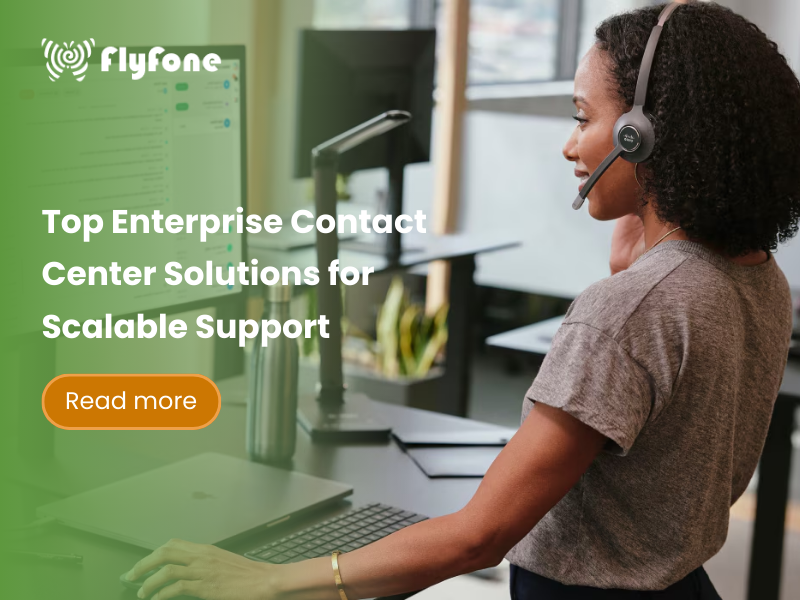
Enterprise contact center solutions allow large organizations to deliver fast, personalized customer service across multiple communication channels at scale. This guide breaks down the essential features, leading CCaaS providers, types of contact centers, onboarding practices, and strategies to align technology with business goals.
Key Takeaways
- Enterprise contact center solutions are central to a modern customer experience strategy, providing scalability and cross-channel integration.
- Critical features include omnichannel support, AI capabilities, CRM integration, advanced analytics, and rigorous compliance standards.
- Top solutions vary in strengths—some excel in AI-driven automation, others in ease of integration or scalability.
- There are three main operational types: inbound, outbound, and blended contact centers.
- Onboarding success depends on a structured plan, comprehensive training, and continuous optimization.
- Matching platform capabilities to specific enterprise goals maximizes ROI and performance.
- Trends shaping the future include AI personalization, deeper business tool integration, and proactive compliance measures.
Introduction: Why Enterprise Contact Center Solutions Matter
Enterprise contact centers handle 10,000 to 100,000+ daily interactions across voice, chat, email, SMS, and social media—and customers expect resolution in minutes, not hours. For organizations managing this volume, fragmented technology stacks create serious problems:
- Dropped conversations: Customer starts in chat, calls for follow-up, and agent has no context—customer must repeat their story
- Frustrated agents: Toggling between 3-4 systems (CRM, ticketing, knowledge base, phone) adds 45 seconds per interaction—costing a 500-agent center $300,000 annually in lost productivity
- Lost revenue: Without real-time customer data, agents can’t identify upsell opportunities or prevent churn—one retail client calculated $2M annual loss from missed opportunities
Modern cloud-based contact center solutions (CCaaS – Contact Center as a Service) solve these problems by consolidating all channels into unified platforms. The business impact is measurable:
- 40% faster response times with omnichannel routing (industry benchmark)
- 25% higher customer satisfaction scores when agents have complete interaction history
- 30% reduction in average handling time through CRM integration and AI assistance
- $200,000+ annual savings per 500 agents through workforce optimization and reduced infrastructure costs
But with 10+ major vendors: Genesys, Five9, Talkdesk, NICE CXone, 8×8, RingCentral, and others—offering similar-sounding features, how do you choose the right platform?
This guide provides the clarity enterprise decision-makers need:
- Transparent pricing comparison: Actual cost ranges ($71-$300/agent/month), hidden fees, and total cost of ownership analysis
Realistic deployment timelines: Vendor-by-vendor breakdown (Talkdesk: 2-3 weeks, Genesys: 8-12 weeks, NICE: 6-36 weeks)
Honest trade-offs: When Genesys is overkill, when Five9 excels, where Talkdesk fits best
Industry-specific guidance: Healthcare (HIPAA), finance (PCI DSS), retail (seasonal scaling), BPO (multi-client routing)
Implementation roadmap: 12-week migration playbook from legacy systems to cloud CCaaS
Whether you’re managing 200 agents or 5,000, this guide helps you match platform capabilities to your business requirements—and avoid the $100,000+ mistakes that come from choosing the wrong vendor.
Key Takeaway: The “best” enterprise contact center solution depends on your scale (100 vs 1,000 agents), industry (healthcare vs retail), priorities (speed vs features), and budget (per-seat vs usage-based pricing). This guide breaks down each variable to help you make an informed decision.
What Is an Enterprise Contact Center Solution?
An enterprise contact center solution is a platform designed for large organizations to manage customer interactions across multiple channels with high performance and reliability. Unlike SMB solutions, these are built for high concurrency, supporting hundreds or thousands of simultaneous sessions and often include workforce management tools, deep analytics, and strict compliance controls.
They are commonly delivered as CCaaS (Contact Center as a Service), enabling cloud-based deployment for greater flexibility, reduced infrastructure cost, and easier scaling.
Comparison Table: SMB vs Enterprise Contact Center Features
| Feature | SMB Focus | Enterprise Focus |
|---|---|---|
| Channel Coverage | Voice-heavy, limited digital | Full omnichannel including social, SMS, chat |
| Scalability | Dozens of agents | Thousands of agents |
| Integration | Basic CRM | Seamless with CRM, ERP, BI tools |
| Analytics | Basic call reports | Predictive analytics, sentiment analysis |
| Compliance | Minimal | GDPR, HIPAA, PCI DSS adherence |

Core Features Every Enterprise Contact Center Should Have
Omnichannel and Multichannel Communication
A true omnichannel system unifies customer communication. A customer could start in live chat, switch to email follow-up, and then continue via a phone call without repeating information. Agents see the full history regardless of channel.
Integration mapping example:
- Social inquiry → auto-route to social care agent
- Email follow-up → push to ticket in CRM
- Voice escalations → connect directly with historical context
Advanced IVR Systems
An IVR (Interactive Voice Response) intelligently directs calls using keyed options or speech recognition. Advanced setups allow:
- Self-service tasks such as balance checks or appointment booking
- Routing based on customer profile or urgency
- Adaptive scripts based on previous interactions
AI and Machine Learning
AI enhances efficiency through real-time recommendations, automated responses, and interaction personalization.
- Chatbots handle common inquiries 24/7
- Sentiment analysis flags frustrated customers for priority handling
- Predictive engagement prompts agents when to intervene
Workforce Management Tools
The $200K problem: Staffing without WFM
Scenario: 500-agent contact center, 40 hours/week
- Overstaffing during slow hours: 50 idle agents × 4 hours/day × $25/hour = $5,000/day = $100K/month wasted
- Understaffing during peaks: 20-minute hold times → 30% call abandonment → lost sales, angry customers
WFM solution:
- Predictive forecasting: Analyzes historical data—’Black Friday = 300% volume spike, Monday 9-11am = 40% higher than afternoon’
- Auto-scheduling: Assigns agents to match predicted demand within 5% accuracy
- Real-time adherence: Alerts supervisor if agent on break during unexpected spike—’10 calls in queue, bring Jane back early’
ROI Example (500 agents):
- Reduce idle time 20% → $100K/month savings
- Reduce overtime 30% (better coverage during peaks) → $50K/month savings
- Improve service level (80% calls answered <20 seconds) → Higher CSAT, lower churn
- Total savings: $150K-200K annually
Vendor comparison:
- Genesys, NICE CXone: Built-in WFM (included in higher tiers)
- Five9: WFM add-on (~$15/user/month extra)
- Talkdesk: Partner integrations (e.g., Verint) or native WFM module
- 8×8: Basic scheduling included, advanced WFM via partners
- Identify peak demand times
- Optimize staffing without over-resourcing
- Track KPIs such as average handling time and customer satisfaction scores
CRM Integration
Without CRM integration:
Agent: ‘Can I have your account number?’ → Customer repeats info → Agent searches 3 systems → 2 minutes wasted
Cost: 2 min × 500 agents × 40 calls/day = 66,000 minutes/month = $40K in wasted labor
With real-time CRM integration:
Call comes in → Screen pops with:
- Last 5 purchases
- Open support tickets
- Previous issue resolution (3 days ago: shipping delay, resolved with expedited delivery)
- Preferred contact method (email), CSAT score (4/5)
Agent immediately: ‘Hi Sarah, I see you contacted us about your order #12345 on Monday. I have an update for you…’
Result: 30 seconds saved per call, 45% higher CSAT, $200K annual productivity gain (500-agent center)
Integration complexity varies:
- Talkdesk: 70+ pre-built connectors (Salesforce, Zendesk, HubSpot sync in <1 hour)
- Five9: Strong Salesforce integration, but others require custom API work (adds 2-4 weeks, $10K-20K cost)
- Genesys: 400+ partners, but complex setup (6-8 weeks for multi-CRM environments)
Personalization drives loyalty and resolution speed.
Reporting & Predictive Analytics
Enterprise contact centers require analytics beyond raw numbers. Predictive models forecast interaction volumes and recommend staffing changes.
- KPI dashboards for executives
- Agent performance tracking
- Trend analysis to shape resource planning
-
Key contact center KPIs (industry benchmarks):
- First-Call Resolution (FCR): Target 70-75%, top performers 80%+
- Average Handling Time (AHT): 6-8 minutes typical, under 5 minutes excellent
- Customer Satisfaction (CSAT): 80% good, 85%+ excellent, 90%+ world-class
- Service Level: 80% calls answered in <20 seconds (80/20 rule)
- Call Abandonment: Under 5% good, under 3% excellent”

Security & Compliance
Compliance to standards such as GDPR (general data protection regulation), HIPAA (health data privacy), and PCI DSS (payment card data security) is non-negotiable.
- Data encryption in transit and rest
- Role-based access control
- Regular audits and vulnerability testing
With these core features in mind, let’s evaluate how the top 10 CCaaS platforms compare. We assessed each vendor on AI capabilities, integration depth, deployment speed, pricing transparency, and enterprise scalability. Here’s our analysis.
Top 10 Enterprise Contact Center Solution Providers
Here’s our comprehensive comparison of leading CCaaS platforms for 2025, based on pricing, features, deployment speed, and enterprise fit:
| Provider | Pricing Model | Typical Cost Range | Deployment Speed | Key Strengths | Best For | Trade-offs & Limitations |
|---|---|---|---|---|---|---|
| Genesys Cloud CX | Per-seat | $71-$209/user/month ($71 Digital, $149 Professional, $209 Complete) |
8-12 weeks enterprise 4-6 weeks mid-market |
• Industry-leading AI (Agent Copilot) • 400+ integration partners • Best omnichannel orchestration • 91.6% out-of-box features |
Global enterprises 500+ agents managing complex customer journeys; need deep CRM integration | • Higher cost than competitors • 8-12 week deployment (vs Talkdesk 2-3 weeks) • Overkill for <200 agent operations • Steeper learning curve (12-16 hours training) |
| Five9 | Per-seat (Quote-based) | Enterprise: Custom quote Typical: $150-$200/user/month |
6-8 weeks enterprise 3-4 weeks mid-market |
• AI Studio (compare LLMs) • Strongest outbound automation • Predictive dialing excellence • Blended inbound/outbound |
Sales-heavy operations, BPOs with outbound focus, organizations wanting AI automation | • Less intuitive than Talkdesk (steeper learning curve) • Fewer pre-built integrations than Talkdesk (70+) • Pricing not transparent (requires quote) • Best for outbound; Genesys stronger for inbound support |
| Talkdesk CX Cloud | Per-seat (Quote-based) | Enterprise: Custom quote Typical: $100-$180/user/month |
2-3 weeks typical Days for small teams |
• 70+ pre-built integrations • Fastest deployment (low-code) • Guardian security (biometric auth) • 100% uptime SLA (Enterprise) |
Mid-market 100-500 agents needing quick deployment; regulated industries (healthcare, finance) | • Fewer advanced features than Genesys at scale • Best for <5,000 agents (Genesys scales higher) • AI capabilities strong but Five9’s AI Studio more advanced • Less robust for 1000+ agent global operations |
| NICE CXone | Modular | Base: $100/user/month + WFM: +$15/user + AI: +$20/user Total: $135-$200/user |
6-10 weeks standard 6-36 weeks complex |
• Best-in-class analytics • Strong workforce management • Healthcare/finance expertise • Fraud detection (Pindrop integration) |
Enterprises needing deep analytics and WFM; healthcare and financial services with complex compliance | • Modular pricing confusing (total cost often 30-50% higher than base) • Complex integrations take 6-36 weeks • Requires technical expertise for customization • Training intensive (16+ hours for full features) |
| 8×8 Contact Center | Per-seat | $15-$100+/user/month (X2: $15, X4: $44, Complete: $100+) |
2-3 weeks typical | • Native Microsoft Teams integration • UCaaS + CCaaS unified • Straightforward setup • Cost-effective for SMB-midmarket |
Organizations using Microsoft ecosystem; need unified internal + external communications | • Less enterprise-grade than Genesys/NICE (best for <500 agents) • Limited advanced AI vs Five9/Genesys • Support reported as weaker than enterprise vendors • Feature depth lower for complex enterprise needs |
| RingCentral Contact Center | Per-seat (Quote-based) | Custom quote Typical: $100-$200/user/month |
3-5 weeks typical | • 30+ digital channels (WhatsApp, Instagram) • UCaaS + CCaaS integration • RingCX AI-First platform • Global voice quality |
Enterprises needing UCaaS + CCaaS; omnichannel with social media focus | • Pricing requires quote (not transparent) • Newer to CCaaS vs Genesys/Five9 (less mature) • Integration complexity for non-RingCentral UCaaS users • Better for <1,000 agents vs Genesys at scale |
| Nextiva | Per-seat (Quote-based) | Custom quote Estimated: $100-$150/user/month |
3-4 weeks typical | • Advanced IVR customization • Predictive analytics • Strong omnichannel • Unified communications |
Mid-market enterprises needing customizable workflows; strong analytics requirements | • Less name recognition than Genesys/Five9 • Fewer integrations than Talkdesk (70+) • Limited AI capabilities vs leaders • Best for <1,000 agents |
| NobelBiz | Per-seat + usage hybrid | Custom quote Proprietary carrier model |
2-4 weeks typical | • Proprietary carrier network (99.999% uptime) • TCPA compliance focus • Caller ID reputation management • Cost-effective for high-volume |
BPOs and outbound operations; compliance-heavy environments (telemarketing, collections) | • Niche player (less market presence vs Genesys) • Best for outbound; less robust for pure inbound • Limited AI vs Five9/Genesys • Smaller partner ecosystem |
| Livevox | Per-seat | Custom quote Typical: $80-$120/user/month |
2-3 weeks typical | • Rapid deployment • Purpose-built CRM integration • Customizable omnichannel • Blended voice + digital |
Organizations needing fast implementation; highly customized requirements | • Less enterprise-proven than Genesys/Five9 • Smaller market share = fewer community resources • AI capabilities lag leaders • Best for <2,000 agents |
| Cisco Webex Contact Center | Per-seat | Starting $115/user/month Enterprise: Custom quote |
4-6 weeks typical | • Unified with Webex collaboration • Strong video capabilities • Enterprise IT integration • Cisco ecosystem advantage |
Enterprises already using Cisco infrastructure; need video + voice integration | • Higher cost than standalone CCaaS • Best value if already Cisco customer (otherwise consider alternatives) • Less agile than cloud-native (Five9, Talkdesk) • AI capabilities not as advanced as Genesys/Five9 |
Understanding Hidden Costs
Enterprise contact center pricing often includes hidden costs beyond the per-seat rate:
Setup & Implementation:
- Simple cloud deployment: $0-$20,000
- Standard enterprise deployment: $50,000-$100,000
- Complex multi-region deployment: $100,000-$250,000+

Add-On Modules (Common Surprise Costs):
- AI capabilities: +$15-$25/user/month (Five9 AI Studio, NICE AI modules)
- Workforce Management: +$15-$20/user/month if not included
- Advanced analytics: +$10-$20/user/month
- Quality management: +$10-$15/user/month
Integration Costs:
- Pre-built CRM integration (Salesforce, Zendesk): Often included, but verify
- Custom CRM integration: $10,000-$50,000 per system
- Third-party systems (payment gateways, fraud detection): $5,000-$25,000 each
Training (Often Overlooked):
- Agent training: 8-16 hours per agent × $50-$100/hour
- 500 agents = $200,000-$800,000 (one-time cost but critical to budget)
Watch Out For:
- NICE CXone’s modular pricing can increase total cost 30-50% when adding WFM, AI, and integration modules
- Genesys Complete Suite at $209/user includes most features, but Professional at $149 lacks key AI/WEM tools
- Five9’s quote-based model means no price transparency until sales process (plan for $150-$200/user enterprise tier)
Total Cost of Ownership: Beyond Per-Seat Pricing
Per-seat pricing is just the starting point. Here’s what enterprise contact centers actually spend when implementing CCaaS platforms:
Real Cost Comparison: 500-Agent Operation
We analyzed total costs for a typical 500-agent enterprise contact center over Year 1:
| Cost Component | Traditional Per-Seat (Genesys/Five9) |
Modular Pricing (NICE CXone) |
Usage-Based (Flyfone/Twilio) |
|---|---|---|---|
| Monthly Seat Licenses | $150/seat × 500 agents = $75,000/month |
$100/seat × 500 agents = $50,000/month |
$0 per seat (pay per minute only) |
| Annual License Cost | $75,000 × 12 = $900,000 |
$50,000 × 12 = $600,000 |
$0 |
| Call Minutes Charges | Included in seat price | Included in seat price | 480,000 min/month × $0.02 = $9,600/month = $115,200/year |
| Setup & Implementation | $50,000 one-time (cloud deployment, consulting) |
$75,000 one-time (complex integrations) |
$0 (self-service setup) |
| Add-On Modules | Included in $150 tier: • AI capabilities • Workforce management • Quality monitoring |
NOT included in base: • WFM: +$15/seat = $7,500/mo • AI: +$20/seat = $10,000/mo • Analytics: +$10/seat = $5,000/mo = $270,000/year |
Included: • AI Quality Assurance • Real-time monitoring • Basic analytics |
| CRM Integration | $20,000 one-time (Salesforce standard setup) |
$30,000 one-time (multi-CRM environment) |
$5,000 one-time (API integration, minimal custom dev) |
| Agent Training | 500 agents × 12 hours × $50/hr = $300,000 one-time (platform complex, many features) |
500 agents × 16 hours × $50/hr = $400,000 one-time (more modules = more training) |
500 agents × 8 hours × $50/hr = $200,000 one-time (simpler UI, faster ramp-up) |
| Support & Maintenance | Included in subscription | Included in subscription | 18/7 live chat included |
| Hidden Costs | • Contract commitment (1-3 years) • Pay for idle seats |
• Module costs balloon total 30-50% • Complex billing |
• Bandwidth requirements • None for idle capacity |
| TOTAL YEAR 1 | $900K + $50K + $20K + $300K = $1,270,000 |
$600K + $270K + $75K + $30K + $400K = $1,375,000 |
$115K + $5K + $200K = $320,000 |
| TOTAL YEAR 2+ | $900,000/year (no setup/training costs) |
$870,000/year (base + add-ons, no setup) |
$115,200/year (if volume stays same) |
Key Insights: Understanding True Costs
1. The Modular Pricing Trap
NICE CXone’s base price looks attractive ($100/seat vs $150-200 competitors), but required add-ons push real cost higher:
- Base: $100/seat × 500 = $50,000/month
- Workforce Management: $15/seat = $7,500/month (can’t schedule agents without it)
- AI & Automation: $20/seat = $10,000/month (need this for competitive AI features)
- Advanced Analytics: $10/seat = $5,000/month (executives demand dashboards)
- $145/seat actual cost: only $5 less than competitors’ all-inclusive pricing
Lesson: Always request a complete quote including all modules you’ll need. Don’t compare base prices.
2. Per-Seat vs Usage-Based: When Each Makes Sense
Per-Seat Makes Sense When:
- Predictable staffing: 500 agents always active, 8 hours/day, 5 days/week
- High utilization: Agents taking calls 75%+ of their shift (not idle)
- Need white-glove support: Dedicated account team, 24/7 enterprise support
- Complex compliance: Healthcare (HIPAA), finance (PCI DSS) where vendors have proven track records
Usage-Based Makes Sense When:
- Variable staffing: Seasonal spikes (retail Black Friday), part-time agents, BPO multi-client operations
- Lower utilization: Agents idle 30-50% of time (paying for seats they’re not fully using)
- Rapid growth: Scaling from 100 to 500 agents quickly without renegotiating contracts
- Cost-conscious: Startups, lean operations, need to prove ROI before committing to expensive contracts

Real Example:
- Retail Contact Center: 200 agents full-time (Jan-Oct), 600 agents during holidays (Nov-Dec)
- Per-seat cost: $150 × 600 × 12 months = $1,080,000 (paying for 600 seats year-round, using 200 most of the year)
- Usage-based cost: 200 agents × 10 months + 600 agents × 2 months at $0.02/min = ~$400,000 (67% savings)
3. Training Costs Are Real—Don’t Forget Them
| Vendor | Training Hours Needed | Cost per Agent | 500 Agents Total |
|---|---|---|---|
| Talkdesk | 8 hours (intuitive UI) | $400 (8 × $50/hr) | $200,000 |
| 8×8 | 8-10 hours (simple) | $400-500 | $200,000-250,000 |
| Five9 | 12 hours (AI Studio complex) | $600 | $300,000 |
| Genesys | 12-16 hours (many features) | $600-800 | $300,000-400,000 |
| NICE CXone | 16+ hours (modular complexity) | $800+ | $400,000+ |
What’s included in training:
- Platform navigation (3-4 hours)
- Call handling workflows (2-3 hours)
- CRM integration usage (2-3 hours)
- Disposition codes, reporting (1-2 hours)
- Advanced features: AI assist, quality monitoring (2-4 hours for supervisors)
Cost-saving tip: Talkdesk and 8×8 have simpler UIs → 33% less training time → $100,000-200,000 savings (500 agents)
4. Integration Costs: The $50K Surprise
Most enterprises need to integrate:
| Integration Type | Typical Cost | Timeline |
|---|---|---|
| Pre-built CRM (Salesforce, Zendesk) | $0-$5,000 (config only) | 1-2 weeks |
| Custom CRM (proprietary system) | $20,000-$50,000 | 4-8 weeks |
| Multi-CRM environment (3+ systems) | $50,000-$100,000 | 8-12 weeks |
| Payment gateway (Stripe, PayPal IVR) | $10,000-$20,000 | 2-4 weeks |
| WFM third-party (if not built-in) | $15,000-$30,000 | 4-6 weeks |
| Fraud detection (Pindrop with NICE) | $30,000-$50,000 | 6-12 weeks |
Vendor comparison:
- Talkdesk: 70+ pre-built integrations (Salesforce, Zendesk, HubSpot sync in <1 day) = lowest integration cost
- Five9: Strong Salesforce integration, but others require custom API work = $20K-40K for multi-CRM
- Genesys: 400+ partners, but complex setup = $30K-60K for enterprise integrations
- NICE CXone: Powerful but integration-heavy (e.g., Pindrop fraud detection takes 6-36 weeks, $50K+)
5. Setup Fees: Cloud vs On-Premise
| Deployment Type | Cost Range | What’s Included | Timeline |
|---|---|---|---|
| Simple cloud (Talkdesk, 8×8) | $0-$10,000 | Self-service setup, basic config, pre-built templates | 1-2 weeks |
| Standard cloud (Five9, RingCentral) | $20,000-$50,000 | Vendor consultant, custom IVR, routing rules, CRM integration | 4-6 weeks |
| Enterprise cloud (Genesys, NICE) | $50,000-$150,000 | Multi-region setup, advanced compliance (HIPAA/PCI), data migration, dedicated project manager | 8-16 weeks |
| Legacy on-premise (avoid in 2025) | $250,000-$1M+ | Hardware servers, network infrastructure, on-site installation, maintenance contracts | 6-12 months |
Why cloud wins:
- $0-50K setup (vs $250K+ on-premise)
- No hardware maintenance ($50K-100K annually saved)
- Scale instantly (add 200 agents in hours, not months)
ROI Timeline: When Do You Break Even?
Typical ROI for 500-agent enterprise:
| Year | Investment | Savings/Benefits | Net |
|---|---|---|---|
| Year 0 (Deployment) | -$1.2M (setup, training, first year subscription) | +$0 (not live yet) | -$1.2M |
| Year 1 (First full year) | -$900K (subscription only) | +$500K (labor efficiency, reduced infrastructure) | -$400K cumulative |
| Year 2 | -$900K | +$700K (full productivity gains, improved CSAT → retention) | Break even |
| Year 3+ | -$900K/year | +$700K+/year (ongoing benefits) | Net positive |
What drives ROI:
- Labor savings: 20-30% productivity increase (CRM integration, AI automation)
- Infrastructure savings: Eliminate on-premise PBX maintenance ($50K-100K/year)
- Improved CSAT: 10-20% increase → higher retention, lower churn cost
- Reduced downtime: Cloud uptime 99.95%+ vs on-premise 95-98% (less lost revenue)
Breakeven typically: 12-24 months after deployment for 500+ agent operations

Types of Enterprise Contact Centers
Inbound
Handles customer-initiated contact such as service requests, troubleshooting, and inquiries.
Outbound
Proactively reaches out for sales calls, marketing campaigns, surveys, and renewals.
Blended
Combines inbound and outbound workflows for maximum resource utilization.

Choosing the Right Platform for Your Industry
Enterprise contact center requirements vary dramatically by industry. Here’s how to match platforms to your specific compliance, volume, and feature needs:
Industry-Specific Comparison Matrix
| Industry | Top Platform Choices | Critical Requirements | Why These Vendors Win |
|---|---|---|---|
| Healthcare | 1. Talkdesk 2. NICE CXone 3. Genesys |
• HIPAA compliance • EHR integration (Epic, Cerner) • Call recording retention (7+ years) • Patient consent management |
• Talkdesk Guardian: AI-driven security, biometric auth, HIPAA-certified • NICE CXone: Proven in healthcare vertical • Genesys: Omnichannel for patient engagement |
| Financial Services | 1. Genesys 2. NICE CXone 3. Five9 |
• PCI DSS for payment calls • Fraud detection (voice biometrics) • Call recording for compliance • Multi-factor authentication |
• Genesys: Best compliance track record, used by top 10 banks • NICE: Fraud analytics, Pindrop integration • Five9: Strong outbound for collections |
| Retail / E-commerce | 1. Five9 2. Talkdesk 3. RingCentral |
• Seasonal scaling (300% spikes) • Order tracking integration • SMS/chat for millennials • Proactive notifications |
• Five9: Predictive dialing for proactive support • Talkdesk: Quick scaling (200→600 agents in 48 hours) • RingCentral: Omnichannel social media |
| BPO / Outsourcing | 1. Genesys 2. Five9 3. NobelBiz |
• Multi-client routing • TCPA compliance • Cost efficiency • Flexible staffing |
• Genesys: Multi-tenant environments (10+ clients) • Five9: Strong outbound for sales BPOs • NobelBiz: 99.999% uptime, cost-effective |
Compliance Deep-Dive: What Each Certification Means
HIPAA (Healthcare)
Requirements:
- Encryption: TLS 1.2+ for data in transit, AES-256 at rest
- Access controls: Role-based permissions
- Audit logs: Track who accessed which patient record
- Call recording: Secure storage with patient consent, 7-year retention
- Business Associate Agreement (BAA): Vendor must sign BAA
Vendors with HIPAA certification: Talkdesk, NICE CXone, Genesys (verify region)
PCI DSS (Payments)
Requirements:
- Payment data masking: Agent doesn’t hear card number
- Tokenization: Replace card number with random token
- Secure transmission: Encrypted IVR to payment processor
- Compliance audits: Annual SOC 2, PCI DSS Level 1
Vendors with PCI DSS Level 1:
- Genesys, NICE CXone, Five9 (verify scope)
Use Case Examples: Real Industry Scenarios
Healthcare: Regional Hospital Network
Profile: 15 hospitals, 200 agents, 5,000 calls/day
Platform chosen: Talkdesk Healthcare CX
Results:
- Handled 300% call spike (pandemic)
- Reduced AHT 25% (Epic integration)
- 99.5% uptime during pandemic
- CSAT improved 78% → 87%
Deployment Timeline: What to Expect by Vendor
Deployment speed varies dramatically between vendors. Here’s realistic timelines based on 2025 implementation data:
Enterprise Contact Center Deployment Comparison
| Vendor | Small Deployment (50-100 agents) |
Mid-Size (200-500 agents) |
Enterprise (1000+ agents) |
Key Factors Affecting Timeline |
|---|---|---|---|---|
| Talkdesk | 1-2 weeks | 2-3 weeks | 4-6 weeks | Low-code customization enables faster deployment; 70+ pre-built integrations reduce setup time |
| 8×8 | 1-2 weeks | 2-3 weeks | 4-6 weeks | Native Microsoft Teams integration simplifies deployment for Teams-first organizations |
| Five9 | 2-3 weeks | 3-4 weeks | 6-8 weeks | AI Studio configuration requires planning; strong Salesforce integration but others need custom work |
| Genesys Cloud CX | 3-4 weeks | 4-6 weeks | 8-12 weeks | Powerful but complex routing rules; multi-region setup adds time; 400+ integrations require selection |
| NICE CXone | 3-4 weeks | 4-8 weeks | 6-36 weeks | Standard deployments 6-10 weeks; complex integrations (Pindrop, custom WFM) can extend to 36 weeks |
| RingCentral | 2-3 weeks | 3-5 weeks | 6-10 weeks | UCaaS + CCaaS integration adds complexity but provides unified communications |
Timeline Notes:
- Add 2-4 weeks for complex CRM integrations (multi-CRM environments, custom objects, bidirectional sync)
- Add 1-2 weeks for custom IVR routing with advanced business rules
- Add 1-2 weeks for comprehensive agent training (8-16 hours per agent for full competency)
- Add 1 week for data migration from legacy systems (call history, customer records, agent metrics)
Industry Benchmarks:
- Simple deployment: Cloud-native platform, basic routing, single CRM integration → Lower end of timeline
- Standard deployment: Omnichannel routing, multiple integrations, WFM setup → Mid-range timeline
- Complex deployment: Multi-region, advanced compliance (HIPAA/PCI), custom integrations, 1000+ agents → Upper end or beyond
Best Practice: Always plan for a 2-4 week pilot phase with 10-20 agents before full rollout. This discovers configuration issues, integration gaps, and training needs without impacting your entire operation.
Onboarding and Implementation Best Practices
- Needs Assessment – Audit communication channels, call volume, and integration needs.
- Tailored Implementation Plan – Create project milestones including timelines and roles.
- Training – Agents learn software interface; managers trained on analytics and WFM tools.
- Technical Setup – Configure integrations with CRM, ERP, and authentication systems.
- Knowledge Base Development – Ensure agents have quick access to policies, FAQs, and scripts.
- Post-launch Optimization – Review KPIs monthly, adjust routing and staffing.
Migrating from Legacy to Cloud CCaaS: 12-Week Implementation Playbook
Moving from on-premise systems (Avaya, Cisco, Genesys Engage) to cloud CCaaS requires careful planning. Here’s a proven 12-week framework to minimize risk and ensure success:

Overview: Migration Phases
| Phase | Duration | Key Activities | Success Criteria |
|---|---|---|---|
| 1. Discovery | Weeks 1-2 | Audit current state, define requirements | Complete requirement doc, vendor shortlist |
| 2. Vendor Selection | Weeks 3-4 | Demos, POC, contract negotiation | Contract signed, implementation team assigned |
| 3. Setup & Pilot | Weeks 5-6 | Platform configuration, pilot with 10-20 agents | Pilot agents live, metrics equal or better than legacy |
| 4. Training | Weeks 7-8 | Full agent training, supervisor training | All agents trained, proficiency tests passed |
| 5. Phased Rollout | Weeks 9-11 | Migrate agents in waves (100-200 per week) | All agents on new platform, legacy system standby |
| 6. Optimization | Week 12 | Fine-tune routing, optimize performance, sunset legacy | Legacy decommissioned, KPIs meet targets |
Phase 1: Discovery & Planning (Weeks 1-2)
Week 1: Current State Audit
What to document:
Call Volume Analysis:
- Total calls per day/week/month (average and peak)
- Breakdown by channel: Voice, email, chat, SMS, social media
- Peak hours/days (e.g., Monday 9-11am = 40% higher volume)
- Seasonal patterns (e.g., retail 3x volume Nov-Dec)
Agent Inventory:
- Total agent count: Full-time, part-time, seasonal
- Locations: On-site, remote, hybrid
- Skills/specializations: Billing, technical support, sales, etc.
- Current utilization: How much time idle vs active calls?
Technical Infrastructure:
- Current system: Avaya, Cisco, Genesys Engage, other?
- Age of system: How old? Still supported by vendor?
- Integrations: CRM (Salesforce?), ticketing (Zendesk?), WFM, other tools
- Call recording: Where stored? Retention period? Compliance needs?
- Network: Bandwidth available? Quality of Service (QoS) configured?
Compliance Requirements:
- HIPAA (healthcare): Patient data encryption, audit logs, BAA needed
- PCI DSS (finance, e-commerce): Payment data masking, tokenization
- GDPR (EU customers): Data residency in EU data centers
- Call recording retention: 5 years (finance), 7 years (healthcare)?
- Industry-specific: Telemarketing TCPA, Do Not Call lists
Pain Points (Ask agents and supervisors):
- What frustrates agents most? (Slow system, toggle between 3-4 screens?)
- What causes long hold times? (Poor routing? Understaffing?)
- What breaks most often? (System outages? CRM disconnects?)
- What do customers complain about? (“I already told the last agent…”)
Week 2: Requirements Definition
Must-Have Features:
- Omnichannel (voice, email, chat, SMS, social) — Which channels critical?
- CRM integration — Salesforce? Zendesk? HubSpot? Custom system?
- AI capabilities — Chatbots? Sentiment analysis? Agent assist?
- Workforce management — Forecasting? Scheduling? Real-time adherence?
- Analytics & reporting — Real-time dashboards? Historical reports?
- Compliance — HIPAA? PCI? SOC 2? GDPR?
Nice-to-Have Features:
- Advanced call routing (skill-based, time-based, priority queues)
- Quality management (call scoring, coaching, performance tracking)
- Screen recording (for training, compliance)
- Gamification (agent leaderboards, achievements)
- Video support (for high-touch customers, tech support)
Budget Planning:
- Per-seat costs: How much per agent per month? (Get quotes from 3 vendors)
- Setup fees: Vendor implementation costs ($0 to $150K+)
- Integration costs: CRM ($5K-50K), WFM ($15K-30K), others?
- Training costs: Agent hours × $50/hr (budget $200K-400K for 500 agents)
- Data migration: Exporting legacy data ($10K-30K)
- Contingency: 15-20% buffer for unexpected costs
Timeline Goals:
- Must go-live by: [Date] (e.g., “Before holiday season Nov 1”)
- Critical milestones: Pilot start [Date], training complete [Date]
Phase 2: Vendor Selection & Contract (Weeks 3-4)
Week 3: Vendor Demos & Evaluation
Shortlist 3 vendors based on:
- Scale fit: Talkdesk (100-500 agents), Genesys (1000+), Five9 (sales-heavy)
- Industry fit: Healthcare (Talkdesk, NICE), Retail (Five9), BPO (Genesys)
- Budget: Per-seat vs usage-based
Demo checklist:
- Request demo with YOUR use cases (not generic product tour)
- Example: “Show me how agent sees patient EHR data when call connects”
- Example: “Walk through seasonal scaling — add 200 agents for Black Friday”
- Test integrations LIVE in demo (not just screenshots)
- Create Salesforce ticket from call
- Show CRM screen-pop with customer history
- Ask hard questions:
- What’s realistic deployment time for 500 agents with Salesforce integration?
- How many hours training does a new agent need to be proficient?
- What’s uptime SLA? Financial penalty if breach?
- Can we export all our data if we leave?
Get COMPLETE quotes (not just base pricing):
- Per-seat rate for ALL features you need (AI, WFM, integrations)
- Setup fees: Implementation, consulting, project management
- Integration costs: Per CRM, per system
- Training: Vendor-provided or DIY?
- Support: 24/7 phone? Email only? Live chat? SLA response times?
- Contract terms: 1-year? 3-year? Month-to-month? Early termination fee?
Check references:
- Ask vendor for 3 customers in your industry, similar scale
- Questions to ask references:
- How long did deployment actually take vs what vendor quoted?
- Any surprise costs after contract signed?
- How responsive is support? Do issues get resolved quickly?
- Would you choose this vendor again?
Week 4: Contract Negotiation & Kickoff
Negotiate key terms:
- Volume discounts: 500+ agents typically get 15-30% off list price
- Pilot period: 30-60 days to test before committing to full contract
- SLA guarantees: 99.9% uptime minimum, financial penalties if missed
- Exit clause: Can you export data? Early termination fee reasonable?
- Pricing lock: Can vendor raise prices mid-contract? Lock rates for 3 years
Kickoff meeting agenda:
- Introduce implementation team: Your PM, vendor consultant, technical lead
- Review project timeline: Milestones, dependencies, go-live date
- Assign responsibilities: Who configures routing? Who trains agents?
- Communication plan: Weekly status calls, escalation path for issues
Phase 3: Setup & Pilot (Weeks 5-6)
Week 5: Platform Configuration
Technical setup:
- Platform provisioning: Vendor creates your tenant, admin accounts
- User setup: Import agent list (names, emails, skills, departments)
- Number porting: Start porting toll-free and local numbers (2-4 weeks process — start early!)
- CRM integration: Configure Salesforce/Zendesk API connection
- Test: Call comes in → CRM record pops automatically?
- Test: Create ticket from call → Syncs to CRM?
- IVR design: Build call menu (“Press 1 for billing, 2 for support”)
- Routing rules: Configure skill-based routing (billing calls → billing agents)
- Call recording: Configure retention (7 years healthcare, 5 years finance)
Quality assurance:
- Test all call flows (inbound, outbound, transfers, voicemail)
- Test CRM integration with 10 sample records
- Test reports/dashboards (real-time queue, agent performance)
- Simulate failure scenarios (What if CRM goes down? Calls still route?)
Week 6: Pilot Launch (10-20 Agents)
Select pilot team:
- Choose 10-20 agents: Mix of experienced and new, different skills
- Include 2-3 supervisors to test WFM and reporting tools
- Criteria: Tech-savvy, good feedback providers, positive attitude
Pilot training (8-12 hours per agent):
- Day 1 (4 hours): Platform basics, logging in, taking calls
- Day 2 (4 hours): CRM integration, transferring calls, dispositions
- Day 3 (2-4 hours): Advanced features (AI assist, screen recording), troubleshooting
Run pilot in parallel with legacy:
- Week 6 Day 1-2: Route 20% of calls to new platform (80% still on legacy)
- Week 6 Day 3-4: Route 50% to new, 50% to legacy
- Week 6 Day 5+: Route 80% to new platform if metrics good
Compare metrics (new platform vs legacy):
| Metric | Legacy (Avaya) | New Platform | Target |
|---|---|---|---|
| Average Handling Time | 7.2 min | ? | <7.5 min (no worse) |
| First-Call Resolution | 72% | ? | >70% |
| CSAT Score | 78% | ? | >75% |
| System Uptime | 95% (frequent issues) | ? | 99.5% |
| Agent Satisfaction | 6/10 (survey) | ? | >7/10 |
Decision point (End of Week 6):
- If metrics = or > legacy → Proceed to full rollout
- If issues found → Extend pilot 1-2 weeks, fix issues
- If critical failures → Escalate to vendor, reassess
Phase 4: Full Training (Weeks 7-8)
Week 7: Agent Training (Cohorts of 50-100)
Training schedule (stagger groups to maintain legacy coverage):
- Cohort 1 (100 agents): Week 7, Mon-Wed
- Cohort 2 (100 agents): Week 7, Thu-Fri
- Cohort 3 (100 agents): Week 8, Mon-Tue
- Cohort 4 (100 agents): Week 8, Wed-Thu
- Cohort 5 (100 agents): Week 8, Fri
Training curriculum (8-12 hours per agent):
Module 1 (2 hours): Platform Basics
- Logging in, navigating interface
- Taking inbound calls, placing outbound calls
- Putting calls on hold, transferring calls
- Voicemail, callbacks
Module 2 (2 hours): CRM Integration
- Customer data screen-pop
- Searching for customer records
- Creating support tickets from calls
- Updating customer information
Module 3 (2 hours): Call Handling Workflows
- Disposition codes (Resolved, Escalated, Follow-up Needed)
- Call notes and documentation
- Warm vs cold transfers
- Conference calls (3-way with supervisor)
Module 4 (1 hour): Advanced Features
- AI agent assist (real-time suggestions)
- Knowledge base search during calls
- Screen recording for compliance
- Quality management (call scoring)
Module 5 (1-2 hours): Troubleshooting
- What if CRM doesn’t pop? (Manual search)
- What if call drops? (System auto-reconnects or manual callback)
- Who to contact for tech issues (Helpdesk, Slack channel)
Training assessment:
- 10-question quiz (80% pass rate required)
- Live call simulation with trainer (pass/fail evaluation)
- ertification: “Platform Proficient” badge
Week 8: Supervisor & Admin Training
Supervisor training (16 hours):
- Real-time monitoring (listen to agent calls, whisper coaching)
- Workforce management (scheduling, forecasting, adherence)
- Quality management (call scoring, coaching sessions)
- Reporting & analytics (dashboards, exporting reports)
Admin training (8 hours):
- User management (adding/removing agents, permissions)
- IVR configuration (updating call menus)
- Routing rule changes (holiday hours, emergency messages)
- Integration management (CRM troubleshooting, API monitoring)
Phase 5: Phased Rollout (Weeks 9-11)
Why phased rollout (not all-at-once)?
- Reduces risk (if issues arise, only 100 agents affected, not 500)
- Allows learning (Fix issues in Wave 1 before Wave 2 migrates)
- Maintains service (Legacy system backstop if new platform problems)
Week 9: Wave 1 (100 Agents)
- Mon-Tue: Migrate first 100 agents (e.g., Support Department)
- Keep legacy system active for remaining 400 agents
- Monitor closely: Real-time dashboards, hourly check-ins
- Issues found? Fix immediately, document lessons learned
Metrics to watch:
- Average wait time (should not increase)
- Call abandonment rate (should stay under 10%)
- Agent logged in time (any authentication issues?)
- CRM integration working? (Screen-pop rate = 95%+)
Week 10: Wave 2 & 3 (200 Agents Total)
- Mon-Wed: Migrate next 100 agents (e.g., Sales Department)
- Thu-Fri: Migrate next 100 agents (e.g., Billing Department)
- Apply lessons learned from Wave 1
- Now 300 agents on new platform, 200 on legacy
Week 11: Wave 4 & 5 (Final 200 Agents)
- Mon-Tue: Migrate next 100 agents
- Wed-Fri: Migrate final 100 agents
- All 500 agents now on new platform
- Legacy system still powered on (safety net for 1-2 weeks)
Final cutover checklist:
- All agents trained and certified
- All phone numbers ported to new platform
- CRM integration stable (99%+ screen-pop success rate)
- Metrics equal or better than legacy (AHT, FCR, CSAT)
- No critical issues outstanding
Phase 6: Optimization & Legacy Sunset (Week 12)
Week 12: Fine-Tuning & Optimization
Optimization activities:
- Call routing: Adjust based on first 2 weeks data (route more billing calls to specialist queue)
- IVR refinement: Simplify menus (“Press 1 or 2” not “Press 1-9”)
- AI tuning: Chatbot accuracy 85%+ (retrain on actual customer questions)
- Staffing adjustments: WFM forecasts vs actual (hire more for peak hours?)
- Agent feedback: Survey agents — What’s confusing? What would help?
Legacy system sunset:
- Notify legacy vendor of cancellation (check contract for 30-60 day notice)
- Export final data from legacy:
- Call recordings (last 5-7 years for compliance)
- Agent performance history (for reference)
- Customer interaction history (if not already in CRM)
- Decommission legacy hardware (on-premise servers, phones)
- Cancel legacy maintenance contracts
- Archive legacy data securely (compliance retention requirements)
Go-live celebration:
- Announce success to company
- Recognize implementation team (thank yous, bonuses, awards)
- Share metrics: “Reduced AHT 25%, improved CSAT 15%, saved $500K annually”
Common Pitfalls & How to Avoid Them
Pitfall #1: Underestimating Training Time
Mistake: “We’ll train agents in 2 hours”
Reality: 8-16 hours needed for competency (UI, workflows, CRM, troubleshooting)
Fix: Budget 1-2 weeks for full training rollout, stagger cohorts
Why this matters:
- Undertrained agents = longer AHT, more errors, frustrated customers
- One retail client rushed training (4 hours only) → AHT increased 40% first month, CSAT dropped 20 points
Pitfall #2: Not Testing Integrations in Pilot
Mistake: “CRM integration will work fine in production”
Reality: Salesforce sync breaks, tickets don’t auto-create, agents can’t see customer history
Fix: Test EVERY integration in pilot phase with real data (not just demo environment)
Example failure:
- Healthcare provider didn’t test Epic EHR integration in pilot
- Full rollout (200 agents) → Epic data didn’t screen-pop
- Agents manually searched patient records (added 2 minutes per call)
- Discovered Epic API credentials expired during migration
- Cost: 2 weeks to fix, $100K in lost productivity
Pitfall #3: Migrating All Agents at Once (“Big Bang”)
Mistake: “We’ll flip the switch on Friday, all 500 agents start Monday on new platform”
Reality: If issues arise, you have no fallback — customers on hold for hours
Fix: Migrate in waves (100-200 agents per week), keep legacy system active 30 days
Example failure:
- BPO migrated 1,000 agents over weekend
- Monday morning: CRM integration broken, calls not routing properly
- No fallback — all agents stuck, customers abandoned calls (45% abandonment rate)
- Took 3 days to fix, lost $2M in revenue
- Lesson: Phased rollout would have caught issues with just 100 agents affected
Pitfall #4: Ignoring Data Migration
Mistake: “We’ll start fresh, don’t need old call history”
Reality: Agents can’t see customer history — “Why is this customer calling again?”
Fix: Export critical data before legacy sunset (customer records, call history, agent metrics)
What to migrate:
- Last 12 months of call recordings (compliance may require 5-7 years)
- Customer interaction history (last call date, resolved issues)
- Agent performance data (for baseline comparison)
- Budget: $10K-30K for data extraction, transformation, loading (ETL)
Pitfall #5: Skipping Pilot Phase
Mistake: “Pilot is unnecessary, vendor says it’s easy”
Reality: 90% of failed implementations skipped pilot phase
Fix: Always run 10-20 agents in parallel for 2-4 weeks — discover issues before full rollout
What pilot reveals:
- Integration bugs (CRM doesn’t sync, calls drop during transfer)
- Training gaps (agents confused by disposition codes)
- Workflow issues (escalation path unclear)
- Performance problems (call quality poor, system slow)
Real example:
- Insurance company skipped pilot
- Full rollout 500 agents → discovered routing rules broken
- Billing calls going to tech support, tech calls to billing
- 2 weeks to fix routing logic
- Cost: $200K in rework, 30% CSAT drop during chaos
- Could have caught in pilot with 20 agents over 2 weeks
Migration Checklist: 50-Point Go/No-Go Decision
Use this before proceeding to each phase:
Before Pilot (End of Week 4):
- Contract signed, implementation team assigned
- Platform provisioned, admin accounts created
- Number porting started (takes 2-4 weeks)
- CRM integration configured (at least in sandbox)
- IVR call flows designed
- Pilot agents selected (10-20 people)
Before Full Rollout (End of Week 6):
- Pilot completed (2+ weeks, 10-20 agents)
- Metrics equal or better than legacy (AHT, FCR, CSAT)
- No critical issues outstanding
- CRM integration 95%+ reliable
- Agent feedback positive (7/10 satisfaction minimum)
- Training curriculum finalized based on pilot feedback
Before Legacy Sunset (End of Week 11):
- All 500 agents migrated successfully
- All phone numbers ported (no calls going to old system)
- Metrics stable for 2+ weeks (no degradation)
- No P1/P2 issues outstanding (only minor bugs OK)
- Agent proficiency high (90%+ pass certification)
- Backup plan documented (if new system fails, how to restore?)
Final Go-Live Approval:
-
- Executive sponsor approves (VP Ops, CIO)
- Finance approves (budget on track)
- Legal approves (contract terms, compliance met)
- IT approves (infrastructure stable, security validated)
- Operations approves (agents ready, metrics good)
Matching Solutions to Business Goals
Align platform selection with measurable objectives:
- Growth targets → prioritize scalability and cloud elasticity
- Customer satisfaction → evaluate CRM integration depth
- Compliance-heavy industries → pick a provider certified in necessary standards
Capability-to-goal matrix:
| Goal | Capability | Provider Fit |
|---|---|---|
| Scale operations | Cloud-native architecture | Five9, Talkdesk |
| Improve CX | Full omnichannel + CRM integration | Genesys, Nextiva |
| Achieve compliance | Advanced security | Cisco, NICE inContact |
Future Trends in Enterprise Contact Centers
- AI Personalization – Real-time recommendations based on customer emotion and history
- Cloud Scalability Models – Flexible pricing with auto-scaling resources
- Deeper Collaboration Integrations – Embedding CCaaS within tools like Teams, Slack
- Proactive Compliance – Automated auditing and security monitor systems
FAQs
What is the typical cost range for enterprise contact center solutions?
Per-Seat Pricing (Most Common):
Entry Tier ($70-$100/agent/month):
- Basic features: Voice, email, basic chat
- Limited channels, basic reporting
- Examples: Genesys Digital ($71), 8×8 X2 ($15 for UCaaS)
- Best for: Small teams (<100 agents), simple needs
Mid Tier ($100-$180/agent/month):
- Full omnichannel (voice, email, chat, SMS, social)
- CRM integration, basic AI, standard routing
- Examples: Talkdesk standard tier, NICE CXone base + some modules
- Best for: Mid-market (200-500 agents), growing teams
Complete Suite ($180-$300+/agent/month):
- Advanced AI, workforce management, quality monitoring
- Unlimited integrations, advanced analytics
- Examples: Genesys Complete ($209), Five9 enterprise tier (custom quote)
- Best for: Enterprise (1000+ agents), complex operations
Hidden Costs to Budget For:
- Setup fees: $0 (cloud-native like Talkdesk) to $100,000+ (complex enterprise)
- Training: $200-$800 per agent (8-16 hours × $25-$50/hour)
- Integrations: $10,000-$50,000 per custom CRM/system
- Add-on modules: AI (+$15-25/user), WFM (+$15-20/user), advanced analytics (+$10-20/user)
Alternative Pricing Model – Usage-Based:
- Pay per minute instead of per seat
- Example: Flyfone ($0.02/minute), Twilio Flex (varies)
- Typical savings: 30-50% for operations with part-time agents, seasonal spikes, or variable staffing
- Best for: BPOs, seasonal retail, operations with <70% agent utilization
Total Cost of Ownership (TCO) Example – 500 Agents:
- Per-seat model: $150/user × 500 × 12 months = $900,000/year + $50K setup + $200K training = $1.15M Year 1
- Modular model (NICE): Starts $100/user but add-ons push to $135-165/user = $810K-990K/year + higher setup ($75K) = $1.1M Year 1
- Usage-based (if applicable): $0.02/min × 480,000 min/month × 12 = $115K/year + $100K training = $215K Year 1
Bottom line: Enterprise contact centers should budget $100-$300 per agent per month for software, PLUS 15-30% of that annually for setup, training, and integrations. For 500 agents, expect $1M-$1.5M total investment in Year 1.
How long does enterprise contact center implementation take?
Short Answer: 2-12 weeks depending on vendor and complexity. Talkdesk can deploy in 2-3 weeks; Genesys and NICE CXone require 6-12 weeks for enterprise scale.
Detailed Breakdown:
Quick Deployments (1-3 weeks):
- Vendors: Talkdesk, 8×8
- Scenarios: 50-200 agents, single location, basic CRM integration
- Why fast: Low-code configuration, pre-built integrations (70+ for Talkdesk)
- Example: “Deployed 100-agent retail support center in 2 weeks using Talkdesk with out-of-box Zendesk integration”
Standard Deployments (4-8 weeks):
- Vendors: Five9, Genesys, RingCentral
- Scenarios: 200-1000 agents, multi-location, standard integrations
- Why longer: Custom IVR routing, Salesforce customization, WFM setup, comprehensive training
- Example: “Implemented Five9 for 500-agent BPO in 6 weeks including AI Studio configuration and agent training”
Complex Deployments (8-36 weeks):
- Vendors: NICE CXone (complex integrations), Genesys (global multi-region)
- Scenarios: 1000+ agents, multi-region, advanced compliance (HIPAA/PCI), custom integrations
- Why longest: Fraud detection integration (Pindrop: 6-36 weeks per NICE), multi-CRM environments, data migration from legacy
- Example: “Healthcare enterprise deployed NICE CXone with Pindrop fraud detection, Epic EHR integration, and HIPAA compliance in 24 weeks”
Timeline Breakdown by Phase:
| Phase | Duration | Activities |
|---|---|---|
| Discovery | 1-2 weeks | Audit current state, define requirements, vendor selection |
| Design | 1-2 weeks | Call flow design, routing rules, IVR scripts, integration mapping |
| Configuration | 2-4 weeks | Platform setup, CRM integration, agent provisioning, testing |
| Training | 1-2 weeks | Agent training (8-16 hours), supervisor training (16-24 hours) |
| Pilot | 2-4 weeks | 10-20 agents test platform, troubleshoot issues |
| Rollout | 2-4 weeks | Migrate agents in waves (100-200 per week) |
What Adds Time:
- +2-4 weeks: Complex CRM integration (multi-CRM, custom objects, bidirectional sync)
- +1-2 weeks: Custom IVR with advanced business rules (20+ routing paths)
- +2-3 weeks: Data migration from legacy system (call history, recordings, metrics)
- +1-2 weeks: Advanced compliance setup (HIPAA audit logs, PCI payment tokenization)
- +2-4 weeks: Multi-region deployment (APAC + EU + US with different routing rules)
Best Practice Recommendation:
- Plan for pilot: Always include 2-4 week pilot with 10-20 agents before full rollout (90% of failed implementations skipped this)
- Add buffer time: Vendor quotes “6 weeks” often means 8-10 weeks in reality with training, troubleshooting, integration delays
- Phased rollout: Migrate in waves (100-200 agents per week) rather than all-at-once to reduce risk
When do you need which vendor?
- Need live in 2-3 weeks: Talkdesk, 8×8 (sacrifice some customization for speed)
- Need balance (4-6 weeks): Five9, RingCentral (good features, reasonable timeline)
- Can wait 8-12 weeks: Genesys, NICE (maximum features, worth the wait for enterprise)
-
What’s the difference between contact center and call center software?
-
Call center = voice only. Contact center = omnichannel (voice + email + chat + SMS + social media + video).
How much does enterprise contact center software really cost?
- Small (50-100 agents): $5,000-15,000/month ($100-150/seat)
- Mid (200-500 agents): $20,000-75,000/month ($100-150/seat, volume discounts)
- Enterprise (1000+ agents): $100,000-300,000+/month (custom pricing)
- Hidden costs: Setup ($0-100K), training ($100-250K for 500 agents), integrations ($10K-50K per CRM), add-ons (AI, WFM: +$15-35/seat/month)
What’s the difference between CCaaS and UCaaS?
- CCaaS = Contact Center as a Service (customer-facing: support, sales)
- UCaaS = Unified Communications as a Service (internal: video calls, chat, file sharing)
- Some vendors offer both: 8×8, RingCentral (single platform for internal + external comms)
How long does CCaaS implementation really take?
- Talkdesk: 1-2 weeks (small), 2-4 weeks (mid), 4-6 weeks (enterprise)
- Five9: 2-4 weeks (small), 3-6 weeks (mid), 6-8 weeks (enterprise)
- Genesys: 3-6 weeks (small), 6-10 weeks (mid), 8-16 weeks (enterprise)
- NICE CXone: 4-8 weeks (standard), 6-36 weeks (complex integrations like Pindrop)
- Add 2-4 weeks for CRM integration, 1-2 weeks for training
Can we migrate from on-premise (Avaya, Cisco) to cloud without downtime?
-
Yes, using parallel run strategy:
- Week 1-2: Deploy cloud platform alongside legacy
- Week 3-4: Pilot with 10-20 agents (compare metrics)
- Week 5-8: Migrate agents in waves (50-100 per week)
- Week 9-12: Sunset legacy system once all agents trained
- Best practice: Keep legacy system for 30 days as backup
Which vendors offer the best AI capabilities in 2025?
- Five9 AI Studio: Compare multiple LLMs (GPT, Claude, Gemini), build custom virtual agents, strongest for automation
- Genesys Agent Copilot: Real-time guidance during calls, next-best-action recommendations, strong for agent assist
- Talkdesk Autopilot/Copilot: Balance automation + human—Autopilot handles routine, Copilot assists complex
- NICE CXone: Strong analytics (sentiment, intent), but AI features often require add-ons
What integrations are must-haves?
- CRM: Salesforce, HubSpot, Zendesk (customer data, ticket creation)
- Workforce Management: Verint, NICE IEX (scheduling, forecasting)
- Payment: Stripe, PayPal (secure payment capture via IVR)
- Analytics: Tableau, Power BI (custom reporting, executive dashboards)
- Collaboration: Slack, Microsoft Teams (internal agent communication)
- Talkdesk leads: 70+ pre-built integrations, most sync in <1 hour
Do I need on-premise, cloud, or hybrid?
- Cloud (CCaaS): 95% of new deployments—faster, cheaper, easier to scale (Genesys, Five9, Talkdesk all cloud)
- On-premise: Only if strict data residency (government, defense) or legacy integration constraints—rare for new deployments
- Hybrid: Some vendors allow cloud + on-premise agents—use if transitioning from legacy
How do we handle seasonal spikes (Black Friday, holiday season)?
- Cloud advantage: Scale from 200 to 600 agents in <48 hours (impossible with on-premise hardware)
- Per-seat problem: You pay for 600 seats year-round, even if only 200 active in Q1
- Usage-based solution: Pay only for active call time—Flyfone, some Twilio plans (30-50% savings)
- Best practice: Pilot scaling in low-risk period (simulate spike with 10-20 agents before Black Friday)
What’s the typical ROI timeline for CCaaS?
- Breakeven: 12-18 months (after recovering setup + training costs)
- ROI drivers:
- Labor savings: 20-30% productivity increase with CRM integration, AI chatbots
- Infrastructure savings: Eliminate on-premise PBX maintenance ($50K-100K annually)
- Improved CSAT: 10-20% increase → Higher retention, lower churn
- Example: 500-agent center switching from Avaya on-premise to Five9 cloud saves $300K Year 1, $500K Year 2+
Which platform is easiest for agents to learn?
- Talkdesk: Highest ease-of-use ratings (4.5/5 Capterra)—intuitive UI, minimal training
- 8×8: Simple interface, especially for teams already using Microsoft Teams
- Genesys, NICE CXone: More powerful but steeper learning curve (budget 12-16 hours training vs 8 hours Talkdesk)
- Five9: Mid-complexity—strong features but requires training for AI Studio, outbound campaigns
What happens if our vendor has an outage?
- SLAs to demand: 99.95% uptime minimum (4 hours downtime per year), 99.99% ideal (52 minutes/year)
- Talkdesk Enterprise: 100% uptime guarantee (financial penalties if breach)
- Redundancy: Multi-region failover (if AWS US-East-1 fails, traffic routes to US-West-2)
- Best practice: Test disaster recovery—simulate outage, ensure agents can take calls from backup system
Can we use our existing phone numbers?
- Yes, via number porting: Transfer toll-free (800, 888) and local numbers to cloud platform
- Timeline: 2-4 weeks (carrier paperwork, testing)
- During porting: Use temporary numbers or call forwarding (no downtime)
- All major vendors support: Genesys, Five9, Talkdesk, NICE, 8×8
How do we ensure call quality on cloud CCaaS?
- Key metric: MOS (Mean Opinion Score) — Industry standard 4.0+ (5.0 scale)
- Requirements:
- Bandwidth: 100 kbps per concurrent call (500 agents = 50 Mbps minimum)
- Jitter: <30ms (delays cause choppy audio)
- Packet loss: <1%
- QoS (Quality of Service): Prioritize voice traffic over email/web browsing on network
- Best practice: Pilot with 10 agents, monitor MOS for 1 week before full rollout
What if we outgrow our vendor in 3 years?
- Avoid vendor lock-in:
- Month-to-month contracts (Flyfone, some Talkdesk plans) vs 1-3 year (Genesys, NICE)
- Export your data: Call recordings, analytics, customer data (ensure vendor allows)
- Standard integrations: API-based (easier to switch) vs proprietary (hard to migrate)
- Scalability limits:
- Talkdesk: Proven up to 5,000 agents
- Five9: Used by enterprises with 10,000+ agents
- Genesys, NICE: No upper limit (scale to 50,000+ agents)
How to ensure a solution is truly omnichannel?
Verify agents can access interaction history across all channels in one interface.
Which providers lead in AI capabilities?
Genesys, Five9, and Talkdesk are known for advanced AI routing and sentiment analysis.
What compliance standards should be prioritized?
GDPR, HIPAA, and PCI DSS based on your industry and customer base.
Conclusion
Enterprise contact center solutions are pivotal for delivering consistent, high-quality customer experiences at scale. By focusing on omnichannel support, AI-driven efficiencies, and deep integrations, enterprises can meet evolving customer demands while protecting data and ensuring compliance.
Start your evaluation today—download a provider checklist and match features directly to your business goals to secure the right CCaaS for your organization.
 English
  Russian
  Chinese