

Choosing among the best VoIP companies in Canada is really about avoiding the wrong fit. Some businesses want lower phone costs. Others need better support for remote staff, easier customer handling, or a cleaner replacement for aging desk phone systems.
This guide compares leading VoIP providers in Canada for real business use. You’ll get a quick shortlist, a side-by-side comparison table, pricing angles, pros and cons, and clear advice on which platform fits which type of team.
If you’re comparing business VoIP Canada options, the goal is simple: buy enough phone system for your needs without paying for features your team will never use.
Key Takeaways
- The best VoIP provider depends first on your business size, calling volume, and whether your team needs simple calling or full voice, messaging, and video.
- The lowest starting price is not always the lowest real cost because add-ons like call recording, toll-free usage, AI tools, and desk phone provisioning can raise monthly spend.
- Most major providers offer Canadian local numbers, but city and area code availability can vary, so you should confirm this before signing.
- If keeping your current number matters, ask about number porting timelines early and never cancel your old line before the transfer is complete.
- Global platforms often win on integrations, admin controls, and scalability, while Canada-focused providers may feel simpler for local support and Canadian market needs.
Top VoIP Companies in Canada at a Glance
Quick Comparison Table
| Provider | Best for | Starting price | Core calling features | Canadian local numbers | Toll-free options | Integrations | AI features | Support availability | SLA-backed uptime guarantee | Best limitation / tradeoff |
|---|---|---|---|---|---|---|---|---|---|---|
| RingCentral | Mid-size and larger teams | Starting around $30/user/month | Calling, messaging, video, auto-attendant, advanced routing | Available | Available | Strong | Available on select plans | 24/7 on many plans | Available on select business tiers | Can get expensive as features add up |
| Dialpad | AI-focused sales and support teams | Starting around $23/user/month | Calling, messaging, video, transcription, routing | Available | Available | Strong | Strong | Web/chat/phone varies by plan | Confirm with vendor | Best AI value requires active team adoption |
| GoTo Connect | Remote and hybrid teams | Starting around $27/user/month | Voice, video, messaging, virtual PBX (cloud phone system) | Available | Available | Good | Limited to select features | 24/7 support often promoted | Confirm with vendor | Pricing and plan details may require sales contact |
| OpenPhone | Startups and lean teams | Starting around $19/user/month | Calling, SMS, shared numbers, voicemail transcripts | Available | Available | Good | Basic | Chat/email, higher support may vary | Not typically positioned on SLA | Lighter on enterprise routing and analytics |
| Ooma Office | Traditional small businesses | Starting around $20/user/month | Auto-attendant, call forwarding, voicemail to email, desk phone support | Available | Available | Limited to moderate | Limited | Phone/chat support available | Confirm with vendor | Fewer advanced integrations and automation |
| 8×8 | International and multi-country teams | Quote-based or starting tiers vary | Voice, video, messaging, analytics, global calling | Available | Available | Strong | Available on select plans | 24/7 on many plans | Available on some enterprise contracts | May be more than local-only businesses need |
| Nextiva | Service-driven teams | Starting around $25/user/month | Calling, messaging, workflow tools, customer communication features | Available | Available | Strong | Some AI/automation options | 24/7 on many plans | Confirm with vendor | Can cost more than simpler VoIP tools |
| Vonage | Flexible workflows and custom setups | Starting around $20/user/month | Calling, messaging, app-based calling, routing | Available | Available | Strong | Available via add-ons/select plans | Support varies by plan | Confirm with vendor | Pricing gets less simple with add-ons |
| net2phone Canada | SMBs wanting Canadian market fit | Starting around $25/user/month | Calling, routing, conferencing, voicemail | Available | Available | Moderate | Limited | Canadian support positioning | Confirm with vendor | Smaller ecosystem than top global brands |
| Callture | Canada-focused buyers | Starting around $25/user/month | Cloud calling, routing, conferencing, core business phone tools | Available | Available | Moderate | Limited | Local support emphasis | Confirm with vendor | Fewer advanced AI and enterprise options |
Pricing changes often. Always verify monthly vs annual billing, feature limits, and whether add-ons like call recording, AI, international calling, toll-free minutes, or desk phone provisioning are included.
Best Picks by Category
- Best overall VoIP provider in Canada: RingCentral, Strong all-around fit for businesses that want mature calling, messaging, video, and broad integrations.
- Best for small business in Canada: Ooma Office, Straightforward phone service with the core features many local businesses actually use.
- Best budget VoIP phone service for Canadian startups: OpenPhone, Clean interface, shared numbers, and easy onboarding for lean teams.
- Best for remote and hybrid teams: GoTo Connect, Good all-in-one communications setup for staff working across locations.
- Best for enterprise-grade VoIP services in Canada: RingCentral, Strong admin controls, scalability, and large ecosystem support.
- Best for international calling: 8×8, Worth a close look for businesses with cross-border operations and multi-country needs.
- Best for CRM integrations: Dialpad, Strong fit for teams that want calling tied closely to sales and support workflows.
- Best Canada-focused option: Callture, Practical choice for buyers who prefer a Canada-oriented provider and simpler local fit.
Best depends on your use case, budget, support expectations, and required features.
Top 10 Best VoIP Companies in Canada
1. RingCentral
RingCentral is a strong fit for medium to large businesses that want a mature unified communications platform without piecing together separate apps.
- Best for: Mid-size and larger businesses, multi-location teams, companies needing strong admin control
- Short overview: RingCentral combines calling, messaging, video, routing, analytics, and integrations in one platform. It is one of the safer choices for teams that need room to scale.
- Standout features:
- Auto-attendant
- Advanced call routing
- Team messaging and video
- Salesforce, HubSpot, Microsoft Teams, and Google Workspace integrations
- Multi-site management
- Starting price: Starting around $30/user/month
- Pros:
- Broad feature set
- Strong integration ecosystem
- Good fit for growing operations
- Mature admin tools
- Cons:
- Can become expensive fast
- Lower tiers may have limits that push upgrades
- Can feel heavy for very small teams
- Why choose it: Choose RingCentral if you want one platform that can handle current needs and future growth without switching later.
- Who should skip it: Very small businesses that mainly need basic calling and texting may find it overpriced.
- Bottom line for Canadian buyers: RingCentral is a strong option for businesses that want broad features and reliable Canadian coverage from a global platform. Still, verify local number availability, support terms, and latest pricing before committing.
2. Dialpad
Dialpad stands out for AI-driven calling features that help teams capture, review, and act on conversations more efficiently.
- Best for: Sales teams, support teams, remote-first businesses
- Short overview: Dialpad blends cloud calling with live transcription, call summaries, and coaching tools. It works best when teams actually use those features day to day.
- Standout features:
- Real-time transcription
- AI call summaries
- Coaching support for managers
- Mobile and desktop softphones (apps for internet calling)
- CRM and collaboration integrations
- Starting price: Starting around $23/user/month
- Pros:
- Strong AI value
- Good mobile experience
- Useful for conversation-heavy teams
- Clean interface
- Cons:
- Some value depends on higher tiers
- Less compelling if your team does not use AI workflows
- Extra numbers and advanced features may cost more
- Why choose it: Choose Dialpad if call insight matters as much as the call itself.
- Who should skip it: Teams that just want simple phone service without analytics or coaching may not need it.
- Bottom line for Canadian buyers: Dialpad is a strong business VoIP Canada option for distributed teams that want better visibility into calls. Confirm plan limits, local number support, and what AI features are included at your price point.
3. GoTo Connect
GoTo Connect is built for businesses that want calling, messaging, and video in one package, especially when teams work across home, office, and field locations.
- Best for: Remote and hybrid teams
- Short overview: It combines voice with collaboration tools and a virtual PBX (cloud-based business phone control system), making it appealing for businesses that want fewer separate apps.
- Standout features:
- Voice, messaging, and video
- Virtual PBX setup
- Call routing and auto-attendant
- Desktop and mobile apps
- Admin tools for distributed teams
- Starting price: Starting around $27/user/month
- Pros:
- Good all-in-one package
- Friendly for remote use
- Solid core phone features
- Useful for replacing multiple tools
- Cons:
- Pricing may be less transparent than some competitors
- May feel less specialized than niche tools
- Why choose it: Choose GoTo Connect if you want a practical communications stack with fewer moving parts.
- Who should skip it: Teams that already have strong video and messaging tools may prefer a more phone-focused provider.
- Bottom line for Canadian buyers: GoTo Connect is a strong contender if your team needs dependable calling plus collaboration for Canadian operations. Verify current pricing, support levels, and Canadian number options first.
4. OpenPhone
OpenPhone is one of the easiest platforms for startups and lean teams to adopt quickly.
- Best for: Startups, founders, lean SMB teams
- Short overview: OpenPhone focuses on simple business calling, texting, shared numbers, and lightweight team collaboration. Setup is usually fast and admin overhead is low.
- Standout features:
- Shared phone numbers
- SMS support
- Voicemail transcripts
- Simple team inbox experience
- Easy onboarding
- Starting price: Starting around $19/user/month
- Pros:
- Very easy to use
- Good value for small teams
- Fast to deploy
- Practical shared number workflows
- Cons:
- Lighter analytics
- Fewer advanced routing controls
- Not built for complex enterprise needs
- Why choose it: Choose OpenPhone if you need a modern phone system that your team can start using almost immediately.
- Who should skip it: Larger companies with advanced call flows, compliance requirements, or deep reporting needs should look elsewhere.
- Bottom line for Canadian buyers: OpenPhone is a smart pick for startups looking for cheap VoIP phone service for Canadian startups without a steep learning curve. Confirm Canadian number availability by city and compare feature limits before buying.
5. Ooma Office
Ooma Office suits businesses that want a dependable phone system without too much setup or feature overload.
- Best for: Local offices, retail shops, clinics, service businesses
- Short overview: Ooma covers the core needs well: auto-attendant, forwarding, voicemail to email, and desk phone compatibility. It feels familiar to businesses moving from traditional phones.
- Standout features:
- Auto-attendant
- Call forwarding
- Voicemail to email
- Ring groups
- Desk phone support
- Starting price: Starting around $20/user/month
- Pros:
- Simple to understand
- Good fit for traditional SMBs
- Supports physical phone setups well
- Useful essential features
- Cons:
- Fewer advanced integrations
- Less automation than modern app-first platforms
- Some features may require higher tiers
- Why choose it: Choose Ooma if your business wants straightforward phone service that does not require much technical management.
- Who should skip it: Fast-growing digital teams may outgrow it.
- Bottom line for Canadian buyers: Ooma Office is a practical option for smaller businesses that want familiar Canadian business phone services with core features and desk phone support. Check which features are included on the exact plan you want.
6. 8×8
8×8 is often the better fit when Canada is only one part of your calling footprint.
- Best for: International businesses, distributed operations, multi-country teams
- Short overview: 8×8 brings voice, video, messaging, and international coverage into one platform. It is stronger when your business serves customers or staff across borders.
- Standout features:
- International calling options
- Global number availability
- Unified communications
- Analytics and management tools
- Multi-country support
- Starting price: Quote-based or plan-based pricing varies
- Pros:
- Good global reach
- Strong fit for cross-border operations
- Broad communication stack
- Useful for scaling internationally
- Cons:
- Can be more platform than local-only businesses need
- Pricing may require sales contact
- Interface preferences vary by user
- Why choose it: Choose 8×8 if international calling and global number access are central to your business.
- Who should skip it: Local Canadian businesses with simple needs may pay for more than they use.
- Bottom line for Canadian buyers: 8×8 is worth considering if you need global number availability with local Canadian presence. Verify exact countries, call allowances, and support terms before signing.
7. Nextiva
Nextiva sits in the space between phone system and customer communication workflow tool.
- Best for: Service-heavy teams, customer-facing operations, growing companies
- Short overview: Beyond calling, Nextiva leans into messaging, contact handling, and workflow support. That makes it attractive for teams where communication is tied closely to customer experience.
- Standout features:
- Business calling and messaging
- Customer communication workflows
- Contact and service coordination features
- Integration options
- Admin and reporting tools
- Starting price: Starting around $25/user/month
- Pros:
- Good fit for service operations
- More operational depth than basic VoIP
- Solid scalability
- Useful workflow angle
- Cons:
- Can cost more than simpler phone tools
- May be unnecessary for basic calling needs
- Why choose it: Choose Nextiva if your team wants a phone system that also helps manage customer interactions.
- Who should skip it: Small businesses that just want low-cost calling should likely keep looking.
- Bottom line for Canadian buyers: Nextiva is a strong option when your phone system needs to support broader customer workflows, not just calls. Confirm Canadian coverage, integrations, and all-in pricing.
8. Vonage
Vonage is appealing for businesses that value flexibility and expect their communication setup to evolve.
- Best for: Teams needing customization, workflow flexibility, changing tech stacks
- Short overview: Vonage offers business phone features, app support, and integration flexibility. It can be a good middle ground between simplicity and customization.
- Standout features:
- Multi-device calling
- Business phone features
- Integration options
- API potential (tools for software connection)
- Flexible deployment style
- Starting price: Starting around $20/user/month
- Pros:
- Adaptable platform
- Good integration flexibility
- Useful for changing workflows
- Supports app-based teams well
- Cons:
- Add-ons can complicate pricing
- Setup may take more effort than simpler tools
- Best experience may depend on chosen extras
- Why choose it: Choose Vonage if you want a platform that can adapt as your communication processes change.
- Who should skip it: Buyers who want the simplest possible plan and pricing may prefer OpenPhone or Ooma.
- Bottom line for Canadian buyers: Vonage is worth a look if you need flexibility and expect future workflow changes. Just review the total price carefully once extras are added.
9. net2phone Canada
net2phone Canada has clear appeal for SMB buyers who want Canadian relevance without jumping straight to a large global platform.
- Best for: Canadian SMBs, buyers wanting local-market fit
- Short overview: It covers core business phone needs, offers Canadian local numbers, and may feel more aligned with businesses that want practical service over giant platform sprawl.
- Standout features:
- Canadian number support
- Core routing and conferencing
- Business phone essentials
- SMB-oriented positioning
- Local support relevance
- Starting price: Starting around $25/user/month
- Pros:
- Good Canadian market relevance
- Practical SMB feature set
- Easier fit for buyers who want less complexity
- Cons:
- Smaller integration ecosystem
- Less feature depth than category leaders
- Why choose it: Choose net2phone Canada if local market fit and practical support matter more than having the biggest platform.
- Who should skip it: Businesses needing deep integrations or advanced AI should compare stronger global vendors.
- Bottom line for Canadian buyers: net2phone Canada is a sensible option if you want Canadian local numbers, solid business calling, and a less overwhelming platform. Ask for a detailed feature and support breakdown before choosing.
10. Callture
Callture is a Canada-focused option for buyers who value local fit and straightforward business phone service.
- Best for: Canada-focused SMBs, buyers wanting local familiarity
- Short overview: Callture offers core cloud phone capabilities with a simpler local-market orientation. That can be attractive if you do not need broad enterprise features.
- Standout features:
- Canadian business phone focus
- Core cloud calling tools
- Conferencing and routing
- Local support familiarity
- Practical SMB positioning
- Starting price: Starting around $25/user/month
- Pros:
- Canada-focused approach
- Simpler positioning
- Good fit for local business needs
- Cons:
- Smaller ecosystem
- Fewer advanced AI and enterprise features
- Less ideal for very complex deployments
- Why choose it: Choose Callture if you value local support familiarity and want the essentials covered without too much feature sprawl.
- Who should skip it: Larger teams needing advanced analytics, large app ecosystems, or cutting-edge AI should compare global platforms.
- Bottom line for Canadian buyers: Callture is a credible option for businesses that prefer a Canada-focused provider over a feature-heavy global suite. Confirm support hours, integrations, and local number coverage before signing.
Best VoIP Providers in Canada by Business Need
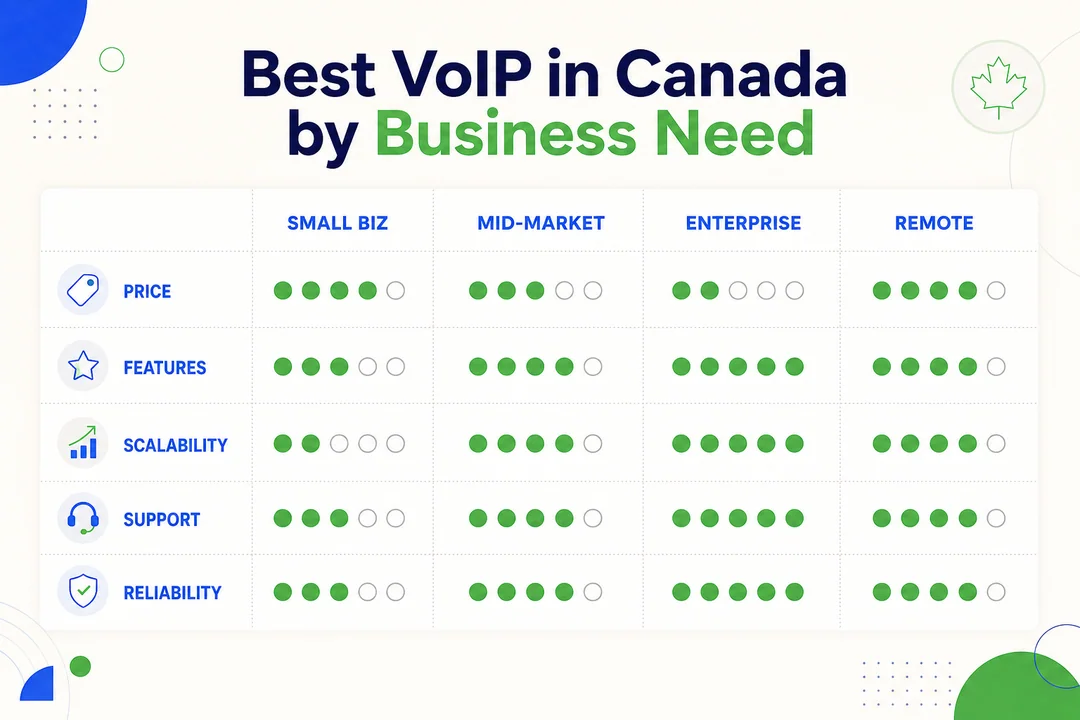
Best for Small Businesses
Small businesses usually need four things: low monthly cost, easy setup, local Canadian numbers, and core calling tools like auto-attendant and voicemail to email.
- OpenPhone, Best for modern small teams that want shared numbers, texting, and simple onboarding. Good for agencies, consultancies, and founder-led teams.
- Ooma Office, Best for traditional local businesses like clinics, retail stores, and service companies that want reliable calling and desk phone support.
- net2phone Canada, Best for SMBs that want practical features and a provider with stronger Canadian-market relevance.
The main mistake small businesses make is overbuying. If your team only needs basic routing, voicemail, and a professional local presence, skip the enterprise stack.
Best for Startups and Growing Teams
Growing teams care about speed, flexibility, and not getting trapped in a platform they outgrow too fast.
- OpenPhone, Best for startups that want low friction, shared numbers, and transparent day-one value.
- Dialpad, Best for teams that want to grow into AI-supported sales or support workflows.
- Vonage, Best for companies expecting more custom workflows or evolving integration needs.
Watch for per-user pricing creep. A platform that looks cheap at five users may feel very different at 25 users. Compare where the plan still makes sense after growth.
Best for Remote and Hybrid Teams
Remote teams need softphones, mobile apps, messaging, and video that people will actually use without constant IT help.
- GoTo Connect, Best if you want one practical app stack for calling, messaging, and meetings.
- Dialpad, Best for distributed teams that want mobile-first calling and conversation insight.
- RingCentral, Best for larger remote organizations with more complex routing and admin needs.
In practice, the best remote tool is often the one your team adopts quickly. A powerful system that no one likes using becomes an expensive problem.
Best for Enterprise Teams
Enterprise buyers usually care less about the cheapest plan and more about control, uptime, integration depth, and onboarding support.
- RingCentral, Strong fit for admin controls, broad ecosystem support, and scalable deployment.
- 8×8, Strong fit for international operations and larger communication footprints.
- Nextiva, Strong fit for customer-facing operations that need communication tied to service workflows.
Before signing, verify support responsiveness, implementation help, contract terms, and any limits on recording, analytics, or premium support.
Best Budget VoIP Phone Service in Canada
Budget should mean more than low sticker price. It should mean predictable billing and enough core features to avoid buying extras right away.
- OpenPhone, Best for low-friction startup use and modern app-based calling.
- Ooma Office, Best for smaller traditional businesses that want clear core functionality.
- net2phone Canada, Best for SMBs that want practical value with Canadian relevance.
Always check the real total cost. Call recording, toll-free minutes, hardware, and extra numbers can change the deal quickly.
Best for International Calling
If your team calls outside Canada often, evaluate country coverage, rate predictability, and whether local numbers are available where you operate.
- 8×8, Best for broad international business use.
- RingCentral, Strong option for larger teams needing international support from a mature platform.
- Vonage, Worth considering if flexibility and global workflows both matter.
Check the exact countries included. International calling benefits are rarely identical across all regions or plans.
Best for CRM and Workflow Integrations
For teams already living inside Salesforce, HubSpot, Slack, Microsoft Teams, Google Workspace, or Zapier, integration quality matters more than long feature lists.
- RingCentral, Strong broad ecosystem fit
- Dialpad, Great for call intelligence plus CRM workflow support
- Nextiva, Good for customer communication and service coordination
- Vonage, Good flexibility for integration-led setups
Better integrations reduce manual call logging, cut app switching, and make sales and support workflows smoother.
How to Choose a VoIP Company in Canada
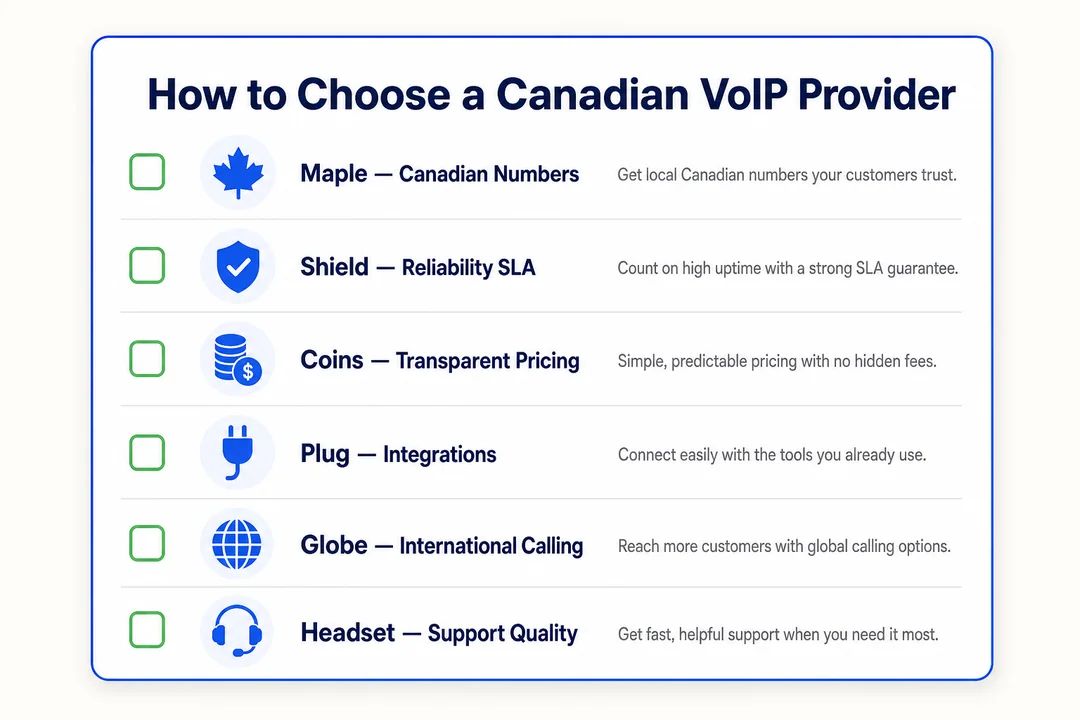
Compare Pricing Plans Carefully
A VoIP quote often starts simple and gets messy later. Focus on total monthly cost, not just the base rate.
- Count your users.
- List the features you actually need.
- Identify paid add-ons like call recording, toll-free usage, analytics, AI tools, and extra numbers.
- Compare monthly billing against annual billing.
- Ask for an all-in quote for your exact team size.
Also check for:
- Setup or activation fees
- Number porting fees
- Desk phone rental or provisioning
- Premium support charges
Ask every vendor the same question: What will this cost per month for our real setup, with everything included?
Check Canadian Local Numbers and Toll-Free Options
This matters more than many buyers expect. The right local number helps with trust, local marketing, and brand familiarity.
Check:
- City and province availability
- Specific area codes
- Toll-free options
- Whether you can add multiple local presences
If your customers expect a Toronto, Calgary, Montreal, or Vancouver number, verify that exact area code before you buy. Do not assume all providers offer the same coverage.
Ask About Number Porting
Number porting means moving your existing business phone number to a new provider.
A simple checklist:
- Confirm your current number is portable.
- Match your business account details exactly.
- Submit the required paperwork early.
- Ask for the estimated timeline.
- Keep your current service active until the port is complete.
Common delays include:
- Account name mismatch
- Wrong service address
- Incomplete forms
- Active carrier issues
Never cancel your old line before the port is finished.
Review Core Calling Features
Most SMB buyers do not need every advanced feature. They need the right daily features.
Use daily
- Auto-attendant
- Call routing
- Voicemail to email
- Mobile and desktop apps
- Basic team messaging
Useful occasionally
- Call recording
- Video meetings
- Shared numbers
- After-hours routing
- Ring groups
Optional
- Advanced analytics
- AI summaries
- Deep workflow automation
- Complex multi-level routing
If a provider is missing the features your team uses every day, nothing else matters.
Look at Integrations and Workflow Fit
A long feature list means little if the platform does not fit your team’s workflow.
Prioritize:
- CRM integrations
- Help desk tool support
- Slack or Microsoft Teams connection
- Google Workspace compatibility
- Zapier automation
Useful real-world cases:
- Click-to-call from your CRM
- Automatic call logging
- Contact syncing
- Workflow triggers after missed calls or voicemails
If your team already works inside other software all day, integrations should be near the top of your buying checklist.
Consider Reliability, Uptime, and Call Quality
Reliability shows up in three ways: whether the service stays up, whether calls sound clear, and whether the apps work consistently across devices.
Look for:
- Uptime commitments or SLA terms
- HD audio
- Stable desktop and mobile apps
- Clear support for internet-based calling quality
A cheaper plan is not a bargain if dropped calls or unstable apps frustrate staff and customers.
Evaluate Support and Onboarding
Smaller teams often need better onboarding more than they need more features.
Ask vendors:
- Is support available 24/7?
- Do you offer phone, chat, and email support?
- Will you help with setup and migration?
- Is training included?
- Do you help with number porting?
- Is there Canadian support relevance where applicable?
Weak onboarding causes real problems: slow adoption, misconfigured routing, and wasted spend.
Think About Scalability
Choose a provider that fits where your business may be in two to three years, not just this month.
Look for:
- Easy user additions
- Multi-location support
- Role-based admin controls
- Clear upgrade paths
- Better reporting as the team grows
Avoid both extremes. Do not overbuy enterprise complexity today. But do not pick a system you will outgrow in six months.
Review Security and Compliance Basics
Most SMB buyers do not need deep telecom security analysis. They do need baseline controls.
Check for:
- Encryption for calls and data
- Admin permissions
- Recording controls
- Policy options for compliance needs
- Canadian regulatory alignment where relevant
For most businesses, confirming these basics is enough before moving into a full purchase review.
Do You Need a Canadian VoIP Provider or Just a Provider That Serves Canada?
When a Canada-Focused Provider Makes Sense
A Canada-focused provider can be a better fit when your priorities are local simplicity and familiar support.
It often makes sense if you want:
- Stronger focus on Canadian local numbers
- Simpler communication around Canadian billing and setup
- Local support familiarity
- A more practical SMB experience without giant platform complexity
This does not make local providers automatically better. It just means they may align more closely with businesses that operate mainly inside Canada.
When a Global VoIP Provider Is a Better Fit
Global providers usually win when your needs are broader.
They are often a better fit if you need:
- Stronger unified communications
- More advanced integrations
- Cross-border support
- Bigger app ecosystems
- AI-assisted calling or customer workflows
- Better support for distributed teams
If Canada is one market among several, a global platform may serve you better.
What Matters Most for Most Buyers
For most buyers, the best choice is not the provider headquartered in Canada. It is the provider that offers reliable service in Canada, fair pricing, easy number porting, useful integrations, and dependable support.
That is the real buying filter.
What Is VoIP and Why Are Canadian Businesses Switching?
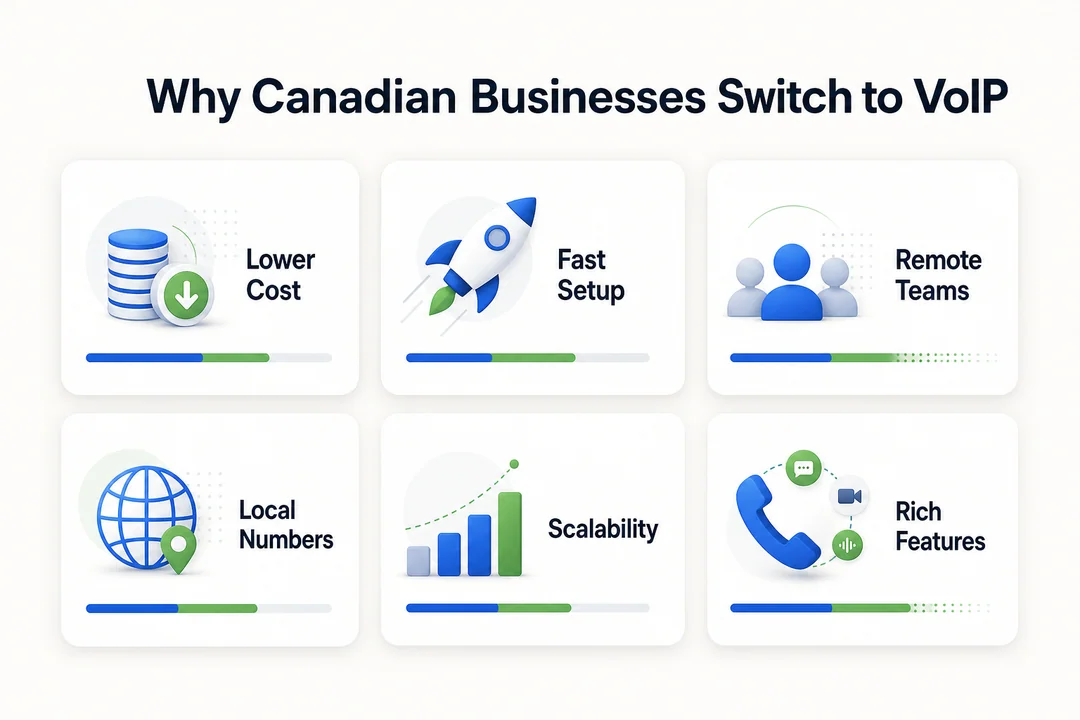
What VoIP Means
VoIP is a phone service that uses the internet instead of traditional landlines. For Canadian businesses, that usually means lower costs, easier remote work, and more flexible phone management across devices and locations.
Main Benefits Over Traditional Phone Systems
- VoIP often lowers business phone costs compared with legacy landline systems.
- It makes remote and hybrid work easier because staff can answer calls from laptops or mobile apps.
- It is easier to scale when you need to add users, numbers, or locations.
- It connects better with business tools like CRMs and team apps.
- It supports voice, messaging, and video in one platform for many providers.
Common Types of Business VoIP Systems
- Cloud-based VoIP, Hosted by the provider and managed online. This is what most SMB buyers compare today.
- On-premises VoIP, Managed on your own servers. Better for businesses needing deeper internal control.
- Hybrid VoIP, Mixes cloud and on-site systems. Useful during transitions from older phone setups.
For most mainstream buyers, cloud-based options are the most practical place to start.
Final Shortlist: Which VoIP Company in Canada Should You Choose?
Choose Based on Business Size
- Solo or micro business: Start with OpenPhone or Ooma Office. Focus on price, simplicity, and a professional local number.
- Small to midsize team: Look at GoTo Connect, Dialpad, or net2phone Canada. Balance features, support, and pricing carefully.
- Larger organization: Start with RingCentral, 8×8, or Nextiva. Focus on admin controls, integrations, reliability, and implementation support.
Choose Based on Priority
- Lowest cost: OpenPhone
- Best features overall: RingCentral
- Best support-oriented local fit: net2phone Canada or Callture
- Best integrations: RingCentral
- Best international reach: 8×8
- Best AI capabilities: Dialpad
- Best for simple traditional office use: Ooma Office
Simple Recommendation Summary
- Best overall: RingCentral
- Best value: OpenPhone or net2phone Canada
- Best for startups: OpenPhone
- Best for remote teams: GoTo Connect or Dialpad
- Best for enterprise: RingCentral
- Best for international calling: 8×8
- Best Canada-focused option: Callture
No provider is right for every business. Shortlist two or three options, then verify latest pricing, local number availability, support terms, onboarding help, and contract details before signing.
Frequently Asked Questions
What is the best VoIP company in Canada for small business?
For many small businesses, the best options are OpenPhone, Ooma Office, and net2phone Canada. OpenPhone is great for modern lean teams, Ooma Office fits traditional local businesses well, and net2phone Canada is a practical option for SMBs wanting stronger Canadian-market relevance. The right choice depends on your budget, need for local numbers, and how advanced your calling features need to be.
How much does business VoIP cost in Canada?
Business VoIP in Canada typically starts around $20 to $30 per user per month, though pricing varies by provider and plan. Annual billing may lower the per-user rate. Your real cost can increase with add-ons like toll-free minutes, call recording, AI tools, extra numbers, and hardware. Always compare the full monthly total, not just the advertised starting price.
Can I keep my current business phone number?
Yes, in most cases, you can keep your current number through number porting. You will usually need paperwork, matching account details, and some lead time for the transfer. Delays can happen if records do not match. Keep your old service active until the port is fully complete.
Are Canadian local numbers available with most VoIP providers?
Yes, many major providers offer Canadian local numbers. However, availability varies by city, province, and area code. This matters because local numbers help build trust and support regional marketing. Always confirm the exact area code you want before you sign up.
Which VoIP providers in Canada are best for remote teams?
The strongest options for remote teams are GoTo Connect, Dialpad, and RingCentral. They offer softphones, mobile apps, messaging, and video support that help staff work from anywhere. If your team is fully distributed, focus on ease of use and daily adoption, not just raw feature count.
Shortlist your top 2–3 providers now, request current quotes, confirm Canadian local number availability, and ask about porting, onboarding, and hidden add-ons before you make a final decision.
More in Operations & CX Optimization
View all →
Customer Experience Transformation: Framework and Steps
A telecom customer calls support about a billing error. They explain the problem to the IVR system. Then to the first agent. Then get transferred and explain again. Then escalated—and explain a third time. Forty minutes later, they're exhausted and the problem still isn't solved. This is what broken customer experience looks like. And it's costing you customers. Customer experience…


Web Caller Meaning: JavaScript caller, Calling Tools or Portals
“Web caller” is one of those phrases where the search results and the searcher are frequently talking about different things. Three unrelated audiences use it: developers hitting an error on the legacy JavaScript caller property, buyers evaluating browser-based calling software, and people trying to reach a specific portal or training page whose exact name they cannot recall. That fragmentation is…

Customer Experience Strategy: How to Build One That Works
Customer experience is getting worse, not better. Forrester's 2025 Global CX Index found that 21% of brands declined in CX quality while only 6% improved — and in the US, 25% declined against 7% that improved, the second consecutive year of that pattern. Most of those brands were not neglecting customer experience. They were working on it without a strategy…



 English
  Russian
  Chinese